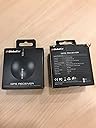
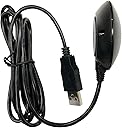
๐ Navigate smarter, not harder โ GPS precision that keeps you ahead of the curve.
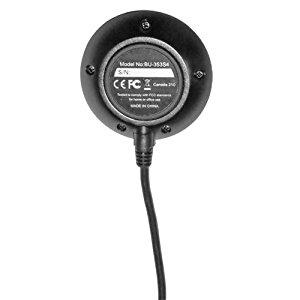
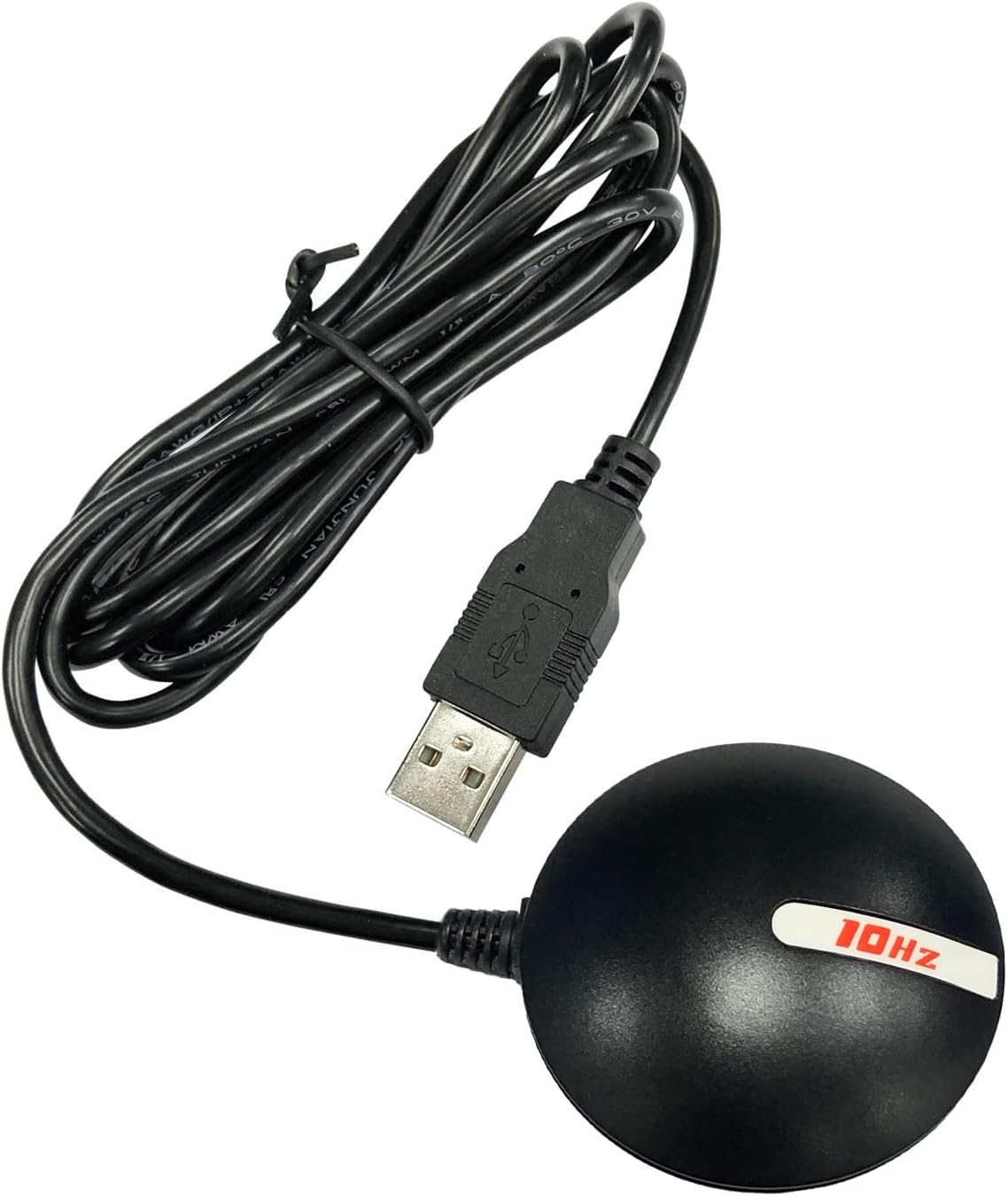
The GlobalSat BU-353-S4 USB GPS Receiver is a compact, highly sensitive device powered by the SiRF Star IV chipset, delivering superior 48-channel satellite tracking with ultra low power consumption. Its built-in roof mount magnet and advanced CGEE technology enable rapid satellite acquisition and reliable positioning in challenging environments, making it the perfect companion for professionals seeking accurate, real-time GPS data on any USB-enabled device.
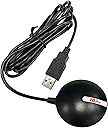
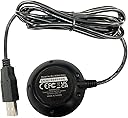
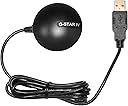
| ASIN | B008200LHW |
| Additional Features | USB GPS receiver |
| Are Batteries Included | No |
| Audio Output Mode | Monaural |
| Best Sellers Rank | #945,290 in Electronics ( See Top 100 in Electronics ) #902 in Handheld GPS Units |
| Brand | GlobalSat |
| Built-In Media | main unit |
| Compatible Devices | Smartphone |
| Compatible with Vehicle Type | Car |
| Connectivity Protocol | USB |
| Connectivity Technology | USB |
| Control Method | Touch |
| Customer Reviews | 4.5 out of 5 stars 1,282 Reviews |
| Display Type | LCD |
| EU Spare Part Availability Duration | 2 Years |
| Global Trade Identification Number | 00071020227746 |
| Human-Interface Input | Buttons |
| Item Dimensions L x W x H | 2.08"L x 2.08"W x 0.75"H |
| Item Type Name | GPS receiver |
| Item Weight | 0.13 Pounds |
| Manufacturer | USGlobalSat, Inc. |
| Map Type | Satellite |
| Map Types | Satellite |
| Mfr Part Number | BU-353-S4 |
| Model Name | BU-353-S4 |
| Model Number | 05-BU-353-S4 |
| Model Year | 2011 |
| Mounting Type | Roof Mount |
| Operating System | Windows |
| Special Feature | USB GPS receiver |
| Supported Satellite Navigation System | GPS |
| Touch Screen Type | Capacitive |
| UPC | 071020227746 872182764687 168141414367 763551823091 172302620955 172304218709 780411581540 610098743460 600978771683 803983012479 600978771089 132017983387 795945995251 795945023206 702071325548 021113072845 531479635252 754262049467 611101598527 961613260208 807320378532 |
| Unit Count | 1.0 Count |
| Vehicle Service Type | Car |
| Warranty Description | 1 year manufacture warranty under normal use |
C**F
A simple, inexpensive, but accurate GPS receiver
I wanted a simple, inexpensive, but accurate GPS receiver to use with Google Earth's "real-time GPS" function. This GlobalSat BU-353-S4 USB GPS Receiver works perfectly for that use. It is small and unobtrusive and the long cord allows it to be placed on the dashboard of my car. With my laptop in my car and the GlobalSat BU-353-S4 plugged into its USB port my position is shown very accurately in Google Earth. I have taken a number of test drives and this GPS receiver updates my moving position with just a little delay (it may be Google Earth that is causing the delay). This GPS receiver is so accurate that if I drive one direction on a two-lane road and then drive back the other direction, the route lines in Google Earth can be seen to be separate and right over the corresponding lane used. Please note that for this setup to work - without any currently active internet connection - the satellite imagery must have been previously loaded into the Google Earth cache (do an internet search for "google earth offline" and follow links from there; it is possible to create multiple caches of different areas). The GlobalSat BU-353-S4 USB GPS Receiver comes with a small but handy application, GPS Utility, which can be used to check the functioning of the receiver. The app displays a sky map of all of the GPS satellites detected and the signal strength, as well as the raw data stream from all detected satellites. It also provides data for current longitude, latitude, heading, elevation, and speed. Please note that it appears that the computer port used by this GPS receiver cannot be used by two applications at the same time - only one app can access the GPS satellite data at a time - so if running Google Earth "real-time GPS" the GPS Utility app will not receive the GPS data at the same time. In summary, this GlobalSat BU-353-S4 USB GPS Receiver works perfectly and is exactly what I was looking for. It should work for any "GPS aware" application (such as Google Earth).
-**-
I am very happy with it -- and for only 34 bucks!
This is by far the most pleasant surprise I've had in an electronic purchase in a long time. The unit it smaller than it appears to be on the photos, but that's a good thing. I realize this kind of device is at the mercy of whatever software is used, and I was lucky enough to borrow a few tablets, phones, and laptops with different navigation programs to test. For our vacation trip, I ended up choosing my wife's Surface as the hardware with Microsoft Streets & Trips (Not one of the programs we tested was excellent, and the MS product was the lesser of all evils). The one other thing I'll say about the Surface is, even though the screen is large, the "touch" part was maddening in a moving car, and the attached keyboard was also hard to use. Now, the GlobalSat: 1. I tested it at home, first inside, away from any windows. It pulled in enough satellites to put me about 10 feet from my actual location. (I was in the middle of the room, and it placed me on a wall). I used Google Earth here, but did not choose to use it in my car later. 2. In comparison with my phone GPS, the GlobalSat was always 10-20 feet better. 3. The weatherproof GlobalSat has a magnet that should withstand hurricane winds, and the USB cord is plenty long. On the trip, I sometimes forgot to put it back on the roof when I got back to the car. While I drove, it was dangling near the floor. The accuracy was about the same, but I would lose the voice-directions (not the fault of the GlobalSat). 4. It took the device around 30 seconds to give me a location after a cold boot. 5. I dropped it several times on macadam and concrete and it never skipped a beat. 6. It was recognized by all the programs I tried. My endorsement of the GlobalSat BU-353-S4 is unequivocal. If you don't want the limited real estate of a Garmin or Tom Tom screen, this is the unit to pair with a larger Android or a Windows device (Never used an Apple product). It worked with my 7" Acer notebook and my wife's new 10" notebook. The car we drove didn't have the optimal space for these, but other cars may.
K**R
Bu-353-54 GPS receiver works well
I had misplaced or lost the GPS receiver that came with Microsoft Streets and Trips. I ordered this as a replacement. There was no problem installing it to my Windows XP laptop and Streets & Trips Version 2013. With my Microsoft receiver, my house appears to be a couple of hundred feet east of its actual location. With the Bu-353-54, it was on the button. For the short period that I have had it, I noticed that it is placing my car on the road rather than very slightly to one side as with the Microsoft receiver. That's plenty close enough for navigation. And the Microsoft version is less expensive when purchased with Streets & Trips. But based on my experience, the BU-353-54 is accurate. That may the because I was able to place it on the top of the car instead of on the dashboard. There is no good way to put the Microsoft version on the roof of the car and it is not designed to be water proof. I like placing it on the roof of the car because that gets it out of the way when I have my laptop computer in the passenger seat. The receiver has a magnetic base. It appears to be plenty strong enough to stay put. The receiver has a low profile and appears to be aerodynamically shaped to hold itself down in addition to the magnet. I haven't tested it at 100 mph yet, but I would be willing to bet that I would stay put. There is a rubber-like ring on the bottom to protect the car's finish. The cable is just under 5 feet long. I wouldn't really want it any longer. But that can be extended with a USB extension cable. No real complaints so far.
A**D
Great device but not for my application
This is an impressive device. However, in my application it did not work as I had wanted, due to no fault of its own. I wanted to bring a GPS signal into a 7" tablet so I could run the Waze program on long distance drives. The tablet has a microUSB and this has a full size USB. I found a converter cable that let me hook this up to the Android tablet. It worked just great! Locked on quickly and maintained a great lock. Just what it is supposed to do. However, my tablet soon ran out of battery power. So I got a "Y" cable and added power to the cable- but the tablet did not charge when GPS was active. Turns out, there is software inside the Tablet that determines if the microusb port is in host mode (so it can be charged) or slave mode (where it cannot). It was not possible to have the GPS attached in any fashion so the tablet could maintain charge. If you're using this with a laptop, then I think you will be very well pleased!
S**S
Windows 10 programs need a 3rd party app to work
After spending several hours on the internet searching for a solution to the problem of Windows 10 navigation apps recognizing the GPS data I finally found a solution. I downloaded a program called GPSComplete from gpssensordrivers dot com. The program forms a bridge from the GlobalSat BU-353-S4 to whatever program or website you are using. So for I have tried Sygic GPS Navigation, Maps in Windows 10, Wego.here, and Bing. They all worked great. I'm sure it would work with any program or website that will accept location data. When you run the program to install the GPSDirect driver you set the baud rate to 4800 and select whichever com port that Windows 10 assigned to it. You can find the com port number in device manager under "Ports (COM & LPT)" or you can run the test application that comes with the GPS. From the GPSComplete website: Welcome to GPSComplete, the all-in-one tool for Sensor Drivers including GPSDirect, GPSReverse and testing tools. GPSDirect allows you to reuse your existing GPS source (a COM port, a Bluetooth device, a TCP/IP Source, or a simulation) and map it to a Windows GPS Sensor for your Windows applications that are GPS sensor-aware (Maps, etc). Using this driver enables all Windows sensor aware applications to get GPS information without directly accessing the GPS hardware. GPSDirect is useful for new applications to access information from older devices. GPSReverse does the reverse, maps a Sensor (either a physical one, ILocation or GPSDirect) as a virtual COM port. GPSReverse is useful for legacy applications to use a sensor which exists in modern PCs.
D**D
works great with most any mapping/charting solution on a PC
this is a great way to add GPS if you use a lot of PC GIS/mapping/charting programs - I now use this as the primary GPS on my truck and another one in my boat connected to the PC and driving the primary chart screen at the helm - eliminates the ongoing hairball of interfacing to seatalk or nmea repeaters/bridges etc - I have moved from using the Autopilot in "track" mode to using it only in "auto" mode since I'm never far from the helm and the performance is essentially the same for both modes in the short term - for instance "steer to waypoint" v. "manually bring the heading to the waypoint and then steer to course" is essentially the same difficulty and arguably easier to unwind in the latter case as conditions change - so I no longer bother to drive the onboard autopilot with a PC - that said, using the BU-353 series GPS's makes it ridiculously easy to use many different navigation programs and have reliable GPS at all times - this is a both a great backup GPS for boaters as well as a primary GPS if your primary chartplotter/screen is driven from a PC.
J**.
A Great USB GPS Receiver
BU-353-S4 Weather-proof USB GPS Receiver worked better with Windows 8 and Streets and Trips than expected on a HP laptop. They are a great match up. *** I have had a lot of people asking me about how the trip had gone since I used a HP Laptop with Windows 8, Microsoft's Streets and Trips. Well the drive there and driving (2,967 Miles) was though some of the worst storms that I have ever drove though, if I didn't have the BU-353-S4 Weather-proof USB GPS Receiver connected to the HP Laptop most likely I would have got lost and still driving around in circles. I have to Thank the Amazon Reviews that I read most likely I wouldn't have known about how GREAT the BU-353-S4 Weather-proof USB GPS Receiver really worked out. The other Plus was that the wife never fell asleep during the trip, she made a GREAT Co-Pilot. Thanks Amazon for the hard work your people do in helping us out by sending everything we ordered in two days. Along with keeping the wife awake. :-) PS: I suggest to get a short piece of hose to protect the wire when you power up the window that the lead from getting damaged when you put it on top of your car or truck. The BU-353-S4 Weather-proof USB GPS Receiver has a magnet base btw!! It held tight during all the strong winds from the storms. Yes, I would suggest to anyone to purchase this this GPS Receiver.
P**.
Simple GPS receiver that's great for vehicle navigation, has some quirks: issues with SBAS, loses lock in marginal conditions
I bought this GPS receiver to complement my serial Garmin GPS 18x LVC receiver (to which I will compare the BU-353-S4) as having a USB-based receiver like the BU-353-S4 is more convenient in certain situations -- the 18x requires both a serial port (or serial-to-USB adapter) and (in my configuration) a USB port for 5V power while the BU-353-S4 requires only a single USB port. Caveat: the Garmin 18x LVC is a "bare wire" unit designed for Original Equipment Manufacturers or advanced users who are comfortable fabricating their own end-of-cable connectors -- it does not come with any sort of connectors like a serial or USB connector. The 18x line of receivers also has a version with a serial connector and a 12V car power cord and a USB version that only communicates using the Garmin binary data format instead of standard NMEA-0183 sentences. The BU-353-S4 is designed for ordinary users who want a simple plug-and-play USB-based GPS receiver that speaks NMEA-0183 out of the box (this is nearly everyone). In that regard, it's quite good but with a few quirks. ********** General Overview The unit is compact and easy to use. The magnetic base and waterproof construction make it suitable for use on a vehicle roof and it is sensitive enough to receive signals through most car windshields (though ones with heat-rejecting metal films may block the signal). Simply plug it into a computer with the appropriate drivers (see below), place it where it can see the sky, and it works exactly as expected and delivers standard NMEA-0183 formatted sentences to compatible software (essentially all GPS-related computer software) over a virtual serial port (again, nearly all GPS-related software expects to connect to the receiver using a serial connection, so this is great). ********** Pros - Easy installation. - Only one USB port needed. - Quick acquisition of satellites when presented with a clear view of the sky. - Shows up as a serial device, and so works great with nearly all GPS software. - I've verified that it works with Windows 7 32 and 64-bit as well as Ubuntu 12.10 and Linux Mint 14 using gpsd. - Satellite information is retained when unplugged for a few days so it can reacquire signal very quickly after being powered down for a bit so long as it hasn't moved much. - Rubber ring on the bottom prevents scratching whatever surface it's attached to, such as the roof of a car. - A small LED indicates if the device has power and, if flashing, has locked onto satellites and calculated a position. This is useful, particularly for troubleshooting. Cons - No success with SBAS augmentation at this point in time. I'll update this if it becomes available. - Available "GPSinfo" software from the Globalsat website is terrible, and the documentation/manual available from them is very basic. - By default, GPRMC, GPGSA, and GPGGA sentences are emitted every second while GPGSV sentences are emitted every 5 seconds. Most comparable receivers emit all four sentences every second. This is weird but not a major issue: it just means that information about the satellites (such as their position in the sky overhead as well as the measured signal strength from them) is only updated every 5 seconds instead of every second. - My navigation software is reporting that the GPGSV sentences are malformed in some way, even with default settings. I'm still looking into this. - In order to make any configuration changes (such as what and how often sentences are transmitted) you need to use the SiRFDemo software which is not included. While Amazon won't let me link directly to it, you can find it in topic ID# 3562.0 on the user forum on the USGlobalsat website. This is a major hassle for ordinary users. - Useful information for navigation, such as the estimated uncertainty in horizontal position, vertical position, and velocity is only available in SiRFDemo while using the SiRF binary protocol. This information is not available in the NMEA-0183 output. - Configuration information is not saved to non-volatile memory. The device has a supercapacitor to power the internal volatile memory (which contains the configuration changes) but this will discharge over time. The discharge time is not specified in the manual, so if the device is idle for some time it will reset back to the default configuration. The Garmin 18x stores this data in non-volatile NVRAM and so can retain settings indefinitely without power. - Magnet in base is not as strong as the Garmin 18x. It hasn't been a problem for regular driving up to around 60mph but may be an issue at very high speeds. (Potential issue: The puck, when viewed from the side, has an interesting shape: it's curved on top, wide in the middle, and tapers towards the base. This looks like it could have moving air apply upward force, potentially lifting the receiver off the roof at very high speeds. I haven't actually observed this to happen, but it's something to note.) - The only mounting option is the magnet. The Garmin 18x has a screw receptacle on the bottom that allows for a more permanent mounting but the BU-353-S4 does not. ********** Technical Details The BU-353-S4 "puck receiver" is slightly smaller than the 18x and has a diameter of roughly 5.4cm (not including the USB cable, which emerges from the side of the unit). It has a single USB cable which serves to supply power and transmit/receive data. The receiver includes a built-in serial-to-USB adapter and uses the Prolific PL2303 chipset for this purpose. Drivers are available on the US Globalsat website and from Prolific's site. Windows 7 32-bit offers a completely automatic, plug-and-play installation of the drivers from Windows Update. Windows 7 64-bit requires that you manually download the drivers and conveniently directs you to the exact page on the Prolific site where you can download them. After the drivers are installed, the receiver appears as a standard COM port to which most GPS-related software can connect. I don't have a Mac or Windows 8 system but other reviews indicate it works well. The device is completely plug-and-play with Ubuntu Linux 12.10 and Linux Mint 14 using gpsd: no additional drivers are needed. Simply plug in the device, configure gpsd to connect to it on /dev/ttyUSB0 (the exact device may vary, but that's the default one) and it works perfectly. The device claims that it is WAAS/EGNOS-capable (WAAS and EGNOS are, respectively, the North American and European systems for augmenting GPS to provide additional accuracy and integrity checking). In general, such systems are called "Satellite Based Augmentation Systems" or "SBAS". Standard GPS provides an accuracy of around 10 meters while SBAS-augmented position fixes can be as accurate as 2 meters. While the BU-353-S4 works perfectly with standard GPS signals, I have not been able to get this receiver to work correctly with EGNOS even though it appears to have the SBAS feature enabled: it has a clear view to the EGNOS satellites and strong signals (SNR is in the 35-45 range) but neither locks onto them nor uses them in the navigation solution even after more than 24 hours of continuous operation. Sometimes it will track one EGNOS satellite for hours but never lock on, while other times it will hop between different EGNOS satellites. As a comparison, my Garmin 18x LVC will get EGNOS signal within about a minute or so. It is unclear if this is an issue with this product line in general or only with the specific unit I received. I have been in contact with Globalsat and will post and relevant updates below. SBAS augmentation is useful for more accurate position fixes but isn't terribly important when used for road navigation as most software will "lock" the car to the nearest road even if the computed position is slightly off the road. For most vehicular uses, even off-road ones, there's no real advantage to having 2m position fixes compared to 10m position fixes. With a SiRFstarIV GPS chipset, the receiver works very well under a clear sky (such as when positioned on a car roof). It acquires and locks onto satellites very quickly. It's able to recover from momentary loss of signal (e.g. driving through a tunnel which blocks the signals) within a second or so. It is essentially equal in sensitivity to the Garmin 18x and works great with a clear sky view, though it seems to lose lock more easily in marginal conditions (such as inside my apartment window) than the 18x even when both are reporting similar signal levels. With a good sky view and a suitable number of satellites, the accuracy of the fix seems to be comparable to the Garmin 18x. The SiRFDemo application, which is not provided but can be acquired as described above, allows for a lot of useful options and technical information, but its usefulness is limited because the data is only available in the SIRF binary data format, not as NMEA-0183 standard sentences. ********** Bottom line: for the (current at the time of this post) price of less than $36 you get a simple little GPS receiver that's perfectly suitable for most vehicle navigation. For that purpose, I recommend it. If it weren't for the SBAS issues it'd get a solid four stars. The 5-second default for GPGSV sentences is weird but not a big deal, though combined with the atrocious GPSinfo software, limited documentation, and lack of more configuration options prevent me from giving it that fifth star. That said, I prefer the Garmin GPS 18x series (particularly the LVC model due to its pulse-per-second output being useful for timekeeping) because it has a better lock in marginal signal conditions, working SBAS support, includes the option for more permanent screw mounting, better configuration software and documentation, sensible defaults, and a stronger magnetic base. The BU-353-S4 has the advantage over the Garmin 18x USB in that the Garmin 18x USB model outputs data only in the proprietary Garmin data format and requires software on the computer to convert the data to NMEA standard sentences to work with common navigation software (this limitation only applies to the Garmin 18x USB model; the serial and LVC models can output data in either NMEA or Garmin binary). The BU-353-S4 outputs data by default in the standard NMEA format, and so is a bit more "plug and play" than the 18x USB. My uses and expectations may vary somewhat from the average user, so please bear that in mind. Still, if you're in the market for an inexpensive, simple, USB-based GPS receiver for a computer in your vehicle, the BU-353-S4 will likely be quite satisfactory. ********** Update 2013-01-09: After some communication with USGlobalsat, they confirm that this model has a firmware bug in the SiRF receiver chipset that prevents it from using WAAS/EGNOS signals. Evidently SiRF is investigating the problem. It's not clear if SiRF/USGlobalsat will release a firmware update that will fix the issue nor if only a subset of the receivers have the bug. More as I get it. According to USGlobalsat, if one needs WAAS/EGNOS support and is not concerned with Windows 8 compatibility then one should consider the BU-353 (the non-S4 version) as that has the slightly older SiRFstarIII chipset and is not affected by the bug affecting the SiRFstarIV chip.
Trustpilot
2 weeks ago
1 month ago