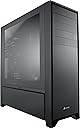
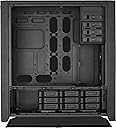
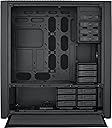
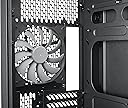
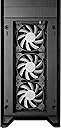
🖤 Build Bold, Cool, and Unstoppable with the Corsair Obsidian 900D
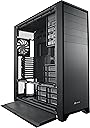
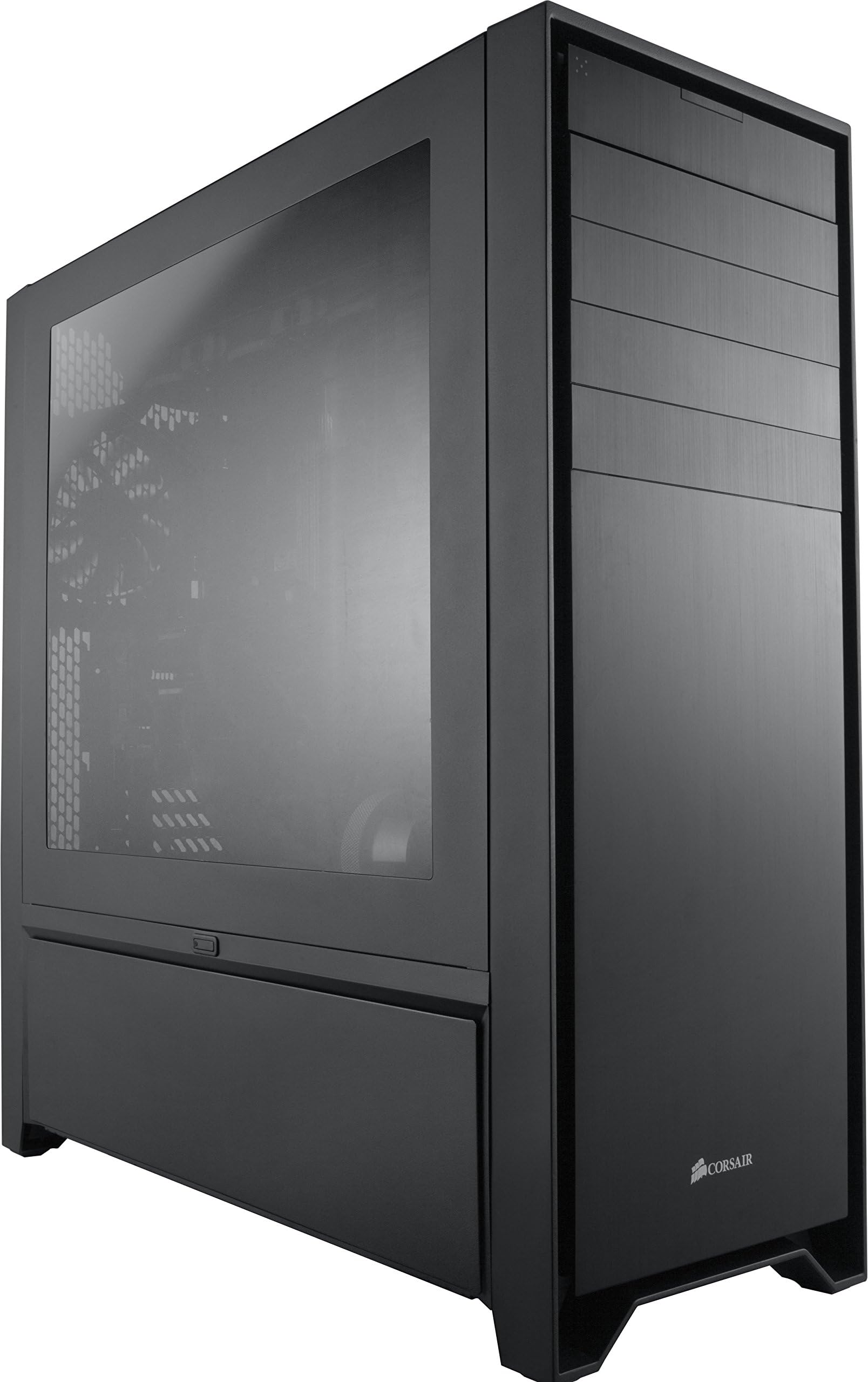
The Corsair Obsidian 900D is a super tower PC case designed for professional-grade builds, supporting a wide range of motherboard sizes up to HPTX. It features a robust cooling system with four included exhaust fans and up to fifteen fan mounts, premium brushed and cast aluminum construction, and expansive storage options with up to fifteen hard drive bays. With multiple USB ports and a full windowed side panel, it combines functionality, style, and future-proof expandability for the discerning tech enthusiast.


| ASIN | B00B1R8JT0 |
| Brand | Corsair |
| Case Type | Full Tower |
| Color | Black |
| Compatible Devices | Mini-ITX |
| Cooling Method | Air |
| Customer Reviews | 4.1 out of 5 stars 297 Reviews |
| Enclosure Material | Alloy Steel, Aluminum |
| Global Trade Identification Number | 00843591033244, 05054484245216 |
| Hard Disk Form Factor | 3.5 Inches |
| Internal Bays Quantity | 9 |
| Item Weight | 41 Pounds |
| Manufacturer | Corsair |
| Material | Alloy Steel, Aluminum |
| Mfr Part Number | CC-9011022-WW |
| Model Number | CC-9011022-WW |
| Motherboard Compatability | XL ATX |
| Number of Fans | 2 |
| Power Supply Mounting Type | Bottom Mount |
| Supported Motherboard | XL ATX |
| Total Expansion Slots Quantity | 10 |
| Total USB 3.0 Ports | 2 |
| Total Usb Ports | 6 |
| UPC | 843591033244 013591040294 012304760931 031112560069 045555974994 013201038468 041114095223 779184052746 |
| Warranty Description | Two years |
N**N
Obisdian 900D will fit anything inside
I was waiting for the 750D to come out, but I wanted a case that would last a long time with room for expansion, and I didn't really care for the thumb screws on the 750D doors. So I pulled the trigger for this big boy. WOW. It is huge! Which is OK with me. Room to put the case is not an issue. Room inside of it ,will never be an issue either. One of my concerns was that this case is touted as a water-cooling case. Not much mention of Air Cooling. But I figured 3-120's in the front , 1-140mm in the back and up to 4-120's on top, I could create enough air flow. I mounted a Phanteks PH14 on my FX-8350 with room to spare. I am comparing the Air cooling to a Corsair 600T with cut-out grills (front-top and back) a Bitfenix 200 pro in front- Bitfenix Pro 230mm on the side and 3- corsair 120AF's on top, one in the back. (Very good airflow)... To the 900D with an additional 2-120 AF's added to the top in exhaust mode. Just to see if air cooling was as good as the 600T. Verdict: Almost exactly the same., within a degree or two on all components. My XFX-7950 DD benchmarks on Unigine Valley at 68 to 69C, My FX-8350 running AMD OD stress test at 50C (4.0ghz bouncing to 4.2 turbo..I had running apps at the same time) Northbridge 47C. SO...Air flow is as good as a modded 600T. The 900D is pretty basic for equipment, but giving you the option of almost anything. It has room for 15 fans. But, no controller. It would have added too much to the price I am sure. So I added a Lamptron FC2. 2 DVD Multi drives (Yes..I have DVD drives!)and an NZXT Card reader. I removed the top HDD cage and used the lower one. It is "Hot Swappable" for 3 drives. So from the window, no drives are visible. The quality of the 900D is unmatched. Solid. Very typical of all Corsair Cases. It was packed with a lot of care, protective strips on almost every edge, Plastic sheets on the window and front panels. Wrapped in a Plastic bag and lots of Styrofoam. Every door was taped. The box stands a little over waist high, and I am 6'1". It's a BIG box. The 900D may take a little getting use to if you have never owned a Super tower. Yes..it is big! But sooo pretty. It's beautiful. The word "Monolith" comes to mind. The 900D may well be the last case you will ever need. Highly recommended buy. And YES..for AIR COOLING too. Update 28 Oct: With 2 Phanteks 140's in the top, 1 in the back and removing the top 120mm in the front(Corsair) fan, replacing it with an internal mounted Phanteks 140mm it dropped my 8350 stress test temps to 55C at 4.7ghz WOW! As soon as Phanteks 120mm's come back on the market I will put 3 in the front and remove the 140. I also put 3 Corsair AF 120's in the bottom of the side panel and removed the outter shell on the door. It goes to show you that this is a great Air Cooling case as well.
S**R
Amazing case, horrendous packaging
The case itself is amazing. It's massive and offers plenty of room for expansion and water cooling. There are even rubber pieces on just about any part two pieces touch together in order to prevent vibration noise. This case has one significant issue, though, and it has nothing to do with the case itself. It is so poorly packaged by the manufacturer that you're pretty much guaranteed it will arrive with some form of damage. At best, it will arrive with very minor damage that is barely noticeable and/or easily repaired. However, if you're unlucky like me you'll get a unit that literally has a bent frame. What does it mean when I say bent frame, you ask? It means the PSU wouldn't fit, the motherboard wouldn't line up correctly with the holes/IO, many bay covers wouldn't fit and the ones that would were crooked, etc. The frame was bent to the point it wasn't even remotely salvageable. If that wasn't bad enough, there were also large scratches, paint chips, dents, the doors were bent and bowed outwards, etc. It was actually impressive how bad it was damaged. The replacement I received had minor damage. One of the doors was bent slightly but I was able to bend it back to the point it's barely noticeable. Also, there are a few minor scrapes and scratches but nothing that can't be repaired. The biggest issue is that the door with the window won't open by just pressing the button. I have to use nails to pry it loose.
M**S
Massive But Awesome
I love this case. Hands down the best case I have ever worked with. There are lots of features. Corsair went cheap on only a few small details but overall I think it is worth the money. One thing that could use an update is the front panel. There are two USB 2 ports headers (four ports) and only two USB 3 ports. No Type C on front panel. Would be useful and could use an update to have only USB 3 on the front. The bottom panels are a bit flimsy, I have one that is constantly bending because the metal is thin, I even loosened up the resistance on the hinges but the metal still manages to bend a bit, so I had to unscrew the hinge and bend the metal back, basically I can't really open it very many times as the construction is a bit cheap there. That aside, I still absolutely love this case. The space you have to work with is fantastic. This case is HUGE. I had a Thermaltake LCS Armor+ case before, which is considered a "Super Tower," and I will say this: if that case was a super tower, then this is a mega tower..it's massive. The case weights 50lbs EMPTY. It's huge, wouldn't fit under any of my desks so I have it sitting up top, which is fine because my build looks cool :-D This case is a beast..no kidding. Air flow is not an issue here, there are FOUR locations you can mount a 280mm radiator (that's four 120mm fans) Those same mounting spots can have fans mounted there. The nice thing is that the front bottom panel is removable so you can reveal the fans while still having a dirt screen/filter. That filter exists on the top, the bottom side panels and the bottom front panel - very very handy, will keep your case clean. One of the mounting brackets at the bottom is hidden underneath the hard-drive bays so there is a little disassembly required to retrieve the bracket to be used for fans/radiator. This is specifically for the LEFT bottom door. In order for me to fit my XSPC Photon 270 reservoir, I had to drill into the case. I didn't mind though, that's part of the fun. Really no negatives here, it would be nicer to have ALL cutouts to have grommets, but honestly this is the most I've seen so it's no big deal. I'd remove one star because of the front panel, but considering that this case came out a few years ago, it's understandable..just wish they had updated it. This case isn't for everyone, this is a very very very tall, wide and long case. It's for crazy super-builds. If you're looking for a nice mid-tower, I recommend the Corsair 750D.
D**M
All of the hype, none of the quality
I ordered this massive case to build a server/workstation in. After waiting for the shipment to come in late, I discovered the cardboard box was heavily beaten up and had several holes. No problem, I thought, the case should be fine. How very wrong I was. The first time getting it out of the box, I looked and looked for a way to get the windowed side panel open, noticing the button on the back, which didn't seem to work. So I did what any level-headed system builder does: consult the user manual. Er... there isn't one. The "manual" for this case is a little "quick-start guide", a whopping two pages, showing some wacky diagrams and pictures of the screws, some of which were labeled incorrectly. After looking online, I determined the windowed panel was stuck, so I managed to pry off the back panel (which was also stuck) with a screwdriver and reach through to pop out the windowed panel. That's when I saw just how busted this thing was. Most of the bottom door hinges were made of thin sheet metal and already bent so badly the doors don't align with the case. And the bottom doors are secured with... magnets. Right next to where the HDD's could be. And I don't mean good magnets either, I mean cheap little refrigerator magnets that look like they were put on by a 6-year-old with a hot glue gun. They won't stay shut after a couple times opening them anyway. The metal front panel's flimsy plastic fasteners were pre-broken, saving me the trouble of breaking them myself. In fact the entire front panel is crooked and parts of the frame around that area are bent. But wait, there's more! For whatever reason, Corsair chose only to put wire grommets in about 1/2 of the cable management holes. On top of that, the whole motherboard tray feels like it's about as thick as a beer can. I can bend it by pressing down with one finger. I was legitimately afraid of breaking it off while installing the RAM (I did attempt at least to build my system in it). The black powder coat is so thin that you can scratch it off just by screwing/unscrewing the motherboard standoffs. The HDD cages look and feel like they came out of a $20 case, and the pins that hold the drives in frequently fall out. I won't be powering on my rig in this case, but I get the feeling that if I did, the vibration of the spinning disks might make the cages fall loose. They're that bad. The terrible quality control really shows, but there are also some serious design problems. You NEED a 90-degree screwdriver to install PCIe cards, because the frame blocks you from being able to reach the screws with a normal screwdriver. Aesthetically, this case is great. It's absolutely enormous, with enough room to fit a 480mm radiator and/or any number of custom watercooling setups. One of the HDD cages is a hot-swap cage where drives can be inserted and removed easily, if it wasn't made of cheap flimsy plastic that makes me afraid of using it for fear of breaking it. The 5.25" bays look a little odd though, because the bays themselves are wider on the front than the drives themselves. Bottom line: Don't believe the hype. It looks great, and it's roomy, but that's about it. Every single part of this case either came broken, or would likely get bent/broken through normal use. For $350 I expected much, much better. I will be returning mine for a refund and, possibly, filing a claim for the shipping damage.
J**0
Beautiful but needs revisions
Pros: Looks Fantastic when you stand back with nothing in the 5.25" bays. Clean lines and minimalist design truly makes this case beautiful. Cons Anything installed in the 5.25 bays looks like plastic surgery gone bad unless you mod it. As part of the base design, Corsair should provide a better solution for the 5.25 bays to maintain the beauty of the design which is the case's appeal. Once you install anything such as a fan controller or DVD drive in the bay, it looks like a mistake (solution for optical drive on youtube https://www.youtube.com/watch?v=s6gCqT9gIz0 how to do it is in the comments). If you do not do the mod, the drive sits back flush with a cheap plastic insert with "v" grooves that disrupts the entire minimalist design of the case. I read the reviews and had seen pictures of this issue prior to purchasing. I came up with my own revision that appeared to work for my fan controller, so I purchased the case hoping the final result would be acceptable. I went to the Corsair website and ordered additional bay covers for approx $5.00 each so if I make a mistake I still have the original bay cover. use a metal ruler as a cutting edge and methodically cut them with a very very sharp Xacto razor (bay covers are plastic) to accommodate the size and align of the fan controller. Install the modded bay covers on each side of the controller with double sided 3m tape. This will bring the bay sides of the controller flush as well as matching the same finish with the bay below to meet the Corsair's design intent. Please note because your drive or controller "snaps" to lock in the drive bay, it will not sit flush with the bay front but will be recessed. I will upload pictures when I get a chance. Structural Front and Back Components are well made and truly add to the beauty of the design. Sides With any large opening, to provide as much flexibility, there is no lateral bracing from back to front accept the motherboard structure. This large opening requires the case to be designed as a rigid frame. Unfortunately the connections are pop rivets, allowing a little flex which causes the frame to be out of alignment. This would normally go unnoticed and not be an issue. However, when you attempt to close the bottom doors, the frame is easily out of alignment due to the flex of the case and the door corner hits the frame when attempting to close the door. I rack the case by pushing from front to back and the door closes as the design intended. Please note we are talking about less than an 1/8" but only after a few cycles of opening and closing has worn the paint off in the corner. Final Thoughts I have the case and it is acceptable. Again, it is beautiful when standing back and looking at it. If I had access to review the case components in person, I probably would have passed and gone with Caselabs. another option would be Mountainmods and modded them to the aesthetic level I wanted to achieve even though these cases would be twice as much as the 900D.
P**Y
Lots of room but poorly designed and executed
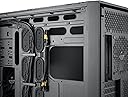
The best thing about this case is that it's big. It's easy to work in, with lots of space. There's plenty of room behind the motherboard for cabling, and several options for routing your wires wherever they need to go. It has space for lots of disk drives - 9 drive bays are included and you can buy cages for more. There's room for two power supplies, or you can choose which side (they go vertical in the back instead of horizontal like most cases) you put it on. Having said that, for a $300+ case, it's just not built that well, it's not well thought out and the cooling that you hoped to get isn't nearly as good as it could be. It took me forever to figure out how to get the side panels off. I was pressing the obvious release at the back of the case, but it wouldn't come out and I didn't want to force it. After watching a youtube video, I saw that I was doing it correctly - and figured out just the right way of jiggling the panel and lifting while pressing the release to make it open. The case is heavy. The rubber feet are glued on, but two came off when I tried to slide it on a wood floor. The bottom side panels also require just the right upwards pull to get them to close properly. Nothing seems to quite fit exactly right. The front cover is all beautifully aligned when it comes out of the box. Cosmetic covers over the 5" bays line up with a front panel that hides the fan bays and the screen that covers them. If you don't use any of the 5" bays, the front panel stays nicely aligned and sleek. But the top panel where the USB ports are has a cosmetic press-latch cover that matches the cosmetic covers on the bays. If you use the bays, then the front doesn't line up nicely anymore. If you want to remove the cosmetic cover for the USB ports, then you're left with hinge bits sticking out. On mine, I have removed the cosmetic covers from all the bays, and the panel covering the fan screen. The only thing sticking out is the USB cover, which isn't terrible, but isn't the most aesthetic either. There are three cages for disk drives included. Only one is set up for hot swap, although the same wiring configuration is used for both standard drives and SSDs. The hot swap cage makes much nicer wiring; it's a shame that they couldn't find the profit in here to make all of them hot swap. You can buy additional hot swap (or bare) cages. Much is said about the cooling capability of this case. It's big. It has lots of places to put radiators and fans. But you can't use all the drive cages and have room for all the radiators and fans that are in the literature - it's an either/or situation in many of these cases. Despite that, there is space for most any combination of cooling that you would like to use. Unfortunately, Corsair seems to think that obstructing airflow makes for better cooling. The screens used are extremely inefficient. The top panel screen especially is bad, being small perforated holes that allow for really poor airflow. While the screen is ok for an intake fan (although a more efficient screen would be MUCH better), it definitely gets in the way of top exhaust fans, such as you would be likely to use on a CPU radiator. The front fan cover is the same screen material. It definitely helps filter dust, but other cases use much better screens. The two bottom side panels have removable, magnetically attached screens. That's actually a nice idea, and the screen material allows for better airflow than the top or front panel. Unfortunately, the magnetic screen just doesn't stay on very well and slides all over. The side panels themselves are solid, with air channels inside - they're a bit more than 1/4" thick. Closed, they make an imposing look to the case. And truly lousy ventilation. Again, too much obstruction to airflow. I have a water cooler for a graphics card mounted on the bottom side panel in exhaust mode. The GPU was running at 64 degrees with the side panel closed and screen removed. I opened the side panel during the exact same load, and the GPU temperature went to 49 degrees... There are many options for cooling configurations. The top will accept two double coolers such as a Corsair H100 or H110. But not if you put anything in the top 5" bay. If you use the top 5" bay, you will have space for a double cooler in the back and a single fan in the front. I use that fan as an intake fan slaved to the CPU cooler fan to provide more air into the case when the CPU cooler is exhausting more air. As shipped, the case has two drive cages on the bottom and one in the front middle. That leaves one out of three 6" fans completely free to push air into the case, and two blowing over the drives. This configuration allows you to have one power supply and one radiator on the side - my EVGA hydro. If you want two radiators on the bottom, you will need to move one of the disk drive cages in front of the top front fan. There's plenty of room between drives, so that would be acceptable. Or if you simply don't need 9 drive bays, you could remove one of the cages. I am going to remove the bottom side panels and figure out some way to block the portions that don't need to be open - to help maintain positive air pressure through screened inlet fans - while making a screen to cover the power supply fan. I will also be removing the screen from the area over the CPU cooler and either replacing it or just having the grid protect the radiator. I shouldn't need to take this trouble with a case this expensive! If you're willing to do some modifications, and don't mind that the sleek look in the pictures won't be what you end up with after mounting anything in the 5" bays, then this can be a good case. But to make it a good case for a high-end workstation-type computer and get the cooling that it should give, be prepared for some serious work.
M**E
Monster Case, room for everything
I have to admit I am a recent case junkie. In the last two years, I have bought a big Lian Li and Silverstone case. This case had the most room of all. First, it has a lot of room behind the motherboard to hide all the wires. The install looks very neat. Second, the HDD cages make it very easy to install SSD's and 3.5" disks - I have 9 in total. Third, the fan install options are numerous - I am using the H110 cooler. But, it is big! It does fit beneath my desk, just barely, and there isn't that much room for the top fans to breath. You will probably want this besides a desk, not underneath. Probably the reason I like it the best is that it has so much room that I know I can change everything in the case (and I probably will) and it will still all fit and look neat. The actual case is well built, steel so it is heavy, and when full of 9 disks, etc. - difficult to lift onto a table to work on. I put sliders underneath the legs so I can move it around the floor. No short cuts in manufacturing. You do need to go to YouTube or other places to understand how to take off certain pieces - like the top cover - since there is NO manual or instructions. My only ding, and it is small, is that I want to order more pre-configured hot swap SATA 3 HDD cages - and they are out of stock. I am sure this will be solved in the next few months. If you have the room, if you like to play around with different configurations, this is the case for you.
T**Y
Very impressive chassis.
Huge: Comes with 9 HDD bays similar to style of the Phantom 410 swap HDD trays. Though it's really big, it doesn't come with many case fans, which is an ok deal, as you probably want to customize it with your own. Not as refined and well polished as the 800D, but worth the trade off for the size. The most impressive part for me is the back. There is a lot of space for cable management and a really excellent clip system. I can almost curl up inside of it :-) Done several builds with mostly Level 10 GT's, and 2 800D's. Compared to the 800D, it is not quite as elegant (or refined), but well worth the small compromise for the shear monstrosity of this chassis. Ordered it just as AMZ sold their last in stock, so I waited a month. Was well worth it. I'd contemplated stripping from my personal build, a Level 10 GT with a closed loop lcs, Asus Sabertooth, 3770K and two 7970's. But...the Haswell just hit retail, and there will be some pretty wicked mobo's out soon along with DDR 4 being released around the end of this year. So now I'm basically concentrating on prepping and modding it, choosing fans and led lighting. I've always wanted a case that willl hold a ton of HDD/SSD's. I have at least 15 small 60-128gb SSD's with a mix of Linux distro's and a few Windows OS's that I boot to, so this will be the perfect case for them. The hot swap drive bays aren't quite as densely made as the 800D ones were, but they should do fine nonetheless. Overall, this is THE perfect case for me in my never ending quest to build the most wicked PC/Server I can build. My advice to those looking at this monster is this: Give it some time for the Haswell to settle in, more Mobo's to support it, and above all...DDR4 (which I'm sure will be expensive, but oh well).
L**0
Que de place !!
Ce boîtier est pour ainsi dire un vrai monstre. Quelle place pour laisser libre cours à sa créativité en terme d'arrangement, de câblage et de watercooling ! Cette tour est finalement un vrai meuble, tellement c'est beau, sobre avec sa vitre légèrement fumée. Bien cher mais très bel investissement ! Je recommande si vous voulez casser votre tirelire !
P**L
Increible, una caja para toda la vida.
Cierto es que la caja vale lo suyo, pero lo considero una gran inversión, hay tanto espacio, que voy a demorar un tiempo la compra de mi refrigeración líquida, los materiales de gran calidad, no se oye nada poniendo los ventiladores, aunque eso es gracias en parte a los ventiladores. La ventana es enorme e invita a hacer un montaje limpio dándote todo lo que necesitas para lograrlo. Me encanta, estoy enamorado de ella xD. Lo único malo que se podría decir de ella... es que es gigantesca y cuesta encontrarle hueco, aunque es tan fácil como tomar medidas y solo comprarla en caso de que puedas encontrarle hueco. Un saludo y si tenéis dudas.... compradla!.
G**R
Top Gehäuse
Soooo, das ist mein erstes Gehäuse von Corsair, habs mir geholt weil es groß genug ist eine Interne Wakü einzubauen! Das Gehäuse ist extrem schwer (auch leer) ca 18KG, baut man dann noch seine Komponenten ein (dann hat man ganz schnell 30KG und mehr) wird es schwierig das Ding alleine anzuheben, nicht wegen dem Gewicht, nein aber weil es so sperrig ist. + gute Verarbeitung + Sehr funktional + man kann wirklich sehr viele Lüfter verbauen + auch viel Radiatoren 2x4er 1x3er 1x1er + abnehmbare Staubfilter + Design ist super + Grosses Sichtfenster + Sehr viel Platz hinterm Mainboard für Kabel und Stecker + Man kann alles vom Innenleben ausbauen und nach seinen Wünschen gestallten. + Innenraum ist riesig (aufpassen.... bitte die Höhe nicht außer acht lassen, falls ihr ihn unter den Schreibtisch stellen wollt) So nun zum Negativen: - Der Innenraum besteht hauptsächlich aus Plastik, (Schubfächer für HDD's etc.) machts das nächste mal 20-30 Euro teuerer und nehmt Metal, obs nun 18 KG oder 20 sind spielt bei dem Gewicht nun keine rolle mehr. - Die Lüfter die dabei sind sehr Laut. - kein Handbuch.... na ja einmal hätt ich schon eins gebraucht und zwar beim Deckel oben, der muss zur Seite geschoben werden nicht nach oben^^ Technische Daten Corsair Obsidian 900D Abmessungen 252 (B) x 692 (H) x 649 mm (T) Gewicht 18,6 kg Mainboard-Formfaktoren HPTX, E-ATX, ATX, Micro-ATX, Mini-ITX Material Stahl, Kunststofffront mit Aluminiumplatte Kabelraum hinter dem Mainboard-Tray 30 mm Max. Bauhöhe CPU-Kühler 210 mm max. Erweiterungskartenlänge 410 mm (520 mm ohne Festplattenkäfig) Slots für Erweiterungskarten 10 Frontanschlüsse 2x USB 3.0 4x USB 2.0 Front Audio (In/Out) Lüfter 3x 120 mm (Front, 3x 120 mm vorinstalliert) 1x 140 mm (Rückseite, vorinstalliert) 4x 120/140 mm (Deckel, optional) 6x 120 mm (Untergeschoss, optional) 1x 120 mm (Festplattenkäfig, optional) Laufwerke 4x 5,25 Zoll (extern) 9x 2,5/3,5 Zoll (intern) Besonderheiten Platz für vollausgewachsene Wasserkühlungen Hot-Swap-System für drei Festplatten (die hätten sie welche aus Metal nehmen können) Platz für zwei ATX-Netzteile Seitenteile werkzeuglos entfernbar Ich finde es ist ein sehr gelungenes Gehäuse, auch mein bestes und auch teuerstes bisher, aber obs den Preis von über 300 Euro rechtfertigt! Das muss jeder für sich entscheiden. Auch ich kann kein Klappriges Geräusch am Gehause feststellen. Sollte mir noch was einfallen werd ich dazuschreiben. Ich vergebe dennoch 5 Sterne weil es meine Erwartungen übertroffen hat.
P**1
It's also beautifully designed (with one exception) with acres of space to ...
Where do I start to describe this case? It's big, very big, it's so big that the only way that I can fit it on my desk is to have it running parallel to the wall with the windowed side panel towards me. It's the only case that I've ever used where I had to rotate it by 90 degrees just to reach the top screws when I was mounting the motherboard. My wife asked me when I was going to finish building it, when I said that I had finished, she asked me where was all the "stuff" that i normally had in it. It was in it. It's also beautifully designed (with one exception) with acres of space to route cables and make it a tidy job with the minimum disruption to airflow from cables. The area in the bottom can be used for Power supplies, yes, you can mount 2 of them, hard drive cages, fans and radiators, not all at once though. Oh yes, the one exception that I mentioned earlier. A big slap on the wrist to whoever decided that it would be sensible/funny to design? it so that the thumbscrews to mount the PCie cards could only be reached from inside the case and therefore had to be screwed/unscrewed by hand. I was tempted to knock a star off for that, but I decided that would be churlish, considering how good the rest of it is. Yes it's big, yes it's expensive and yes it's very good. If you want a BIG case and have the room for it I doubt that you will do much better.
R**N
super gehäuse allerdings...
das gehäuse ist noch immer eins der besten die es gibt, allerdings ist die beschreibung extrem mager (4 seiten wo nur auf 2 seiten paar details zum gehäuse aufgelistet sind)... man muss für die ganzen funktionen bei youtube schauen, allein wegen der versteckten schalter an der rückseite, oder wie man die abdeckungen abmachen kann... das finde ich ziemlich enttäuschend... außerdem wenn man grafikkarten einbauen will oder andere karten... das gehäuse steht im weg -.- man kann nicht wie bei jedem anderen einfach die schrauben der kartenbefestigung anziehen da sich diese leicht hinter der gehäuseabdeckung befinden -.- man muss mit der hand schrauben xD sowas hatte ich bisher noch bei keinem gehäuse, allerdings tausche ich die komponenten nur bei reparatur aus, darum verschmerzbar
Trustpilot
4 days ago
3 weeks ago