
Desertcart purchases this item on your behalf and handles shipping, customs, and support to Portugal.
✨ Light up your life, command your vibe! 🎉
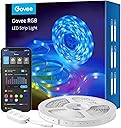
The Govee WiFi LED Strip Light 5m is a versatile indoor smart lighting solution featuring 150 LEDs with full RGB color control via app and voice commands. It offers seamless integration with Alexa and Google Assistant, dynamic music sync for immersive experiences, and an easy installation kit, making it the ultimate choice for modern, customizable ambiance in any room.
| ASIN | B07QCMCVD7 |
| Best Sellers Rank | 1,774 in Lighting ( See Top 100 in Lighting ) 88 in LED Strips |
| Brand | Govee |
| Brand Name | Govee |
| Colour | White |
| Connectivity Protocol | Wi-Fi |
| Connectivity Technology | Wi-Fi |
| Control Method | App, Voice |
| Controller Type | App Control |
| Country Of Origin | China |
| Customer Reviews | 4.4 out of 5 stars 20,911 Reviews |
| Fixture Features | Dimmable, Phone APP controlled, Wifi controlled, light, luminous |
| Form Factor | Linear strip |
| Included Components | Adapter, LED strip lights 5m, Genuine tape, 5 support clips, User manual |
| Indoor Outdoor Usage | Indoor |
| Indoor/Outdoor usage | Indoor |
| Item Length | 5 Metres |
| Light Color | Red, Green, Blue |
| Light source type | LED |
| Manufacturer | Govee |
| Manufacturer Part Number | H61592A3UK |
| Manufacturer Warranty Description | 2 years. |
| Material | Plastic |
| Model Number | H61592A3UK |
| Number of Items | 1 |
| Number of Lights | 150 |
| Occasion | Party |
| Power and Plug Description | Corded Electric |
| Power source | Corded Electric |
| Product Style | Modern |
| Theme | Fantasy |
| Type of Bulb | LED |
| Unit Count | 1.0 count |
| Voltage | 24 Volts |
| Water Resistance Level | Not Water Resistant |
| Wattage | 18.00 |
| Wireless Communication Technology | Wi-Fi |
| hanging_pattern_layout | Linear |
M**R
Excellent when combined with Alexa
I looked at lots of different LED lights before settling on these. They were not the cheapest by any means but I think you get what you pay for and these are well worth the money. The packaging is excellent they look and feel like a quality product when you open them. I used these lights to go on the back of my sons 32 inch TV. You can see in the picture that I used the entire 5m strip by looping around from the outside to the centre of the back of the TV. It took me about 5 minutes to apply the product. The corners can be a little tricky initially but once you have done one it becomes second nature and you start whizzing around the TV. Once everything was applied I connected the power and put the TV into position. I used the adhesive on the back of the remote to hide that on the side of the chest of drawers that this TV sits on. It's within reach if needed but out of sight as well. Then I downloaded the app and it took a few minutes to set up the lights and connect them to the wifi network. It was really easy to do. Then we tried out the lights and they were fantastic. Super bright! Lots of different colours, and I mean lots. You can use a colour wheel to make almost any colour you can think of. Finally I hooked them up to Alexa which was a fairly quick process. Once I had done that my son was able to control the lights with his voice. It works really well. Just to take it a step further, I also connected his Xbox to Alexa and then I created a routine. Now, when my son says "Alexa, it's game time" the Xbox turns on and the LED lights illuminate at the same time to a colour of his choice. It works really well and looks impressive when you do it. When he is done he says "Alexa, game over" and it turns of the lights and the Xbox together. Very cool. The quality of the lights and the brightness is great. These pictures do not do it justice at all. They were taken in a room with no other lights turned on at all. They are super bright. I'm really happy with them and I will be buying some for our downstairs TV in the near future.
R**D
Very Impressed with quality and functionality
LED Review This review applies to the Govee 5-metre RGB (multi-coloured) LED strip with Alexa/Google home capability, plus remote control via the Govee Home app. In the box you’ll find 1 x 5mtr rolled LED strip, 1 x white power supply, 1 x white LED controller with 1 x Strip connector, along with basic Installation Instructions. Everything looks to be of good quality. This kit Does Not include a handheld remote control – everything is done through the Govee App. This set has been installed in a converted loft which my son uses as his bedroom. I had already worked out where the strips were going to be located and installed a dedicated 13amp socket close by. The power supply has an approx. 100cm lead and the LED controller an approx. 50cm lead. So, you need to ensure you have a 13amp socket within 150cm of where you want to locate the start of the strip. As I needed to split the LED strip into two separate strips, I also used a splitter (purchased from Amazon) to connect the two strips to one controller. The LED strip is quite thin, so needs to be handled carefully – this isn’t a negative statement, just an observation. Installation was quite straightforward. After rolling out the strip and cutting to length, I began sticking it down, starting from the end closest to the power supply. I found it best to reveal approx. 2 inches of sticky tape at a time and use a single finger to carefully apply pressure to the strip, avoiding the electrical components. The adhesive felt strong to the touch and has bonded with the painted wooden beam very well. It’s imperative that the area has been cleaned and prepared prior to sticking (I used strong alcohol wipes and a soft cloth to remove any excess moisture. Once installed I then connected the strip to the controller. I found the weight of the connector was enough to slowly start pulling the strip away from the beam. Therefore, I used some double-sided tape to also stick the connector to the beam. When you turn everything on for first time, the LED strip flashes through several colours. There is also a button on the controller that lets you scroll through the main RGB colours. To get full control of the LED stripes, you need to download the Govee Home app from the appropriate app store. The app requires you to create an account and needs location permissions to work. Once registered, you then connect to the LED controller. This can be done by either WiFi (2.4g only though - there is no 5g WiFi connectivity) or Bluetooth. The instruction booklet gives clear instructions on how to connect. For some reason you get a wider range of controllers & effects when connected via Bluetooth. I was very surprised at the Govee app’s comprehensive functionality. As well at the obvious single colour & brightness options, there is also a full spectrum colour wheel. Unfortunately, dragging your finger around the colour wheel doesn’t automatically change the LED colours. You can only tap on the colour you want & then the LED’s will change. The app has a vast range of different ‘scenes’ that you can choose. You can also choose scenes with an accompanying soundtrack eg. Thunderstorm, running water, campfire, etc. The ‘Rainbow’ scene was used for the video demo. Overall, I am very impressed with the whole kit – very straight forward to install with plug & play simplicity. It would’ve been nice to include a handheld remote control, but the impressive functionality of the app easily makes up for this small omission. For a stress free and successful installation, I’d definitely recommend planning things out before hand, make sure you got access to a 13amp socket, clean the surfaces thoroughly and just take your time when sticking down the strip. I had to reduce the LED brightness down to around 40% for my photo’s. Any higher and the brightness was too overpowering for the camera. Update 25/10/21: I have installed a second set in the same room. Using the 'Same Device' option in the 'Smarts' section of the Govee app I was able to sync & link both controllers so they work in tandem. The short video demonstrates the 'Rainbow' & 'Fire' scenes from within the app. I also managed to connect both controllers to Alexa. Once both controllers were added to the same group, they would both respond at the same time to the usual voice commands. However, I did find that you could only select single colours via alexa. There is no facility to activate multicolour sequences in the same way as the 'scenes' section of the Govee app.
J**R
Good but not great
I chose these to add internal glass cabinet lighting so wanted to be able to run the led back and forth inside the cabinet for maximum illumination A - Installation I bought the recommended redtron installation kit which included corners splitter cable extension cable etc The kit has lots of elements. The best parts were the corners which I liked To stick them to the cabinet I bought bostik double sided pads which were a good thinkness when used on the thin ribbon part of the corner rather than the connector plastic The led strip itself is really good and sticky Even when I had to peel off and reapply but was good. They cut Easy with scissors 2. App and connection Straight forward - good user interface and experience on the app I followed the small included pamphlet and connected to my wifi and Alexa app. What I liked was it auto reconnected even after i turned the power off 3. One negative - the led strip has specific places to cut it shown by the copper coloured RGB+ connections but! My strip had been made full Length by soldering some lengths together I could still cut at this point but the addition of the solder meant I couldn’t easily slip it into the connector. So I carefully cut away from the centre of the solder joint so there was still a slope to allow the joint to slip inside the corner connector. Hope that makes some Sense B - Appearance Not as bright as I had hoped Colours good and colour variation good too. Warm white is a bit yellow and the cool white a little grey compared to some led lights I’ve had. Overall good for my application. The other colours nice and vivid Red is a good deep red Blue is nice dark blue Purple is currently our favourite C - Use The controller is only three buttons so once you work out the on off button the rest is easy. You can control the colours and brightness and set to respond to sound from the other two buttons. The 3M sticky pad on the controller is 3M so it’s good! The app and voice control works well. I wound buy again but I would still look for better first Enjoy
D**I
YES! As good as HUE! - Works with Alexa!
I've always wanted to install Hue LED strips in my kitchen and under my bed to control with Alexa, but the cost was too pricey to justify it. My whole house is decked with Philips Hue lights with the exception of the kitchen spots, so my trust is with Hue. I knew that a cheaper LED strip alternative would come on the market but I'm always highly reluctant to purchasing anything but Hue due to complex setup procedures and products that just don't work. Even though, it does suggest that you don't plug in the strip whilst it's on the roll, I wasn't going to unravel it all to find that it might potentially not work, so tried it on the spool, plugging it in and it lit bright. I installed on the underside of my bed within 15 minutes. The backing peels off easy and the adhesive holds really well. If you misplace the strip however, it's easy enough to remove and reposition. Installation To install, you download the Govee app, select the product or scan for nearby Bluetooth devices. I done the latter. It picked the strip up straight away and the strip blinked to confirm connection. You can then name the device. This is what you'll call out to using Alexa. If you want to run via Alexa, you download the Govee skill from the alexa app and you're good to go. The build quality of great in the strip, wire and connected 3 button switch panel. You are able to cycle through colours using one button, another turns on music mode in which the lights react to sound and there's a power button. All functions including custom colours and even scenes can be controlled from the Govee app. I really like the control on the wire since it's a lot more authentic than the mass produced remote controls that come supplied with many LED products. For only 2 metres, Philips Hue LED strips (Alexa controlled) are £69.00 at time of writing and these Govee LED strips were a mere £23.99 for 5 metres! I've managed to line the entire underside of my bed for £23.99 in contrast to the £138 it would have cost me to do the same with Philips Hue strips! The command differs slightly from Hue. You have to say 'Alexa, set the [name] to Blue', rather than 'Alexa [name] blue' as an example. i.e 'set the' seems to be a requisite. It works flawlessly! After realizing these are such good quality and actually work seamlessly with Alexa, I immediately ordered another one for the underside of my kitchen cabinets. Save a small fortune and buy these!
S**0
Great quality lights although colours differ from Hue
Just installed these on a 60" TV. The 5m strip still left me with spares at the end, which is helpful if you need to make cuts and remove sections to get corners in the right place etc. When you do these be really careful to plan the pattern first. It's really easy to start sticking down a strip and then realise that you'll have to go around a power cable on the back of your TV etc and it would have been better to move them down an inch ;) I've done a few sets of LED strips and these feel like good quality with decent adhesive. The mains plug adaptor is fairly compact and the switch unit on the back of the TV is neat and fits tidily away with its own adhesive. I opted to use additional L-shaped corner pieces for this install (sold separately) which I think are totally worth the extra time for a more professional finish. All the LEDs lit perfectly, and the app picked them up first time and easily integrated with Alexa after installing the Govee Home Skill. The app itself works perfectly, both over bluetooth and WiFi offering a bunch of functionality, but in my case i'm using Alexa routines to control these lights. Alexa works well, the lights respond quite quickly and in routines you can select power on/off, brightness and the normal range of colours (see note further on). The brightness is excellent. At night I found that 65% was more that bright enough. My only slight niggle is that the colours don't match up well with some Philips Hue bulbs in the room. Thats obviously not the fault of this product but be aware if thats important to you. Selecting 'warm white' on both these leds and the Hue lamps produces quite different results, although standard colours like red, blue, green obviously match perfectly. These seem good quality, good adhesive (which is important!), work with Alexa, have a good app and offer great brightness. Pretty amazing price too. Totally recommended.
L**N
Easy to fit and use great quality
Very nice lights. Easy to set up and connect. Lovely app love that you can use Alexa and time them to come on and off.
D**R
No warm/cool white light
Let me start by saying I like Govee products a lot. I ordered these to provide some soft lighting behind some units in the living room. And while I want to stress that there is actually nothing wrong with these strip lights, you can’t actually get a true warm/cool white light, so didn’t match the colour I wanted. So if that is something you’re after, I’d look to buy the more expensive strip lights. I plan to do so and will leave a comparison review. Pairing with app is super easy and quick. If you’re looking for very basic strip lights that you can control with the app, I would recommend but if you want more customisable options with colour, I would suggest the more expensive (possibly strip light pro or pro 2).
J**.
Illuminate Your Space with Govee LED Strip Lights!
First and foremost, the adhesion of these LED strip lights is exceptional. The high-quality adhesive backing ensures a secure grip on various surfaces, making the installation process smooth and worry-free. Setting up the Govee Alexa Strip Lights was a breeze, thanks to the user-friendly design and the Govee Home app. The app offers straightforward instructions, allowing even those less familiar with smart devices to navigate through the installation process effortlessly. Connecting the LED strips to my Wi-Fi network was quick and hassle-free, and I appreciated the intuitive controls within the app for adjusting colors, brightness, and various lighting effects. The highlight of the Govee Alexa LED Strip Lights is undoubtedly the seamless integration with Alexa. The voice control functionality works like a charm, allowing me to effortlessly command Alexa to change colors, adjust brightness, or turn the lights on and off. This hands-free convenience enhances the overall smart home experience and adds a touch of modernity to any living space. The versatility of the Govee LED strips truly shines through with the myriad of colour options and dynamic lighting effects. Whether I'm looking to create a vibrant atmosphere for a party or a calm, ambient setting for relaxation, the Govee LED strips deliver on both fronts. The ability to customize and synchronise the lighting with music or set schedules adds an extra layer of personalisation. In conclusion, the Govee Alexa LED Strip Lights are a fantastic addition to any smart home setup. With their excellent adhesion, easy setup, and seamless Alexa integration, these LED strips offer a hassle-free and enjoyable way to enhance the ambiance of your living space. If you're in the market for smart, customisable lighting, the Govee Alexa LED Strip Lights are an excellent choice!
J**R
Good value, nice light
Good gift idea
O**S
Excelente.
Uno de los mejores productos que he podido comprar. Tal cual y como lo quería. Cambia de luces en modo sonido, se le pueden colocar varias escenas de luces a través de su aplicación y su integración con Alexa es fenomenal. La instalación es fácil si vas directo al punto, tuve que dar varias vueltas para poder instalar con Efamily que es el que uso para mis dispositivos Smart y también trate de usar el Smart Life y nada, se me complicó el asunto. Les recomiendo que vayan directo a descargar la aplicación de Govee Home, y después que tengan la tira sincronizada (con el nombre de como quiere que se llamen las luces), ahi mismo en la aplicación están las indicaciones para conectar con alexa. Hay que ir hasta la aplicación de alexa y descargar el Skill de Goove Home, darle permiso y luego buscar el dispositivo.
م**د
غير مطابق للمواصفات
اذا حطيت لون احمر يطلع لي لون ثاني غير الاحمر بعد خمسه ايام اذا ضغطت ايقاف التشغيل يتحول للاحمر ولابد افصله من الكهرب لايستحق الشراء ابد
F**K
Elkontakt EJ för svenska uttag.
Borde framgå att produkten inte är anpassad till eluttagen i Sverige, kontakten är UK standard. Löste sig ändå efter lite strul med adapter.
J**Y
Amazing RGB strip
Highly recommend. Love the app too
Trustpilot
5 days ago
1 month ago