Desertcart purchases this item on your behalf and handles shipping, customs, and support to Portugal.
🚀 Elevate your mobile workspace with Fusion5 — where power meets portability!
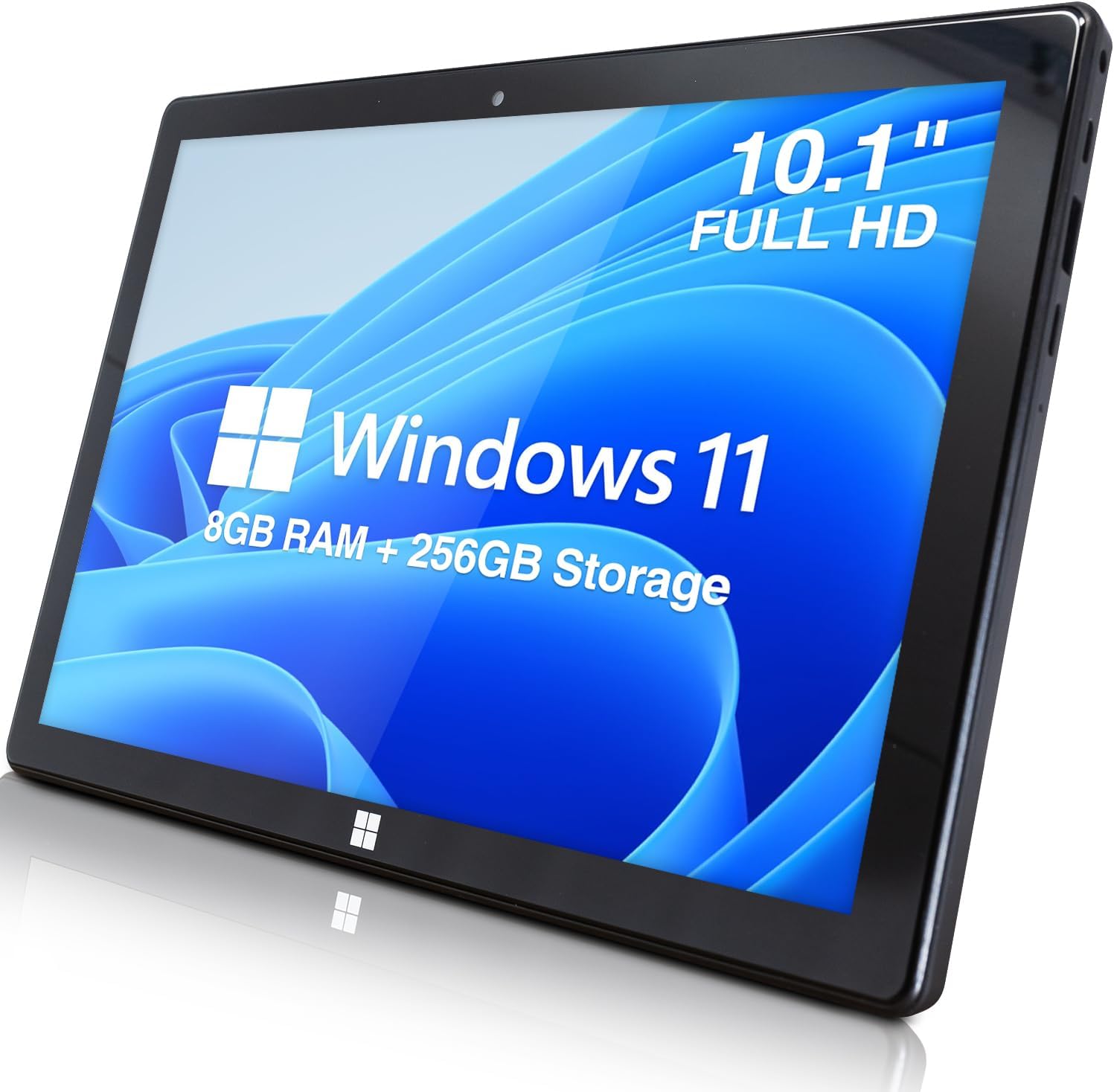
The Fusion5 10-inch Windows 11 Tablet PC combines cutting-edge Intel 13th Gen quad-core processing with 8GB RAM and 256GB SSD storage, delivering smooth multitasking and ample space. Its vibrant Full HD 1920x1200 display offers immersive visuals, while ultra-slim design and versatile connectivity options including 5G WiFi, USB 3.0, Micro HDMI, and Bluetooth 4.4 make it perfect for professionals on the move. Preloaded with Windows 11 and backed by a 12-month UK warranty, this tablet is engineered for productivity, entertainment, and seamless connectivity.


| ASIN | B07W6QYX8G |
| Age Range Description | Adult |
| Aspect Ratio | 16:10 |
| Battery Average Life | 6 Hours |
| Battery Capacity | 18.5 Watt Hours |
| Battery Cell Type | Lithium Polymer |
| Best Sellers Rank | 9,326 in Computers & Accessories ( See Top 100 in Computers & Accessories ) 166 in Tablets |
| Box Contents | [Warranty card] |
| Brand | Fusion5 |
| Brand Name | Fusion5 |
| CPU Model Number | FWIN232 |
| CPU Model Speed Maximum | 1.92 GHz |
| Camera Description | Rear: 5MP, Front: 2MP |
| Cellular Technology | 5G |
| Colour | Black |
| Compatible Devices | Keyboard, External Display |
| Compatible Flash Memory Type | SD |
| Configuration | Intel Quad-core CPU, 8GB RAM, 256GB Storage, Windows 11 |
| Customer Reviews | 4.3 out of 5 stars 5,430 Reviews |
| Display Type | LCD |
| Display resolution maximum | 1280 x 800 pixels |
| Front Photo Sensor Resolution | 2 MP |
| Generation | 1st Generation |
| Graphics Coprocessor | Intel HD Graphics (integrated) |
| Graphics Description | Integrated |
| Hard-Drive Size | 256 GB |
| Hardware Interface | USB 3.0 |
| Headphones Jack | 3.5 mm |
| Human Interface Types | Touchscreen |
| Item Dimensions L x W x Thickness | 26L x 17.4W x 1.1Th centimetres |
| Item Weight | 0.7 Kilograms |
| Lithium Battery Energy Content | 18.5 Watt Hours |
| Manufacturer | Fusion5 |
| Manufacturer Part Number | FWIN232 PLUS 256GB |
| Maximum Display Resolution | 1280 x 800 pixels |
| Memory Slots Available | 1 |
| Memory Storage Capacity | 256 GB |
| Memory storage capacity | 256 GB |
| Model Name | Fusion5 10" Windows 10 Ultra Slim Windows Tablet PC |
| Model Number | FWIN232 PLUS 256GB |
| Model Year | 2019 |
| Model name | Fusion5 10" Windows 10 Ultra Slim Windows Tablet PC |
| Native Resolution | 1920 x 1200 pixels |
| Network Connectivity Technology | Bluetooth, USB |
| Number of Rear Facing Cameras | 1 |
| Operating System Family | Windows |
| Operating Systems | Windows 11 |
| Operating system | Windows 11 |
| Other Special Features of the Product | Portable |
| Processor Brand | Intel |
| Processor Description | Quad-core |
| Processor Speed | 2.6 GHz |
| Product Warranty | 1 Year Warranty Against Manufacturer Defects - From Purchase Date |
| RAM Memory Installed | 8 GB |
| RAM Size | 4 GB |
| Rear Facing Camera Photo Sensor Resolution | 5 MP |
| Rear Webcam Resolution | 5 MP |
| Screen Size | 10.1 Inches |
| Screen size | 10.1 Inches |
| Set Name | Single Unit |
| Size | 256GB |
| Speaker Description | This product has built-in speakers. |
| Specific Uses For Product | Entertainment |
| Style Name | Modern, Minimalist |
| Supported Audio Format | MP3, WAV, AAC |
| Total USB Ports | 1 |
| Unit Count | 1.0 count |
| Video Capture Resolution | FHD 1080p |
| Video Processor | Intel |
| Warranty Type | Limited |
| Wireless Compability | 802.11b, 802.11b/g, 802.11bgn |
| Wireless Technology Type | Bluetooth, Wi-Fi |
K**M
Impressed by quality and service
This was the first time I tried a Fusion5 product. It was on offer and had good reviews, but I hadn't heard of them before. It ticked all boxes for what I was looking for though and I especially liked that it came with a pen as well. I've now had it for a few weeks. It arrived quickly and there was even a spare pen tip in the box. Set up and registering the warrant were easy and battery lasts well. It's quick both when using it for business including video calls and the screen quality is brilliant. It charges quickly as well and I like that it uses usb C, which makes it flexible. It feels study and runs very stable with no issues at all. I'm sure it would also be great for gaming. Can't fault it at all and would order it again and recommend it.
M**B
Great value Win11 tablet...but some room for improvement
I bought this tablet (Fuson5 FWIN232 Plus FHD) to replace an 8 year old Asus Transformer Win10 tablet, which is still going great but can't be upgraded to Win11. So that is my reference point. Overall Im pretty impressed by the Fusion5: it's a good deal for the price, and very good vfm compared with say the Surface Pro models. There are not a lot of viable alternatives out there. It peforms well, the spec says it all really. I appreciate the 256GB SSD, the USB 3.0 a welcome addition alongside the USB-C, it's responsive and does what I need it to do. A few areas for improvement whihc I miss from my Asus: - The docking keyboard really should come as standard, not an option - My biggest gripe is the lack of charging via the USB-C port (it is NOT USB PD). It only charges via the dedicated Charging port. This is a big deal as I need to use my Fusion5 on the move and dont want to carry around a massive/expensive 12v power bank. So my solution is a PD to DC Adapter Cable I recommend this one: https://www.amazon.co.uk/dp/B0CHJM3GC4 > i Can now run the Fusion5 off a standard powerbank with a USB PD output, the adapter upconverts to 12V. - I also miss an LED that will show battery charging status (ie charging or charged) - If you buy one of these cases (https://www.amazon.co.uk/dp/B0865WFN1V) and despite the claims, it won't quite fit and you'll need to hack out your own cutouts to get access to the USB ports. Overall though I'm impressed, well done Fusion !!
C**L
What a brilliant device...!
My Samsung Tablet finally died and I needed a replacement. I'd long realised that I didn't want another Android tablet again as I'm not very tech savvy and found the interfaces difficult to manage. Imagine my delight when I came across the Fusion 5 tablet computer that runs on Windows 11! For me this is the best solution - a tablet that runs like my computer and interfaces with my desk-top machine seamlessly. And all for less than £300 - brilliant! Now I can take my entire office out with me when I'm working or travelling away from home. This alone is a great gift - the ability to carry on working on the same project no matter where I am. It's just so reassuring to have the same icons and programmes always with you; I'm so much more productive because of this brilliant device. The Fusion 5 screen is bright and responsive to the touch, so much better than my previous tablet. Another improvement is that the battery lasts all day without charge. I bought a Bluetooth key-board and mouse to complement my Fusion5 - both interface seamlessly with it and give me the familiarity of a separate key board and mouse. Have I any complaints - No! Just a niggle - it takes a 5 second press and hold to get it to start. This is more a testament to my impatience when I've got an idea in my head that needs to be written down! After all my desk-top takes at least 10 seconds of whirring and clicking to get to the same status. As I say, what's not to like with the Fusion 5!
R**N
Great Windows 11 based tablet ideal for Office, Internet and Media.
Fantastic low cost Windows 11 tablet. Screen quality is very good and touchscreen is sensitive enough to be useful. I have paired mine with a small Bluetooth mouse and keyboard and use it as a small home PC. Launches quickly and you can install any windows-based program. Good screen quality, ideal for movies etc. Probably not ideal for gaming but excellent at everything else. It comes with a 128gb M2 SSD installed. If you want to upgrade this you’ll need to buy a cloning device as well to transfer the OS across.
L**T
Fusion5 versatile prodict and reliable product at a very competitive price
I bought this Fusion5 Windows PC Tablet in March 2025 as it had what I was looking for at a very good price compared to other laptops on the market. I decided not to upgrade my two old Windows 10: 14" and 10" laptops because I wanted Fusion5 for work, to run on MS Windows 11. I am pleased that the Fusion5 tablet I bought is lighter and also quicker to connect for MS Teams meeting and Google Meet and also to create my videos, such as for Zoom, YouTube and other social media. Initially, I felt a sense of unfamiliarity with the Fusion5 tablet, being used to having Samsung phones and an an old Samsung cellular tablet, that doubled as my backup phone with an sd card to save and view offline many photos and files ehen I went abroad. The call provision is not available on my Fusion5 tablet. At any rate Fusion5 has an onscreen keyboard to help navigate to tasks and different icons. There is an add-on keyboard available to facilitate, to avoid using fingertips on the screen (none of my soft tip pens worked to tap on the screen). Screen clarity is good. To conclude, it is a versatile, reliable product at a very good competitive price.
L**E
It's great as a portable little Windows device
I was on the market for a tablet but the specs on paper for the majority of the competition didn't look too appealing to me. Especially for the £200 price range. Therefore, I decided to give this one a go. The unboxing experience was high quality, and after turning the device on, I was impressed by how great this thing was. Here are just a few points based on my experience: The battery life is quite long-lasting. Inside the device is a huge thin battery that covers most of the back of the display The screen resolution could be higher, at just above 720p resolution, it's not quite Full HD, but I felt it was fine for the most part It runs the Netflix app really well, and I managed to get some decent functionality out of Amazon Prime on the browser. However, the YouTube website felt slow and sluggish and I would recommend using a third-party YouTube app from the Microsoft store. It worked pretty well for simple web searching tasks, and for checking Facebook or Forums. The port accessibility is really useful, with a full USB 3.0 port and a mini HDMI port, there's the possibility to plug in external Hard Drives or anything else you might want to plug into a Windows computer. The touch screen didn't feel too responsive, and the typing experience on the on-screen keyboard felt laggy, but this is to be expected considering it's a Windows device (you can always connect your own keyboard) I was able to have Discord and Skype running on the machine to take calls or receive messages, but Skypes interface feels really sluggish while in calls if you have a little patience you might manage it (I think this is just Skype's problem though) If you are looking for something smaller and lighter than a netbook or laptop, but still want to be able to have Windows 10, this is for you. Though if you are looking to have many applications open or to use professional recorce intensive software you might want to look for something higher end. It works great as a little computer you can just take with you wherever you go. It's perfect to use as a little computer you can have next to your bed to quickly access the internet or messages, or even watch Netflix before sleeping! But if you are looking for something to play games, or do heavy multitasking, this device doesn't perform too well. Perfect for light tasks such as messages, emails, Netflix!
B**K
Fusion5 Win10 PC-Tablet for Meade Telescope Control
I have a Meade ETX 125PE Telescope which can be controlled via a Laptop using appropriate Planetarium software and a #505 RS232 – USB Prolific Interface cable. I own a Lenovo Android Tablet with a Planetarium App installed but can only connect to Bluetooth enabled Telescopes which my Meade isn’t. The other issue is there does not seem to be an Android Planetarium App which allows Telescope control via a USB Interface. I have recently updated my Planetarium Software on my Windows 10 Laptop which works brilliantly. However I really wanted a Tablet sized Device rather than my 14” Laptop to control my Meade Telescope in the field. The solution presented itself as the Fusion5 10” Win10S PC-Tablet. I decided to buy the 4Gb RAM-128GB Storage version for the best possible performance. The Fusion5 had the important full size USB Socket I needed (actually USB3) for the #505 Interface cable. This may have been a somewhat extravagant purchase for Telescope control but it is exactly what I wanted plus it does everything else that can be done on a Win10 Platform. I use it for e-mails, Internet based research, Non-Microsoft Office Apps, Streaming Videos via my Google A/C etc. Infact because of its convenient size I am using this PC-Tablet more now than my Laptop. In case you are wondering the Telescope control on my Fusion5 works perfectly, making slewing to specific Night Sky Objects a piece of cake and an absolute Joy. The Fusion5 feels like a quality product with a Screen Protector already applied. The Touchscreen is accurate and fast although, because of my large fingers, using a stylus is better which has the added bonus of not leaving skin oils on the screen. Image quality is very good with nice clear images and realistic colours. All in all I am very pleased with this PC-Tablet which does all that I want it to do. That said there are a few things that I feel need to be mentioned; Firstly, this PC-Tablet is shipped with Win10 S-Mode. After some research it seems that this is a PRO-version of Win10, but is very Secure and Virus Safe, only letting you download Apps from the Microsoft Store. It also means that basically you cannot download Third Party Software (unless in Microsoft Store). So nearly all the software I wanted could not be installed on this device while S-Mode is ON. To install Third Party Software you need to switch S-Mode OFF, which requires a Re-Boot, leaving you with Win10 Home Edition (not PRO) version on the Device. At this time I believe this process cannot be reversed. Subsequently, I have reset this Device to Factory settings, confirming that it does not revert to Win10 S-Mode. Next, if there is one thing which has disappointed me about the Fusion5, it is the lack of output volume from the stereo speakers. Perhaps my hearing is age related but I have no problems with the volume from my Lenovo Android Tablet, Amazon Fire HD Tablet or my Tesco Hudl 2 Tablet. Using an earpiece is fine but you may need to consider buying Powered Stereo speakers if you want this Device to be loud. Lastly, I really wanted a Non-Generic Fusion5 Case / Docking Keyboard for my Fusion5 PC-Tablet but there does not seem to be any available with a UK Layout. Out of the blue, Fusion5 Marketing offered me a Free Gift as a Thankyou for purchasing their Device. As luck would have it one of the gifts was a Docking Keyboard which I chose. The Free Gift arrived within 7 days and I was so pleased as it was a UK Keyboard and works really well. Very Impressed so Thank You Fusion5. As stated I am very pleased with this Product which is only let down by the poor speaker volume. However, as this Device does everything else with Flying Colours, I give it a 5 Star rating but with a slightly Negative bias towards 4.7 Stars.
A**N
Excellent value for money
This tablet is absolutely fine for the price. Pros: runs non-demanding work-type apps and internet browsers at a perfectly acceptable speed; fast booting and shutdown; "vanilla" windows 11 free from 3rd party shovelware; good selection of ports (USB3, USB C and micro SD card); fairly lightweight for the size. Cons: Uses a 12v charger (does NOT charge via USB) - the PSU supplied doesn't have a very long cable; feels a little cramped in tablet mode, but with the docking keyboard (or any remote keyboard) and a bluetooth mouse it's much easier to get around; battery life is not fantastic but I wouldn't expect it at this price; build quality seems good enough but nothing to get excited about. All in all I'm very pleased.
A**R
Don't waste your time or money
What a wste of money. It doesn't come with a stylus and fingers don't work without multiple pokes and swipes.. Useless piece of junk. I'll be returning mine.
J**É
VA BIEN
FUNCIOINA BIEN
T**Y
satisfaction
satisfaction
D**E
Cargador UK.
No me ha gustado que viniera con enchufe UK. He tenido que buscar un adaptador. No especificaba esto, por lo menos claramente. Me planteé pedir funda con teclado, pero no me arriesgo a que no sea en español.
J**S
Tablet para uso ligero
Buena calidad de video, fácil de usar, buen diseño, tiene bajo el sonido de las bocinas y si es un poco lenta para abrir internet o aplicaciónes muy pesadas pero estoy satisfecho con el uso general.
Trustpilot
3 days ago
2 months ago