Desertcart purchases this item on your behalf and handles shipping, customs, and support to Portugal.
🚗🔊 Upgrade your ride with seamless Bluetooth freedom!
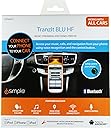
The iSimple TranzIt BLU HF is a compact Bluetooth hands-free calling and music streaming kit that integrates effortlessly with any vehicle’s FM radio or aux input. Featuring a low-profile dash-mounted control button, it delivers crystal-clear audio for calls and music, supports voice recognition, and installs discreetly behind the dash. Compatible with both iPhone and Android smartphones, it offers a professional-grade solution to modernize your car audio experience without replacing your factory stereo.
| ASIN | B00FRU5UNA |
| Additional Features | Bluetooth integration for vehicles, low-profile control button |
| AntennaDescription | The product has an external antenna for connecting to radio antennas in vehicles. |
| Audio Input | Bluetooth |
| Audio Output Mode | Stereo |
| Audio Output Type | auxiliary, FM radio |
| Battery Weight | 10 g |
| Best Sellers Rank | #117 in Bluetooth Car Kits |
| Brand | iSimple |
| Built-In Media | product, manual |
| Color | Black |
| Compatibility Options | Bluetooth devices, vehicles with FM radio and aux audio input, iPhone and Android smartphones |
| Compatible Devices | iPhone and Android smartphones |
| Compatible with Vehicle Type | Various |
| Connectivity Technology | FM |
| Connector Type Used on Cable | Component |
| Control Method | Touch |
| Control Type | App Control, Voice Control |
| Controller Type | Hardware Button Controller |
| Customer Reviews | 4.2 out of 5 stars 536 Reviews |
| Enclosure Material | plastic or rubber |
| Global Trade Identification Number | 00609098812573 |
| Hardware Interface | Bluetooth |
| Human Interface Input | Buttons |
| Installation Type | Dashboard Mount |
| Item Dimensions L x W x H | 4"L x 2"W x 1"H |
| Item Type Name | bluetooth interface |
| Item Weight | 10.4 ounces |
| Manufacturer | isimple |
| Material | plastic or rubber |
| Model Name | ISFM2351 |
| Mounting Type | Dashboard Mount |
| Number of Channels | 1 |
| Outer Material | Plastic |
| Power Source | Battery Powered |
| Product Dimensions | 4"L x 2"W x 1"H |
| Special Feature | Bluetooth integration for vehicles, low-profile control button |
| Supported Application | Popular music and calling apps on iPhone or Android devices |
| Supported Media Type | AudioStreaming |
| UPC | 609098812573 |
| Voltage | 12 volts |
| Warranty Description | 1 year |
| Wireless Compability | Bluetooth |
J**N
Works great! Good sound quality, no interference
I am wavering between giving this 4 or 5 stars. I really do like it a lot! I installed it myself and it was not too difficult, although I have to admit I was more than a little nervous about taking my car apart. I bought antenna adapters but it turns out that they weren't needed as the stock AM/FM/CD radio in my 2006 Xterra has a standard antenna jack. Getting power and routing the microphone wire were intimidating, but ended up being easy after some research on line. The Tranzit BLU HF supports both phone audio and media audio bluetooth services. The audio is very clear as it disconnects the car antenna and sends the FM signal directly to the radio's antenna port. No interference from FM stations whatsoever. I can also listen to FM radio, and when a call comes in the radio goes silent and I can answer the call. The other option is to set it for media audio which allows me to listen to streaming audio from my phone. In this mode I can hear navigation directions and voice search prompts over the car radio which is great. The only complaint I have with the Tranzit BLU HF is that when it is set to allow me to listen to FM radio the media audio bluetooth service is still connected to my phone. As a result, when listening to FM I don't hear voice search prompts or nav directions. I would prefer that the media audio service would turn off in radio mode so I the phone would know to use its built in speaker for nav directions and voice search prompts. To get around this I sometimes listen to the live stream feed of my local radio station instead of listening via the FM tuner. That uses data, and I have to start and stop the audio streaming app when I get in and out of the car. But I really got this for long drives when I'm not listening to radio anyway. Overall I'm very happy with this device and am very glad that I bought it rather than a new radio.
H**.
Great bluetooth solution. FM modulator sounds superb.
I don't write reviews often but I felt I needed to write something for the people on the fence on buying this product. BUY IT. This thing works great. Sounds great. Fairly easy install if you have ever switched out a radio before. Its small enough to stuff behind your radio and forget about. The only visual part of this system is the little phone button and the mic, and thats all you need. I have a 2003 Chevrolet Suburban that has the Bose Audio System installed so I didn't want to spend hundreds of dollars on an aftermarket stereo that would cause me to lose functionality of my rear seat controls, amp, etc. This was the answer for seamless bluetooth for phone calls and streaming. The use of the RDS information display to show song names and caller ID is genius. Don't be worried about the FM modulator. It sounds superb. I just took a 3 hour trip each way from one metropolitan region to another, why streaming music the entire time, and there was no static whatsoever. Even if you have an AUX port, use the FM modulator so your song names and caller ID show up on your RDS enabled radio. You won't be disappointed. Don't forget to google your vehicle and find a 12v switched circuit to tap into behind your radio. My 2003 Suburban didn't have one, and I had to run to the auto parts store to pick up an mini fuse tap. No big deal, but wish I had looked it up before the install started so I wouldn't have had to waste a trip in the middle of the project.
E**C
Great value to add Bluetooth to older stereo
Awesome upgrade for an older stock stereo in 2003 Accord. Bought this to be able to connect our phone to an older car stereo without BT/AUX and after installed our Android phones (Nexus 5x and Moto X) connect immediately after turning the car on (note only one phone can be connected at a time). We haven't had any major issues in over one month. I will say when the Bluetooth volume on the Nexus 5x is al the way up the sound is distorted but it's probably because of the phone EQ. Volume at 75% is great and volume on Moto X at 100% is great. The overall Bluetooth volume is quieter than other sources but that's not a big issue. Cars around the one with the module installed aren't able to listen to what it's playing, which is helpful especially when talking on the phone through the speakers. I'm guessing that's due to how the FM signal is injected directly into the antenna cable. I tested this in our garage with a second car right next to the one with the module installed and tuned to the same frequency. It took about 4 hours to completely install the module and neatly route the mic wire up the front driver pillar to near the rearview mirror. I ended up splicing into the stereo's remote wire for power and was able to connect the ground to a bolt that other wires are grounded to. The module programming via the smartphone app was simple. The app isn't spectacular, but it works well and doesn't have ads or connect out to other unknown services (phone firewall showed zero connections to internet). The mic placed above the rearview mirror picks up both the driver and passenger voice well so the person on the other end can understand pretty easily. The green next button is great when switching songs or turning off the module to listen to the radio. I haven't noticed any FM radio degradation when the module is powered off - though there certainly is when it's powered on (by design). Overall this was a great addition to our car. Wish it was a little cheaper so I could add it to our other one we don't drive much!
H**G
Very Good but not Perfect
I would give this 5 stars based on how well it works and easy to install. Basically it's good enough I am going to buy a second one for another car. Call quality incoming and outgoing is very good. Streaming music is also very good although the volume requires turning your Bluetooth device pretty much all the way and then it's still only about 3/4 as loud as an FM station. But loud enough for us to use as is. The disconnect for the FM antenna so unwanted radio signals don't conflict with your BT input works flawlessly. However, loses a star for the following reasons: Install directions with user manual are at odds with the directions written on the back of the unit (friendly tech support told me to follow the directions in the user manual) There's supposed to be an app you can download onto your smart phone to access the device settings, such as changing to another FM station. The app is supposed to be available for iPhone, Android and Windows phone. I downloaded for my Windows Phone 8 and it comes down as a zip file. Well, you can't unzip files on a Windows Phone, it's not possible. So I downloaded on my wife's iPhone and was able to open the app but it only has functionality to adjust settings for a steering wheel switch kit, no way to make it work for the ISFM2351, it's not on the menu. So I tried downloading it on my PC, tried to unzip it and my Norton stopped it because of a virus. Didn't try an Android device. Was hoping with the app that maybe there was a setting to increase the volume (gain). So, it works well enough as is with no adjustments but maybe it could be better with some tweaking. I don't know of any other devices (I looked really hard) that do everything this one does in a single unit.
W**R
GREAT product if you don't want to deep-six your ancient factory stereo!
I purchased this item to add hands-free calling and AUX music capabilities for my 1996 Oldsmobile Cutlass Ciera Station Wagon. This car is in excellent shape and I use it to go skiing and wandering up in the Colorado mountains. My car has the GM 1.5 DIN factory AM/FM/CD stereo. I wanted to integrate my iPhone into it for hands-free calling and to play my music. The only other options out there were to replace the stereo with a 1.0 DIN unit or a cassette adapter which wouldn't work for me as I have a CD player instead of a cassette deck. Unfortunately, as anyone who has had a GM car made before 2006 can tell you, the factory stereos are an odd size, somewhere in between the standard din and "double-din" sizes used in most other vehicles. I did not want to lose the "90's look" of the dash by adding a single din stereo. So, after some searching, I came across this item. Installation was simple (I am an electrical engineer). However, anyone who is comfortable installing a car stereo can do this with ease. Few wires needed to be cut. BE ADVISED that you will need a special antenna adapter (both for input and output) to connect this to the antenna leads on any late-model GM car! That is cheap - typically under $10. Do yourself a favor and order it with this unit to save time. The best location for the included hands-free microphone is on the headliner, just above the rear view mirror. Be certain to connect the unit to a good ground, preferably the same one as the stereo. Once installed, setup was fairly simple. There are instructions on where to find the iSimple app in the app store. It paired with my iPhone very easily. Before setting this up, tune your FM radio to 98.1. Use that station if none exists in your area on that frequency. Else, tune up or down until you find a station with only static. It is best not to set this device on a frequency that is used in your area; nor a frequency at the extreme upper or lower band. I live in Denver, CO with many stations - 98.3 FM was vacant. After that, activate the module, pair your phone, and set it for the empty FM frequency you've found. The music quality is good - quite better than I expected. Be aware that the stereo music quality is equal to that of FM radio - NOT CD QUALITY! (Duh - that's how it connects to your stereo - by acting as your small, private FM radio station!) As such, dynamic range is diminished slightly, especially in the bass range. The signal is uncompressed, therefore you will need to play the volume rather high on the radio. Some minor clipping occurs during loud pieces. However, all-in-all, this is a fair trade-off. You should set the headphone volume on your iPhone to maximum for best results; however, if you get distortion, decrease that to about 90% or so until it is gone. 85% works best for me and the music I listen to. Note that you will need to hold the turbo button down to place the iSimple into "passthru mode" if you wish to listen to an AM or FM broadcast. AM does work marginally when it is active; however, NO FM stations will come through unless it is in that mode. The only quibble I had is with the hands-free call quality. It is just slightly below that of a modern factory stereo with hands-free calling. However, Siri appears to struggle to understand some verbal commands due to background noise. Calls do not sound perfect; but, they are completely understandable. Expect callers to hear a little bit of "speakerphone echo" on their end. Par for the course... Finally, there are some nice features on this device. I connected the power lead to the "power antenna lead" on the stereo so the unit only powers on when the stereo is being used. This prevents your iPhone from defaulting to the iSimple during a phone call should you have the stereo off. If it is in "passthru mode" so you can listen to an FM broadcast, it will "wake up" automatically if a call comes through - a nice feature. Just remember to tune to the FM station you have it programmed for once it wakes up. ;) It helps if you set a radio preset button for that frequency. My final word is this: If you are an audiophile who must have absolute CD+ quality audio you would do better replacing the factory stereo and speakers with a better setup. However, if you want to keep the original setup for classic car purposes, this device is absolutely for you! The sound quality is very acceptable and the price is very reasonable for what it does.
K**L
Install is a pain & it stops working after 1 year
Update (Aug 2015): This thing is infuriating. It worked fine for about a year & now it constantly keeps disconnecting from my iPhone 6. If it doesn't continuously have music or audio playing immediately upon starting up your car, then it will continue to connect & disconnect every 20 seconds and it's extremely difficult to get it playing again while I'm driving, which is extremely distracting. I called iSimple and of course they did not accept blame & said it must be my iPhone. So why do I not have any other bluetooth problems with any of my other bluetooth speakers/devices??? Also, they said that since I'm outside of the 1 year warranty, I'm essentially SOL. I now need to go buy a different bluetooth kit for my car because iSimple will not help me out. Ridiculous & a waste of money. I bought this shortly after Christmas & thought I could install it myself since I like to think I'm a relatively handy guy & have done some speaker wiring & smaller electronics wiring before but have NOT done a car audio install. Boy was I wrong! I was able to easily get all my car's panels off, take the radio out, figure out which accessory power wire I wanted, but just couldn't get the dang thing to turn on for the life of me (I tried other power wires & different grounding points but nothing worked). Calling iSimple tech support was always a pain because 1) the guy I talked with wasn't very nice & was somewhat condescending as if I was an idiot, 2) the wiring diagram that came with the device is INCORRECT & the guy on the phone made it sound like I should have known this, and 3) he could never figure out my problem. I took it to Best Buy Geek Squad twice for advice since they actually sell this device, but the 1st time the tech thought the module was bad, so I returned & got a new one (Sonic Electronix is AWESOME with their return policy). The 2nd time the Best Buy tech had never installed one before & couldn't help me out. I tried again & still couldn't get the module to turn on. I returned it yet again for a 2nd replacement and finally succumbed to getting a local audio shop to install it for me & they actually got it to work! Still have no idea what I was doing wrong. So after ALL that frustration... The device itself works great! The local car audio shop don't normally install bluetooth modules they hook into your car's FM radio (they recommend Parrot since they hook directly into your car's speaker wires, but those are a bit more expensive & the install is much more complicated so therefore a bit more expensive), but they got it up & working just fine! I really like this device despite all my setbacks. The audio tech had warned me that this would only be "FM-quality sound" vice CD-quality if I got the Parrot, but the sound quality is outstanding IMO. No static whatsover like those stupid bluetooth FM transmitters that try & fail miserably to overpower a FM station. There is a tiny bit of feedback/static if you crank the volume up way high & you don't have any music playing but who does that? The device pairs within 2 seconds upon turning on my car, I can immediately start listening to music if I just hit the control button (and you can push it again to go to the next track but can't pause it), and my wife said that I sounded crystal clear when I used the built-in microphone to call her! Overall I really like this device, especially for the price & functionality of this module compared to others. My 2004 Mazda RX-8 doesn't have an aux input so the only way I could get bluetooth was to go directly into my car's FM radio or hack into the car's speaker wires, but that would have doubled the price since those modules are more expensive & the install is more complicated (i.e. more expensive). The ONLY reason I'm giving it 3 stars is because trying to install it was a nightmare, tech support was not very helpful, and I ultimately had to get it installed by a professional. So my ultimate advice is: this module works extremely well, BUT DO NOT TRY TO INSTALL IT YOURSELF
R**C
Like many people with an older model vehicle
Like many people with an older model vehicle, the audio system on my 2003 GMC Sierra 4x4 does not have an aux port, let alone Bluetooth capability. The truck still looks and runs like the day I bought it and it does have the premium Bose 6-Speaker 6-CD changer head unit. That system sounds great and I did not want to replace it with a touch screen audio system with Bluetooth capability primarily because I don’t like to replace a very good OEM sound system and it would have been costly. In my case close to $1000.00 with the appropriate harnesses and modules for full steering wheel (audio control) functionality. Had been using a simple FM transmitter plugged into my cigarette lighter and it works ok out in the middle of nowhere (I70 through Utah or the Loneliest Road in America, I50 through Nevada) but anytime I get into a major metro area I’d have to constantly fiddle with it to get a clear FM channel. Consequently I was looking for a better solution to stream my music especially since I will be driving from Colorado to the S.F. Bay area again this summer. After a fair bit of research and reading a ton of reviews I settled on the TranzitBLU HF and I am happy with the choice. Sound quality is excellent and call quality is very good. (Please note that all of the 120+ CD’s I have on my iPhone have been ripped to the CD-Quality .aiff format). My daughter has most of her songs in mp3 or mp4 format and there is a sound quality difference, but nothing that isn’t to be expected with playing “lossey” formatted music. In any case her music still sounds good, just not CD quality good). Some people have reported poor sound quality and overall functionality but I suspect that may have to do more with the installation, the music format used and or the head unit to which this unit is mated too. Some install notes: 1.) You will need to buy the Metra 40-GM30 Antenna Adapter kit if you have a GM vehicle. Kits are available for other vehicles. 2.) If at all possible install the unit under the center console as opposed to buried in the dash behind the head unit. It will make trouble shooting much easier if necessary. 3.) If possible solder power, ground, and control button wires and insulate with heat shrink tubing. Butt connectors are ok, but for heaven’s sake avoid those inline snap together splice connectors which many big box audio installers tend to use to save time when installing electronics. 4.) Make sure of a good dedicated switched power connection and a solid dedicated chassis ground connection. Many sound quality issues can be attributed to poor ground. 5.) Install the control button in a convenient easy to reach location. In my case it was on the left rear wall of the cup holder console (the actual cup holders are on the right side of the console). 6.) Optional – I installed a small blue LED master on/off switch to power the unit. This was done for two reasons. 1.) There are times when I simply want to get in my truck and drive without any distractions whatsoever so there is no need to have the unit powered on constantly searching for a Bluetooth connection. 2.) The user manual states that “when the unit is disengaged the isfm2351 is still connected to your Bluetooth device for hands free calling”. I have found that not necessarily to be true (at least with my iPhone 7 ios 11.3.1). Disengaging the unit essentially renders the control button inoperable, however my phone still displays the small headphone icon in the upper right corner next to battery percentage i.e. the phone still thinks it’s connected to an external speaker so while the “Hey Siri” command works there is no audio output because the phone thinks it is connected to an external speaker which has been turned off . Consequently when listening to a regular radio channel for news, weather, traffic, sports etc. I simply switch the unit off and use the native VR functionality of the phone i.e. (“Hey Siri”) to make and receive calls or texts, get directions etc. 7.) If your vehicle has steering wheel controls for Volume and mute they will work fine. Seek and Source buttons not so much. Seek will simply “seek” another FM station and “source” will simply change the source (i.e. FM to AM to CD etc.). Hitting either of those effectively disengages the TranzitBLU HF. I knew that going in so it wasn’t a deal breaker for me – just thought I’d mention it. Overall I am very pleased with the TranzitBLU HF. For less than a hundred bucks I was able to add hands free calling and Bluetooth streaming to my existing audio system. Attainable volume levels are comparable to playing CD and on my OEM Bose anything over 80% exceeds my comfort level. The system effectively mutes music when making or receiving a call and when Siri kicks in to update directions while driving. Another nice side benefit I forgot to mention is that if your stereo has RDS capability song information will be displayed on the head unit display while playing. Caller ID will also display on the head unit display when receiving a call. Would highly recommend to anyone wanting to add hands free calling and Bluetooth functionality to an older car stereo system.
J**O
Easy to install, good sound and call quality, hidden, however it doesn't reliably reconnect to "my" Samsung 4
I bought this for my Audi TT to integrate through the car's antenna and provide sound through an old Kenwood head unit that actually fits within the confines of the TT's aluminum stereo beauty panel. The product arrived in a reasonable time and was fairly easy to install. If you've never installed a car stereo, it may seem intimidating. If you have installed a car stereo, installation will be a no-brainer. Installation consists of pulling the radio, finding a switched power lead, a ground, and the antenna. Then you route the bluetooth button and the microphone. Put the stereo back in and your're done. If you've installed a car stereo, you can reasonably expect to install this unit in less than an hour. If you choose to have a professional install it for you, I won't even crack a smile. I get it. For the most part, the unit works as it should. It sends Bluetooth streaming music through the antenna clearly and with minimal discernible audio loss. Is the audio quality as good as other options, no. Do you now have Bluetooth in a car that didn't come from the factory with Bluetooth, before Bluetooth was even imagined...Yes. And that's a great thing. I was concerned the call quality would not be up to snuff. I was wrong. The call quality is very good. No one talking to me on this thing has complained. Period. Whether I'm sitting at a stop or cruising down the interstate, I can talk on the phone and be heard. However, there is one big fail: At least with my phone, a Samsung 4, the Bluetooth unit will not automatically reconnect. So "almost" every time I get in the car, say 9 out of 10 times, I have to go through the re-connection process. Not a huge deal to go into my phone's Bluetooth connection settings and instruct it to connect to the unit, but enough of an annoyance that for shorter trips, I find myself not using it at all. This could be an issue that is specific to my phone, so take it with a grain of salt. Secondary disappoitment: This product went on sale shortly after I purchased it. That blows. Hey Amazon? How about a credit? Pros: Easy enough to install, good sound quality, good call quality, hidden, provides discrete Bluetooth capabilities to cars that never had it. Cons: Doesn't reliably reconnect to my Samsung 4, had I waited a few days, I could have paid less To sum it up: This is a good product, ships in a reasonable time, and it does what it says.
M**A
Salio defectuoso
No sirve salio defectuoso uno de los 2 que compre
A**L
Better than an aux cable connection!
This thing is brilliant! Admittedly, I had a little issue with a broken wire, but I contacted the seller and they couldn't have been more helpful in supplying a replacement. It was easy to install, having watched a load of YouTube videos beforehand. The issue I thought I'd have was powering it and nowhere could I find any information about how to find "switched power". I popped to my local Halfords and asked if I could piggy-back off my radio's fuse, as I only want the iSimple device on when my radio is on. Indeed, you can! You can buy a piggy-back fuse that allows you not only to piggy-back off the power supply to my radio, in this case, but also allows another fuse to be used with the new power supply, the iSimple device, in this case. So, I have the original 20 amp fuse for the radio present and a 5 amp fuse for the iSimple connection. Then I drilled a hole in the middle of one of the dashboard's dummy switches using a stepper bit (10mm is the diameter of the phone button, just as an fyi, as I couldn't find that information anywhere), which snugly held the phone button without the use of glue or any other adhesive. Then fed the phone button wire through a small hole I drilled under the 10mm hole and fed the wire behind the radio and connected it to the iSimple device mounted behind the dashboard. To give a clean looking finish, I bought a packet of 2mm thick strong, black elastic bands 10mm in diameter to give the button a border and hide the hole drilling finish, which looked a little ugly. The elastic band was very tough to get round the button, but after several attempts and very painful fingers later, it finally popped on firmly! Phew! Pairing the device to the phone was very straight forward, following the instructions and, before I realised it was all done, it was all done! Now I just switch on the bluetooth on the phone when the car is switched on and it connects. A few helpful hints: Firstly, sometimes, when my wifi is searching, connecting can be interrupted, so turn wifi off. Secondly, if more than more bluetooth device is paired to your phone, even if one of them is not in range, I found this device won't automatically connect. However, pressing and holding the telephone button for 6 seconds helps to give it that extra nudge to connect. The app that you can download to change the frequency of the iSimple device is good, but if you're in an area that already uses the 98.1 radio frequency, I'm afraid there is a strong probability that you're going to have to drive somewhere where that radio station isn't received to change the frequency to a new station, because the app may well say it can't connect, due to the strength of the radio station over your phone's signal. I changed mine to 107.9, which is the maximum frequency it has. Sometimes there's little interference every now and then, but nothing dramatic and the sound quality is very good! I hope this helps!
E**Y
Five Stars
Excellent - many thanks
D**R
calidad de audio no es equitativa
la calidad del audio para llamadas es buena, pero para reproducir música no es tan buena, se escucha con menor potencia.
Trustpilot
1 week ago
1 month ago