Desertcart purchases this item on your behalf and handles shipping, customs, and support to Portugal.
✨ Stick with the best: Make your ideas shine and stick around! ✨
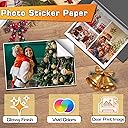
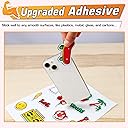
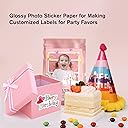
Koala Printable Glossy Sticker Paper offers 120 sheets of high-brightness, white glossy paper designed for inkjet printers with dye ink. Featuring strong adhesive and photo-quality finish, it delivers vibrant, professional-grade stickers ideal for business branding, crafts, and personal projects. Compatible with most cutting machines, this economical bulk pack is perfect for millennial professionals seeking to elevate their creative and organizational game.


| ASIN | B07XCNBT8K |
| Best Sellers Rank | #1,769 in Office Products ( See Top 100 in Office Products ) #6 in Inkjet Printer Paper |
| Brand | Koala |
| Brand Name | Koala |
| Brightness | 98 lm |
| Color | White |
| Customer Reviews | 4.6 out of 5 stars 4,027 Reviews |
| Item Dimensions L x W | 11"L x 8.5"W |
| Item Type Name | Sticker Paper |
| Item Weight | 1.52 kg |
| Manufacturer | KOALA PAPER |
| Material Features | Good color reproduction; Strong adhesive |
| Paper Finish | Glossy |
| Paper Size | 8.5x11 inches |
| Paper Weight | 61 |
| Sheet Count | 120 |
| Sheet Size | 8.5x11 inches |
| Unit Count | 120 Count |
E**E
Perfect for Custom 3D Print Projects!
This glossy inkjet sticker paper works great and prints beautifully. The colors come out bright and clear, and the glossy finish gives projects a clean, professional look. I especially love using it with my 3D prints—after applying the printed sticker paper to the piece, I add a layer of resin over it for a smooth, shiny, finished look. It adheres well and has worked perfectly for my custom projects. Great quality and definitely something I would purchase again!
A**O
High Quality
I absolutely love Koala Sticker Paper! The print quality is amazing, with vibrant colors and a smooth, professional finish. I use it to make stickers, posters, and cake toppers, and the results are always outstanding. The paper is easy to print on, durable, and gives my products a high-quality look. I highly recommend it to anyone who creates crafts or custom designs. I will definitely keep buying it!
Y**Z
Bueno
These glossy adhesive paper sheets are excellent! The print quality is bright and vibrant, and the colors come out beautifully. The adhesive sticks well to different surfaces without peeling, and the paper is easy to cut and use for crafts, labels, and stickers. The quality exceeded my expectations, and I would definitely buy them again. Highly recommended!
A**E
Found me new paper!!!
This is really good paper and very easy to use. It dries very quickly too. This is my first time using it and I really do like it. I know I’m going to get more.
A**Y
My Favorite Glossy Sticker Paper
This is my favorite glossy sticker paper. It prints well and produces vibrant colors. There is no back slit in the backing paper like some other brands. It works well with my Cricut Maker. I am using an Epson ET-4760, so I can't speak for other printer brands or inks, but I have had no issues with streaking or smudging. You do need to ensure that you use the glossy photo paper setting on your printer if your printer has pigment based ink (most printers have pigment black). If you don't do that, the black ink will never dry because the printer will lay down more ink than the paper can absorb. This will lead to streaking and smudging prints. I have had a couple sheets get jammed in my printer, but no more than any other brand of sticker paper or label paper. You will want to remove any other paper from your paper tray when printing on this. The surface is just tacky enough that plain paper will stick to it and pull through with the sticker paper when you print. I have had no issues with that happening with a stack of just the sticker paper. Though if your printer is old and the rollers are a bit worn, I would think you run a higher risk of this happening. This paper does perform pretty well against spotting and streaking when exposed to small splashes of water. However, this is PAPER, not vinyl and it is not waterproof. You should not use this paper for stickers that will get wet or exposed to weather. You might be able to coat it with a transparent vinyl and make it more waterproof, but I am not sure that the glue will continue to hold if the sticker gets wet. The one downside I have experienced is that the surface coating is a little bit fragile. You should avoid using these stickers in places that they may get scratched. Even minor abrasion may scratch off part of your design. This would be when it would be good to add a clear vinyl protector. As I mentioned at the beginning, I have had no issues using this with my Cricut Maker. I have a fairly new blade and use the washi paper setting to make kiss-cut stickers. On this setting, the blade doesn't go all the way through the backing.
E**O
Great for photos,stickers or anything u want to put your sticker on (lol)
Great quality will buy more in bulk good stickyness and not easily taken off any flat surface lol will leave residue :)
K**Y
Solid stickers paper for school labels
I use this sticker paper to make labels for school notebooks. I like it because the printed colors come out nicely, it adheres well, and it’s easy to work with. Printer performance has been great, and the ink dries quickly, which help avoid smudging. I’ve never had an issue with the colors fading. The only thing I don’t love is that when I cut the stickers on my Cameo, it releases a slight white dust that ends up sticking to the cutting mat. As for water resistance, I can’t comment since I haven’t used it for that purpose.
L**.
Thin Vinyl glossy white sticker paper
This is a very glossy sticker paper, I think it is a thin vinyl surface sticker paper. Possibly waterproof, I have not tested it but it feels like it. Honestly too glossy for me. It's got a squeaky surface because it's glossy vinyl. It prints pretty well on an inkjet printer as advertised. I do usually find I need to increase the saturation about 30-40% when printing on it to get a good saturated image of digital art but I often increase the saturation 20-30% with my printer to get saturated color on digital art. The stickers cut well with scissors, or with print and cut function on my Silhouette Portrait with a standard auto-blade on sticker settings. You may want to reduce the force and depth slightly with your cutting machine as the backing paper is not very thick. Use a light grip cutting mat if machine cutting or the backing sticker paper may tear.
Trustpilot
1 day ago
2 weeks ago