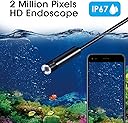
🔍 Discover the unseen with ease!
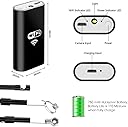
The Wireless Endoscope WiFi Inspection Camera is a versatile 2-in-1 tool designed for seamless connectivity across multiple devices, featuring a 2MP HD camera, 8 adjustable LED lights, and an IP67 waterproof rating, making it ideal for various inspection tasks in hard-to-reach areas.


| ASIN | B07ZH7K7TZ |
| Brand | MICROWARE |
| Connectivity Technology | Wi-Fi |
| Customer Reviews | 3.6 out of 5 stars 569 Reviews |
| Effective Still Resolution | 2 mp |
| Flash Type | Internal |
| Hardware Interface | USB |
| Included Flash Type | Internal |
| Item Dimensions D x W x H | 0.63"D x 1.34"W x 2.6"H |
| Manufacturer | Oyrlize |
| Mfr Part Number | wifi 720P-US |
| Model Number | wifi 720P-US |
| Real Angle of View | 70 degrees |
| Shooting Modes | Underwater |
| Water Resistance Level | Waterproof |
R**.
Great scope with clear pictures and low cost.
This little device is quite amazing for the price. It is very easy to get connected and the picture quality is excellent. The mirror attachment is a bit cheap and the picture quality ooff the mirror is not real crisp but other than that it is a great tool to have in the tool box. I had expected to spend four or five times more when I needed to get one for a project I had.
V**X
toy without a way for use.
1.Picture quality very poor and blur. On best focus distance(1-2 inch), almost can not see small text on the box. It make it absolutely UN-USEFUL. 2. No application for computer or other "any wifi device". App available only for android or iPhone. 3. App does not starting without active internet connection. So, since wifi used for camera - you need mobile internet On. 4. Working only in WiFi mode: Buttons on the screen not working. Working only zoom. (zoom applied only to the picture on the screen, not to camera). Cable button for screenshot not working. App is around 50 Mb. Have no additional functions or settings. No way to see the IP of camera or share picture by net. 5. Not working by direct micro-usb connection to Android. Camera working, but picture is only colored lines, probably codec issues. Usb connector is micro USB Type B, not Type-C. button on the cable making screenshots, but still only lines. 6. Plus point - have two led's on the box, green and blue color, lighting all time, so making you feel as you have a high technology device.
A**R
Decent, but BAD instructions
Once I got this connected, it did what I needed it to do. But getting it connected? Thought I was going to have to return it and there was no hope. The instructions are terrible. Here’s what you need to know: 1) Make sure the Wi-Fi bank is charged up all the way (takes 3-4 hours). The network wouldn’t show up for more than a second or two before I had done this and the password wouldn’t work. Once it was fully charged I could access it. 2) You also need to turn your cell data off for it to work. Hopefully this helps.
A**W
Great camera for the money
If this is a great endoscope for the money. Good resolution and very easy to set up in use. All you need to do is download the app and connect to the Wi-Fi of the device. If you hold down the white power button on the battery module a light comes on that is sufficient and the light around the LEDs on the camera really work well. This is a great product for the money.
A**R
Good camera but not good for piston inspection
At first I was impressed with the quality of the video. The phone app worked well once I figured it out. The problem is the size of the camera end. I needed to inspect cylinders in a marine outboard to look for cracks, scoring or other damage. The camera end is long and once inside the cylinder I could not view more than one inch of a single edge. No matter how I tried I could not get the camera to angle in a way to view the rest of the piston. It's a good camera, but not for this purpose. It proved useless for my need. I think if there had been a way to zoom out it might have worked but I sure couldn't find a way to do that
M**A
It do work
It works good you have to make sure u pay attention to the instructions make sure the cords or in the right place and your wifi is connected on the right name. It did me good no lie
J**G
Performed so poorly I should be reimbursed for my time.
First off instructions are sparse. Turn it on? Just press on/off button once. Turn it off? Not mentioned. So I tried one short press…nothing. Long press? A bright light on battery module comes on. I guess as a flashlight to help you find the rest of it if you follow through in the temptation to throw it out of frustration. Hopefully it at least times out. So got it on and connected Wi-Fi. Found the software and loaded it up. And if you wait a while the image from it will show up. And then a few seconds later another image. These other people here who reviewed it positively must have the patience of Job. I have it set on lowest resolution setting and it sporadically will show me snapshots some taking over a minute to arrive. Not something you want to be waiting on lying on top of a running engine. And yes I turned my phone off and on again. I would have turned the borescope off and on but well, see above. I rarely ever give reviews but this performed worse than if I had bought a children’s toy.
J**T
now you can see a lot more
I've been remodeling my kitchen and this little puppy helped me figure out I had a heating duct disconnected! This is gonna save me so much money on my heating bill! Of course now I have to tear the cabinet apart to repair the duct but I wouldn't have ever known without this unit! Very useful.
Trustpilot
3 weeks ago
1 month ago