Desertcart purchases this item on your behalf and handles shipping, customs, and support to Portugal.
โ๏ธ Snap into success with Averyโs Clean Edge business cards!
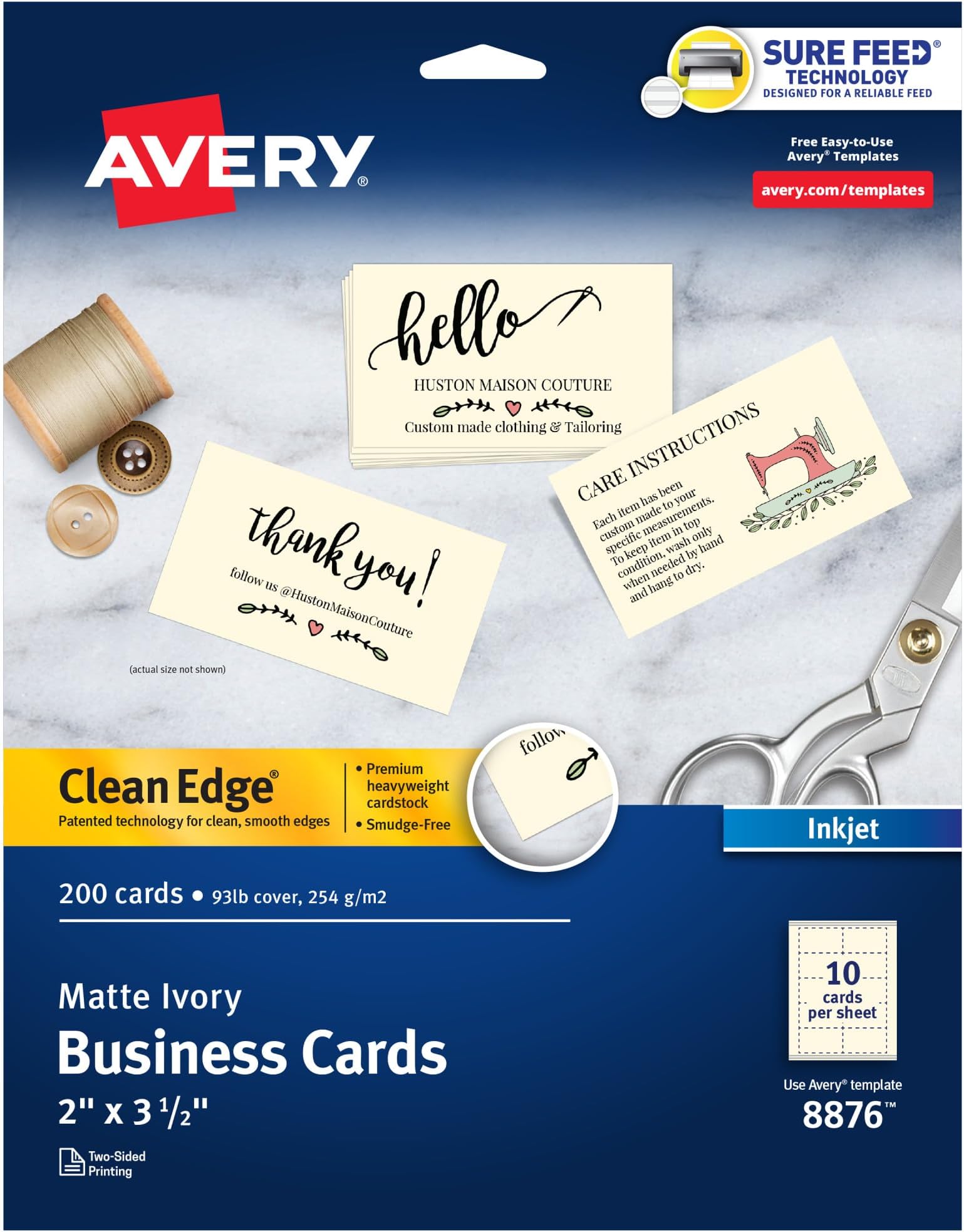
Averyยฎ Clean Edgeยฎ Printable Business Cards (2" x 3.5", Ivory) feature innovative Clean Edge technology for easy, smooth separation and are optimized for jam- and smudge-free inkjet printing. This premium 200-card pack offers dual-sided customization on heavyweight cardstock with an elegant ivory finish, perfect for professional-quality business cards and versatile branding needs.


| ASIN | B00008XPHB |
| Best Sellers Rank | #23,052 in Office Products ( See Top 100 in Office Products ) #49 in Business Cards |
| Brand | Avery |
| Brand Name | Avery |
| Brightness | 90 |
| Color | Ivory |
| Customer Reviews | 4.7 out of 5 stars 937 Reviews |
| Global Trade Identification Number | 00072782088767 |
| Included Components | Two-Side Printable Premium Clean Edge Business Cards with |
| Item Dimensions L x W | 12.3"L x 9.5"W |
| Item Type Name | Cards |
| Item Weight | 12.64 ounces |
| Manufacturer | Avery |
| Manufacturer Part Number | 8876 |
| Material | Blend |
| Material Type | Blend |
| Model Number | 8876 |
| Sheet Count | 200 |
| Size | One Size |
| UPC | 072782088767 |
| Unit Count | 200 Count |
| Warranty Description | No |
B**A
Good Quality
I've purchased these Avery Clean Edge business cards more than once, and they've been great every time! They're easy to print using the Avery templates, and the clean-edge design makes them look much more professional than standard perforated cards. The cardstock is sturdy with a nice matte finish, and the ivory color gives them an elegant look. They separate cleanly with no rough edges, making them perfect for my small business. Highly recommend if you're looking for quality printable business cards at a great price!
P**P
Professional look and feel
These worked out very well for me when I decided to create personalized business cards. The paper is stiff like what business card should feel like (unlike some card stock at Michael's craft store that I tried using), a concern I had before purchasing this Avery product. The Ivory color is very subtle, something hard to detect without comparing a bright white piece of paper next to it. And the printing results from my Canon Inkjet printer on high quality setting were outstanding (no bleed through showing on the other side of the card). When punching out the cards, it was quick and easy (directions are printed on the unused border of the paper for your convenience) by just folding inwards along each edge of the card. I understand a little how they accomplished such clean edges, which I can explain later on. But I was pleased with the end result - clean edges with no fray strands and all the cards were perfectly the same shape. One caveat with this type of clean edge solution is that you must use a printer that "feeds" in paper from the rear tray. Most printer have the front loading tray (or both) but loading from the front will bend the Avery paper in a "U" shape, causing your cards to bend and mostl likely the clean edges to "punch out" inadvertently inside your printer. I highly recommend loading only from the rear tray (or top loader) since its mostly a pass-through design. I designed my business cards with the help of Avery's online tool at avery,com[slash]templates. For this product you can enter 8876 to get a template that you can customize online (even save it to their website after registering) and download the finished design as a pdf file for you to print it at home directly on these sheets. I know MS Word 2010 also has built-in templates just for Avery products (and so does MS Publisher 2010), but the online tool was easy and robust for my needs. Avery has a FREE downloaded program that you can also use, and downloadable templates for other products such as Adobe Photoshop. If you can't find a 8876 template, 8871 is the same size and will work too. Hope all this info helps. I had a good experience with this product and will probably choose this solution over other options (I was considering online orders from Shutterfly,com). Just be careful how it is loaded into your printer and it should be successful. . PS. As opposed to the micro-perforated version, this one has actual "cut lines" across all the edges of the business cards to create the clean edge. I say in quotations because the cut doesn't actually go all the way through the thickness of the paper. The "cut" is entered from one side, and is just enough that you can "snap/break" the cut similar to breaking a graham cracker in half. Only thing is that it can only snap/break from one side, but it works perfectly.
A**T
Good quality, good results
I've been using Avery products for years, both personally and in offices, and their quality has not declined. These cards, with the clean edges, are a great design, and they really do break apart with clean edges. I use WordPerfect for my word processing, and the Avery label templates included with the program work perfectly with these cards. I've played with both the online and offline Avery Design apps, and although they are good options for anyone who doesn't have Word or WordPerfect, both of which come with the templates included (look for the option to create a project; in WP, you need to pick "labels" and then choose the Avery project number you want to use, and it's similar in Word), but for business cards, I found using the online and Avery Design software a bit cumbersome. Especially if you want to use your own images and don't like using "text boxes" to arrange the text on the card, it is easier to do it in a word processing program. If you want more help with the design, then the Avery apps would be a better choice. The colors come out great, the lettering is crisp, and the card stock is very good for the price -- particularly considering that they need to work in all sorts of printers. I used a Canon Pixma MX922 for my most recent batch. I set the printer for high quality printing on matte photo paper, since there was no exact equivalent offered by the Pixma printer software, and they looked great
P**Y
Great Experience
Hands-down these are the best. I will continue to purchase these for our business and event needs. They are sturdy due to their weight, and are sized just rights. They are easy print on and feeds through the printer effortlessly. I have nothing bad to say about this product.
O**N
Not great as flashcards
I bought these to make myself some flashcards. The paper has a certain drag when sliding cards against each other that was enough for me to scrap it and do something else. I doubt it would be noticeable if with business cards (unless you were wanting to deal them like a croupier for whatever reason). I should mention: that "clean edge" business? Absolutely amazing! They truly do come apart with very clean edges.
T**.
You Can Print On Both Sides!
I've used these cards for years and they've only gotten better. I have two facets to my business that are closely related so you can imagine how happy I was to find that I could print two cards on one! I've tried this with other cards and they usually get jammed or break apart in my printer. I use my own original graphic designs, pictures and multiple colors on my biz cards. I've tried the popular online print services, but I've had difficulty aligning and sizing my card content inside their template spaces. For my purposes, printing my own cards on this Avery stock is economical enough without having to outsource. They all print crisp and clean. The cards are heavyweight and durable so I donโt feel like Iโm handing out a โcheesyโ product. I even keep a few in an open cardholder on the back of my phone case so I can easily hand one out.
F**B
Really like the product.
Happy with the product.
D**A
Fantastic Quality!
I have relied on Avery products for years. I wanted to design my business cards and avoid the expense and hassle of getting them printed. These cards a quality paper with a nice weight. The colors came out vivid and present well. The edges are perfectly straight and precise. I love that Avery has templates and it is so easy to create what you want. My cards came out professional looking and have that nice feel of well made card stock. Once again Avery lives up to my expectations!
J**1
Great product
Superb cards with "pop-out" rather than tearing the printed cards out. The quality is amazing and gives an air of professionalism.
R**N
DONT BUY
DONT BUY. Firstly, these are Letter size, so putting an A4 page through to check printing doesn't work. Second if you use the 8876 Avery Template you have to mess with adding extra lines to enable printing in the same place each time, except that the last four cards either print too high or too low, missing information off. If you try copying and pasting for more than one card type, you have to start again with the extra lines. I ended up wasting 50% of the packet. The card itself is good quality and breaks better than the perforated type. Colour is good.
A**R
Perfect
The cards are exactly as advertised and look great for my use. I have made 150 training records double sided and no paper jams on the printer. Very easy to setup for double sided printing.
P**C
Hard to set up
The instructions are hard to follow to get your image placed correctly. They are good quality card stock and separate cleanly from one and other.
A**.
Excellent quality. Clean Edges
Not much to say here: Excellent quality and clean edges ...at home! Used the same before, bought from a local store (London Drugs) and run out so I ordered them from Amazon this time due to convenience. A+ product
Trustpilot
1 week ago
4 days ago