


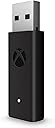


Microsoft Xbox Wireless Adapter for Windows 10
Product ID: 19506151
🎮Seamless Xbox controller pairing
🔌USB extender for flexible setup
🔗Stable wireless connection
🎮 Elevate your PC gaming with true Xbox wireless freedom—no wires, no limits!
The Microsoft Xbox Wireless Adapter for Windows 10 enables seamless wireless connection of Xbox controllers to PCs and tablets running Windows 10. It supports in-game chat, high-quality stereo audio, and multiple controllers simultaneously, delivering a console-grade gaming experience on PC. The included USB extender cable enhances placement flexibility, ensuring stable, low-latency gameplay that outperforms standard Bluetooth connections.
| ASIN | B00ZB7W4QU |
| Best Sellers Rank | #5,350 in Video Games ( See Top 100 in Video Games ) #23 in Xbox One Adapters #1,493 in PC Games & Accessories |
| Brand | Xbox |
| Color | black |
| Compatible Devices | PC, Tablet |
| Connector Type | USB |
| Customer Reviews | 4.4 4.4 out of 5 stars (16,480) |
| Finish | Stereo |
| Global Trade Identification Number | 00889842174175 |
| Item Dimensions | 5.4 x 5.9 x 1.8 inches |
| Item Weight | 0.1 Grams |
| Manufacturer | Microsoft |
| Mfr Part Number | HK9-00001 |
| Model Number | 1790 |
| Number of Items | 1 |
| Number of Ports | 1 |
| Package Quantity | 1 |
| Power Plug Type | No Plug |
| Smart Home Compatibility | Not Smart Home Compatible |
| UPC | 889842174175 |
| Unit Count | 1 Count |
| Warranty Description | Limited Warranty |
| Warranty Type | Limited |
S**W
PERFECT ADAPTER FORMY CONTROLLER!!!
This Microsoft Xbox Wireless Adapter for Windows 10 is an excellent accessory for anyone who wants a smooth, console-like gaming experience on PC. Setup is quick and effortless—plug it in, pair your controller, and you’re ready to play within minutes. The connection is incredibly stable with no noticeable input lag, even during fast-paced games. What really stands out is how well it supports multiple Xbox controllers and headsets at once, making it perfect for local multiplayer sessions. Compared to standard Bluetooth, the performance feels more responsive and reliable. Overall, this adapter delivers exactly what it promises: seamless wireless connectivity, strong performance, and true Xbox-quality gameplay on Windows. Highly recommended for PC gamers using Xbox controllers.
M**L
Item received
Worked grate. Before this my item my xbox controllers would not have a grate signal when connected to my PC on BT it would randomly disconnect. Although when i got this item that changed it works grate now. No delays not random lost of signal.
C**W
It works! Read the product description..
I’ve been excited for this product to arrive ever since the Xbox One controller was released. The Xbox One controller feels much better than the 360 ergonomically, and I wanted to make the switch over when playing games such as Rocket League. In the meantime, I’ve sufficed by plugging in via USB cable, but if I stream from my TV, it’s much more difficult. The USB dongle is big, I’m not gonna lie. The nice thing is that it is slim, so you won’t have issues plugging in other USB devices next to it if they’re in vertical parallel but it’s definitely long, and a little wide. Looks like an older USB wifi dongle. I had to remove my Logitech dongle to fit it into my laptop, where they are all horizontal in series. Note, there is a USB extender cable included in the box that you can use to prevent this issue. I would actually recommend using it, to prevent any potential interference from being plugged in close proximity to other devices. On my desktop, I was connected via USB 2.0, on my laptop I was connected via USB 3.0. I noticed no difference in performance, the dongle worked on both ports. After plugging the unit into my computer, the drivers installed automatically. I restarted for good measure, then pressed the sync buttons on my controller and the dongle simultaneously. White light flashes while searching, then goes solid after paired. Same went with my controller. You can do this to connect multiple devices. It does NOT disconnect currently connected devices, they remain paired. I tested using Rocket League (pretty much the only game I’m going to be using right now), the device worked flawlessly without any issues for me. Moving to my laptop connected to my tv downstairs, I comfortably played again at a distance of ~15 feet from the dongle with no issues, either. Again, the laptop is running Windows 10. The controller will automatically sleep after inactivity, just like a 360 controller. Merely press it and it’ll wake up and automatically connect to the dongle again, no problem. My computer makes a connection sound when it detects it’s woken up. Pressing on the home key with Steam running launches Big Picture mode. I have literally only owned this product for less than an hour, but so far everything is working swimmingly. • I am using Windows 10, as it is a stated requirement for the dongle to work. So if you are using 7 or 8, be prepared for incompatibilities. I tested on my friend’s desktop running Windows 7, and the drivers would not install. • I used an Xbox One controller (Titanfall edition) – I did try my 360 controller but it did not work, as was expected. • Everything worked out of the box for me. After the driver installed, I did restart my computer before trying to use the controller. • Controller works fine at least 15 feet away from the dongle. I did not try further yet. • The dongle was not loose in the USB port, as another user commented. It does ‘shift’ slightly, but there’s no worry of it falling out or losing connection randomly. I will later test to see if this is compatible with my Steamlink, and update accordingly. I see lots of people disgruntled that it's only compatible with Windows 10, and that it's a surprise. Read the product description. It says it's only for Xbox One controllers and Windows 10. Seriously people, read!
R**Y
) I am happy with this and would recommend to anyone
This is a review of the Microsoft Xbox Wireless Adapter for Windows Summary – Wanted a way to connect my Xbox One controller to my laptop as I was using the corded wireless Xbox 360 controller. Using a Windows 10 64 Bit o/s, this installed in less than 2 minutes flat. I plugged in the receiver and windows auto installed the software needed. When I paired (binded) the controller, Windows then loaded another small piece of software. Nothing else was needed. When using, there was no noticeable lag, however, I am not an avid gamer. Worked well for pinball fx which would certainly be non-playable with any type of lag. I have yet to have any connection issues or dropping of signal. (Again, using directly plugged into a laptop and only a few feet from the controller.) I am happy with this and would recommend to anyone. As with all my reviews, I will update this review should this item develop any issues with ongoing use. Pros Allows use of Xbox Controller on pc, laptop or tablets. Feels like a solid device, is light and button for binding worked well. This is compatible with Windows 7, 8.1 or 10. This can be used on either USB 2.0 or 3.0 and does not require an external power source. The data transfer rate is low enough that you would not see any difference using 2.0 USB vs. 3.0 USB. This can be setup for 8 controllers as well as 4 chat headsets or 2 stereo headsets. ( I am only using with one controller and cannot attest on other devices.) This comes with a three-foot extension USB cable. Notes Not a con as this was clearly stated, however, not compatible with Xbox 360 Controllers. This has firmware. Always a good idea to make sure you have the latest firmware.
M**L
Works well. Sometimes shuts off when not in use
Works pretty well. Love being able to use a headset with my controller and get the stronger connection. And I like that it’s less bandwidth on my stressed Bluetooth card since this is using the dongle instead. However windows will shut it off sometimes when not in use so you have to unplug and plug it back in. I think I fixed this by going into device manager and turning off the option to allow windows to turn it off to save power but we will see. But when it’s working it’s great.
J**L
Fails Consistently
All this has to do is provide a standard connection from a paired Xbox controller to a computer. That's it. Just pair to the dongle. Xbox controllers should be a no brainer for Windows to handle, but Windows approaches this official dongle with total and utter bewilderment. Plugging this into a computer requires an update, even on an up to date Windows machine. Once updated, it is suggested that you update the firmware of your controller. This cannot be done wirelessly, even with a wireless controller, but must be done with a usb C cable, which does not come with the controller, and does not come with the dongle. Once you wire the official xbox controller to a computer running Microsoft Windows, the company that owns both Xbox and Microsoft, and run Windows update, it does not update the controller. For that, you must install an xbox accessories program from the Windows store, a storefront that no one needs, and no one wants. Once you install that, the program approaches your controller with confusion, a "thinking" wheel spinning over and over, and then a pop up comes up for options you do not want. Sifting through the menus, you find the option to update the firmware of the controller, which it tells you both to turn on and don't touch. Once updated, restart the computer, and -you guessed it-, dongle has no clue where controller is. You will go through a kind of dance where the controller is flashing once you've held the pairing button, then you'll hold the dongle button to pair, and nothing happens, maybe 5 or 6 cycles in a row as it times out. When it finally pairs, it works fine, but guess what. It doesn't stay paired. Resetting or restarting the computer puts either the dongle or the controller into a kind of fugue state where it has no earthly idea it was ever paired. Based on how it is supposed to work, one could theoretically pair the xbox controller to the dongle even if it weren't connected to a computer, but simply powered on. This is far too much to ask, however, as it doesn't even stay paired as it is. Also, frequently both lights will be solid lit, but the computer is totally unresponsive to the controller until the dongle is unplugged and plugged back in again. If you pair this to a Windows computer, then boot this same computer with a different operating system, (Batocera) you would think that it would either work, or not, but no, again, you are asking far too much of this machine with only one function. About 35 percent of the time, it works perfectly, and the other 65 percent, you have to monkey with it. It never requires re-pairing, so you are well informed it CAN function, it just DOESN'T. You'll need to either turn off the controller and turn it on again a few times, or you'll have to re-plug in the dongle, or some inconsistent variation of the two, but rest assured, there will be no tried and true way to solve this dirt-simple task that should require no difficulty at all. If I get any of the 200 colored Nintendo Switch controllers, and pair 8 of them at the same time to a Nintendo Switch, they will all work rock solid all day every day, and if I pair a new set, they'll pair in a matter of seconds and work perfectly forever. If I get an off brand Power A controller for my switch, it pairs exactly as quickly and consistently. Microsoft not only manufactures the controller in question, but also the dongle and the operating system on which they are both controlled, and this is having at best a 50% connection rate. Don't buy this, get a 2.4 ghz off brand controller. Logitech makes some great stuff, and you won't even need an update.
A**N
Works out of the box
Work flawlessly with rock band 4 drums to pc to play with YARG-yet another tyrhm game. I assume with xbox controllers also but this was the main reason I used it for. No configuration it worked instantly very impressed.
J**R
Easy to Use and Gets the Job Done
Simple wireless connection without relying on Bluetooth.
H**A
Use your XBOX One controller wirelessly
The XBOX wireless adapter for Windows is the logical solution for those who want to use more comfortably the excellent XBOX One and/or XBOX One Elite controller for gaming. In my humble opinion, it deserves a five-star rating because ELIMINATES the annoyance of having a wired controller, at least when you are not charging the batteries. It’s simple, discrete, even elegant, and lightweight, in comparison with the wireless adapter of the XBOX 360 controller, which was bulkier and with an odd round shape, harder to accommodate somewhere in your computer case or surroundings. Besides, the extension cable is detachable, what is very convenient when you have almost or no room for this port in the front or back of the motherboard of your computer, in contrast with the 360 controller wireless adapter, in which the extension cable was included and permanently attached, and if the cord was not necessary, you must fold the excedent cable, in order to avoid the mess in front or back of your computer. The only complaint about this adapter is that takes more time to pair a device, and you must press the pairing buttons sequentially, in order to have a one-step device pairing. First the adapter, then the controller. I have another complaint, but I think is related more to Windows, rather than the device itself. Is the inability to recognize the paired controller in the XBOX Devices subprogram in Windows. You have to try several times for the proper recognition. Nevertheless, even if the subprogram cannot recognize the controller, you can use the controller as well. I recommend this device to anyone who wants to use the XBX One controller without more cables on the computer. It works well and serves the purpose… you won’t regret it.
R**T
game changer
I can finally plug my headphones in to my controller and it works flawlessly!!! also you can connect up to 8 controllers at once. at this price this is a steal buy it without any hesitation!!!
V**V
Seems like a genuine product
Looks like the original product, maybe it is a very good copy, maybe it is a genuine one, I cannot understand. The label underneath hides the original barcodes, serial number and information, that date of manufacturing is "1016", which could mean October 2016. Windows recognized this dongle without a problem. Xbox controller was successfully connected via dongle,
A**I
.....
Really, the wireless Adapter is great and excellent.
U**A
Bluetoothtan iyi, xbox one kolunu pcde kullanmak istiyorsanız edinmekte fayda var.
Elimde xbox one siyah (klasik) ve xbox one s var ikisi de kolayca bağlandı, bluettothla xbox one s beyaz controller bağlıyordum ama kulaklık özelliğini kullanamıyordum ve bağlantıda sıkıntı olabiliyordu. bu aletle bu hem klasiği hem beyaz olanı tam fonksiyonla kullanabiliyorum.
Trustpilot
1 month ago
1 month ago