Desertcart purchases this item on your behalf and handles shipping, customs, and support to Portugal.
๐ Elevate your workspace with one dock to rule them all!
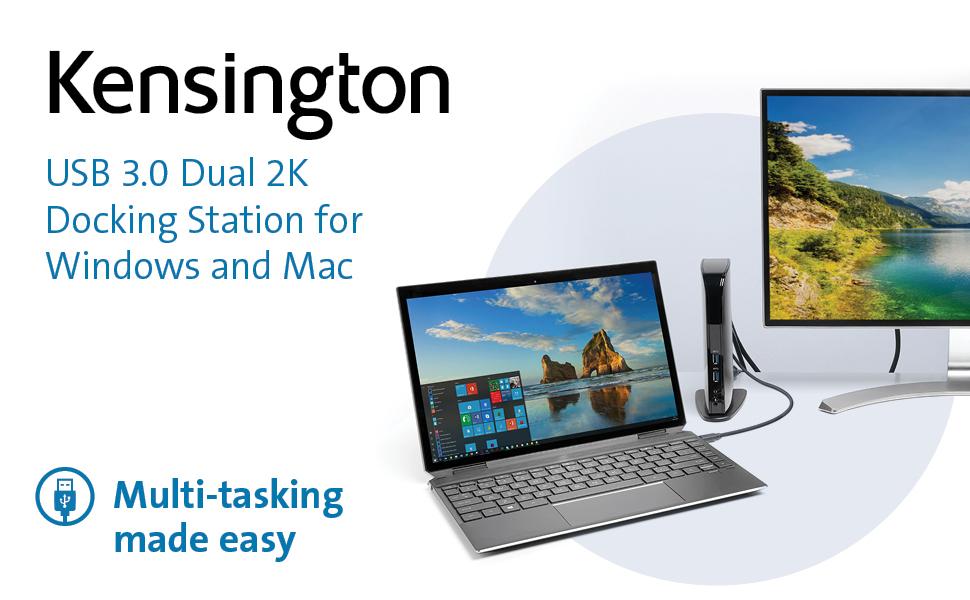
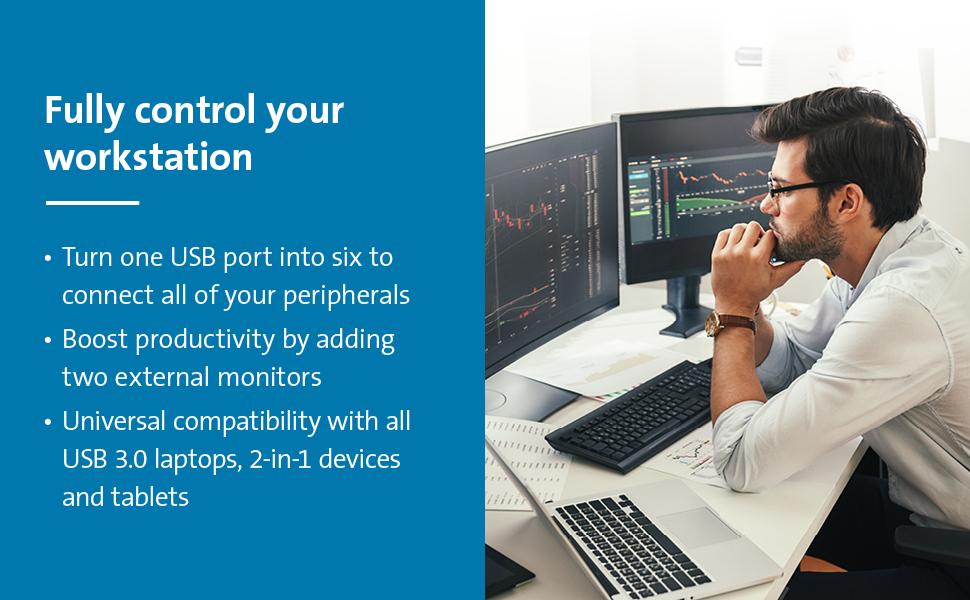
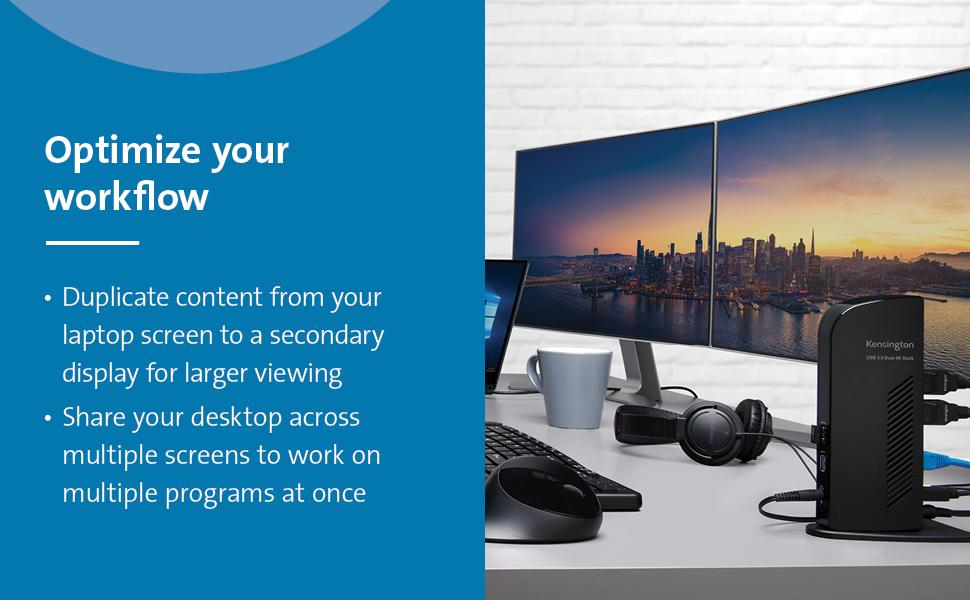
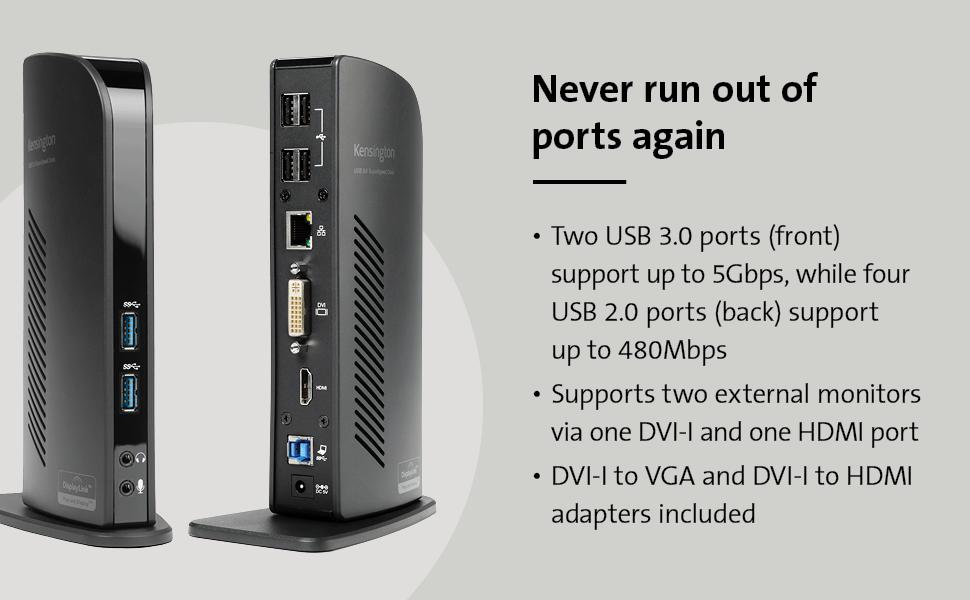
The Kensington USB 3.0 Dual Display Docking Station (K33972US) is a universal docking solution that expands a single USB-A port into six ports, including dual HD video outputs, SuperSpeed USB 3.0 data transfer up to 5Gbps, and gigabit Ethernet. Compatible with MacBooks (M1/M2 series), Surface devices, and Windows laptops, it offers seamless multi-monitor setups and peripheral connectivity with included adapters and power supply, backed by 2 years of warranty and lifetime support.


| ASIN | B009F7E730 |
| Best Sellers Rank | #4,448 in Computers & Accessories ( See Top 100 in Computers & Accessories ) #379 in Laptop Docking Stations |
| Brand | Kensington |
| Built-In Media | Docking station, power cord, two display adapters |
| Color | Black |
| Compatible Devices | MacBooks, Surface Book 1/2/3, Surface Laptop 1/2/3, Surface Pro 4/5/6/7/8, Windows laptops |
| Customer Reviews | 4.4 out of 5 stars 1,322 Reviews |
| Global Trade Identification Number | 00085896339724 |
| Hardware Interface | USB |
| Item Dimensions L x W x H | 6.5"L x 3"W x 9.5"H |
| Item Type Name | Kensington USB 3.0 Dual Display Docking Station for Windows, Mac OS, Surface Pro & Surface Laptop (K33972US) |
| Item Weight | 12.8 ounces |
| Manufacturer | Kensington |
| Mfr Part Number | K33972US |
| Model Number | SD3500V |
| Number of Items | 1 |
| Number of Ports | 10 |
| Product Dimensions | 6.5"L x 3"W x 9.5"H |
| Total Number of HDMI Ports | 1 |
| Total USB Ports | 6 |
| Total Usb Ports | 6 |
| UPC | 085896339724 |
| Unit Count | 1 Count |
| Warranty Description | 2 year |
| Wattage | 1 |
A**N
Works Perfectly
I ordered this docking station as my Macbook Pro, running mountain lion, has only two USB ports. I had considered a standalone USB hub, but instead ordered this as I had some extra LCD panels hanging around. After installing the DisplayLink drivers from the supplied CD, I grabbed a couple of monitors and HDMI cables and connected them to the Sd3500v, one using the HDMI connection, another with the supplied DVI to HDMI connector. I then attached a Yamaha MOX8 music production workstation, a Focusrite Scarlett 18i6 audio interface, and a Yamaha dtx700k drum module to three of the USB 2.0 ports on the back. Next I plugged in the supplied USB cable and attached it to one of the mac's 2 USB 3.0 ports. I was about to attach it to a power source, but like many before me I found I had no space left on the power bar. So off to a big box store to grab one... After powering up, both of the monitors came to life. I was also able to create an aggregate device in the mac's audio MIDI setup tool, and add the Yamaha MOX8 and the Focusrite 18i6 devices and boom i've got 20+ musical devices talking to my music production software through this humble little docking station. Couldn't have been easier, and I couldn't have been happier. Pros. HDMI and DVI connected monitors worked flawlessly USB 2.0 connections worked fine USB 3.0 stick plugged into a front USB 3.0 port worked Plugged a PC style headset/microphone (pink+green 3.5mm connectors) and verified that the audio connection in/out worked Cons: The Kensington sd3500v like just about everyone these days places the transformer on the plug so that you need waste 2 or three power bar spaces to plug it in. Same with my Macbook and music devices. My thinkpad does this right by having a normal plug and cord into the transformer. Didn't test the wired ethernet connection. just for fun I plugged a windows 8 laptop into it. Everything hooked up to the docking station worked fine. Couldn't create an aggregate ASIO device on windows, but after all it is windows. Would I buy this again? Yes 100%
A**R
I was super hesitant about purchasing the product because I had tried ...
Reason for purchase: I have an HP Envy laptop that only has one video out (HDMI) but I have two monitors and I was in the process of replacing my desktop computer with the ENVY and I wanted the laptop to be able to make use of both of my monitors. First impression: I was super hesitant about purchasing the product because I had tried an IOGear (or something like that) USB display module before that, too, used DisplayLink. I had soooo many problems with it...well actually just like one or two but they were happening frequently and in my mind I came to associate the problems with DisplayLink, not the module. So when I saw that this docking station used DisplayLink as well I was nervous but the reviews were so positive that I figured the previous problems might have been with the module itself. My first impression: nice looking piece, looks kinda like a router, solid packaging though it was difficult to remove initially. Setup: I literally just plugged my monitors into the back of the docking station as well as two ext. hdds and the speakers. I then plugged the docking station into a surge protector and connected it to my laptop via the provided usb. For those of you who are confused as I was at first, all of the video goes through the usb cable, so you can have two external displays without plugging anything into your laptop's video output. My laptop recognized the docking station and a window popped up where I could install the drivers that I wanted (one for audio, one for video, etc). The set-up was seamless and it blew me away. As soon as the drivers were installed the monitors came to life, I don't even think it required a restart (though it may have but I don't think it did). Overall Experience: It's been pretty awesome, I've noticed little to no lag at all when dragging stuff between monitors, no delay or sync issues with audio, the hdds are fast as ever, I'm blown away really. I've only really noticed two semi-issues--playing two separate videos on the two monitors creates problems, even when they're not playing in full screen. Also (and this may not be the module, I'm not sure) but when I first hooked everything up, I decided to leave my wireless mouse and keyboard connected directly to the laptop but after a while I noticed a TON of lag with the mouse...the keyboard was fine. I changed the batteries and still, TONS of lag...to the point where it was unusuable. But when I moved the receivers to the docking station, the problem was gone. Not sure what happened there, I had never had an issue with the mouse before so I'm not sure if that has anything to do with the docking station or not. OVERALL: awesome purchase that I highly, highly, highly recommend.
C**1
This is an awesome USB 3.0 type A docking station
I originally purchased a USB-C dock, thinking I could attach it to my new HP Windows 11 laptop USB-C port. I have two external monitors, one HDMI and the other Display Port (or VGA), as well as 4 or 5 USB devices. Well, I connected everything to that USB-C doc, and the USB devices worked - but not the monitors. After some research, I discovered my HP 15-ef2033dx laptop (purchased at a great Black Friday price), does not support external monitors through the USB-C. Duh - I should have paid more attention. So, I found this Kensington Dock on Amazon, read the description carefully and watched the videos produced by Kensington. Convinced myself that this bad boy is for me. Got it yesterday, hooked everything up, and voila - my old external monitors work like a champ. And, because the Kensington dock has its own power supply, I can leave my laptop lid closed - I have no need for 3 displays - and the 2 external monitors work great in this mode. When I'm done working, I just turn off the monitors, leave the laptop in sleep mode, and then wake it up by simply activating with the mouse or keyboard. The provided DVI to VGA adapter works perfectly, with a VGA connection to my old Dell monitor (at least 8 years old). And - the dock also has an audio output port, so I can connect my external speakers also completely to the Dock - the audio jack as well as USB for the power. (The dock also has an audio input port if you want to connect a microphone.) I could not be happier. If you have a laptop with a USB-C which doesn't support external monitors, or a laptop with USB3.0 type A only, this is for you.
M**H
Looks like a solid product
I am using this with a MacBook Air (most recent model, up-to-date OS X). The first thing that hits you is that Kensington has not done a thing to make it easy for a Mac user to set this up. You have to go to their web site, go to the product page, click on "Resources" and download/install the DisplayLink USB 3.0 software. I have two displays that use DVI connectors. There is one DVI port and one HDMI port, so I purchased a DVI female to HDMI male adapter so that I could connect both monitors. I bought a Monster adapter (available on Amazon). Upon closer inspection, I see that the unit comes with a DVI male to HDMI female adapter that you can plug into the monitor and use a male/male HDMI cable. I'm going to switch to that because it takes less room on the Kensington unit. It would be good if Kensington had a model with two DVI connectors. Once I plugged in the monitors and the power adapter, I plugged in the supplied USB cable to the unit and my Mac and it worked. That made me feel pretty good. The next challenge was to arrange the monitors and menu bar correctly. This is done via the "Displays" link in System Preferences. This review isn't the place to describe how that works, but suffice it to say that this requires previous experience with multiple monitors or some web searches. I previously was using a device for multiple monitors that used the Thunderbolt/mini-DVI connector on the Mac and treated the two monitors as one big monitor. The downside of this is that if you wanted to expand something to full screen, it would expand it across both monitors. The Kensington unit treats the monitors as separate displays, so when I use PowerPoint it works as expected and when I expand a YouTube video, it fills only one screen. I tried iPhoto, however, and it didn't work. The DisplayLink web site indicates that the way iPhoto renders the picture doesn't work with their software and chips. There is no lag or jumping like I've seen with other USB-based video. YouTube videos look great. I'm not a gamer so I can't comment on that. So far it seems pretty darn solid. I like the multiple USB ports, especially the front-facing ports. It's a keeper, but not perfect. I suspect most Mac users will be stumped on how to set it up and will have to contact tech support. Hopefully they will get help there. I would give this 5 stars if Mac setup was simple and if it worked with all standard Mac apps.
2**U
Excellent Docking Station!
Don't know why I hesitated to buy this but honestly, if you're looking for a psuedo diving station for your laptop that supports dual display setup (meaning not using your laptop screen but using two full size monitors) this is excellent... It won't support hi-res/refresh for hint Applications (wouldn't buy one for a gaming specific laptop to game on) but for business applications/image/video editing/visio/office/photoshop/publisher/etc... This is excellent... It allows connection to two external hdmi monitors (using it with 2 24" monitors) - has 4 usb2 ports for accessories like keyboards, mice, drawing tablets (like Wacom), low power charging (like for wireless headsets and Bluetooth devices) - has 2 USB 3.0 ports for hi speed connections for external drives plus a built in gigabit ethernet port... They include an dvi to hdmi adapter for your 2nd monitor and the first is a standard hdmi port (both are standed hdmi NOT display ports) Only gripe is the size of the power adapter and length of the power cord... - it only connects via a USB b to USB a cable that's included but not very long (1m I think)... If your laptop uses usb-c you can pick up a USB A to C adapter and it will work with a data only usb-c connection (great if your laptop 's USB c port doesn't support Alt-Display Port - which many don't...) I've had this for over a month now and am very happy with it... One note - upon 1st connecting the dock to your computer - BE PATIENT! Initial setup takes 1-3mins before all the drivers are installed and functional and attached displays pop-up... You will have to adjust the displays to put them in the right order and switch to extended displays mode (starts in mirror mode)... Once this is configured, connection time is under 5 seconds when you reconnect the dock...
A**J
Plug and PLAY
I have a MS Surface Pro 6. I have plugged my Samsung monitor, my Anker USB router, my wireless USB for mouse and keyboard, my speakers, my ethernet into the docking station and then into my Sruface. NO ISSUES with any connection. The Anker USB router has 3 charging ports and all 3 charge. It also has 3 hard drives attached and my surface reads all the hard drives with NO problem. I have my printer running through the Anker as well and while it will print, it won't scan back to my computer so it's probably something I need to fix. Also, the screen resolution needs to be adjusted on my Samsung monitor when I unplug and plug back in but other than that, this is a GREAT product! Seriously, I've unplugged my Surface 4 or 5 times since I got this docking station and I have NO connection issues with anything. Maybe a little slow but that may be from not being able to use 3.0 for all my USBs. Can you make them all 3.0 and backwards friendly for the 2.0? =)
R**A
Looking for a dock? Stop! You just found it.
When it was time for a new computer, I wanted to go from a desktop and laptop (and copying things back and forth, etc) to just a laptop. But, at home, I like the "feel" and convenience of a desktop (full keyboard, mouse, big monitor; you know what I mean). This is a great docking station and gives me just the setup I want. It was very easy to install the drivers and it runs everything well. I run it from a USB 3 port on my lattop. In the station I have an 8 port USB hub plugged in (with 4 peripherals in that: Keyboard, wireless mouse, etc), and an external monitor and speaker set. All works well through this station and, when it's time to disconnect my laptop for use elsewhere, I just unplug the one USB (and laptop power) and I'm off. I don't recall if it is supposed to be "plug and play" but it is. When you need to add a peripheral for just a while, the 2 USB 3 ports in the front are very convenient. If you are interested in doing the "make my laptop a desktop at home" thing like I wanted to do, this is what you want and need (given you also need another monitor, keyboard, mouse, etc). If I ever need another one, I'll look first for a Kensington like this one. Definitely recommended.
T**3
Worked great for a while
I had this right at 3 years. I bought it to run dual monitors and it's worked great until this week. The hdmi port just quit. It doesn't get moved or jostled around, so I don't really understand why it quit. Everything else is still working, but I need that hdmi port. For an inexpensive station I suppose 3 years is not too bad.
M**L
Works well
Works well just what i need
C**Y
Good
Works perfectly
S**A
Excelente hub.
Principalmente lo compre para poner conectar varios monitores a mi laptop a la vez, funciona de maravilla, el input lag es muy poco siempre y cuando se use atravez de usb 3.0, en realidad le saque muy buen provecho, gracias a sus multiples puertos usb, es plug & play, llevo con el varios meses y no me ha fallado, lo utilizo en windows y mac y funciona perfectamente con ambos. Lo unico que no he probado es el cable de red, ya que tengo otro adaptador para la red que estoy utilizando.
M**S
Easy as one, two, three...
Excellent product, very easy to install, no fuss no muss, and more than meets my needs.
I**A
A+
Amplia compatibilidad, funcional, buena calidad, fรกcil de usar e instalar.
Trustpilot
1 week ago
1 week ago