Buy anything from 5,000+ international stores. One checkout price. No surprise fees. Join 2M+ shoppers on Desertcart.
Desertcart purchases this item on your behalf and handles shipping, customs, and support to Portugal.
🔒 Elevate your security game with crystal-clear vision and smart alerts—because your peace of mind can’t wait.
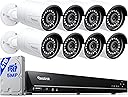
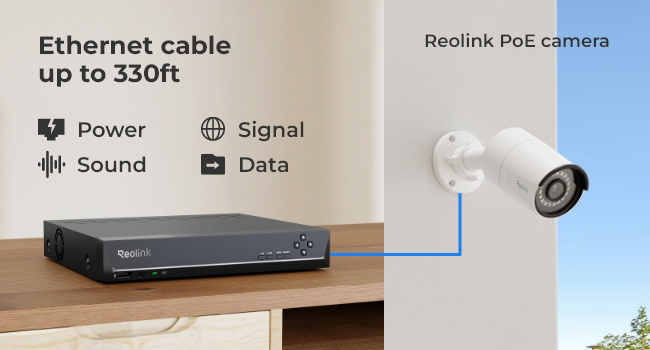
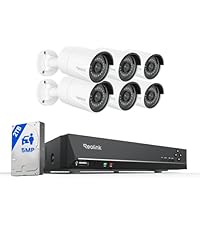
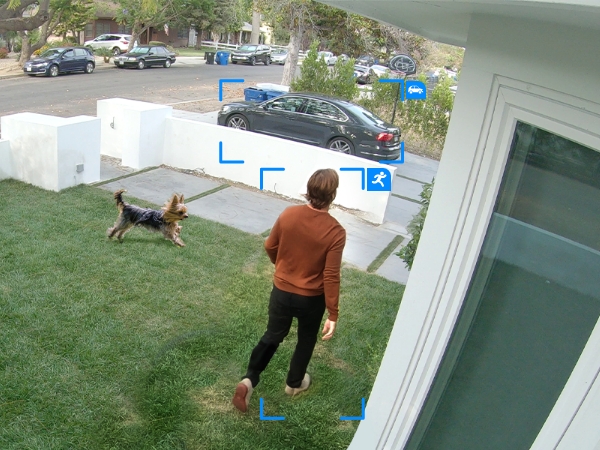
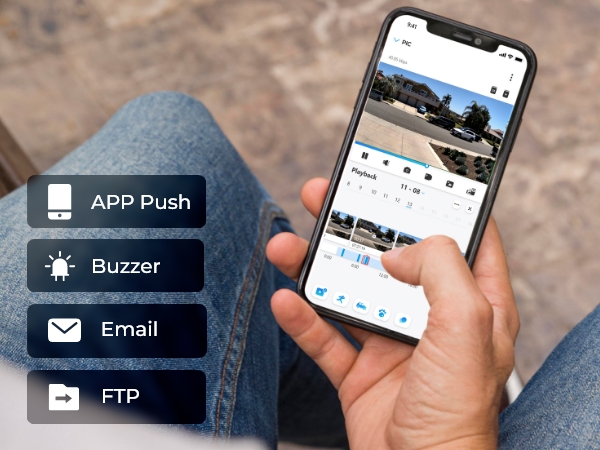
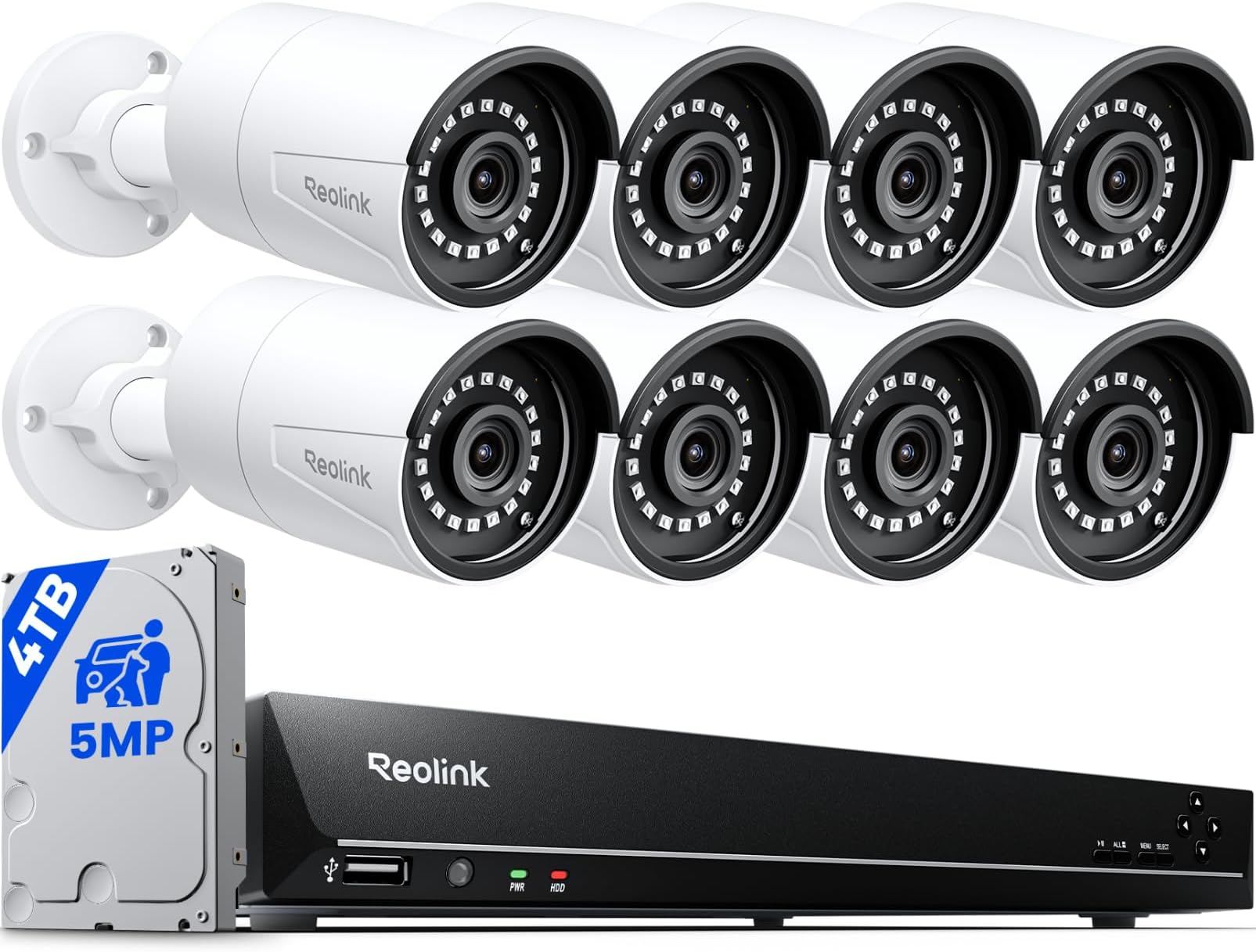
The REOLINK 16CH 5MP Home Security Camera System features eight wired outdoor PoE IP cameras with 5MP resolution and 100ft infrared night vision. It includes an 8MP 16-channel NVR with a pre-installed 4TB HDD for continuous 24/7 recording, supporting smart human, vehicle, and pet detection. The plug-and-play PoE setup simplifies installation by delivering power and data over a single Ethernet cable. With multi-platform remote access and expandable storage, this system offers reliable, professional-grade surveillance tailored for modern homes and small businesses.


| ASIN | B01B4BKJK4 |
| Best Sellers Rank | #11 in Surveillance NVR Kits |
| Brand | REOLINK |
| Built-In Media | RLN16-410*1, B500*8, NVR Power Adapter*1, HDMI Cable*1, USB Mouse*1, 1m Network Cable*1, 18m Network Cable*8 |
| Camera Description | Front, Rear |
| Color | White |
| Compatible Devices | Cameras, Laptops, Personal Computers, Smartphones, Tablets |
| Connectivity Technology | Wired |
| Customer Reviews | 4.4 out of 5 stars 1,385 Reviews |
| Frame Rate | 25fps |
| Hardware Interface | Ethernet, HDMI, USB, VGA, eSATA |
| Item Dimensions | 14.49 x 11.61 x 13.98 inches |
| Item Weight | 10.93 Kilograms |
| Lens Type | Fixed |
| Manufacturer | Reolink Digital |
| Manufacturer Warranty Description | customer service (support@reolink dot com); 30-day money back guarantee; 2 years quality warranty; |
| Memory Storage Capacity | 4 TB |
| Mfr Part Number | RLK16-410B8 |
| Model Number | RLK16-410B8-5MP |
| Night Vision | Night Vision |
| Night Vision Range | 100 Feet |
| Number of Channels | 16 |
| Operating System | iOS, Android, Windows, Mac OS |
| Optical Sensor Technology | CMOS |
| Other Special Features of the Product | Adjustable, Easy to Install, Motion Sensor, Vehicle Detection, Waterproof |
| Power Source | DC |
| Recording Mode | Motion Recording; schedule recording; 24/7 recording |
| Signal Format | Digital |
| Special Feature | Adjustable, Easy to Install, Motion Sensor, Vehicle Detection , Waterproof |
| Total Usb Ports | 2 |
| UPC | 749110051990 |
| Unit Count | 1 Count |
| Video Capture Resolution | 5MP (2560 × 1920) |
| Video Input | PoE IP camera x 16 |
| Viewing Angle | 80 Degrees |
T**R
Easy install high quality
So far so good. Easy to install. The remote access from the app is nice. Picture quality is very clear.
A**R
So far, great product
As of right now I have installed 3 of the 8 cameras in the back of my house and garage so far. Running the wire is a task but for the speed and reliability of having the cameras on Ethernet and the ability to access the camera multiple ways instantly is absolutely worth the hassle of running the wires from the cameras to your NVR. I decided I wanted to run my own cat6 Ethernet cable rather than using the cabling provided so that I could cable manage and be a little more accurate with the cable length than the cables that were provided. I also chose to buy a 10U server rack to mount in my basement to hold my NVR and a patch panel to run the cat6 to. I also decided to buy an UPS because in the case of a power outage I still want my security cameras to run. I then got myself 8 security camera junction boxes(on Amazon), some 1/2 in conduit and connectors and a main junction box to run all the conduit to. I then drilled an 1 inch hole in the back of the junction box picked where I wanted all the wires to go into my basement and drilled about a 1 inch hole from the outside of my house to inside my basement. It’s taking me about an hour and a half to about two hours per camera after I got the main junction box, server rack and NVR all set up. That means installing the camera junction boxes where I want the camera, running the cat6 through the conduit, tipping the cat6 cable to connect to the camera through the junction boxes and to the patch panel on my sever rack, hanging the conduit and running it to the main junction box and finally installing the cameras onto the little junction boxes. It is a chore but again for the ability to access the cameras through multiple means instantly is worth it. The quality of the cameras is great especially during the day and the night vision works well in dark areas at night. If any areas are lite at night or cars drive by, I recommend turning the IR lights off but keeping it on auto day and night. That will eliminate the night vision but will record in black and white, which if there is a street light for example on, then the quality will be fine. Otherwise you might get some unwanted glare during night time in those areas. You have the ability to connect the NVR via HDMI to a monitor or computer and can access the cameras and setting right there. You can also get access to the stream anywhere with the app. You will need to creat a log in on the NVR first or use the Admin login information to be able to initially view your cameras but after the first time you won’t need to log in again. And finally you can also access your cameras anywhere on your local network by just web browsing the IP address of the NVR. All of these means of viewing the video stream are instantaneous and light years more reliable then any wireless camera on the market. Even if you don’t want to install the cameras yourself, you can hire a company to run the wires for you. Just tell them you already bought the security system. You’ll probably spend close to 1,000$ I’m sure. Especially if you have 8 cameras to run wires for bit your already about to drop 800$ on the security system itself, just saying. Overall great product so far. Absolutely recommend, especially if you have some sort of general understanding of running Ethernet or wiring in general. And some patience when running the wire if you chose to do it yourself.
D**.
Impressive Camera System - picture quality exactly what we need
Ive purchased and installed camera systems in the past few years, for family, at business, etc. So I wasn't looking forward to replacing our aging system at our home farm. Bad memories of Open Ports, DDNS setup, flaky phone apps, cameras intermittently working, and pulling BNC type wire to a bunch of new camera's filled my mind. After serious research, I finally decided on the Reolink POE system. After setup, I have to admit Im very impressed. First pleasant surprise was the ease of connection setup. Simply scan the QR code on front of the unit, and suddenly we were communicating with all the cameras. Next pleasant surprise was the iPhone app. Again, we just scan the QR code with the iphone camera and instantly we were seeing all of our cameras. No port forward setup, no DDNS configurations, etc. It was great. And now for my favorite surprise - wiring. I discovered that if I installed an inexpensive POE Switch at a remote location, I could then run cameras from this POE Switch, rather than pulling new wire all the way back to the Camera NVR unit. Great! I installed a 5 port POE Switch in our barn (about 250ft away from the NVR unit that is in basement of the house) and connected it to our router. Now, using CAT6 wiring, I can add up to 4 cameras in and around the barn, without requiring individual runs all the way back to the NVR. Extended my distance away from the NVR too! Simply fantastic. We currently have 11 cameras online, including 1 to watch the nearby field and treeline for wildlife. The grandson loves to watch this camera at dark, looking at the deer, and zooming in with touch of a finger. We are still setting up the motion sensitivity (a little too sensitive at factory settings) and push notifications, but it should be a valuable addition to our farm when finished. Not disappointed in this purchase, would certainly buy again.
N**R
Beautiful Picture, Great NVR, Downside is PC App
First, the good. These cameras produce a nice, sharp image with fluid motion at 30 fps. Night vision clarity is excellent, although the onboard IR illumination range is far less than the claimed 100 ft. range. Actual useful range is about 30-40 ft., unless there is another light source nearby. I have multiple cameras on each side of the house, and the *combined* illumination from them provides excellent visibility overall. The fact they can record sound is a BIG PLUS. (Default sound setting is OFF... you will need to enable it per-camera in the encoding settings.) Now, the bad. The downsides are unreliable motion detection tagging, and PC based viewer software that loves to crash and always loads several cameras into a single frame causing them to rotate images wildly until I drag each camera to its own frame. I haven't found any way to save view settings in the PC app, so I have to drag cameras to their own frames each time. This is ONLY a problem when viewing with the PC software (which unfortunately is my preferred viewing method). Viewing on a directly connected monitor works perfectly, and so does the iPhone app. In playback mode there are indicators on the timeline to indicate motion, which are supposed to make reviewing footage easier. In reality, motion detection accuracy is hit-or-miss. A bug flying close by will trigger motion detection, yet people or animals walking up the sidewalk less than 30 feet away, and cars coming up the driveway right in front of the cameras, will (randomly) NOT trigger motion tagging, even in broad daylight. If you want to review overnight footage to see what happened in your yard while you slept, do NOT rely on the motion indicators on the timeline, because you will miss a lot of activity that doesn't get tagged. Most of our overnight motion tags are moths, which seem to be attracted to IR. Deducted 1 star overall, because of the poor PC software and unreliable motion tagging. The cameras themselves are 5 stars, and the NVR is worthy of 4-1/2 stars. My biggest complaint is you are limited to 4TB disks, even though much larger disks are available. This is a big deal considering you only get a few days of storage when using multiple cameras. I had to set all 8 cameras to the minimum encoding resolution (2304x1296 @ 15 fps) to get a full 7 days retention on the factory-installed 3 TB disk. That renders at only 3 MP (instead of 5 MP) but still exceeds what my 1080p 40" monitor can display, so the picture quality remains excellent, unless you use a 4K monitor. When left at the default 2560x1920 @ 30 fps, retention was only about 4 days on the same 3 TB disk. With cameras this good, if Reolink would improve their SOFTWARE reliability and really work to improve MOTION tagging on the timeline, this would be a 5-star system all around... but not with these flaws present. Like another reviewer, I also had problems with some of the included 3 ft. patch cables being defective. No idea on quality of the 60 ft ones, because I ran my own bulk cabling through the attic and terminated to a patch panel at the NVR. Overall impression is this is a great little system, but with a few flaws which Reolink could probably fix with updates to their PC app and firmware (wherever the motion detection algorithm lives).
J**E
Excellent Quality, Very Easy to Set Up
This is the third CCTV system I have installed on our home. This one is, by far, the best one and the easiest one to set up. I have 10 channels running. Power Over Ethernet (POE) seems to me (for now, anyway) the way to go with a wired setup. The single, standard cable and connector is solid and easy to use. The cameras are excellent quality. The video is the best we've had. The cameras are easy to adjust with a single 3mm hex-key to lock and unlock adjustment. The night vision is very good and the infrared emitters on the cameras have a surprisingly long range. I first installed the cameras. I then ran the cables to unit and tested the output. I then secured the cables to the building as needed and stowed the extra cable (above the suspended ceiling in our basement). Once I had the cables secured, I was able to look at the camera output on the application on my smart phone and adjust the camera angle and levelness with live feedback on the smart phone (up on my ladder). Really nice. I did buy several 100-foot cables prior to installing the system and I did need that extra length (beyond the 60-foot cables supplied with the kit) for several of the camera locations. As others have noted, the documentation accompanying the system is pretty minimal. Luckily, the system sets up so easily, I hardly needed the labeling, The application was super easy to install and use. I really love the smartphone application. It is, if anything,m even easier to use than the main system itself. The ability to see what's going on live, remotely, is great. One of the things I like about the system is that it's easy to play back. This has been a major frustration on *previous* systems (which shall remain unnamed): Horrible (horrible) user interface for playback (on those *other* systems).
W**Z
Not compatible with other poe cameras
Updated Review: After countless hours spending on trying to get this system working. I was able to connect the camera to the ethernet cable closest to the system and it is able to pick up the new camera. When I try to connect it to a ethernet cable that is 25 ft away it is not able to get enough power. I had to resort back to my old system where the camera and system is able to pick the camera with no issues. I was expecting a higher quality from this system but I guess articles mislead when it states that reolinks are top 5 best security system. It does have a nice interface compare to what I am use too. I think I am just going to purchase the POE system that I know will work with any cameras. I was able to get two of the cameras from the old system to be picked up on reolink but it require bouncing between a switch and you get limited capabilities that way. Old Review: The interface is well made buy it is not able to connect my old zosi zm2204e cameras yet I didn't have this issue with another poe device. Also the cameras are getting power but the interface does not display any ip address so I would have to use third party tool to get that information.
B**.
Good Quality, Easy Setup, Expandability and Customizable Sensitivity, Motion Zones and Alert Times
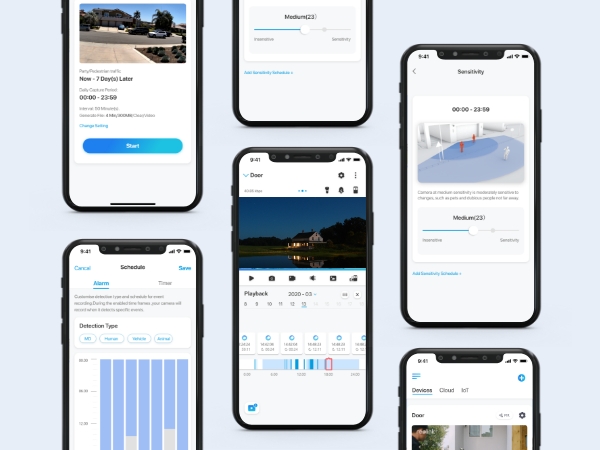
This was really easy to setup as I was replacing an existing system. You can add 1 extra internal hard drive and 1 external eSATA hard drive. With 8 cameras and a 3GB hard drive added, I get 15 days of recordings. I am going to add another hard drive to get 22 days of recordings. It's easy to look at video on the phone app and look at recordings. Username and password setup and no port forwarding to deal with. I have 4 of the cameras on a POE switch connected to a secondary Google WiFi point and the System picks up the camera over the network and records video. I have seen complaints about the motion sensors. You can change the sensitivity of the cameras on the phone app and also setup email alerts. You can also block off areas you don't want alerts from such as trees and things that will move in the wind to give you false alerts. The emails will allow you to tune the sensitivity until the point when you only get alerts when necessary. You can turn on alerts for single cameras and change the sensitivity and motion zones on a per camera basis also. You can also schedule when you would like alerts so you only get them at night or during certain times. Setting up email alerts is easy. Just sent up a new gmail account and enter you email and password in the app. You will get a notification from google and need to change the security settings on your gmail account.
A**O
The quality of REOLINK cameras is unquestionable.
I have purchased several camera systems for various locations and they work great; the entire system is very easy to install and operate. The cameras in general are robust and of excellent quality, including everything necessary for a secure outdoor connection that withstands direct rain and extreme sun. Beyond the excellent product quality, their technical support and after-sales service are even better. I strongly recommend purchasing Reolink products.
J**S
Excelente producto en calidad y diseño
Es un producto bien hecho, trae todo lo necesario para instalarse fácilmente, La aplicación en el móvil sumamente practica, cumplió con mis expectativas. La relación precio-calidad de primera, estoy satisfecho, de hecho compre una cámara PTZ RLC-423 y dos RLC-522, para completar mi sistema de circuito cerrado.
T**T
Solid security camera system for 24/7 recording with excellent mobile app support!
I've tested a few different systems both NVR based like this one and Ring/Arlo cloud based systems too. I needed a NVR based system for a shop with the primary purpose of 24/7 recording. I installed this with 10 Reolink 5MP cameras and it works flawlessly. The mobile app is great for Android. The Windows PC app is also great. and the NVR itself is very easy to navigate around. best of all it just all worked out of the box. I routed all the cat5e cables, plugged in the NVR, plugged in the cameras and the NVR automatically added them. The default setup of the NVR works super well and I've tweaked some of the motion and recording settings. All up this is a solid 5 star system and frankly I was surprised just how good it is and how it competes with the other bag brands out there in terms of mobile apps and reliability. Been going several weeks and not an issue to report. Nice one Reolink!
N**X
Excelente calidad.
Esta súper el producto. Fácil de instalar, configurar y de esclente calidad. Lo volvería a comprar.
V**M
Fast delivery and easy to use
Easy to set up and use. Quality is perfect. Great cameras, very easy to install, configure and quality of images is great, including night vision (8-12 meters distance) Smart phone app was easy to use and install. Works great
P**S
Purchased for strata unit block
I only use Reolink systems and cameras as they are so easy to set up and ease of operations. Recommended to all AAA+++
Trustpilot
1 month ago
1 day ago