Buy anything from 5,000+ international stores. One checkout price. No surprise fees. Join 2M+ shoppers on Desertcart.
Desertcart purchases this item on your behalf and handles shipping, customs, and support to Portugal.
🚀 Elevate Your Projects with AITRIP's Mini Marvel!
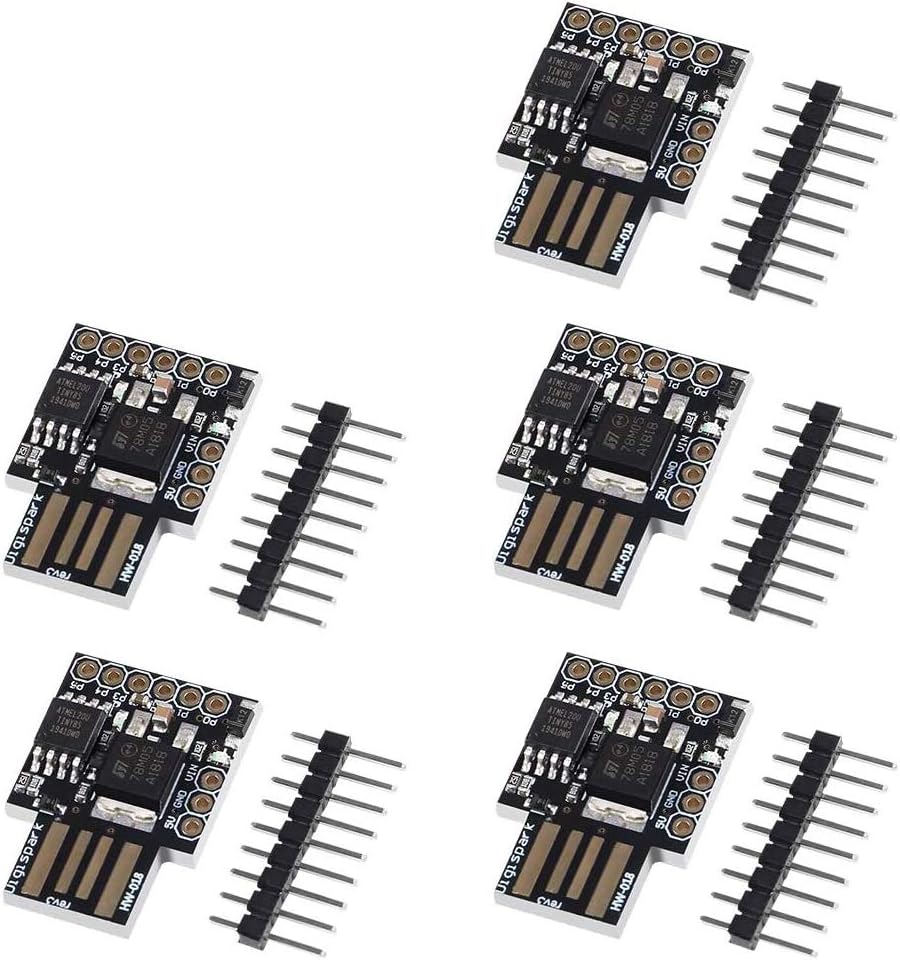
The AITRIP 5 PCS Digispark Kickstarter Mini ATTINY85 Micro USB Development Board Module is a compact and versatile tool designed for developers and makers. It supports the Arduino IDE 1.0+ across multiple operating systems, offers flexible power options, and features 6 I/O pins for extensive project possibilities. With its lightweight design and built-in LED indicators, this module is perfect for both beginners and seasoned professionals looking to innovate.
| ASIN | B0836WXQQR |
| Best Sellers Rank | #695 in Single Board Computers (Computers & Accessories) |
| Brand | AITRIP |
| Compatible Devices | Devices supporting Arduino SDK |
| Connectivity Technology | USB |
| Customer Reviews | 4.4 4.4 out of 5 stars (392) |
| Global Trade Identification Number | 00701715430372 |
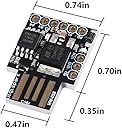
| Item Dimensions L x W x H | 0.71"L x 0.71"W x 2.36"H |
| Manufacturer | AITRIP |
| Memory Storage Capacity | 8000 Bytes |
| Mfr Part Number | CQ16908 |
| Model Name | Digispark Kickstarter Attiny85 USB Development Board for Arduino" or "Digispark Kickstarter ATTINY85 Arduino General Micro USB Development Board |
| Model Number | CQ16908 |
| Operating System | Linux |
| Processor Brand | Atmel |
| Processor Count | 1 |
| RAM Memory Technology | SRAM |
| Total Usb Ports | 1 |
| UPC | 701715430372 |
| Wireless Compability | Infrared |
E**K
Hardware Fine Software Meh
Update 10/15/21: After using these as mouse jigglers for a little while I'm sad to report back that I have not been able to get them consistently working. Sometimes it's switching USB ports, and even then they only occaisionally work. The boards still work fine for non-HID tasks. I'd steer clear if you need something to consistently communicate over USB. Original review below Warning: Programming required! Does not do anything out of the box other than blink! Use case: HID emulator for mouse jiggler. Important note(why 5 stars?): The boards work. Three of the five received were programmed successfully and perform their jiggling job flawlessly. The other two are missing due to my cats. The easiest way to prove the hardware works is just plug it in. My boards came preprogrammed with the blink sketch. Do you see a solid green light and red blinky light on the board? If so the board is fine, and it's a software(or maybe USB on your computer) issue. Caveat emptor: This is not a foolproof process like a programming a standard arduino. If you just want a single mouse jiggler, get an off the shelf product. I wanted to know what was happening under the hood and am suspicious of mystery dongles. A badusb might be easier to program out of the box but I only just got one so the jury is still out on that for me. I ran into several issues with the Digispark clones in this review. Issues described below. Notes: -I used debian and Arduino 1.8.15 to program and was able to get it to work. Some of the issues I encountered may also happen on a windows machine. -I used the standard digistump/digispark GitHub repo to get the board profiles and micronucleus into the Arduino IDE. If you are using Linux and aren't familiar with the OS I'd recommend following one of the 3rd party guides. -Debian specific(probably): Error "Assertion 'res>=4' failed" translates to a permissions issue. In my case that meant the board needed to be added to the dialout group to be programmed. There is a solution online involving creating a digispark.rules file containing a short snippet of board info. -Speaking of permissions: make sure you(the user) also have permissions for the appropriate group(e.g. dialout). When in doubt, eliminate the variable of a cloned Kickstarter board(this product). Plug in a bog standard Arduino uno and try uploading the blink sketch. If it didn't work(and you know it should because you double checked the board settings on the IDE) chances are you don't have the right permissions. Change permissions and keep fiddling with the uno until you can get it to program no issues, then move to the Digispark clone. -The board profile in the IDE is "Digispark(Default - 16.5mhz)" for this particular clone. -The programmer should automatically change to "Micronucleus". -If it didn't auto-change: either the board isn't recognized because of board permissions(see above and note that user permissions shouldn't affect this) or because something just didn't settle in after you added the boards and programmer to the IDE. A good ol' reboot worked for me. -Many troubleshooting posts talk about fiddling with micronucleus. I just used it as is. -Flash erase error 32 was corrected by trying a different USB port. There is one open thread from 3ish years ago where OP posted the same error 32. OP didn't get a solution and didn't bump the thread. I suspect they probably came to the same conclusion I did. -Googling "digispark mouse jiggler" will lead you to the code you want for copy/paste. I'd pick some code that blinks the red led every time it jiggles and disable that afterwards to be more stealthy and tacticool. -If you have the board flashed, and it's blinking you'll know you've done your job with programming. -obvious fact that I still tried to look for: the mouse jiggles an almost invisible amount, assume you can't see it. That's why the LED blinking with movement is useful. -My windows machine still went to lock screen with the jiggler plugged in: try a different USB port. This also happened to me.
C**N
Temperamental Unreliable Garbage!
They are tempermental during programming. The Programmer in Arduino IDE works sometimes, and sometimes the connect, and programming fails at 80%. They will also connect and disconnect randomly. Programmed outputs do not always work. Get the arduino nano, they are cheaper and always work. Additionally, you absolutely can not power the device via VIN and be able to program via the USB port. Waste of money.
J**D
Like!
They have some quirk (some of the I/O pins do double duty, for example), but they work well and the price is right. I use the Arduino IDE to program and upload to them, and it does take a certain amount of setting up to find the right board manager and get them talking to the PC, but once you figure it out it's pretty straightforward.
T**Y
FRIED Silicone But good
GET FRIED SO EASILLY BUT FUNCTIONAL. MAKE SURE THE PORTS YOU PLUG IT IN SUPPORT THE VOLTAGE OR IT WILL SMOKE UP. I HAD PLUGGED IT IN TO A AC PLUG USB AND IT FRIED SO BE REALLY CAREFUL
T**Y
Everything online about these is out of date
So the company that makes them abandoned the product 8+ years ago. the github to make these work in arduino IDE is useless and does not work. But there is a fix. search github for digistump and look in the reported issues for issue number 143 "this repo is abandonded" by ArminJo. they have one that is working. also an even better one is available at drazzy for the ATTINYCore board manager url. the keyboard and mouse libraries from digistump are a mess and throw all kinds of errors. But these things make awesome undetectable mouse jigglers that the IT department can not detect no matter what they try and its not annoying like the ones that constantly move the mouse. I dared my friends in the IT department to detect one I handed them and none of their software could see or detect it, if you look up "digispark mouse jiggler" on google there is an article on how to make it look like a dell mouse to windows
K**V
Worked great!
This micro worked great and no issues programming at all. Just follow DigiSpark instructions to configure Arduino IDE (PCB is a DigiSpark rev 3). Plug it in after clicking upload button. While it isn't programmed it shows up briefly and disappears which is normal as it can be programmed over USB. I programmed mine to jiggle the mouse so haven't used an I/O lines or made any modifications. Quality appears to be good, it uses genuine ST 78M05 regulator and ATTiny85 micro appears to be genuine as well. No complaints about solder quality either, it looks great and all components are nice and straight. I really like thick PCB and black solder mask as well. Overall, couldn't be happier especially for the price!
A**I
One of 10 dead
One dead one out of 10 (failed blink test and continuously connects and disconnects the USB port). Returning them anyway because drivers for programming cannot be found.
Trustpilot
2 months ago
3 weeks ago