Buy anything from 5,000+ international stores. One checkout price. No surprise fees. Join 2M+ shoppers on Desertcart.
Desertcart purchases this item on your behalf and handles shipping, customs, and support to Portugal.
🔒 Stay connected, stay secure—your home’s silent guardian.
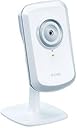
The D-Link Wireless N Home Network Camera (DCS-930L) offers reliable 802.11n Wi-Fi and Ethernet connectivity for versatile placement. Featuring customizable motion detection with instant email alerts, it enables remote live viewing on iOS, Android, and Windows devices via the MyD-Link app. Its compact design fits discreetly in any space, and setup is streamlined into three easy steps. Ideal for day-time indoor monitoring, this cost-effective camera delivers peace of mind with straightforward functionality tailored for busy professionals.
| ASIN | B00452V66G |
| Alert Type | Motion Only |
| Antenna Location | Surveillance |
| Are Batteries Required | No |
| Best Sellers Rank | #131 in Complete Surveillance Systems #4,933 in Dome Surveillance Cameras |
| Brand | D-Link |
| Built-In Media | 1 Year Warranty, Camera Mounting Kit, Ethernet Cable, Manual, Power Adapter |
| Color | White |
| Compatible Devices | iOS_compatible |
| Connectivity Protocol | Ethernet, Wi-Fi |
| Connectivity Technology | Wireless |
| Control Method | App |
| Controller Type | Android, Vera, iOS |
| Customer Reviews | 3.8 out of 5 stars 2,033 Reviews |
| Effective Still Resolution | 0.3 MP |
| Effective Video Resolution | 480 Pixels |
| Global Trade Identification Number | 00790069342691, 00790069355325, 03015220460043, 04052305759998, 04054842443620 |
| Indoor Outdoor Usage | Indoor |
| Indoor/Outdoor Usage | Indoor |
| Item Dimensions | 3.66 x 2.36 x 0.98 inches |
| Item Type Name | ip-cameras |
| Item Weight | 0.16 Pounds |
| Manufacturer | D-Link Systems, Inc. |
| Manufacturer Warranty Description | 1-year limited |
| Model Name | FBA_DCS-930L |
| Model Number | DCS-930L |
| Mount Type | Wall Mount |
| Number of Channels | 1 |
| Number of Items | 1 |
| Other Special Features of the Product | Motion Sensor |
| Power Source | Ac/dc |
| Recommended Uses For Product | Surveillance |
| Room Type | Office |
| Special Feature | Motion Sensor |
| Specific Uses For Product | personal |
| UPC | 790069355318 778890626876 778888252735 790069343070 790069342691 777779649937 803982739230 777779976033 777786338848 790069355325 |
| Unit Count | 1 Count |
| Video Capture Format | MPEG-4 |
| Video Capture Resolution | 720p |
| Voltage | 240 Volts |
| Waterproof Rating | IP54 |
| Wattage | 2 watts |
| Wireless Technology | Wi-Fi |
S**N
Perfect for my needs!
I was looking for something simple to view my front door. My primary purpose was to let me know when the UPS/Fedex/Ontrac guy dropped my packages off. I didn't want to have to run cables to an AV source or rewire my entire house in order to do this. This fits my needs perfectly. Setup was pretty straightforward. Do yourself a favor and skip the CD they give you and just download the software off the website. Apparently the software they provide is out of date and you're going to have to go to the website any way. Same thing with the firmware update. Just download the file from the website. Figuring that out took the majority of my time. I'm pretty tech savvy and I had it up and running in 30 minutes flat (mind you most of that time was fiddling around with the CD.) It comes with screws and washers and a wall plug. I mounted in my front window and had a great view of my driveway and front walk. The video quality is not going to blow you away. It's okay. I don't think I'd be able to use this to give to the police to identify a criminal by their face. But for being able to tell if/when someone came up to your door it's great. The Ontrac guy came today and I could read the Ontrac on his van and I could see him walking up the walk but I couldn't make out any of his features. Setting up the email notifications was pretty easy. Just google the proper settings for your email provider and type them in. Motion detection works pretty well. I've been having to tweak it to get it to just pick up the movement I want. It's pretty easy just takes some trial and error to get the setting right. I had it too low and it didn't pick up my car leaving the driveway. I had it too high and it picked up a leaf blowing across the driveway. I'm pretty sure I found the sweet spot now though. Take your time to find the right sensitivity for your needs. I have mine set up to email me when motion is detected. You can have it take pictures every .5 or 1 second. When it detects motion it can send you the pic instantly or send you 3 frames before and 3 frames after. That's the one I chose. The iPad and Android apps work great. On my iPad and tablet it's almost real time video. On my Android phone (using the cell phone data) there is about a 10-20 second delay. All that being said, I actually ordered the night vision model (the 932L I believe.) I plan on keeping this and moving it to view my backyard and I will use the new one in my front window. This one is pretty worthless once the sun goes down (unless you leave a porch light on all night or have some other sort or light source in the area.) I knew this was only the day model so I'm not upset but I just realized I'd rather have the night vision ability. Keep that in mind when deciding. Once I get the night vision one up and running I might pick up another one of these to use when I go out of town to just monitor the inside of my house. In my opinion it's a pretty inexpensive investment for the peace of mind.
P**L
Please read before buying this cam
After a few weeks of research on this camera I decided to purchase it and here is my review. I gave this camera 4 out of 5 stars because it does exactly what it says it does. The quality isnt the greatest but you get what you pay for. It would have been a 5 out of 5 except I could not set it up and get it running right out of the box. What I mean by this is that I needed to do some configuring with the settings before I got this camera up and running correctly. When I pop in the installation cd it goes through the steps to configure the camera. You must use the ethernet cable at this point to set it up. The wireless would not work correctly at first going through the steps so I decided to adjust the wireless settings later. I continued on and setup my cam on the my dlink site. At this point I had to play around with the camera settings by logging in through a web browser by using the IP address. First off I would recommend doing a firmware upgrade before doing anything else. The firmware upgrade can be downloaded on the mydlink site. I logged in and set up the wireless, motion detection, email settings and everything else. I hung up the camera where I needed it and got it up and running with no issue at this point. I am an IT professional and have experience in troubleshooting computer type issues but if I wasnt an IT guy I probably would have not been able to figure this out on my own. Thats why I gave it 4 stars and not 5. It does not seem to work correctly right out of the box. The setup can be complicated if you have no experience with these type of settings. Like I said the email and motion detection does work pretty good and once configured correctly this camera does everything it says it does but getting to that point can be a headache. Not a bad camera for the price and it does the job correctly. I love the iphone app and use it on my ipad too. You can also open a few ports on your router and can login/view your camera from the outside world. I then purchased another camera and have it up and running on the same network and work fine within the app. I also purchased one for my gf and she loves it. So I would do some research before buying this camera and take this review in consideration. Good Luck!
M**N
Easy. Good. Bought a 2nd one
I loved how simple it was to get this set up and working. I just followed the instructions and it connected to my home wireless network without a hiccup. The image quality is OK. Decent for a basic webcam. Good enough for my purposes. GOOD: Simple to set up and get working. Quality is adequate Cheap! Multiple cameras work well. Just different tabs for different cameras on the web view. iPhone App: Great! Also very easy to use. Watching your camera(s) on the iPhone is actually easier a less glitchy than watching on the PC. BAD: Pretty short range for the wireless. I get better wireless range with my laptop and iPhone (802.11N). I actually bought a range extender so I could connect a 2nd DCS-930L camera just 40 ft away (but through two walls). Short power cord Web Viewers are not so great. The remote web viewer (MyDlink) has resolution issues and Java issues. Works but you have to click an extra OK or two. And the viewer takes a few seconds to load. The "local" web view - directly through your own network - also has Java issues - prompting you to authorize the app every time you load it (it doesn't remember the authorization - at least not on my computer which is updated with the latest Java as of 6-8-13). They should really work on this. Also, it'd be nice if the viewer were more stripped down so you don't have to have a big window open. Just The Video Please. Not only would I buy this again, but I'd buy a 2nd one. I've tried to configure other wireless cameras through the firewall, forwarding ports blah blah blah. Sometimes it works. Sometimes not. This one just works. And it has the nifty smartphone apps. In my book, for the price, that gets it 5 stars.
Z**Z
Dissappointing performance and no scheduled motion detection
I suppose for the purpose of being able to open a web browser and view my children with their babysitter, it does an ok job. Not great and the frames/second could be a bit more, but still usable. That, however, is all I the good I have to say about this camera. After playing around with it and upgrading the firmware, I have decided to purchase a different camera for the remainder of my setup at home. Here are the issues I have chosen as the most disappointing to me: 1. The wireless antenna range is just not that good. I have two access points at either side of my home providing complete coverage. Every other wireless device and camera in the household is able to attach to the APs and obtain IP addresses. This camera needs to be within 20-30 feet of an AP to work. I have a two year old smart phone and an ancient PDA that do better. 2. The audio is horrible. Doesn't matter what browser/device I use to watch the stream. 3. And most importantly to me - there is no ability to set the camera up via its integrated firmware menu to do motion detection on a scheduled basis. In the setup menu I can set up a schedule where pictures are taken at regular intervals during specific times of the day. OR I can set up motion detection to snap pictures and send them out whenever motion is detected. BUT I cannot have motion detection on a schedule at certain times of the day. Why is this bad? Because when motion detection is on, it is ON all the time. Including when I may be at home moving around in front of the camera. And when it detects motion, it takes A LOT of pictures. If the camera is set up to email the pictures somewhere offsite, the traffic can flood the network or spam an email account offline. In my opinion a good wireless camera should include a scheduled motion detection feature that can be enabled WITHIN its integrated firmware menu. For these reasons I give this webcam an overall rating of 1 star. I'm not sure at this point if I can send it back since I have had it so long. I'll try. If not, then it will remain a "nanny cam" until such a time that D-Link sees fit to add the functionality for scheduled motion detection.
J**T
Works as expected, annoying to set up.
This camera works, but it took me a long time messing with it to try to get it set up, and was a bit of a pain. I know it's supposed to be wireless, but I have so far failed to get that component to work and am currently too tired of messing with it to keep trying, so right now it's tethered to my router. The instructions that it comes with are somewhat confusing and it's not all that user friendly, and took my multiple tries to get it right. One thing that's nice is that it prompts you to download an app to ease the set-up process, and this probably makes the process simpler. However, it still took me multiple tries to get it to work, following all of the steps in the app. For the price it's a pretty good product and the image quality isn't bad. If you get close to the camera with your phone while looking at the feed, it gives off a horrible feedback noise, so I have pretty much kept the camera on silent. I bought this to spy on my dog, and so far I haven't used it all that much, mostly because it only shows one portion of a room and if she's not in that area of the house then it doesn't really give me any information.
R**.
Does not require any special software or hardware; works fine with Linux or Apple iOS
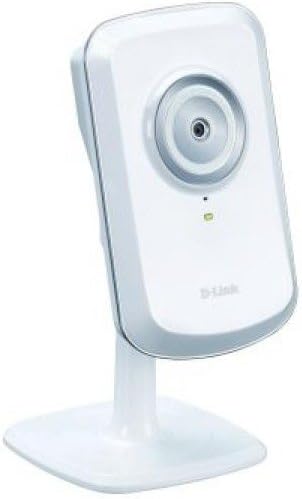
I bought this camera (DCS-930L) because I wanted a way to check who was at the front door. It works pretty well for how cheap it is. I'm viewing it with my iPhone and with my Linux laptop, but it can be viewed using practically any device. Some reviewers seem to have gotten the impression that this camera requires you to use the D-Link provided software or even additional D-Link hardware in order for it to function, or that it requires a permanent ethernet connection, or a D-Link account. None of this is true. There are multiple ways to view the image from this camera. Although D-Link does provide some installable software, as well as ActiveX- and Java-based camera viewers accessible via the web interface, and also a "cloud" service, none of these are necessary. This camera is completely viewable using plain old HTTP over a local network using any operating system, and no special software. If you're interested in the plain HTTP approach, read on! When you plug the camera into your local ethernet network, it will obtain an IP address via DHCP. It's then up to you to find out which IP address it got. You can do this either by logging into your home router and looking at the list of DHCP leases or by running a tool like nmap to discover hosts on your LAN (Example: nmap -sP 192.168.1.0/24). Once you figure out which IP address it has, connect to that IP in a web browser, and log in with username "admin" and an empty password. The next things you should do are to set an admin password and (if you want wireless) enable wireless connectivity using your home wifi credentials. I would also recommend setting a static IP address for the camera (outside of the DHCP-allocated range but within your same subnet) so that you don't have to worry about the address ever changing. If you mess up anything about the password or address setup, remember that there is a paperclip-activated factory reset button. Finally, create a separate user account. This allows you to plug that user's credentials into your viewer application without having to store your admin credentials everywhere you want to view the camera. Now the fun part! As you already know, this camera operates a lightweight HTTP server for the admin interface, but this same server is also how the camera image is pulled down by external applications. There's no proprietary protocol or anything like that to worry about. Let's say for the sake of example that your camera's IP address is 192.168.1.40, and you created a user named "bob" with a password "potato". All you have to do to view the camera is point an application, be it a web browser or dedicated camera-viewing app, at http://bob:[email protected]/image.jpg and it will fetch a still from the camera. Note that image.jpg is the name of the file where the current frame is stored, and it will update with each refresh. If you use a browser, you'll have to refresh manually, but there are plenty of apps out there that will do that work for you. I'm using an iOS app called CamViewer, which works well. On Linux, I've rigged up a small script to repeatedly fetch the image using curl and display it onto the background of an open window using ImageMagick, producing a similar result. If you use Linux, you'll probably be able to figure out how to do something like this too once you know how easy it is to fetch the image itself. See the included image for an example of my setup. (Note that the embedded timestamp is my own and not provided by the camera.) For a $30 camera, I think this was well worth it, and I'm very happy about the simple HTTP-based image retrieval. I could have spent $80 for one of the fancier pan / tilt cameras with night vision, but that wasn't necessary, and so I feel like this was a bargain.
J**R
Usable, but not as advertised (DCS-930L)
Not a good value. Although these wireless IP cameras do work, there are several major issues with them: 1. They're advertised for use as baby monitors, but the microphones are unusable. There is a constant, high volume crackling static in the background that prevents you from hearing anything. If I stand directly in front of the camera and speak directly into the mic, I can make it out. Anything more than a foot away is a challenge, and at five feet there's not a chance. This happens even when the cam is in a closed, silent room and connected to a high quality surge suppressor. 2. The video quality is lacking. I still get artifacts and it's difficult to make out any details at 640x480 with 'very high' JPEG quality. At anything lower they're basically useless if you want to be able to identify faces or small items. 2. They don't use efficient video compression, they're strictly JPEG. This may not mean much if they're wired, but on wireless it's a big deal. These cams are only 640x480 max resolution, but they use between 500 KB/s and 800 KB/s each on my wireless. For a single camera, that's tolerable, but if you hope to use several in your home, you may run into interference issues with other equipment. When I have my two powered up I'll notice my laptop disconnecting regularly when I get more than about 50 feet away. When the cams are powered off I can take the laptop more than 100 feet out before I have any issues. This is on a 802.11n network with a good quality ASUS router, so on 802.11g or a lower end router you may have major issues. 3. This is the worst issue. Whenever the video stream is accessed on these, they automatically send a second stream outbound to mydlink.com. You have no control over this, and it occurs even if you're accessing the device via the local network. Now, this may not seem like a big issue, but remember these use up to 800KB/s per camera. And if you use a NVR with it, whether standalone or PC software like Blue Iris, iSPY, or ZoneMinder, it accesses the cameras constantly for monitoring. This means a constant outbound stream averaging maybe 650 KB/s all day, every day. That'll burn through your ISP data cap in short order. And this happens even if you refuse to register the cams on mydlink.com. The only workaround is to block all outbound traffic from the cameras via rules on your router. With those items noted, the cameras do work. If you don't care about audio, don't need high definition video, and have the knowledge and ability to block them at the router (if you don't want to use mydlink.com), then they provide a usable video image. But considering you can get pan and tilt wireless cameras with night vision capability and similar video quality for less than twice the cost of these, they're really not worth it unless you're on a tight budget.
M**K
Don't buy these cameras or you will have a fancy paper weight
I have dealt with these type net cams in the past. They always had issues installing and were hard to set up. This camera comes with software that makes it easy for ANYONE to install the camera. No problems at all. Unlike some other net cameras with an ISP, you can view this camera on the web from the same network it is plugged into which means you can adjust the camera for the best image.The sound is great also. No doubt about it, this camera is not only one of the lowest priced it is also the easiest and best. A great product. It told me to upgrade the firmware so I clicked on the link. It had trouble upgrading the firmware and said it had failed. I exited the camera screen, went back in again, tried to upgrade and it quickly upgraded with no problems. I guess I had a bad connection to the upgrade site the first time. YOU NEED TO UPGRADE. The new firmware is far better and has more features than what comes with the camera. I just got the cameras today. You do need a wired internet connection to set up the camera, then you can tell the software to go wireless, it will find your wireless connection, and install it as a wireless net cam. If you want to go back to wired, all you need to do is run the easy setup program and tell it to use the wired ethernet connection. They thought of everything. I have used D-link network products for a long time, so I was not surprised at how good this camera is. Update 7/3/2014. Cameras are still working great and I am very pleased, but there are a couple of things you should know. 1. DOES NOT WORK WITH ANY LINUX. That's bad because I HATE clunky slow problem filled WINDOWS, but I have dual OS so I can still use the cameras with Windows, but I hate it. Dlink needs to get with the program and make the camera compatible with Linux (the issue is the Dlink cloud program, not the internet. It will connect with Dlink.com but you cannot pull up the camera as it gives you the Java error even though you have Java on your Linux system) 2. Video speed and quality depend on your ISP UPLOAD SPEED, not download speed. The camera is uploading to your device so if you have a download speed of 20 MBS but an upload speed of less than 1.5 MBS, the video will work, but it will be sort of jumpy at ALL resolutions. Even at upload speed of 750 MBS (3.0 dowload) the image is super sharp and detailed. 3. The setup when you connect to the camera (which can be done remotely), is exceptional and fast, and offers a ton of options to get the most out of your camera. At night it is totally black if you do not have a light on, BUT - I have a camera that shows the front of the house and I can see cars drive by and their headlights will actually allow me to see what is in the road etc. Inside a few nightlights give enough light to see what is going on inside the house. IMPORTANT NOTE! Do not buy the model DCS-930 LB1. It has a constant problem of being affected by quick power outages during a storm. After the lights blink at your location, you WILL NOT be able to view the camera with your PC. You will be able to view the camera from a tablet PC or Ipad. I have no idea why that is possible, but it has happened twice in a few months. The other cameras DCS-930L do not have that problem. You have to unplug the camera, wait 10 minutes, then plug it back in to get the 930B working correctly again. Of course if you are hundreds of miles from the camera, that is a problem. Must be poor circuitry. Probably why you don't see the LB1 for sale on Amazon any more. UPDATE - My 4 cameras are getting harder and harder to access through MyDlink cloud. They show up as fine and working but some just won't pull up remotely. If I access them locally they work fine (even wireless). It is taking a long time for remote access and one time one camera won't come up and another time another camera won't come up. I use multiple devices - Android, Windows 10, Windows Xp and they are all starting to mess up so it is not the OS. I think Dlink needs to add some bandwidth or something. They used to work fine. ANOTHER UPDATE - Here we go again. It says it supports Chrome, Firefox and Explorer 11. It does NOT work with Microsoft Edge. Since the "maintenance" ONCE again it will not work with Firefox (unsupported browser message) and Chrome will not pull up the image (retry over and over again). Only Explorer 11 works now. This has happened many times before. If you try and access the camera settings in Explorer it will say "unsafe site with no certificate" or something like that, and later versions of Explorer will not allow you to proceed to one of those sites. It will not support the older versions that do allow you to proceed. My D-link is obviously trying to get out of desktop users and force everyone to look at their images on a 7" Ipad screen. BUY SOMETHING ELSE because I see my cameras going into the garbage within a year because I will not be able to use them. Their browser support and My D-Link software is garbage. RUN AWAY FROM THIS CAMERA. Buy something else instead. I am sick of this routine.
C**N
Es bastante económica y util
Para su módico precio cumple su cometido, ademas de ser muy fácil de configurar. El unico problema es que tiene que estar en un lugar bien iluminado.
P**M
Acceptable
I had some initial problems configuring it but it is working fine. The indication whether A or B is not clear on the name plate till you try out both. It is not what is printed there
C**R
Learn from me and others - Do not buy this or any other D-Link product.
Typical D-Link garbage. Two hours and still at it. I have spend two hours trying to get this camera to work. In two hours, I can assemble a PC, install Windows, and have it up and running. A plug-and-play camera should work in 5 minutes. I should not have purchased this given my experience with D-Link in the past - I previously owned a D-Link N router and wireless USB dongle. The router needed to be rebooted at least once a week. The USB dongle never worked properly, and was eventually replaced with a cheap ASUS dongle that has worked perfectly plug-and-play. Anyway, this D-Link camera is even worse than my previous experiences with D-Link. The best I can manage after two hours or messing around is a green-light on the back of the camera, which is better than a red light, but I don't know why. I honestly don't know how D-Link remains in business. The instructions are minimal, the 'software' doesn't work. I suppose the entire user experience was designed to be easy and performed by someone with zero technical knowledge, but I guarantee that grandma doesn't know her router and modem configuration in order to complete the install - not that it matters, the install will fail regardless. So, after two hours of clicking 'next', trying all the various wired/wireless/local and internet connection options, and STILL not getting the software to connect properly, I guess I'll scour the D-Link forums and see if any of the other 1000's of D-Link suckers have managed to get this working. I'm sure it involves a lot of little hacks. Spend a little more money and buy a different brand. Save yourself time and frustration and an ultimately defective productive from a terrible company that pumps out crap.
P**D
Buena cámara
La compre para vigilar a mis perros cuando no estoy. La verdad es que por el precio muy bien. Los puedo ver, me notifica cuando hay movimientos o sonidos. Buena compra
M**S
Great Network Camera - gives me peace of mind!
Great little networking camera. It has many extra functions that you need to pay mega prices on CCTV units. I bought this camera as an observation device not really aiming to record (although I believe it does take photos when motion is detected and store it online on the cloud - even better if burgled to stop them stealing the footage and therefore proof as well!). I have an alarm system which rings me when triggered. I then have teh worry of a 40 minute rush home to check the flat in which time it would be totally deserted. I wanted to be able to log into a camera online and check the interior of the property following a notification. So far it is relatively easy to setup following instruction. Functions: 1. It is wireless - Fantastic start. Most wireless CCTV is much more expensive than (300-odd-pounds at time of review). Place this anywhere in the house (near a power point) and it will work , although best not to be near electrics like microwaves. 2. Live viewing online - setup your dlink account and log in on your iphone using their app to watch the footage online - including taking snap shots AND even more usefully listening to the sound. 3. Sound - Following the previous point. Most basic CCTV doesn't allow you to listen to the sound live online so if you have a dog which you want to check on and see if he is crying or barking when leaving the house then this is perfect. 4. LED switch off - okay, maybe not a huge function but it does allow more discretion if you want to hide this away without it being seen. 5. Email notifications - At time of writing I havent been able to get this to work but there are settings for it so I have probably entered something wrong - In theory it will email you if it notices movement. 6. Boundary setting - You can set the motion boundary allowing you to exclude areas where your pets may walk to stop you getting emails about people being in the flat. 7. Online storage - again not fully tested but in theory it is meant to store the motion trigger footage online preventing any thieves from stealing your evidence (even if they do take your camera). Not so great elements: 1. You MUST have the internet for this camera. It simply will have no use if you cant connect it to the internet. (Not an issue for most). 2. It can be a bit fiddly to set up. It took me a while to get the sync of the wireless as I tried it from scratch but I think it wanted a wired connection initially and then a wireless pairing after - although maybe that was my mistake. 3. THE POWER CABLE LENGTH - This is my biggest annoyance! The power cable must be about a meter long. I wanted to put this at high level to get a good view but the power cable is just far too short to reach from the socket to a high enough level. 4. POWER HEAD - okay, not a massive issue but it has an American (clarification needed) pin which plugs into a UK or EU adaptor. This hasn't really been executed with a great amount of effort. The head sits at a 90 degree direction to the plug meaning if its in a cable splitter / extender it can clash with other plugs and it also feels fairly cheaply put together for a dlink product. 5. Programming - You can program what time you want the motion sensor to trigger and what days but I wish you could have different times ON different days not just Monday - Friday 8am - 6pm for example. On Fridays I may not work until 6 and then I am likely to get emails when I move around. If the function is there it would have been good to set times or each day. Overall I am happy with the purchase. The issues are small and for the price you cant complain (although I would be annoyed at the £70 RRP). It works well and so far even my workmates are getting a couple to check their homes.
Trustpilot
3 days ago
3 weeks ago