Desertcart purchases this item on your behalf and handles shipping, customs, and support to Portugal.
๐ Surf the future with ARRIS S33 โ speed, savings, and seamless streaming!
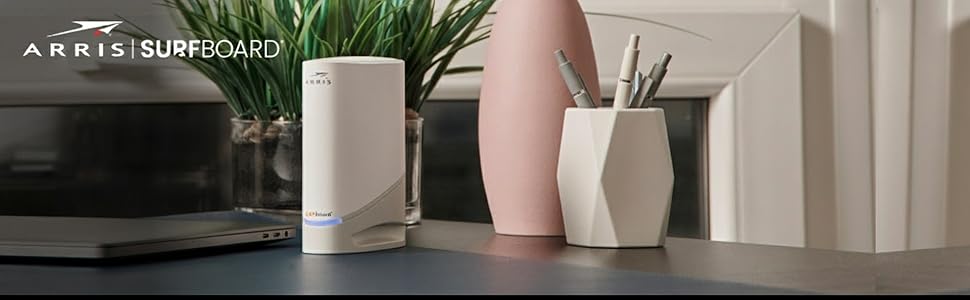
The ARRIS SURFboard S33 is a DOCSIS 3.1 cable modem designed for multi-Gig internet plans up to 2.5Gbps. Featuring a 2.5Gbps and 1Gbps Ethernet port, it supports ultra-fast wired connections for routers and devices. Compatible with major US cable providers like Xfinity, Cox, and Spectrum, it offers a compact, easy-to-setup solution that helps users avoid monthly rental fees. Note: Requires a separate Wi-Fi router for wireless coverage.


| ASIN | B08FMSC5WZ |
| Best Sellers Rank | #2,935 in Computers & Accessories ( See Top 100 in Computers & Accessories ) #20 in Computer Networking Modems |
| Brand | ARRIS |
| Built-In Media | Power Supply, Quick Start Guide, SURFboard S33 DOCSIS 3.1 Cable modem |
| Color | White |
| Compatible Devices | Router, Personal Computer, Laptop gaming console |
| Connectivity Technology | Ethernet (1 - 2.5Gb and 1 โ 1Gb) |
| Customer Reviews | 4.2 out of 5 stars 3,988 Reviews |
| Data Transfer Rate | 2.5 gigabits_per_second |
| Internet Service Provider | Charter, Comcast, Cox, Spectrum, Xfinity |
| Internet service provider | Charter, Comcast, Cox, Spectrum, Xfinity |
| Item Dimensions L x W x H | 5.25"L x 1.8"W x 5.24"H |
| Item Type Name | Docsis 3.1 Modem |
| Item Weight | 14.4 ounces |
| Manufacturer | Vantiva |
| Maximum Downstream Data Transfer Rate | 2500 megabits_per_second |
| Maximum Upstream Data Transfer Rate | 2.5 gigabits_per_second |
| Mfr Part Number | S33 |
| Model Number | S33 |
| Modem Type | Cable |
| Number of Ethernet Ports | 2 |
| Number of Items | 1 |
| Number of Ports | 2 |
| Product Dimensions | 5.25"L x 1.8"W x 5.24"H |
| UPC | 612572216804 |
| Unit Count | 1 Count |
| Warranty Description | 2 year limited warranty |
R**C
S33 Modem is great. Xfinity install... BIG pain
The ARRIS S33 modem was a great upgrade. My prior modem was another ARRIS product and it worked really well. I've had several ARRIS products and all have functioned without issue. The only reason I upgraded was because my old modem was running DOCSIS 3.0 and I wanted to move to DOCSIS 3.1 to get the most out of the 1.2Gps service that I'm paying for. This new S33 modem improved my speeds across all devices by well over 100Mbps. On my M1 iMac I'm now getting 950 Mbps on average. The ARRIS S33 modem is a five star product. I'll summarize the rest of the story so you don't have to read it if you don't want to. You CAN use this modem with your Xfinity service. But you're going to have to work to get it done. The saga below is provided so if you decide to activate this with Xfinity, you'll have an idea of what you'll go through. Now for the ugly: installing this modem with Xfinity service... This is a simple modem. It's designed to be pretty much plug-n-play. Connect coax, plug in power, plug in ethernet cable then activate through Xfinity's app. All the connections on the modem are simple. I went to Xfinity's app to activate and the activation function wouldn't work. It said I had to contact an Xfinity agent directly. So I started the chat with an Xfinity agent. I spent over an hour chatting with the agent as they tried to figure it out. First they said the modem isn't compatible with Xfinity's service. I pointed out it's the recommended modem on Xfinity's website. Then they said they couldn't find the modem in their system so couldn't register it on my account. More haggling. They escalated the issue. Escalation agent had the same problems. After more than an hour they told me I'd have to take the modem to a service center because "the service centers have special tools to scan the modem into the system directly." He assured me no appointment was necessary with my case number. Off to the Xfinity service center I go. I get there and it's a 45 minute wait. The guy says their case number doesn't mean anything to them and I'd still have to wait in line. The guy calls my name and I walk up to the counter. As soon as I lay the modem box on the counter the guy says, "Oh, no. Another one of these." He proceeds to tell me he'll do everything he can to help but they've not been able to do anything with these modems in the service center. He says the service centers don't have any special tools and have to do the same things the online agents do. And he comments that he wishes the online agents wouldn't tell customers what the service centers can do, they're always wrong and just dump problems on the service center. Sure enough, the modem isn't listed in his system either. Nice guy and admits this situation has been causing a terrible customer experience with several customers. He escalates the case to some tech group offsite. He gives me a new case number and says they will have to try to manually configure the modem for my account and I should get a call within an hour. I walked out ticked off and skeptical that I'd get a call or that they'd fix it. 50 minutes later I get a call. A nice guy from the Xfinity tech group tells me he's got it configured and it should install fine. Just have to activate it through the app. I reinstall the modem and go to the Xfinity app to activate. Same error in the app as before and it makes me contact an agent. So I start the chat and explain the situation. The chat agent says to give him a few minutes to review and attempt the activation. He comes back on about 5 minutes later and says it's activated. Sure enough. The modem light is blue and I once again have data flowing. It took somewhere about 4 hours, two chat sessions, a trip to the local service center and referral to some higher Xfinity tech group; but it finally got installed.
J**Y
So far so good
So within the past 3 weeks I tried 4 modems. Netgear CM1200 - it kept losing connection several times per hour. Motorola MB8611 - I really wanted to like it but it would randomly reboot about 1x a day. Not acceptable as it would sometimes kick me out of a meeting. Arris SB8200 - worked very well, so well in fact that I decided to spend $50 more and get the... Arris S33 - this one has max speed 2.5Gbps, much higher than the SB8200. So far so good. It runs a little warm and I worry if it will last. The last Surfboard served me well for almost 9 years. So ask me in 2031? One difference: 9 years ago a decent modem cost $80, now almost $200. How much will the next one cost? I better start saving. Oh one more thing: the modem arrived as open box. Everything was opened, plastic bags torn, cables undone and stuffed back into the package. Amazon should not have charged full price.
D**R
Perfect with Cox
Has worked great, actually flawless, for 2 years. Seamless install with Cox. Compatibility with your service provider is key.
J**R
Overheats and Becomes Unreliable
I purchased this Arris SURFboard S33 modem about 4 years ago to replace an older Netgear modem that was no longer compatible with my internet speed from Xfinity. That said, this modem does work with Xfinity, though some users report that they have issues with service reps being able to add the device to their account when they call in, claiming it's not a compatible model, or even seeing it as a Motorola model, though the S33 was never a Motorola model when Motorola owned the SURFboard line; my recommendation is to add the modem through the app or website yourself, skipping a call to customer service, if possible. That being said, I do not recommend this model, so I would avoid this one entirely anyway. This modem comes with almost everything you need to get setup and working, including the power supply and typical yellow Cat5e Ethernet cable to connect between this modem and your router. A separate router is required for this modem, which you will need to provide separately, if you need to connect more than one device or need WiFi capabilities, as only one of the two onboard Ethernet ports will function at a time; I do highly recommend not using a(ny) modem to directly connect to the internet without a router, as modems tend to lack most of the built-in security of a router, leaving your PC exposed to cyber attacks. This is a cable modem, so it will connect to your cable provider via coax cable, which is also not provided, so you will need to provide that yourself as well. As mentioned, the S33 includes two LAN ports; one 2.5GE port, and one 1GE port, but again, only one of these ports can be used at a time, so if you have an internet speed of 1Gbps or higher, I would recommend using the 2.5GE port, rather than the 1GE port, which will typically not attain a full 1Gbps connection, maxing out just below that. Outside of the Xfinity (or other cable provider) activation, setup is pretty straightforward, as it's basically plug and play at that point, but I do highly recommend logging into the modem itself and changing its default username and password. Since most cable providers control the firmware on the modem itself, there should be no need to do any firmware upgrades, and the option to do so will likely be unavailable anyway. Now for the reason this modem only gets 1 star from me. The modem itself is a vertical design, and pretty compact, which is nice, but it is also extremely lightweight, and it easily tips over with a heavy coax cable and typical Cat5e cable plugged in, so it can be difficult to get it to stand up on it's somewhat small base. However, the biggest issue is that the ventilation in this modem just is very poor. The top of the modem does include a ventilation grille for passive heat dissipation, but it is not fully open, meaning when you look down at it directly from the top, it you can't see vent slots, but looking at it from the the front at an angle, you can see the vent slots; this is fairly typical, as it helps keep dust from settling inside, but I believe this prevents adequate heat dissipation, causing too much heat to remain trapped in the modem's case. Additionally, the bottom vent holes, where the cooler air would be passively drawn in, are fairly small, which I believe is preventing it from true active cooling, as the heat builds up in the case, then begins pours out the bottom, preventing and updraft from the top from pulling cool air in through the bottom. The combination of the restrictive top vent grille and the small bottom vent holes means that this thing just runs hot. Over time, especially during heavy network load, this modem will begin to get very warm, and after a while, it will get so hot that it begins affecting internet performance, often times causing extremely sluggish speeds, or even complete cutout of the internet altogether. When this happens, I have to unplug the modem and either wait about 10 minutes for it to completely cool down, or I have to get out my battery-powered air duster and cool it down that way, which is must faster. After plugging it back in, things seem to be back to normal for a while. The overheating isn't something that happens extremely frequently; maybe a few times a month or so, but it has began happening more frequently over time, and it happens enough that, when I'm trying to do work (I work from home) or play online video games, I don't have the luxury (or patience) of the internet coming to a crawl or completely going out, nor do I have the time to unplug and cool this thing off at random times. I believe that the connection issues are happening more frequently due to the overheating causing mechanical breakdown of the modem's components. It is for this reason that I have docked all 4 stars. I can deal with a lightweight modem that wants to tip over sometimes, but one that overheats, affecting network performance, because of a poor case design, especially when it seems to be slowly destroying itself, is entirely unacceptable, as is the fact that Arris continues to manufacture and sell this flawed model. Arris does make some really good products, as Arris' network products were originally part of Motorola Mobility, which is obviously a leader in communications. For context, Google purchased Motorola Mobility to obtain the patents to their mobile (cellular) hardware for their own use, then turned around and immediately sold off the Motorola Home division to Arris, which included their SURFboard line of modems, so the technology was well-established before Arris came along. Google then sold what was left of Motorola Mobility to Lenovo. Truly, this could be a decent modem, if it had better cooling, as it works well when it does work, but this model just seems like a terrible design, as far as ventilation/heat management goes. And, even though there is a trove of complaints online about the S33 overheating, Arris continues to manufacture and sell this model, despite its design flaws. While this modem does work well when it works, it's too unpredictable to continue using, so I have since opted to downgrade my internet package to one that works with my older Netgear modem, and all has been well, since the only reason I replaced that modem in the first place was because Xfinity increased my speeds automatically, which just didn't work with the Netgear modem. Overall, I'd steer clear of this model, and probably the SURFboard S34 as well, as it appears to be the exact same modem, just with mid/high-split frequencies unlocked, so it likely experiences the same overheating issues, but potentially even worse.
J**D
The AC/DC power adapter will go bad
This product is excellent. It allows me to get the free extra bandwidth that Xfinity gives us when they over provision on gigabit speeds. My old modem capped me out at 960 Mbps even though they were giving us 1,200 Mbps of speed. With this new modem I now hit download speeds of 1,400 Mbps on my equipment that is capable of it. The reason I'm writing this review though is because I just recently had my modem quit working after about 14 months for no reason. The light on the front would stay solid orange with an intermittent flash of white about every 15 seconds but wouldn't go solid blue like it's supposed to do. It also had a very high pitched sound coming from inside it while it was trying to boot up. Had to call Xfinity out because they have been doing maintenance in my area so I/we thought they caused the problem. The technician spent 2 hours trouble shooting at my house and finally figured out that the ac/dc power adapter had gone bad. He read on the forums about it and it described my exact situation with what we were seeing and hearing. He did this by stealing the power adapter from my Asus router that just so happened to fit. He plugged it into the modem and it was up and on-line in about 2 minutes with a solid blue light. After the technician figured it out I contacted ARRIS who took me through some questions which described exactly what I listed above and they are sending me a new power adapter. That being said if yours is out of warranty here is the one you want to order on your own: https://www.amazon.com/gp/product/B09QM8S6R7/ref=ox_sc_saved_title_1?smid=AXZD0AJNQX5UZ&psc=1
D**.
Powerful Cable Modem to Avoid Paying Rental Fees
Remember this modem is a modem ONLY and does not have wireless, so Its assumed you will plug it into your own Router that has WiFi. Its also provisioned for specific ISPs, so make sure its compatible with yours before you buy it. This is a well-matched modem that has two ports - one rated at 2.5gbs and the other for 1.0 gbs (in case you get two IP addresses from your ISP and want to run two separate networks at home). I found the "self-install" to be a disappointing feature (didn't work at all), but a simple call to your ISP to swap or establish the MAC address will have you up and running in one phone call. The only other thing I found disappointing was that me (and many others who have this model) cannot access the modem via our router... something I was able to do with my 300mbs Arris modem this one replaced. This modem has the same IP address as my old one did (many cable modems use 192.168.100.1), so it was a bit puzzling as to why I couldn't indirectly access it. If you plug directly into the modem AND power off/power on, you will be able to access the modem. So once you get "inside" the S33 about the only thing you can do is turn the light on the modem off or on (and change the password), so that turned out to be a bit anti-climatic for me. And the password, which is supposed to be "password" turned out to be the last 8 digits of the serial number (something I ended up finding via Google), despite the instructions in the box saying it was "password". But... this is a solid modem and I had my ISP come out to run speed tests to my junction box, inside my house and then on the cable coming FROM the modem (to my router). Since I am paying for 1gb service, I saw the equipment read at 1.2gb, so this modem is the real deal if you're jumping into 1gb or higher service. Arris is the company that took over Motorola, but they still carry the "Surfboard" name on their modems. A little pricey but you won't pay your ISP another dime in modem rental fees if you buy this baby. Stick it behind a UPS and it should last you just about a lifetime.
K**Y
PERFECT modem to use with Xfinity 1 GB service and Eero Pro 6 mesh routers!
I rented a Comcast router for years (how was I such a sucker!?) but when we recently upgraded our service to 1 GB speeds, I decided it was time to upgrade all of our hardware and stop paying $15 per month to rent their modem when I could buy one on my own! I did some research and this seemed to be the best option to take advantage of our new higher speeds. This modem combined with the Eero Pro 6 mesh routers system has lightning fast internet speeds reaching every corner of our 3,400 sq ft. house. I took this modem in the box to a local Xfinity store where they provisioned it to work with their service (they just needed the serial number and IP address) then took it home, plugged it in and used the Xfinity app to get it set up. It literally worked perfectly right out of the box and was super easy to get up and running. Just plug and play! My speed tests on my phone are coming back at around 950 MB/sec which is everything I could hope for! We've now been using this modem for about a month and have had ZERO hiccups or drops in service/connection. Internet is blazing fast and reliable, modem plays nicely with router setup. I truly couldn't ask for anything better, and now I'm not having to pay to rent Comcast's equipment! Yes it was a little pricey, but it will pay for itself within the first year, and I like having my own equipment now. I have nothing but good things to say about this modem so far. If we have any problems with it in the future I will absolutely update this review, but so far it's been an absolute dream. Anyone who says it doesn't work with Xfinity service or had a ahrd time setting it up either doesn't know what they're doing, didn't follow the directions properly or the problem is coming from Xfinity's end, because the modem worked perfectly exactly as it should right out of the box when you follow the directions and make sure to have your provider provision it for use PRIOR to plugging it in for the first time. I sincerely hope this review has been helpful to someone else! And yes, I paid FULL PRICE for it! Feel free to ask any questions.
B**M
Runs a bit warmer than Motorola 8600 and 8611. No network cable!
EDIT 3: Upgraded to Xfinity Gigabit tier. Getting around 935 down and 40 up. This is because I don't have a 2.5Gbps. If you have 2.5Gbps network setup, you should be getting 1.2Gbps (20% over provision from Xfinity end). Haven't had any modem issue since I got the product. EDIT 2: Running for more than a week now without a single drop. So, as far as the stability goes, I don't expect ever needing to restart. But of course time will tell. EDIT 1: Bumping to 5 star. Still pissed of lack of an ethernet cable on such an expensive modern. But it's running solid for 2 days and I ran a whole bunch of ping tests for my 2 favorites (this one and Motorola MB8611, both with 2.5gbps ethernet for future proofing) and after thousands of pings, I plotted in box plot and found that median and third quartile are both faster on this one by almost a ms. Not a giant differentiator. But even the single clutter free blue light won me over in the look department along with its super tiny form factor. Overall, I decided to return all the other 3 and settle with this in my quest for modem upgrade. Original 4 Star review (took out 1 star merely because of me being upset over not finding a network cable on such an expensive modem): I have been experimenting for last month or so with different DOCIS 3.1 modems. I bought Arris 8200, Motorola MB 8600 (Motorola is really made by Zoom telephonics) and 8611. Here is my initial impression: 1. No network cable in the box: I was really disappointed. The Arris 8200 had a nice flat network cable in the box. Motorola 8600 and 8611 had old style rounded network cable. And this has none! 2. It looks lot nicer than Arris 8200. The 8200 is so hideous that for the look alone I decided to return that. The motorola still probably wins the look (it's your personal choice). But given how big Motorola modems are, I would rather have this cute little modem. Speaking of which, the modem is really tiny (roughly same size as 8200 and actually a tad bit shorter and thinner). 3. Unlike 8200, 8600 and 8611, S33 actually forced me to call Xfinity to activate (the other modems activated without hassle via the xfinity app). Few observation about firmware compared to Motorola MB 8611 and Arris 8200: 1. Unlike Arris 8200, there is no spectrum analyzer on S33! At least I cannot access 192.168.100.1:8080 2. For me on S33 the SNR/MER is more or less same on all channels as MB 8611, except the OFDM PLC is showing 1 dB less than 8611 (may be it will get better as the modem locks in better). 3. The Power shifted by full -5 dBmV. While most of my channels on MB 8611 had 8 dBmV (except OFDM PLC which had -2 dBmV), the S33 is showing around 3 dBmV for all but OFDM PLC and on OFDM PLC it's showing -5 dBmV. So, the entire signal level shifted by -5 (and OFDM shifted by -3). 4. Upstream power level seems to be more or less same on both S33 and 8611. I just installed the modem. So, will have to test few days and observe Corrected and Uncorrectables before I report on those. On 8611 I used to accumulate low single digit corrected and Uncorrectable was very rare (less than 1 a day).
Trustpilot
5 days ago
1 week ago