Buy anything from 5,000+ international stores. One checkout price. No surprise fees. Join 2M+ shoppers on Desertcart.
Desertcart purchases this item on your behalf and handles shipping, customs, and support to Portugal.
📶 Elevate your WiFi game — coverage and speed that keep you connected everywhere!
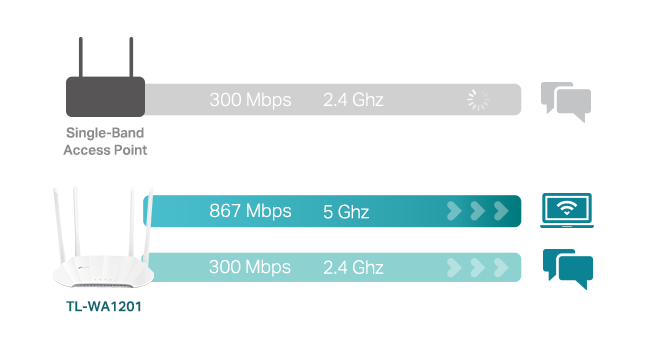
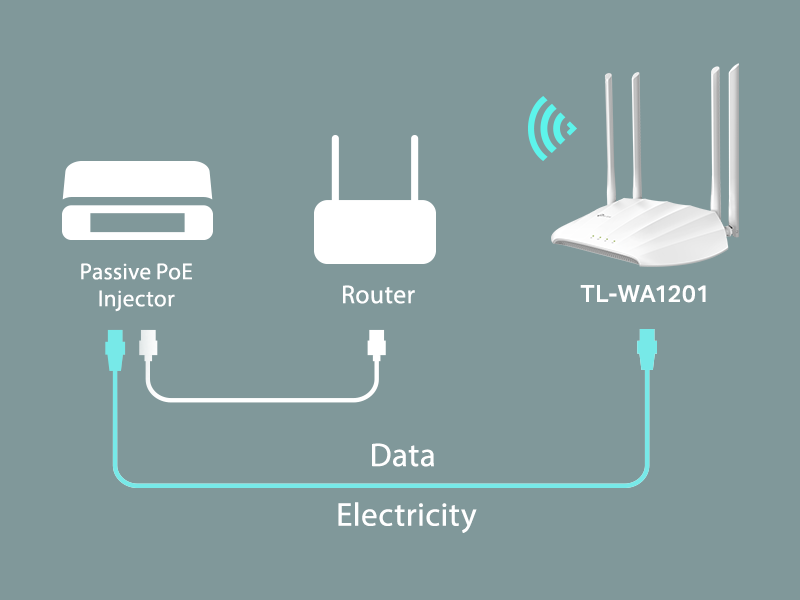
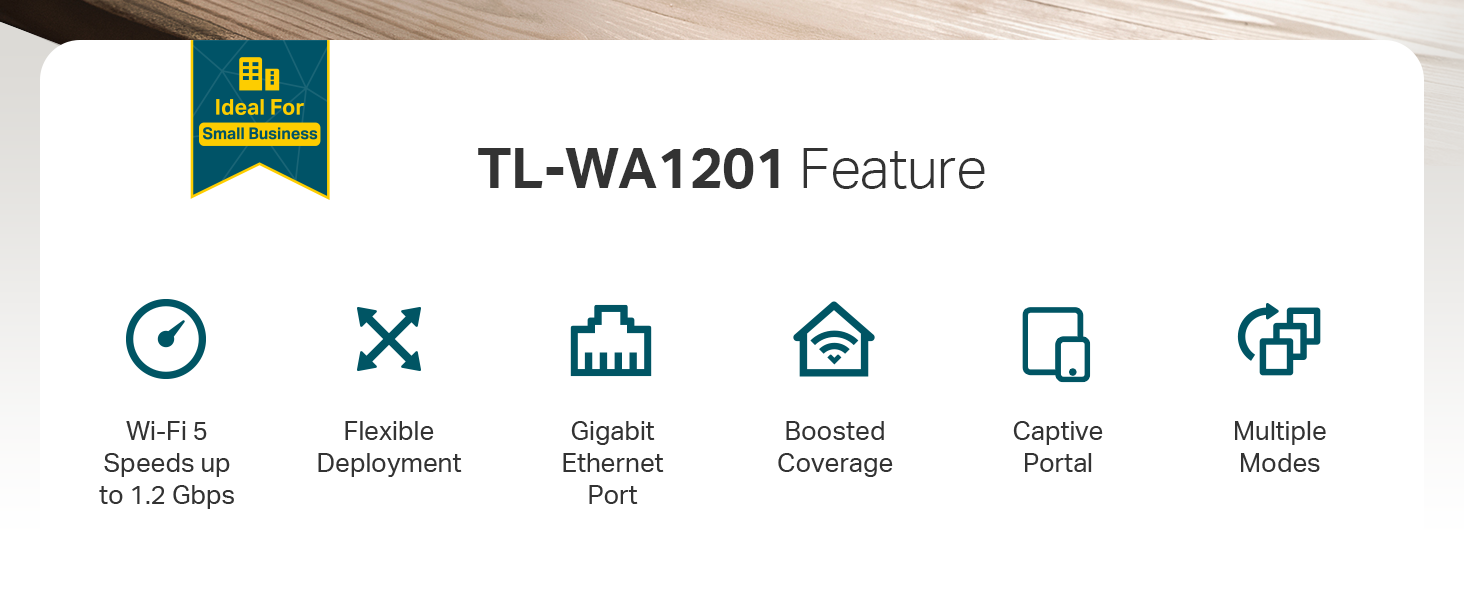
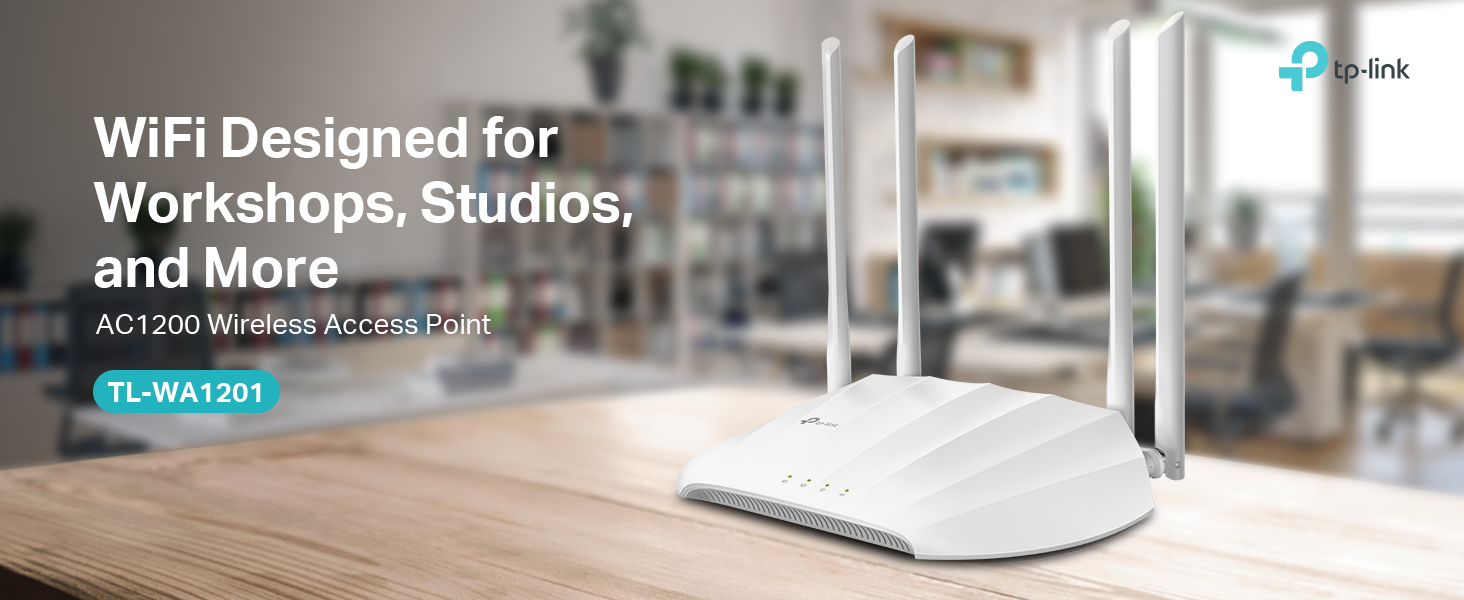
The TP-Link AC1200 Wireless Gigabit Access Point (TL-WA1201) delivers dual-band WiFi speeds up to 1200 Mbps using advanced MU-MIMO and Beamforming technology. Featuring four fixed antennas and support for multiple operation modes—including Access Point, Range Extender, Client, and Multi-SSID—it offers versatile deployment options. Passive PoE power support simplifies installation, while extensive coverage and seamless roaming ensure strong, reliable connectivity throughout your home or office. Trusted by thousands with a 4.2-star rating and limited lifetime protection, this device is a cost-effective solution for eliminating WiFi dead zones and boosting network performance.


| ASIN | B08SBXVSF3 |
| Antenna Location | Home |
| Antenna Type | Fixed |
| Best Sellers Rank | #5 in Computer Networking Wireless Access Points |
| Brand | TP-Link |
| Built-In Media | Power Adapter, Quick Installation Guide, RJ45 Ethernet Cable, Wireless Access Point TL-WA1201 |
| Color | White |
| Compatible Devices | Personal Computer |
| Connectivity Protocol | Wi-Fi, Ethernet |
| Connectivity Technology | Ethernet |
| Control Method | Touch |
| Controller Type | Switch |
| Coverage | Extensive coverage |
| Customer Reviews | 4.5 out of 5 stars 1,086 Reviews |
| Data Transfer Rate | 1200 Megabits Per Second |
| Frequency | 5 |
| Frequency Band Class | Dual-Band |
| Has Internet Connectivity | Yes |
| Is Modem Compatible | No |
| Item Dimensions L x W x H | 8.86"L x 5.73"W x 1.46"H |
| Item Type Name | Access Point |
| Item Weight | 0.3 Kilograms |
| LAN Port Bandwidth | 1000 Mbps |
| Manufacturer | TP-Link |
| Maximum Upstream Data Transfer Rate | 600 Megabits Per Second |
| Mfr Part Number | TL-WA1201 |
| Model Name | TL-WA1201 |
| Model Number | TL-WA1201 |
| Number of Antennas | 4 |
| Number of Ports | 1 |
| Operating System | ZyNOS |
| Other Special Features of the Product | WPS |
| Router Firewall Security Level | Moderate to High |
| Router Network Type | Wireless |
| Security Protocol | WPA, WPA2, WPA-PSK, WPA-PSK2 |
| Special Feature | WPS |
| UPC | 840460603102 845973084035 |
| Voltage | 12 Volts (DC) |
| Warranty Description | 2 year warranty |
| Wireless Communication Standard | 802.11a, 802.11ac, 802.11b, 802.11g, 802.11n |
| Wireless Compability | 802.11a, 802.11ac, 802.11b, 802.11g, 802.11n |
C**E
Fantastic piece, it's the BOMB!
This piece is the BOMB !! TP-Link TL-WA-1201 I had let two different 'range extender' pieces drive me nuts, their software was hard to use, but once figured out it still didn't work, signal was lame and choppy. So drilled into web and learned superiority of Access Point. Thought I'd try a base monel to learn on. Trust me, TP-Link really knows what they're doing. Instructions were clear, everything I was sent to look for was there, the steps made sense, their website fed back reliably, and within a couple hours IT WORKED! And it waxs LOUD! Signal next to it 76%, outdoors 30-ft from unit is still 65%. Amazing, Software is brilliant, now that I did one, doing the next will take about ten minutes, it's a breeze to work with. BUY THIS, even if you don't need it. Yet. You will, it's a spoiler.
I**Y
Flexible, Reliable, and Seriously Underrated
This little beast supports four modes out of the box: Access Point Mode – turn wired into wireless ✔️ Range Extender Mode – repeat an existing signal ✔️ Client Mode – convert Ethernet-only devices (like a printer or old PC) into Wi-Fi clients ✔️ Multi-SSID Mode – create segmented guest networks with VLANs ✔️ I ran this in both Access Point and Extender modes in a tricky layout (concrete walls, multi-floor), and it pushed out clean dual-band signal without any noticeable lag or packet loss. Plus, MU-MIMO and beamforming help direct the signal where it matters—great for multi-device households or streaming-heavy setups. What I Like: Dual-band speeds (867 Mbps on 5GHz + 300 Mbps on 2.4GHz)—solid for most streaming and gaming Gigabit Ethernet port = no bottleneck on backhaul or client mode Passive PoE support—clean mounting, especially if you're running it up a wall or ceiling Four fixed antennas deliver real coverage, not just marketing fluff Pro Tips: Pair with a modern router for max benefit—don't bottleneck this thing with an old base station Use a dedicated SSID in AP mode for clean handoff between routers In Range Extender mode, place it midway between router and dead zone for best balance of signal vs. speed What Could Be Better: Web interface is solid but not quite as slick as newer TP-Link Omada gear Fixed antennas = solid signal but less customization of direction No mesh functionality—if you want seamless handoff, go Deco instead TL;DR: The TP-Link TL-WA1201 is a super versatile, cost-effective, and stable Wi-Fi extender/access point. Whether you’re bridging old gear, extending signal to a dead zone, or segmenting networks with VLANs—it handles it all quietly and efficiently. No dropped Zoom calls. No gaming lag. Just clean, customizable Wi-Fi wherever you need it.
C**I
Works good and easy set up
Significantly improved download speed in my room. Set up was straight forward. Buy something like this instead of leasing it from your isp. I wish it had more than one ethernet port though. I did have to order a replacement because the first unit they sent was clearly used.
C**K
Lots of modes of use for the price.
I'm using this as a true access point. There are actually 4 different modes this unit can be used in. As a range extender, it gathers and repeats your wifi network to cover dead spots in your home. Used in client mode, it's antennae capture signals from your wifi and allow you to run a connected device via ethernet port. In multi-SSID mode create multiple SSIDs an VLANs, useful if you have devices you want to be able to communicate together, but separate from other devices on different VLANs (which wouldn't see each other from a connectivity standpoint). I had hoped to use it as an access point and connect it to my primary router via CAT6 cable that runs from one end of the house to the other. From there, I set up a different SSID from my primary router so that I could run a small office wirelessly. I have a 1 GB fiber connection as my main internet source. Speedtest rates it as 950mb- 1GB both upload and download. The ehternet connection to my router brings the full 1 GB back to the access point over hard wire, but testing the wifi from this access point only gives about 50mb up/down on Speedtest.net. Fortunately, 50 mb per device is sufficient for everything I do (video calls, internet browsing, access to web based apps like Teams), but I had hoped for better wifi speed. Easy to install and setup, the directions are very good. The price is very attractive, and you can use it in multiple modes. Of course, I may be an extreme case. If you are only getting 50mb from your primary internet connection, this works great.
R**F
Stock firmware is unstable on 5GHz, but OpenWRT works great
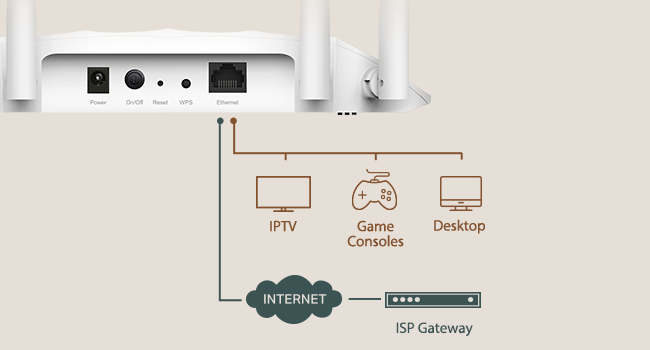
TL;dr -- this AP is another case of good hardware, awful firmware. The OEM firmware makes this device unusable, but flashing OpenWRT makes it useful again. Full Review: I bought this access point to use as a wireless client bridge for a computer in my house that gets an extremely poor wireless signal. Initially, I was disappointed because I was limited to a 2.4GHz connection, as the 5GHz connection was too unstable to be used. I'd regularly run into issues watching YouTube videos, browsing the web, or making Zoom calls. The solution was to use the 2.4GHz radio instead. This meant that my connection was limited to ~45-60mbps, which pales in comparison to a typical 5GHz connection speed of ~250-300mbps. For reference, my iPhone 11 is able to pull ~560-620mbps when placed next to the hardwired access point. i initially considered returning the AP, but then I found someone online had ported OpenWRT to this access point. Although this may void the warranty, it solved my issue. No longer do I have stability issues with the 5GHz radio, which means that I have both a reliable and fast connection to the Internet again my home office. OpenWRT is great, although it's far more complicated of an interface than the default TP-Link one. I would not recommend using this device in this configuration unless you're familiar with more advanced networking concepts or are willing to learn. Pros: - Inexpensive - Supports wireless client bridge mode. - Supports PoE using the provided injector. This is extremely beneficial to my setup, since I can place the AP where I best receive a signal, even though I don't have a power outlet nearby. - The Qualcomm Atheros QCA9886 802.11acn wireless radio has excellent performance - Gigabit LAN port (to the reviewer claiming it doesn't have one, this is simply not the case; there's no way I'd be able to pull 300mbps if it had a 10/100 interface). - The default firmware supports bridge mode with DHCP & NAT disabled, which means that every device connected through this AP has its real Ethernet MAC address exposed. If you plan to use this on a college campus or want your connected device(s) to be bridged to the parent network, this is very useful. If you use this mode, you can still control the AP's settings using the assign IP address for the access point itself. Cons: - Default firmware means that the 5GHz radio is unstable. I also had problems with controlling the LEDs and updating settings. Bonus Pro-tip: I only used this device with one computer, but you could easily use an Ethernet switch with the single port on the back of this device to connect multiple computers/devices.
D**E
Fixed Wifi Problems
Solves signal problem in my house. Using it as an access point for 1/3 of my house. Easy set up. Provides great coverage and much more stable signal. I have a 1980s brick ranch home that's 90' long with sand finish plaster skim coat finish on my walls; the type of construction just kills signals. I was lucky to get a -75 to -85 signal in my office from my hub 40' away; now I'm at -41 and speed is much better too. Even worse in my wife's office at the other end of the house in the room over garage. By dropping access points at both ends, now everything runs much smoother and Ring cameras work much better.
N**K
Works as described
Works perfectly to extend wifi to garage for outdoor lights and tv streaming
M**D
Blazing fast Bridge mode - easy setup - low cost
Why did they stop calling these devices "Bridges"? When you select "Client Mode" you get a Bridge, this is a device that will accept a wireless signal from your existing wireless router, and then send it out the back on a Cat6 cable. This you may plug into any internet device that does not accept WiFi and wants an Internet cable plugged in. That said, I got more than 320mps from the cable on the back when connected to the 5Gig signal from my home WiFi router. There are several ways you can configure the item, and another way is to let it rebroadcast the main WiFi signal so that people further from the wireless router may access the WiFi signal. Cannot speak to longevity nor to support. The instructions are simple enough. Had a little trouble using the POE device that is in the box, so I skipped it, but the unit is supposed to support POE. One use for Client Mode is to connect the output to another router's input that has a separate IP address and name. This can be a guest network, or a network for your Internet devices (IOT). People and devices on this sub-net will have no contact with your primary wireless and wired network. Good way to avoid the TunnelVision vulnerability.
J**R
Wifi router
Werkt heel goed
R**N
Excellent item.
Excellent item delivered very quickly. Very easy to set up.
I**A
Legit!
Good Quality!
J**N
Can’t Use
Doesn’t come with UK plug
N**D
Quality and price Good.
very nice product i used it as a range extender to boost my wifi signal working very good
Trustpilot
2 weeks ago
1 month ago