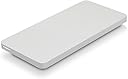
🚀 Transform your old Apple SSD into a powerhouse portable drive—because your data deserves the best!
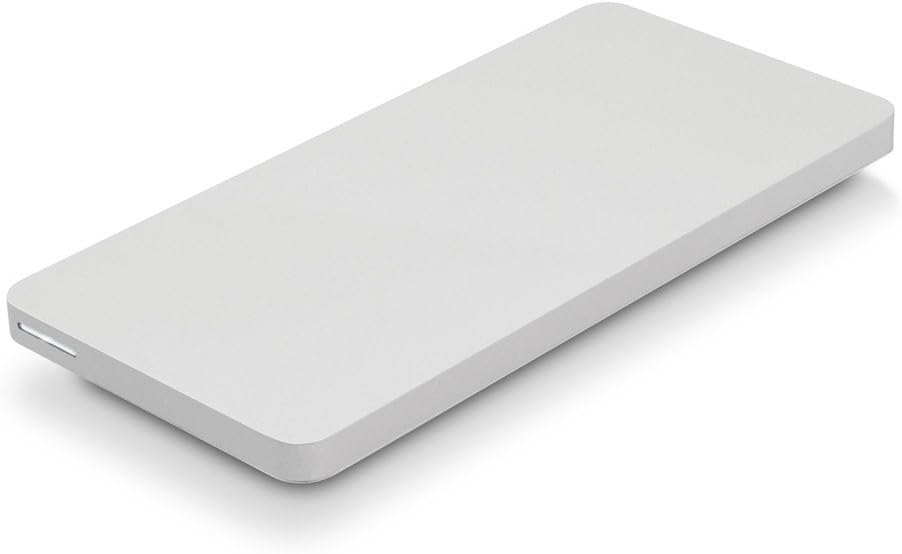
The OWC Envoy Pro Portable is a bus-powered USB 3.0 enclosure designed exclusively for Apple Flash SSDs, delivering up to 500MB/s transfer speeds. Its award-winning aluminum chassis offers a sleek, durable housing with precision engineering and hidden screws for a flawless finish. Perfect for Mac users looking to repurpose original Apple SSDs, it includes a high-quality industrial-strength USB cable and requires no external power source, making it an ideal portable storage solution.


| ASIN | B00TQWKFSA |
| Additional Features | Portable |
| Brand | NewerTech |
| Built-In Media | Enclosure |
| Color | White |
| Compatible Devices | Laptop |
| Connectivity Technology | USB |
| Customer Package Type | Standard Packaging |
| Customer Reviews | 4.3 out of 5 stars 420 Reviews |
| Data Transfer Rate | 0.5 Gigabits Per Second |
| Digital Storage Capacity | 1000 GB |
| Enclosure Material | Aluminum |
| Form Factor | Portable |
| Global Trade Identification Number | 00812437021219 |
| Hard Disk Description | Solid State Drive |
| Hard Disk Form Factor | 2.5 Inches |
| Hard Disk Interface | USB 1.1 |
| Hard-Drive Size | 1000 GB |
| Hardware Connectivity | USB 3.0 |
| Hardware Platform | Mac |
| Installation Type | External Hard Drive |
| Item Type Name | OTHER WORLD COMPUTING OWCMAU3ENPRPCI Envoy Pro Portable, Bus-Powered USB 3.0 Enclosure |
| Item Weight | 7.68 ounces |
| Manufacturer | Other World Computing |
| Media Speed | 500 megabytes_per_second |
| Mfr Part Number | OWCMAU3ENPRPCI |
| Model Name | Envoy Pro |
| Model Number | MAU3ENPRPCI |
| Number of Items | 1 |
| Read Speed | 500 Megabytes Per Second |
| Special Feature | Portable |
| Specific Uses For Product | Personal |
| UPC | 812437021219 |
| Warranty Description | 1 Year |
W**A
Took A Few Minutes To Figure Out How To Format ... But It Works Exactly As Advertised
My daughter's 2017 MacBook Air had a 128 Gig SSD in it and she was running out of storage so I upgraded it to a new larger SSD. The original Apple (Samsung) SSD was just sitting in a drawer wasting away. I decide to repurpose it for our son to use as an external SSD for his school video projects. The problem was finding an enclosure for the proprietary SSD format that Apple uses. I finally found the OWC Envoy on the internet and then on Amazon for sale. Not cheap at nearly $90 it was the only one I could find guaranteed to work with the Apple format. Their may be others, but I couldn't find them. None-the-less, I pulled the trigger and purchased it. When the OWC Envoy showed up it was immediately clear that this is a high quality piece of kit. The aluminum enclosure is manufactured to precise specifications as noted by how it opens and closes. Absolutely no gaps between the two halves of the enclosure. You can't even tell that their are two halves. The electronics inside are extremely neat and clean ... no over use of adhesives or coatings. The enclosure has a large power-on indicator LCD light as well... and it is bright to say the least. The top and bottom are held in place by two screws that are hidden under one of the rubber feet at the bottom of the enclosure. Again, an unnecessary detail, but one they thought of. The cable is truly industrial strength and very sufficient length. Oh ... and did I mention that the enclosure comes in a fabric pouch! Like I said, this is one quality piece of kit. The only thing the end user needs to be aware of is the fact that this enclosure works only with specific Apple original SSD's. One the Amazon site, and their own website, they give a list of which ones it works with. It works great with our 128 Gig 2017 Original Apple MacBook Air SSD. (The SSD is actually produced by Samsung for Apple.) But be sue to do your research and check before purchasing this enclosure. In terms of formatting the SSD that's a whole other topic, but we had to use "View All" in the Apple Disk Utility to see that it's listed as OWC Enclosure as the main name of the SSD once it's installed into the enclosure. If you just go directly to Erase on the Disk Utility menu it won't show that way and you can't erase and reformat the SSD. Once you see OWC Enclosure you can chose that and erase your SSD and go to the format dropdown and go from there. Worked perfectly for us. If you are looking for an enclosure for your Original Apple SSD check this one out. Again, make sure your model and year of Mac is listed before you buy it. But the $90 was more than worth the investment and I can highly recommend this enclosure. 5 Stars!
S**6
Works for Macbook Air Early 2015 models
I recently experienced the "won't turn on" problem for my 2015 macbook air. After following the online diagnostics, I called apple support and went through the same routines again with them. They suggested I send it in for a $500 - $1000 repair. Pay $500 up front and they will re-quote higher if the problem is due to accidental damage (such as moisture). I told them a 6 year old computer has $0 book value and a new MacAir is $1000... they suggested I go to a local apple repair center. Local apple repair center again goes through the identical diagnostics for the third time and determines it needs to be sent to the Apple repair center for $500 - $1000, HOWEVER they could transfer the hard drive (if it's not fried) for $250. I did my research and purchased this OWC Envoy Pro Portable, Bus-Powered USB 3.0 Enclosure for Apple Flash SSDs, (OWCMAU3ENPRPCI) for $88. Simply remove the SSD card (picture of mine included) from your MacAir (very simple... you can find videos on this online), open the OWC Envoy case, insert the card, close the case and connect to a USB port on another MAC. If the drive is good, you have full access to all your files and also have the ability to use this as a back-up or extra drive! It doesn't show it in the images of the OWC Envoy, however it does come with the USB cable that connects to Envoy. Great Product!!
J**.
If you’re on the fence because of price just buy it
My only complaint is that it’s a bit pricey. But no one else makes anything like this. Super well-built, sturdy and matches Mac mini perfectly. Swapped out hard drives in my Mac air. Wanted to keep the old hard drive as a back up external hard drive. But this enclosure was able to put the old hard drive in. The hard drive sealed up perfectly just insert that she screws and cover them with the protective covering. Disk utility immediately recognized The hard drive enclosure was able to reformat it and wipe your hard drive in a matter of minutes maybe seconds. Now I have an awesome SSD external hard drive for a whopping 90 bucks! I was on the fence about spending the money. But it’s definitely a nice enclosure metal or aluminum not some cheap chintzy piece of plastic!
J**Y
Awesome, except for one little thing ...
I was considering giving 4 stars, but ended up going with 5. The device is pretty great: Really high quality look, feel, fit and finish. Compared to a Mac Mini (see my pictures) it's as high quality as any Apple item. My 2014 MacBook Pro got crushed like a paper envelope by a treadmill at the gym, and I saved the ssd drive from it. So I bought a used Mac Mini to replace it, and my old SSD has my Dropbox files. BUT MY GRIPE - can you guess it from my pictures? That fat black cable! In an Apple world where every cable is white and nothing is full 100% black (but "space gray"), it really sticks out badly. So now I'm on a search for a white USB 3.0 cable. I've already bought one that doesn't work and which I need to return. And continuing on that theme, I gotta say that the product photos showing the device standing right next to the laptop are basically a "lie", lol. First, because there's no ugly black cord in the picture :-) But secondly because the cord is actually very stiff and relatively short, and the housing is very light, and so there's NO WAY it'd just sit right next to your laptop like that. It's even a little hard to have it lay flat on the table because of the cord.
A**N
Don't keep any important data on it.
I used this product after replacing the internal SSD on my Macbook. The old SSD was fine, I just wanted more space. The drive keeps having issues that cause it to stop mounting until I repartition it. The drive worked fine in the MacBook, so I must conclude that the enclosure is at fault. Still, its better than nothing.
A**R
Nice product
Looks like Apple made it, great quality easy to install the HD and it has worked flawlessly for me so far. It was quite expensive but the only option I could find. The one thing I find disturbing is that beyond the high price they have a $35 shipping fee which is a grotesque profit center for them in my opinion. The thing is as light as a feather but $35? Well I got over that as I REALLY needed the device.
Ü**H
Great enclosure; poor cable
This thing performs great, looks great, and it was easy to install my SSD into. Gives my old SSD new life when I upgraded from a 500GB to 2TB SSD in my mid-2015 MacBook Pro. Only 2 things: 1. This thing is too expensive. 2. The USB cable is way too thick and stiff. It probably weighs more than the drive enclosure itself. Makes it very difficult to position the drive nicely. The cord twists it so it isn’t flat or straight on my desk. They need to use a thinner, longer, and more flexible cable.
P**Y
Expensive but sadly "one of a kind"
Too expensive for what it does but this was the ONLY enclosure/adapter in existence for internal Apple SSD's so it is what it is. Instructions on how much pressure is needed to put into the enclosure should be included as I had no clue how much force to use! Apart from that it functions perfectly - just expensive
S**B
Only external interface for Apple SSD with proprietary interface
I’ve used to recover the data in the hard disk of a dead MacBook Pro. Worked perfectly and it saved me the time to send the laptop to a data recovery center (the expense is similar, but depends on the center, data, etc). The interface is super fast compared to usb 3 and 3.1 devices; after recovery I still use the hard disk as an additional backup. To fully enjoy the enclosure be sure to have at hand the proper screwdrivers; the ones used to open the Mac and remove the internal ssd are just fine. Pricey but the only external usb alternative.
I**E
Pricey but does what it is meant to do
Purchased this to put my stock Apple SSD from 2014 15" Macbook Pro (500GB) in order to reuse it as a spare external drive. As already described, it only works for stock Apple SSDs and not a NVMe SSD + adapter. IMHO this puts the enclosure as a pricey enclosure but does provide reuse of a SSD that may have ended up sitting in a desk drawer.
M**A
Sólo es una buena compra si el SSD que se va a instalar es muy grande.
Lo tengo para recuperar un disco SSD extraído de un Mac. Cumple perfectamente su función, aunque su coste es elevado. Fácil de instalar y utilizar. Sólo es una buena compra si la unidad es lo suficientemente grande.
M**O
Funzionale ed elegante
Mi ha permesso di utilizzare come disco esterno l'SSD PCIe da 250Gb che avevo sostituito nel mio MacBook Air con uno più capiente. Non costa poco, ma non ci sono in commercio molte alternative. Ben fatto e facile da utilizzare. Sono soddisfatto e lo consiglio a chi non vuole tenere inutilizzato nel cassetto un buon SSD PCIe.
P**D
Chère mais de bonne qualité
Produit un peu chère mais de bonne qualité
Trustpilot
3 weeks ago
2 weeks ago