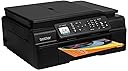
🚀 Elevate Your Office Game with the Ultimate All-in-One Printer!
The Brother MFCJ450DW is a versatile wireless inkjet printer that combines high-speed printing, scanning, copying, and faxing capabilities. With a robust 33 ppm black and white printing speed and 27 ppm for color, it also features an auto document feeder and eco-friendly duplex printing. Ideal for the modern professional, it supports cloud applications for seamless document management.
| ASIN | B00EANURCE |
| Additional Printer Functions | Scan |
| B&W Pages per Minute | 33 pages_per_minute |
| Best Sellers Rank | #1,075,033 in Office Products ( See Top 100 in Office Products ) #454 in Ink Tank Printers |
| Brand | Brother |
| Color | Black |
| Color Pages per Minute | 5 |
| Compatible Devices | Laptops, PC, Smartphones |
| Connectivity Technology | Wi-Fi |
| Control Method | App |
| Controller Type | Android |
| Customer Reviews | 4.0 out of 5 stars 1,943 Reviews |
| Display Type | LCD |
| Duplex | Yes |
| Global Trade Identification Number | 00012502635536 |
| Hardware Interface | USB |
| Ink Color | Black, Cyan, Magenta, Yellow |
| Item Weight | 19 pounds |
| Manufacturer | Brother Printer |
| Maximum Copy Resolution Black and White | 12000 dpi |
| Maximum Copy Resolution Color | 1200 x 2400 dpi |
| Maximum Copy Speed Black and White | 33 pages_per_minute |
| Maximum Media Size | 8.5 x 14 inch |
| Maximum Print Resolution Black and White | 6000 dpi |
| Maximum Sheet Capacity | 100 |
| Maximum print Resolution Color | 6000 x 12000 dpi |
| Model Name | MFC J450DW |
| Model Number | MFCJ450DW |
| Model Series | 450 |
| Number of Trays | 1 |
| Other Special Features of the Product | Auto Document Feeder |
| Output sheet capacity | 100 |
| Paper Size | 8.5 inch x 11 inches, 8.5 inch x 11.7 inches, 8.5 inch x 14 inches |
| Print media | Glossy photo paper |
| Printer Connectivity Type | Wi-Fi |
| Printer Output Type | Color |
| Printer Type | Inkjet |
| Printing Technology | Inkjet |
| Resolution | 19200 |
| Scanner Type | document |
| Special Feature | Auto Document Feeder |
| Specific Uses For Product | business, home office |
| Total Usb Ports | 1 |
| UPC | 012502635536 |
| Unit Count | 1 Count |
| Warranty Description | 1 year limited warranty & toll free phone support for the life of the machine |
| Warranty Type | limited warranty |
A**R
Compact wireless All-in-One, 20-pp auto scan/copy
I had been using an HP Photosmart 3210xi USB printer for several years but I came to the conclusion that my current build Windows 7 computer could not use it to print. Scan worked, but the outdated HP drivers and software made me want to look for something modern. I read up on similar price point wireless All-in-One printers and found many comments about Brother's efficient ink costs. I also liked the more compact design versus my old HP, and the fact this Brother MFCJ450 has a focus on business printing (I bought it primarily for grad school). Things I overlooked include a 20-page auto feed for copying (I was emailing myself PDFS to Thunderbird client GMAIL in minutes) and easy access ink, although I am not sure I would feel confident feeding more than 10 pages at a time for the auto feed (auto feeds notoriously jam, we'll see). Setup from box open to software install took me about a half hour. Some steps take awhile, like a 4 minute printer routine startup process, but everything is detailed well through an included quick guide, a thick, full paper manual, which is super rare to find nowadays, and a CD which helps make wireless setup completely painless. I was a bit concerned, however, as setup did not require me to enter a wireless network password on the first try. Hm. I installed the Brother printer app to my Galaxy S5 and printed to the printer with no fuss. The app even has a progress bar on print jobs. I have to say for $85 I am thrilled to never have to worry about cords again, and I see as of May 15, 2015, the price is even better now. That being said, this printer comes with an about 6 foot AC cord. I have it up on the top shelf of a wire rack and so I ordered a 6 foot extension to prepare. If you need more than 6 feet, do the same! :::::::::::::::::::::::: Update: May 15, 2015 :::::::::::::::::::::::: After about 6 months of ownership, I do have a few nitpicks: 1) This printer is best for text and essay assignments, and painfully slow for graphics; do not get this printer for the purposes of printing tons of color graphics. One of the reasons is because of the time the machine takes to dry a page. Granted, general word documents are printed quite fast for my liking. 2) Sometimes the printer gives up on a page and either restarts the page or forgets about it, leaving you with a half-printed page (usually when you print a big batch of front/back) 3) When my Internet modem has to be reset, sometimes I have to reset my Brother printer's WiFi as well, which is not really a Brother issue as much as it is an issue of my Internet provider/modem needing to be reset...I list this issue more for troubleshooting purposes in the case that scanning still works but printing does not 4) The printer randomly does maintenance, and it could happen in the middle of the night, seemingly, which could scare you...not to say it scared me, but...it could, haha Even so, here are some good things, in my opinion: 1) After 6 months of ownership and 3 grad school classes (one semester), I had to replace my black ink once. I spent about $19.36 for a high-yield (600 page) LC103 black and that is a little less than half full at the time of this update. To me, that seems pretty efficient. 2) After 6 months, my starter color ink is still chugging. I have a warning for yellow and magenta, but cyan is still going (albeit close). That being said, I did not do a whole lot of color printing, both because I have been dissuaded by the above facts regarding slow graphic-printing, but mainly because I do not need to do a whole lot of color printing for grad school. A high yield LC103 color cost me $32.21. 3) Scanning is always a science for a small bed scanner (any personal scanner) but once you get the sweet spots, this thing creates PDF books super fast compared to the dinosaur HP I had. I love it. You can either use the bed or the auto feeder. I had to scan a bunch of stuff for fieldwork and the results were always good. 4) I love the sounds of the machine. I know that may seem silly, but as a 90s kid this printer makes me think of an arcade. Fun, engaging sounds 5) The easy-out, easy-in ink front compartment makes replacing ink a breeze. Some compact printers may have the ink behind two doors, some might be here, or there. This printer design is just really nice. Paper is fairly easy, too. And while it's compact, it's sturdy. The moving parts don't seem to jostle the unit too much, although I suppose it depends on where it rests. Mine is on top of a four and a half foot tall chrome rack.
M**T
Very nice inkjet MFC
I was in need of a scanner for my job, and I decided on a MFC, both because a flatbed scanner is very expensive (and well beyond what I would need it for) and does not have the connectivity of an MFC. The initial setup was pretty quick, all four ink cartridges are individually wrapped and there are bits of tape in many places to protect different parts from damage during shipping. Once all the ink cartridges were installed, it took about five minutes for the printer to go through its initial setup phase (which is automated), and confirm proper alignment. I will say the hardest thing was connecting it to my wireless network, as the WPS function was not able to automatically connect it, and entering the network password manually is a bit time consuming. The number pad functions like the buttons on a phone, cycling between lower case, upper case, and numbers. The print quality is very good, and the colors were very accurate in my test prints, likely aided by the fact that this printer uses the CMYK color model (cyan, magenta, yellow, black), comparable to my Brother HL-4040CN color laser printer. Printing speed is very good, not as fast as a laser of course but it is fast enough for the intended market. Scan quality is also very good, ranging from 100dpi to 1200dpi, user selectable. The included software, both on the printer and on the disk, allows you to scan to an image (a variety of formats), a file (PDF), to email, or to OCR, which converts the scanned image to an editable text file. You can also choose to upload your scanned document to Microsoft OneDrive, among other services. And for users who desire extra protection against others scanning files without your permission, Windows allows you to setup a four digit PIN to prevent against unauthorized scanning. I do have a couple of gripes about this printer though. The WPS function did not work, but that has always been hit or miss with wireless devices. After every failed or successful connect to a new wireless network, it will print a sheet with the failure or success on it, which to me is a waste of ink and paper, but it only does it the first time you connect to the network. The menu system could be a bit more intuitive to navigate, but this is a function which is present on the higher end models. All in all I would recommend this MFC to anyone in the market for one. Ink cartridges seem very reasonably priced, and since all colors are separate, you can save money by only replacing the color which is out. I would also highly recommend that everyone also have a monochrome laser printer as well due to the much cheaper (2¢ or less per page) cost for printing black documents and for general printing tasks. Also don't skimp on the paper. High brightness, 24lb paper is only a dollar or two higher per ream than cheap, dull, 18-20lb paper, and will show a printer's true capabilities, while at the same time appearing more professional.
D**O
Tech help was GREAT!!!
I was hesitant since I read about that one guy who had terrible phone support and I was nearing tax day (Tomorrow is Apr 15th) so I wasn't too sure I wanted to get behind that 8-ball. I bought it anyway since I was in a hurry. (Bought April 4).They said it would get TO ME AFTER TAX DAY. IT CAME before. Indeed 5 days before. So as I was muddling through the instructions, the QUICK START pamphlet was good up until section 17 where it took off in another direction having nothing to do with MY Model Number. SO here was the moment I was dreading. One day to go and I have to call phone support!!!. Well the gal. Rezza (FILIPINO) COULD NOT HAVE BEEN MORE PATIENT AND THE 4 YEARS she had on this job made her the perfect support person for me. We not only got back on track, but she even stayed with me till the end of the first printout (My 1040) AND my State as well. During the infrequent lag times I was telling her jokes, but don't ask her to tell you one! The printer itself feels a bit flimsy, so I was extra careful with steps 1-16 putting it together. That's why I can't go for 5 stars but it works fine in all 4 areas FAX Copy, Print, Scan. I just needed to use kid gloves assembling it. And yes, for that money I would recommend it. I have no knowledge of the newer model, which might be a concern I suppose, since my last printer I kept too long for replacement parts to be available any more. Your call! ADDENDUM AFTER A FEW WEEKS: Be warned that the cartridges that come with the printer are trial versions and do not last long. However the good news is that the replacement cartridges are Medium Extra Large (103's vs. the 107's that don't come with this printer as far as I could determine) and can be gotten for as little as $35 for 2 XL's. The trial versions lasted about 300-350 pages for me (strictly using ONLY BLACK) and were used up a tad more quickly than I expected. Check the ISO standards for cartridges if this is critical. Addendum 2. Now that I have it over 2 years (or so) I thought the fact that the bar code I was getting poor results on a return label meant that the printer was going. I sat down and clicked on the MENU. Well the darn thing has a SELF-CLEANER. I specified that only the BLACK needed help (there is both a cleaner and a self ALIGNER). I had no idea when I sat down that CLEANING had anything to do with it. The machine itself tried to warn me by, on its own, printing out a test sheet that showed the black squares of the test pattern were not all filled in while the 3 color squares were perfect. I not only ignored this, since I didn't know what it meant, but simply went on to continue printing out very bad bar codes I was using for another item return (the ac adapter for my laptop stopped working after 1 month and the company does not send labels or boxes for returns. They simply....Well check under my other recommendation under ac adapter. That's another story). To continue. I decided to call Brother, that gives a lifetime of free phone support, but stopped and re ran the test pattern (with the tiny squares) to see exactly what was happening. Once again the black was awry but the colors were fine despite my using an off Brother brand for the colors! The black was still the Brother ink cartridge, which I thought was strange because the test sheet said if you use alternative cartridges the warranty could be voided. (Carole P. Bronico your alternative brands WILL WORK if you remeber to punch a tiny hole in the plastic that is covering up the ink spigot which allows the ink to come out). Again getting back, to the menu. IT SAID CLEANING? So I punched yes! It asked "for colors or BLACK"I answered BLACK. It took a full oh...6 to 7 minutes to continue to clean the black. I didn't know what was happening but putting my hand on the machine gently like a stethescope let me know something deep inside was continuing to get at the issue. When it stopped it reran the test pattern and ALL THE BACK SQUARES as was the rest of the color patterns, ABSOLUTELY PERFECT!. I was so impressed with this machine that I decided to come back and let everyone know!
S**S
UPDATE: Problems after short time, USELESS at 2 years!
UPDATE 2017/11: I'm very disappointed in the fact that after 2 years and 1 month, I'll HAVE TO THROW IT AWAW, because the warranty ceased ONE MONTH AGO. Besides the initial issues - the 3 first bellow (which didn't do much damage to my general appreciation of 4 stars) - I've had several issues with it in these two years: 1 - Never able to connect to internet with the cable 2 - Paper jams if you insert more than about 2/3 of the load 3 - Printed a faded page after 1 month without use . 4 - Maybe 80% of the times I changed a cartridge, the machine initially said it wasn't detected. I had to keep taking it out, shaking it and putting it back in, until it recognized it... OR DIDN'T, and I had to try with another one. This, using the brand's ink. 5 - Each time you unplug it or change a cartridge, it does a cleaning. It also does other occasional cleanings, "according to use" (even if you don't use it much). It wouldn't be a problem if each time it wouldn't suck up SO MUCH ink. 6 - Recently, I changed all cartridges and after very little use, the black started to come out faded, as if it was about to end. Twice, I made a document in light blue, to see if it would be legible, and it worked. At the 3rd time, the last quarter of the page came out faded and with mixes of pink. I tried many other times, in black and in color, to see if it would improve (which had happened before, when I had occasional similar issues, with the same printer). It didn't. Three times it happened that brand new black cartridges led to very faded printing. 7 - 2 or 3 times in which the customer support had me do a deep cleaning (due to printing problems), cartridges got all used up or almost. Just today, I had 3 FULL color cartridges and the cyan COMPLETELY emptied. The other two initially seamed to have almost emptied, and after being shaken and reinserted, showed "full" again. Once, before, the customer service had sent me a black cartridge to replace one that wasn't detectable (the only time they were helpful). Today, even after the cyan went from full to completely empty, due to the cleanings they had me do, trying to improve the printing quality, they said because the machine is no longer covered by the warranty, they couldn't send me ink. 8 - Had several paper jams, due to no fault of mine 9 - Often times, the printer loses the internet connection (the only one I have, given the fact that I was never able to connect with the cable, like I said), which makes it impossible to print. This, even if the internet service is working. Everything the customer service ever did failed, besides unplugging it and reconnecting again. Each time, 45 minutes to 1h45m on the phone. 10 - Two of those times, the customer service had me uninstall it (eliminate the printer's name from the computer), and it was a HUGE problem to put in back on (so we could reconnect to the internet), they couldn't give me the correct instructions to install it back. Not only because the name appears differently in the listings, but also nothing they asked me to do resulted in what they expected. On the second time, I warned them of what happened before and they still insisted on doing the same thing. Needless to say, the same issues occurred. This time, CUSTOMER SUPPORT COULDN'T RESOLVE it and I was left WORSE THAN I WAS!! Overall, I received TERRIBLE CUSTOMER SUPPORT, overall. . I will NOT be buying anything else from this brand. . 2016/03: The packaging was very good; The instructions seemed easy to follow, but somehow I wasn't able to connect it with the cable. I could, however, make the wireless connection work (and I'm not that apt when it comes to technology). Do not putt in a full load of paper! It will likely jam. The ink that came with it is still working, even if after a period of over a month without use, it printed one faded page. I tried again and it printed normally. Purchased about 5 months ago and am happy with it.
R**G
Very nice.
[ UPDATE 7/2015 ] This printer has been working great for us; we really like it. After quite a bit of use (including scanning and 2-sided printing, woohoo!), we've only experienced two issues. First, once in a blue moon you get a "phantom" paper jam; there's no real paper jam, but the machine instructs you to do the 20-step paper-jam-clearing-process anyway. Second, occasionally it'll lose the wifi connection; the easy solution is to pull the plug for a few seconds and plug it back in, and it's worked right away, every time. Note: We've been using genuine Brother ink with the printer. [ original review: ] We're very happy with this printer! It's not small but it's not huge, either; it prints nice and quite, and fast enough for us; setup was a breeze (although we did have to use the CD -- I highly recommend selecting the "custom installation" option and then installing just the printer driver, as that's all you need). Connecting it to the wifi was pretty easy; you just have to realize that when the little screen on the printer is empty, it's waiting for you to type in the wifi password (using the dialpad). Other than this slightly cryptic step, setup was very easy. It's a fairly green printer, too. It uses only 4 watts when sleeping, which it automatically does after a few minutes. It also has auto-duplex mode (two-sided printing), which is *awesome*. Print quality is reasonable, but not stellar. It's fine for documents, but you probably don't want to print photos with this printer; send them (online) to Target / Costco / etc, the quality is superb and the cost is quite reasonable. Eco-wise, I'd be happier if it used a little less than 4 watts in sleep mode, and if it had come packed without any styrofoam (I would have preferred to see folded cardboard). Overall, though, a great little printer!
R**N
This Printer is Darn Good--So Far
I don't often write horribly long reviews like this, but I'm so satisfied with this Brother printer (so far) that I wanted to detail it. I should preface by saying I have only had the printer for a few days. But I have exercised all the functions multiple times, and everything works very well. Here are some observations: 1) I have six Window 7 PC's on my home network and it was easy to add this printer to all of them. All functions work from all the PC's. Very happy with that. 2) Initial setup was done with a USB cable I happened to have. It was not supplied :-( but that wasn't a biggy for me. If you don't have a USB cable with the square thingy on one end, get one. 3) The build quality on this particular printer is good to very good. I had previously ordered and installed a very similar priced and featured Epson printer which not only didn't work, but wasn't built as well. I'm actually glad, because I returned it to wonderful Amazon and ordered this better one. If it holds up, I will be thrilled. So far, so good. 4) The MFCJ450DW has one TERRIFIC feature the Epson (and I suspect most others in this price range) didn't have: Automatic two sided printing. It has a flipper built inside that you can select and the printing will be done on both sides and sequenced properly--just a wonderful feature. Hasn't jammed at all. Plus, I like the paper carrier/drawer vs. the vertical slot most printers in this class have. 5) The only knock I have so far is the printing quality is just a tiny bit short of the mark. Not sharpness, but "vividness." Black text isn't deep black, and color images aren't 'vivid." Not horrible, just not fabulous. 6) Some reviewers here have said the ink lasts longer on this printer than others they have had, and so far, that seems to be the case--at least if the gauges are right. I have primed the thing and printed a bunch of color and B&W stuff and the indicators have barely left the top. If that keeps up, I will be -very- happy. 7) Scanning seems to be faster at 200dps and 300dps than others I have had. 8) The price is terrific.
N**U
*Updated review* It makes nice copies, and is easy to set up.
So far so good. My Kodak has been acting up for a year now, so I decided it was time to say goodbye. I purchased the Kodak several years ago to replace our HP which was ripping me a new one with the cost of their ink cartridges. Kodak promised cheap ink. Yes, the ink cartridges were cheaper, but I got half the number of copies from them. I'm trying the Brother because a large number of reviewers mentioned that it goes easy on the ink usage. Very easy to set up, and connect to wifi. Update 12/05/2014: I have had this printer now for a couple of months and I am very happy with it. As I mentioned above, I bought this to replace a Kodak 5250 model which used up the ink like a fish. When the Kodak showed that the ink was low, you had to replace it almost immediately, whereas the Brother gives you plenty of warning when the ink is low, and you still are able to get 25 copies before it runs out. The ink is reasonably priced for the Brother, $13 black at Amazon, and it lasts considerably longer than the $12 Kodak cartridge. Also, the auto feed mechanism works flawlessly and is a nice feature for the reasonable price of this unit. I highly recommend this printer for your home office.
S**P
Updated: Short lifespan
Update: I had to come back and revise this review. Everything I said previously is true, and I adored this printer, while it lasted. I bought this in mid-late 2014, and it's already having major problems. The most recent is that printing any sort of document (no matter how small) takes sooooo long. One halfsheet of paper with minimal coloring took, I kid not, 7 minutes to complete printing. I'm going to fiddle with it a bit, maybe install a new ink cartridge I have lying about. However, a year is far too short a lifespan for this printer. I've had 20 dollar near-disposeable printers last me at least 2-3 years before conking out. It's been a few months since my last update, and this printer has pretty much bit the dust. The color side works just fine, but the black portion just went kaput. Streaks, areas with no ink. It prints as if the ink cartridge is low or out, even with a brand new cartridge installed. Whenever I set the machine to clean the printer head, it works fine for that day and then goes back to the awful streaks a day later. I can't afford the ink to keep cleaning it before each use. What's odd is that the streaks and gaps are always in the exact same area (when printing the same document). Considering that, I don't think the cartridge is at fault. There's something with that printer head and, unfortunately, I'm no printer technician....so I guess it's time to buy a new one. Maybe this time I'll go with an HP, though I really did love the fact that Brother ink could be replaced by individual color, unlike the HP ones which pairs all the colors in a single cartridge, which seems like such a waste. For years I've stuck with the most basic of printers. Those fax/scan/bells and whistle printers were just not for me, I told myself. Then when my last printer (a 35 dollar HP) died on me, I started hunting around for its replacement. I had originally planned on going basic again, but I was dissatisfied with HP ink cartridges and how they required a new cartridge even if only one color went out. Plus, I use to be able to refill the HP cartridges, but with my last HP printer, it wouldn't register the ink. So I started researching printers that specifically had separate cartridges for each color. Brother and Epson were the two brands that kept coming up in my search. Well, I have a brother laser printer at my job that is a little workhorse...I mean that thing has been chugging along for years with nary a glitch. So I bit the bullet and purchased the MFCJ450DW. I'll be honest, the wireless setup was not the easiest in the world, especially with the security setup I had. My SSID (which I only learned what that acronym stood for during the setup...I'm not a computer wizard...just a gal who reads directions well) wasn't recognized. When I manually configured it using what I knew was the name for my connection, the passkey wouldn't work. The only way I could get the thing to connect was by dropping my security down to open, make the connection with the passkey, then switch it back up to WPA2 after the fact. Took me a while of trial and error and reading up online for this to work, even with the setup wizard on the printer. I even tried the USB option, but it wouldn't register printer this way for some reason. However, now that the wireless is up and running, I couldn't be happier. Love that it holds multiple sheets of paper in a tray (keeps it from flopping forward or gathering dust). Love that it can print on both sides of the paper without having to manually flip it...and that it will flip it long end or short end. Love that the ink cartridges are separate and that I found an Amazon market seller who sells compatible cartridges (very professional looking too...nicely boxed and no leaks or poorly constructed casings like with some generic ink companies) for a ridiculously low price. Love that it's really nicely constructed with a good heft to the scanner/copier and quality of scans. I swear, it really is comparable to the machines we have in our front office, yet it fits into a small corner of my room. Very, very impressive machine and well worth the price. 12-29-14 - I have since used the scanner and found it to be excellent as well. I had to scan several items to make a Yearbook presentation and even the most subtle of watermarks and the barest color variations from the original came through. Photos came out on photopaper with absolute crispness and without any of the visible, horizontal lines from my other printer.
S**A
Most user friendly printer I've met.
Within 2 Business days I received the printer! It was so easy to set up, i didn't have to pull out the manual once. Within 5 minutes (of which 4 it configured itself) I was ready to print from any device in the house. Best part is, when the printer is not in use, it'll shut itself down and stay quiet until you send a print job and it wakes up and prints promptly. I used to have printers that constantly warm up the ink or configure themselves unless you turn off the entire unit. The Print quality is great! And the Print speed is actually really good, considering the quality is so consistent. I did a lot of research before purchasing a printer. (inkjet vs. laser, wireless capability, quality and price etc.) And i must say that this printer exceeded other printers out there in every category! Especially the wireless printing is so reliable, which other printers seem to have issues with. All in all, i'm thrilled with this printer.
U**S
Excelente impresora calidad-precio
Soy un estudiante universitario, anteriormente utilizaba una impresora Brother J220 con cartuchos rellenables (sin chip). Ahora que cambié a esta impresora Brother MFCJ450DW me ha facilitado mucho las cosas. Es facilísimo imprimir a doble cara, lo mismo que escanear a dos caras con el alimentador de hojas que trae incorporado en la tapa superior, además, la calidad de la impresión es muy buena y el hecho de conectarla por wifi (wireless) hace posible imprimir aún sin estar cerca del equipo, he imprimido algunos archivos desde mi celular que me han llegado a mi correo (utilizando la app de Brother) y todo bien. A más de 1 mes de haberla comprado llevo cerca de 150 impresiones (color y blanco-negro) y los cartuchos no llevan gastado ni siquiera una sexta parte de su capacidad (siendo los cartuchos de prueba que incluye la impresora). El único problema que le encuentro (respecto a mi anterior impresora), es que ésta utiliza chips en los cartuchos, así que si le quieren comprar cartuchos rellenables deben buscar unos con chips que se autoreseteen... Claro que siempre está la opción de comprar cartuchos originales jeje o genéricos pero con chips nuevos. En resumen, estoy muy contento de haber cambiado de impresora y me sirve perfecto para todo lo de la Universidad: escanear, imprimir y fotocopiar.
L**N
Other reviews I read were very good and I'd have to agree so far
The printer seems to be very well made. Other reviews I read were very good and I'd have to agree so far. Use it for personal use only, not office. Was looking for a printer with a hidden tray to reduce the profile of the machine This machine fits the bill. The Tray holds more than enough paper for me. Very impressed with print quality. Can't say how long the ink cartridges will last, haven't printed that much. It comes with access to the "Brother Creative Center" which is an unexpected bonus. The only problem was getting the printer to scan to the computer. When I Googled this problem found numerous hits for the same problem. However Brother support was able to find the fix and walk me through the setup to correct the problem, and I'm not a very savy computer person
L**S
Muy buena impresora color
Es una buena impresora imprime muy bien pero si la dejas de usar se tapa y es muy complicado volverle a echar a funcionar
G**N
Excellent printer for home use
Works like a charm, for 3 years now. Lines got clogged once from prolonged non-use, but I was able to clear them out. Scans and prints wirelessly, including from my Android phone (using the Hammermill app); makes b/w and colour copies. I have never used the fax function, can't speak to that. Also, never printed photos on photo paper. Prints on both sides of paper, which is a nifty feature for us. Takes compatible ink with no problem. This printer is ideal for our light home use.
Trustpilot
5 days ago
3 days ago