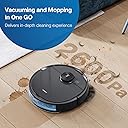
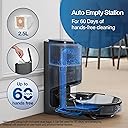
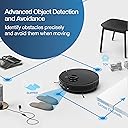
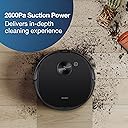
I have owned a few robot vacuums, most of them from Ecovacs and have been mostly happy with those purchases. Before this unit, my main floor Deebot was the 900, which has been retired to upstairs area. The main thing that drew me to the 900 was one of the first lidar based robots which did a pretty good job over the last few years avoiding obstacles, but it was never perfect even after years of updates. I was very reluctant to trust that the new models have come much further, but I can say I was happily wrong. Initial unboxing and setup was straight forward, especially if you have ever used any robot vacuums. It was interesting to see the auto empty unit was already loaded with a vacuum bag, but others have noted the same thing. It is very possible they quality test the unit in the factory and load the first bag for this test. Not an issue. I placed the auto empty station next to the older 900 unit and its dock, and docked the N8 Pro+ robot after attaching the 2 side sweeping brushes and removing the protection sleeves with the pull tabs. Powered on the toggle switch and the unit indicated it was charging. I used the QR code found under the top cover to download the app (different from the old Ecovacs Deebot app, the Ecovacs Deebot 2017 app, and now called Ecovacs Home). The newer UI on the most recent app is more intuitive and better tools for map managing than the older 2 apps were. This was a welcome finding that they have updated this. The app setup is a bit annoying it that it wants to map the house before any other options are available, so just note setting up no go "walls", rooms, new names, etc are not shown on the UI until the completion of the first cleaning run. Also to note, make sure you have the auto empty station dock flat against a wall that is somehow perpendicular to your house design. This was a major headache if you don't do this. What I mean is if your house is mostly a rectangle or square layout, make sure the wall you start with is 90 degrees to your home layout and not against a wall that is diagonal or circular to your house layout, otherwise, your home map will be weirdly placed on the map it generates forever and all time. You cannot (under the latest version as of 5-28-21) rotate the map once it is generated and the robot/app situates the map of the home based off the angles it detects on first undocking. So if the wall behind the dock isnt flat and perpendicular to the other walls, it may layout your map diagonally. This may not seem like any particular issue until you go to edit your map, generate zones, place no go walls, etc, because the map only uses rectangles to set zones and no mop areas and if you map is off on a diagonal direction, you will have no way to easily set these areas other than virtual no go "walls" which can be diagonal. This seems like a very big oversight and something that could easily be fixed, but there is no current provision for this and will force you to reset the entire map and start all over again. Not the end of the world, but quite an annoyance if you are not aware of what is going on. Hopefully this saves someone that pain. Now for my first cleaning. That main reason I wanted to get this unit is the improved obstacle detection. I hate having to prepare the house for a run so that it doesnt get stuck anywhere only to come find it got stuck and a large reason my last vac didnt just run on a constant schedule. In a large home (4000 sqft) with 2 kids and a dog, it was really awful to assume it would run nonstop without issue. The old unit had horrible times with anything dangling from any possible reach. It was also bad about getting hung up on low pass areas under coffee tables, end tables, etc. This unit happily is not having those issues. The front sensors seem a lot more capable of sensing things it cant fit under perfectly and the map allowed to easily prevent any future (investigations) of those areas where it would only find it couldnt fit. Be very aware, it is known that the first mapping pass takes MUCH longer for the unit to finish and will almost always not happen in the first go and require a recharge and resume. This is as designed as the unit takes extra time to map the area more closely. Once a map exists, the unit will traverse a lot more efficiently and take less time to investigate areas. I did notice this unit struggled slightly more than the 900 with tall rugs, at least at first, but then somehow it seemed to "learn" something and employ a turn around backup maneuver to get up on the rug in reverse since it has more clearance, turn around, and proceed to clean the rest of the rug (a tall pile rug on hard wood floor). I thought at first this would be a fluke, and it just happened to get up on the carpet this way, but multiple cleanings and it still does this to get over the lip of the tall pile rug. I really like the new mapping feature that detects carpet versus hardwood/tile and puts this on the map, even door mats that are carpet. This causes the vacuum to increase suction while over these areas which is a very welcomed feature. My family has already noted, this one if much quieter than the 900 and any other vacuum we have ever used while running. Slight increase over carpet, but being that it is now over carpet, not that audible since it is dampened by the carpet itself. Battery life, many indicate how this has less battery capacity then the last unit, and this is true, but I feel this is a cost cutting measure and not something that is a real issue with the unit. In my opinion, this unit is used differently from before as you can let it run more constant scheduling since it is more capable and can auto empty. When you free your mind to this concept and use it that way, battery life is much less an issue. On the initial run, it needed another charge to finish the entire 1st floor, but subsequent runs can finish on 1 run as it takes 84 minutes to complete the whole floor with some room to spare. If you schedule rooms alternating, etc, you should never run into an issue. The do not disturb times allow you to set this and sort of forget it. Just check the vac bag in the unit from time to time for fullness. One thing I want to mention from the old unit, the old unit was HORRIBLE at returning to the dock to charge, the N8 Pro+ is a lot better at finding the way back to the dock. The old unit would sometimes go in the opposite direction to get home first and sometimes run out of power while trying to find its way back. This unit generally drives right to it. Much better.