


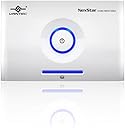
Vantec Hard Drive Dock (NST-D100SU)
Product ID: 3175480
Details
- BrandVantec
- ColorWhite
- Hardware InterfaceFireWire eSATA
- Compatible DevicesLaptop
- Total USB Ports1
- Number of Ports2
⚡3Gb/s transfer speed
💾Supports 3TB drives
🔌USB & eSATA connectivity
🚀 Elevate Your Storage Game!
The Vantec Hard Drive Dock (NST-D100SU) is a versatile and user-friendly solution for accessing and transferring data from any 2.5" or 3.5" SATA I/II hard drive. With lightning-fast transfer speeds of up to 3Gb/s and compatibility with both USB and eSATA, this dock is perfect for professionals seeking efficient storage solutions. Its compact design makes it easy to transport, ensuring you can take your data wherever you go.
| ASIN | B00180MMZC |
| Best Sellers Rank | #2,078 in Enclosures |
| Brand | Vantec |
| Color | White |
| Compatible Devices | Laptop |
| Customer Reviews | 4.0 out of 5 stars 99 Reviews |
| Global Trade Identification Number | 00844767012551, 04716872100156 |
| Hardware Interface | FireWire eSATA |
| Item Weight | 1.3 Pounds |
| Manufacturer | Vantec |
| Mfr Part Number | NST-D100SU |
| Model Number | NST-D100SU |
| Number of Ports | 2 |
| Total USB Ports | 1 |
| Total Usb Ports | 1 |
| UPC | 844767012551 102930718687 172304237090 112840000550 191120074269 172302685367 168141458491 012304349044 |
J**N
Functional and versatile!
My old computer died months ago. Thanks to this device I was able to recover the data on that computer's OS drive. I like that I can turn the drive on and off (something that seems to be lacking on most regular USB external drives). The only qualm I had with it was a product of my own ignorance - for those who aren't familiar with eSATA, it's a high-speed data cable similar but not identical to USB. This "toaster" apparently requires that all three cables - power, USB, and eSATA - be connected in order to allow access to the drive. If you don't have a newer model of computer, you may not be able to make use of this (then again, I doubt you'll be purchasing something like this if you aren't having a problem with one or replacing one). All in all, I think it was worth it for the money (though if I were planning to still use the drive as an OS drive for some hairbrained reason, I would've bought a permanent case instead of this).
R**R
3.5 Hard Drive dock for SATA HDs
The unit works as described, but you should have a SATA extension cable and an adapter for the back of your PC to take advantage of SATA speeds (not included). I have not used the USB with it. The drive I am using is a Hitachi Nextstar 1 TB...and it is very quiet without any fan. Cooling is via the ambient room temperature only. The drive activity light is the long blue strip at the bottom, with the blue LED circles for the power status and in the center the on/off switch. You must shut the unit off to remove it, or use the Safe Remove function from your desktop OS. Very nice and simple solution for extra storage.
C**F
Some good, some bad, but it does the job.
I bought one of these to satisfy the need for conveniently swapping out drives to offline or backup data. It does this wonderfully. It was easy to install, although if you don't have your computer on your desk, you might want to buy a longer eSATA cable since the one included isn't very long. I didn't have a problem with the power button as mentioned by a few reviewers. One annoying thing with this unit is that sometimes the drive doesn't align properly in the slot and the SATA and SATA power connectors won't engage. Also, it's so light that it often tips over by the weight of the eSATA and power cord dangling down behind my desk when there isn't a drive in it. It would've been nice if they put a little ballast on the bottom of the unit. Also, if you are reading or writing data to/from the drive for long periods, your drive will heat up considerably since there's no fan cooling it. Would've been cool if these things had a small fan in them, but not sure how they'd get enough air circulation to help. The eject button is a little hard to push, and doing so sometimes pops the drive up too much and it bounces in the slot. I remove the drive with a combination of gently pulling up while pushing the button. Definitely power-down the hard drive before removing though. It's tempting to hot-swap the drives, but it has the potential to damage the circuitry and there's always the possibility of causing internal damage (i.e. head crashes) since the drive is still spinning and the heads might not be parked.
T**H
Hard Drive Toaster
Purchased the Vantec NST-D100SU "Hard Drive Toaster" about a month ago and have used it frequently since. Primary use is to backup my 3 computers. The device has worked flawlessly connected both via USB and ESATA. There is really very little to say about its operation. You plug it in, turn it on, your computer detects it, you have a drive. I've experienced no problems whatsoever during the time I've used it. You do need to follow the rules about not inserting or ejecting your hard disks when the device is powered. Just RTFM (its short) and you will be fine. The only things I would change is to make the device a little heavier for stability and it would be nice if a cover of some kind was provided for when it is not in use. At any rate, I would recommend this to anyone who is thinking about this kind of device.
S**G
There's a reason they call these "toasters"
Purchased this item along with a brand new Seagate Barracuda 1TB drive. Unit looks good and the idea behind it is genius but like Eugene Vasserman's review I too noticed that the drive wobbled a bit in the slot. Installation was a snap and the first time I used it everything worked beautifully. The second time I used it, I placed the drive in the socket making certain it was pressed all the way down and pressed the power button on the front. The pretty blue light came on and I waited for the drive letter to show up on my screen but it never showed. I looked over and the blue light was out which evidently means your toast is finished. I ejected the drive and was greeted by the smokey smell of sizzling silicon, mmmmm, what a delight! In my case I believe the socket was just sloppy enough to allow a short between two or more pins on the hard drive. Take a look at a sata drive and see how close they are together, it wouldn't take much play in the socket connection to cause a problem. My suggestion is that you get one of the self-contained external drives. My wife got a WD drive and while it does make a bit of noise it's not excessive and it works pretty well. The only problem with it is that when you re-boot the computer, unless the usb cable is pulled or the power to the drive is turned off the boot process hangs until you do so and re-boot. I think it's due to a wrong setting in the bios boot sequence but so far everything I've tried has failed.
G**N
Very Disappointed
I have never received a bad Vantec or NexStar product and specifically purchase the brand if given a choice. I incorrectly assumed that this premium priced product would be the best SATA drive reader. I wanted it because it is the only device that allows you to connect via eSata. Well I should have read the other reviews. This thing worked for 10 minutes then died. It connected once via eSata. Then it connected USB 2.0 3 times. Then when I went to turn it off to reboot, the big power button got stuck. The eject button is a light plastic fulcrum that prys the drive out from the inside. You would do less damage to the drive if you yanked it out while connected. Shame on you Vantec for making such a premium priced product that is made cheaply both electronically and with the quality of the plastic housing and mechanics. But, it comes with white eSata, white USB and white 12V power supply and it does look fabulous from a design perspective. The power button glows blue when powered up. Problem is it will not power up. I exchanged it and got another and so far the new one works. Keep your fingers crossed that my first experience was a one-off production mistake
C**L
Careful! May not work with drives over 1TB
This does not work with my 1.5TB Samsung drive (at least the one that I have), but my Thermaltake dock does. Others report failure with 1TB+ drives as well. Same with a Western Digital 1TB EARS drive. I recommend the Thermaltake dock instead, but perhaps there are now updated units that support the newer drives. By the way, I did contact Vantec and support was quick but unhelpful as they couldn't do anything to fix the problem and had no firmware updates available (which I was hoping might fix the problem).
D**C
Awesome = Vantec NexStar HD Dock
Bought because it was recommended in a computer magazine article, Maximum PC I think, and wow were they right. High quality, easy to use, inexpensive (in my opinion) and very useful -- especially for computer upgrades, back-ups, and extra capacity. Not exactly high transfer speeds, but not bad either. Highly recommended.
S**A
Four Stars
Nice product as described
Trustpilot
2 weeks ago
2 weeks ago