Desertcart purchases this item on your behalf and handles shipping, customs, and support to Portugal.
🎨 Elevate your digital art game—create like a pro, anywhere you go!
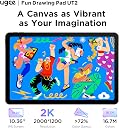
The UGEE S640 is a sleek, ultra-portable drawing tablet featuring a 6.3x4 inch active area and a battery-free stylus with 8192 levels of pressure sensitivity and ±60° tilt support. Equipped with 10 customizable shortcut keys and a fast Type-C connection, it offers seamless compatibility across Windows, Mac, Linux, Android, and Chrome OS. Ideal for artists, educators, and remote professionals, it enhances creativity, productivity, and online collaboration with a lightweight 280g design that fits perfectly into any modern workflow.


| ASIN | B0F12HZNC3 |
| Active Surface Area | 6.53 pulgadas² |
| Best Sellers Rank | 9,124 in Computers & Accessories ( See Top 100 in Computers & Accessories ) 44 in Graphic Tablets |
| Box Contents | U-Pencil, Replacement Nibs, Drawing Gloves, Nib Removal Tool, Smart Folio |
| Brand | Ugee |
| Brand Name | Ugee |
| Compatible Devices | Tablet |
| Connectivity technology | Standalone |
| Country of Origin | China |
| Customer Reviews | 4.2 out of 5 stars 867 Reviews |
| Display Type | IPS |
| Item Weight | 1.5 Kilograms |
| Manufacturer | UGEE |
| Manufacturer Part Number | UT2 |
| Model Name | UT2 |
| Model Number | UT2 |
| Model name | UT2 |
| Native Resolution | 2560x1440 |
| Network Connectivity Technology | Standalone |
| Number of Items | 1 |
| Operating System | Android 14 |
| Operating system | Android 14 |
| Pressure Sensitivity | 4096 Levels |
| Pressure sensitivity | 4096 Levels |
| Product Features | NanoMatte Screen |
| Product Warranty | 1 year |
| Screen Size | 10.36 Inches |
| Software Update Supported to Date | unknown |
| Special feature | NanoMatte Screen |
| Specific Uses For Product | Drawing, Note-taking |
| Target Audience | Artists, students and graphic professionals |
H**H
Great Value, Plentiful Customisation
This is one of a few drawing tablets I have used and it arrived neatly package and was very easy to set up. I've used it on my Windows 10 laptop as well as android tablet. You could simply "plug and play" but it's so much more customisable with the software and driver provided by their website, labelled on the bottom of the box. There are 2 user guides, one is for PC/Laptop, second for mobile devices. There are 2 port adaptors included, converting the USB-A cable provided to either Mirco-USB or USB-C. The cable is 1.5m long, more than long enough for my needs. The keys at the top can be customised with the software and it's quick and simple to re-programme them so I can easily change depending on what sort of stuff I'm doing and streamline its process. The tablet only picks up the stylus so no issues resting my hand on it and I've found it suitable for left-handed users - my sibling had no issues either. The stylus is the perfect size and weight and feels comfortable when using for long periods of time. You also get a metal ring device, used for replacing the 9 spare nibs included too. I have used it for 2 weeks since receiving it and have not had any scratches on the tablet nor any issues with any of the buttons both on the tablet and on the stylus. Being so slim and lightweight, very easy to slip it in with my office laptop in its pouch and not even notice the weight difference. Overall I have really enjoyed using it both for drawing as well as for work. Definitely would recommend for those seeking great value on a budget or a spare to travel with.
A**R
Don't forget one note
I am a total novice with a tablet!I followed the instructions and nothing was working.Istarted again and noticed in light type that a programme such as one note is required.Downloaded one note on my laptop and all worked well Did not customise fast keys I found one ote a better solution. Good product now
A**N
Good price
Good price and easy connection to laptop, would recommend very smooth and good drawing
N**.
Brought for teaching, one happy teacher!
I am so happy I brought this. As a maths teacher this is so handy as typsetting maths can be time consuming, it makes my lesson planning and delivery seemless. I have been in various classrooms where writing on the board is not possible. This just plugs into my laptop and away you go. No need to download additional software. Pupils find it easy to follow. Excellent product.
S**A
Drawing tablet
Amazing product, help me with exam questions
A**X
Good for its price.
Slightly off with sensitivity as it clicks and draws while the pen edge doesn't even touch the surface. In some apps it makes unnecessary dots because of that, you need to hold the pen way too high from surface to make sure you don't have unnecessary lines.
D**E
Pad
Difficult to use doesn’t lineup with where you you want to put draw the line Basically, it’s easier to draw on paint then on this rubbish
P**I
its a little small but an okay size
this item is AMAZING works well with my laptop
A**O
Buena tableta para principiantes
Esta es mi primera tableta de dibujo, y aunque la transición ha sido algo desafiante, la comodidad y la experiencia de uso son excelentes. La tableta incluye botones personalizables para asignar atajos de teclado, así como documentación para instalar los drivers correctamente. Aunque funciona bien sin ellos, es recomendable instalarlos para un rendimiento óptimo. La instalación y configuración son sencillas y ajustables a tus preferencias. Además, la presión al dibujar se siente muy natural y precisa. Recomiendo esta tableta para quienes deseen iniciarse en el dibujo digital sin realizar una gran inversión.
D**Y
しっかりした作りで使いやすいです。
仕事で大型のtabletを使用してきましたが、自宅での趣味用に購入しました。しっかりとした作りで使いやすい。WINDOWS10上でPhotoshopで使用していますが、反応速度、分解能も問題ない。充分に使えます。付属のマニュアルは極く簡単なものですが、それなりのものがダウンロードできます。その先は、tabletを使用したことのある方なら、特に問題なく使用できると思います。推奨できる機種です。
Z**R
güzel
Güzel ürün hızlı geldi. Telefonlarda çalıştı fakat Samsung A9+ tablet tanımadı. Yetkiliye yazdığımda Android 14 altında çalıştığı bilgisini geçti.
C**L
realmente solida y de calidad genial
esta es una reseña después de más de 4 meses de uso: Nunca he tenido ningún problema en todo este tiempo, y eso que soy demasiado brusco con todo y se me suele romper todo por eso. No enconté en todo internet una tableta tan barata, y resulta ser de genial calidad. AHORA UNA REVISIÓN DE TODO LO QUE INCLUYE: (caja, tableta, pluma, cable (usc-c /// usb-a), puntillas de repuesto, herramienta de extracción, adaptador (usc-a///usb-c) y otro adaptador de (usb-a /// micro-usb) 1. la caja: es de buena calidad y bonita, por el precio no te esperas que te llegue una buena caja como de producto caros, pero si la tiene, viene todo segmentado y bien empaquetado individualmente en una muy buena caja bien distribuida y bonita. 10/10: buena experiencia de unboxing. 2. la tableta: se siente bastante pesada y solida, trae gomas de muy alta calidad y esta super bien acabada, no cruje ni suena aunque la sacudas, (la verdad espanta un poco que sea de tan buena calidad por el precio) cosa que me dio la seguridad para llevarla de viaje junto con mi laptop en un viaje donde aventaba la mochila, la llenaba de cosas, me subía a autos apretados, aviones, etc... y en ningún momento me dio miedo de que se rompa o cruja siquiera un poco. Tiene 10 botones con muy buen click, la tela para sujetar la pluma esta muy bien tejida y sólidamente soldada, el usb-c que incorpora es muy solido y es del tipo que no se dobla o se desgasta (el metal del conector no esta soldado, sino que es una pieza solida única internamente) y el tamaño no se siente para nada pequeño ya que lo usas... la textura de la tableta es suave pero texturizada, dando una sensación de estar escribiendo sobre papel, pero, si que tiene más textura que algunas tabletas, lo cual da buena sensación, pero el desgaste por fricción es mayor, pasa en todas las tabletas y no altera su funcionamiento de ninguna forma, pero si que es cierto que se notará en la luz el desgaste en la superficie mas rápido, cosa que pasa en todas las tabletas. 10/10 muy solida 3. la pluma: es pasiva 🤨 xd (ósea que no necesita pilas JAJA) y se siente solida y de buen tacto, es ligera pero sin que de esa sensación "barata", lo cual es bueno porque te cansas menos, tiene buen grosor y longitud, de hecho, yo que tengo las manos muy grandes me queda perfecto, el tacto es liso pero no se resbala en lo absoluto, ya que se siente mate, los botones son 2 y tienen buen tacto solido, pero suenan un poco al agitarse, ya que en realidad es un botón de click sin esfuerzo y largo... pero, como dije, soy muy brusco, y la verdad, siento que por peso que tiene, si sale volando la pluma, o sobre todo, te sientas en ella o la aplastas, creo que quizás se agriete el plástico, la durabilidad es prácticamente como la de una pluma para escribir gruesa, todos sabemos que se rompen y las intentas romper, aplastas o avientas, incluye una bolsita como con 15 puntillas creo, en todo este tiempo solamente le he cambiado una sola vez porque la que venía original ya se le estaba aplanando la punta (cosa que afecta la facilidad de los trazos y raya la tableta) asi que genial, tambien incluye una mini pinzita metalica para extraer fácilmente las puntas. 10/10 de calidad pero te caes en ella vale caca. 4. cables y adaptadores: el cable no jodo que es de los mejores cables que ahora tengo, el tacto es suave pero es super grueso y largo, se siente denso y genial, la pieza usb-c que se conecta a la tableta esta en horizontal para no estorbar, y es de la mejor calidad de metal, no tiene la tipica linea soldada en la mayoría de cables usb-c, este es de pieza completa como en los cargadores de mac, ipad, iphone... simplemente asusta que venga tan buen cable, además, tiene 2 telas con velcro para poderse enrollar o fijar en donde sea, y se siente de calidad impresionante, no es el tipico velcro kul3ro... en el otro extremo trae usb-a, cosa que, necesitaría de un adaptor para conectarla a mi macbook, pero espera... INCLUYE 2 ADAPTADORES, uno para conectar la tableta a una entrada usb-c, y otro a una micro-usb... por lo que puedo conectarla sin miedo, ya que también son de calidad y aprietan super bien, no me da miedo usarlos... 99999/10 5. funcionamiento y software: simplemete la conectas a cualquier pc, sea mac o lo que sea, y instantaneamente va a funcionar, (yo la conecto a una Macbook Air M1) no tiene ningún tipo de latencia o entrecorte, y la presición es tal que no le pide nada cualquier tableta de cualquier otro precio por alto que sea, la sensibilidad a la presión es brutal, literalmente instantánea, no da senzación de fragilidad, o de que va a fallar, sin miedo puedes dibujar super suave apenas rozando para trazos super delgadisimos, o puedes apretar considerablemente fuerte para tus trazos gruesos... ahora, el software es facil de descargar, te metes en su web oficial, y buscas el modelo en el apartado y lo instalas... tengas windows, mac de las viejas o de las nuevas con ARM, o linux se puede instalar como aplicación normal, lo app lo reconoce instantáneamente y puedes modificar TODO, desde el área de la pantalla o de la tableta que quieres abarcar, hasta la sensibilidad de la presión, en los botones de la tableta y de la pluma le puedes configurar incluso comandos de varias teclas diferentes con solo presionar un botón, o por ejemplo, que en cualquier programa al mantener pulsado uno de los 2 botones de la pluma se ponga la goma automáticamente (funciona con cualquier programa, desde blender o krita, hasta OneNote) 10/10 es simplemente genial, y hasta tiene buena interfaz y logo, asi que no se ve como el tipico programa controlador cul3r0... en general, recomiendo comprarla, supero mis expectativas incluso comparándola con marcas mas reconocidas como wacom las cuales solamente en oferta cuestan lo que cuestan esta (y eso que no incluyen adaptadores que esta si trae) la verdad, incluso si tuviera mucho mas dinero, a menos que se me friege o me compre un ipad pro de 50 mil bolas, la voy a seguir usando cuando la necesite, esta ya me va perfecta para mis proyectos.. hasta me sobra, porque nadamas uso MAXIMO 3 o 4 botoncitos (trae 10 en la tableta y 2 en pluma)
A**N
Great for beginners…and some small issues.
Wow. I was expecting this to be really trashy because i had asked some friends about their thoughts and they said it wouldnt be that good, but i used it a lot- and its so much better than i thought. Of course, something like this isnt exactly “ideal” for professional drawing but for beginners this is perfect. I was convinced 6x4 would be small but its actually a really good size. I love how easy it is to wrap up the cord and take it wherever with me. I haven't installed the program but the buttons work, the brush, eraser tool and the undo. Sometimes i just like sitting there clicking them because i love the sound. See- i WOULD. have put a 5 star, but ive come to see that as im drawing the pen will randomly dot on the screen. Or if im trying to make really small details it just lags and wont draw it. The other reason why i picked 4 star is because i followed all the instructions to use it on mobile and it wont work. But mostly because the drawing problem. Not to mention, sometimes while drawing i will lift the pen up and it will just stay coloring, (without me clicking anything) and it wont stop till i spam a bunch of the buttons or turn it off and on again. Other than that, i think if you can look past those small things then youll be fine. (Here is something i drew with it. The colors look weird in the picture but normal irl.) HELP. I realized this was a Computer problem. THE PAD CAN DRAW SMALL DETAILS!! my computer is just lazy. Tyy
Trustpilot
3 weeks ago
2 months ago