

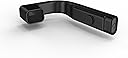
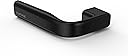
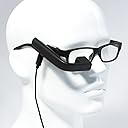




Vufine Wearable Display (Standard - 2016 Kickstarter Edition)
Product ID: 44147622
2016 Kickstarter Edition: Vufine is a high definition, wearable display that allows you to enjoy the functionality of your current technology in a handsfree environment. Vufine is great for piloting drones, operating remote cameras, playing location-based games and dozens of other uses. Neither virtual reality nor augmented reality, Vufine is a new approach to wearables that focuses on the primary component of both devices: the display. We believe your technology is smart enough, you simply need new ways to experience it. Vufine attaches to glasses via magnetic docking station and connects with an HDMI cable to avoid latency issues and preserve battery life. Powered by an internal battery, Vufine lasts for approx. 90 minutes and is capable of charging while in use for extended activity. The Vufine Standard model does not offer display modes or left eye compatibility. The Vufine Standard is compatible with all Vufine and Vufine+ accessories. The difference from the current Vufine+ model: No Docking Station Plus, No display modes, and limited 720p compatibility. Review: Works very well for video or images. - Exactly what I was hoping for. Only ding on comfort comes from the screen still being a little small to read emails, but using for images works well. Review: Work in Progress. - I wanted to give this product a fair chance, try out every feature and way of using it, and make sure I tinker with it as much as possible when something didn't work. Here are the results of my findings: In a nutshell, think of it as a wearable monitor. That's it. The resolution is fairly small, about the size of an iPhone 6 flipped sideways. The resolution is very clear and sharp, but your eye is simply incapable of fishing out tiny text on a web site when viewed through the screen, unless you zoom into that page. Likewise, you will probably want to decrease the resolution considerably. For PC use: I attempted several ways to use this. For network monitoring, I was successfully able to stick a PRTG diagram via a web page into the screen in a more or less meaningful way. Extremely zoomed in RSS feeds were also viewable. Some classic games, in particular Lucas Arts X-Wing, Mech Warrior, and Wing Commander were a bit fun to play due to the novelty factor of the eyepiece. (Still can't find a way to do multiple screen in Mech Warrior... that would have made my year.) Movies played perfectly, and subtitles were clearly visible. The sharp downside of PC (and for that matter tablet/phone use) is the utter lack of sound. The connection is HDMI, which conveys audio and video. On the PC, you will have to manually redefine audio output to get any sound out of the computer when this device is plugged in. In attempting to use it with RaspberryPI out of the box, I was not able to see the initial config text. When I connected it to my son's KANO computer kit (children's kit for RaspberryPi,) it displayed everything perfectly, with the text being clearly visible. You will need to pre-configure your Pi for optimal resolution if that's how you want to use the Vufine device. On the iPhone: For this purpose I purchased an iPhone HDMI adapter. The screen projected perfectly. All text is very sharp and visible (the dimension of the projected screen on the Vufine device is exactly the iPhone flipped sideways as I sad earlier.) The gaming is ok, but you still need to know where your thumbs are, hence the eyepiece is just an added novelty for the most part. I made an attempt to use GPS while driving, which turned out to be a bigger pain than simply mounting your phone on a dashboard. It seriously messes with your depth perception while driving, making stops more sudden. For this purpose it is simply impractical, and will definitely take a LOT to get used to. For watching videos, be advised that you will not have sound. Again, the HDMI connection assumes that the receiving device will broadcast audio. The Vufine does not have an audio output jack, hence no sound. CONS: After a while, it will start to bother your eyes. Even as I type this, I am mildly irritated by the sense of something being over my eye. Again, wearing these devices will take a lot of getting used to. For short periods of time, it can be fun, but for prolonged use it may not serve you well in it's current form. No way to have sound on iPhone when watching videos. THE VERDICT: For the time being, this is simply a novelty item. It does not serve a practical purpose out of the box. The only real potential I see as of now, is for developers. I will be using my RaspberryPI to create a smart HUD in the near future. Otherwise, it may make sense to wait for a better smart device with more integrated features and capabilities.
| Customer Reviews | 3.2 out of 5 stars 47 Reviews |
C**Z
Works very well for video or images.
Exactly what I was hoping for. Only ding on comfort comes from the screen still being a little small to read emails, but using for images works well.
D**R
Work in Progress.
I wanted to give this product a fair chance, try out every feature and way of using it, and make sure I tinker with it as much as possible when something didn't work. Here are the results of my findings: In a nutshell, think of it as a wearable monitor. That's it. The resolution is fairly small, about the size of an iPhone 6 flipped sideways. The resolution is very clear and sharp, but your eye is simply incapable of fishing out tiny text on a web site when viewed through the screen, unless you zoom into that page. Likewise, you will probably want to decrease the resolution considerably. For PC use: I attempted several ways to use this. For network monitoring, I was successfully able to stick a PRTG diagram via a web page into the screen in a more or less meaningful way. Extremely zoomed in RSS feeds were also viewable. Some classic games, in particular Lucas Arts X-Wing, Mech Warrior, and Wing Commander were a bit fun to play due to the novelty factor of the eyepiece. (Still can't find a way to do multiple screen in Mech Warrior... that would have made my year.) Movies played perfectly, and subtitles were clearly visible. The sharp downside of PC (and for that matter tablet/phone use) is the utter lack of sound. The connection is HDMI, which conveys audio and video. On the PC, you will have to manually redefine audio output to get any sound out of the computer when this device is plugged in. In attempting to use it with RaspberryPI out of the box, I was not able to see the initial config text. When I connected it to my son's KANO computer kit (children's kit for RaspberryPi,) it displayed everything perfectly, with the text being clearly visible. You will need to pre-configure your Pi for optimal resolution if that's how you want to use the Vufine device. On the iPhone: For this purpose I purchased an iPhone HDMI adapter. The screen projected perfectly. All text is very sharp and visible (the dimension of the projected screen on the Vufine device is exactly the iPhone flipped sideways as I sad earlier.) The gaming is ok, but you still need to know where your thumbs are, hence the eyepiece is just an added novelty for the most part. I made an attempt to use GPS while driving, which turned out to be a bigger pain than simply mounting your phone on a dashboard. It seriously messes with your depth perception while driving, making stops more sudden. For this purpose it is simply impractical, and will definitely take a LOT to get used to. For watching videos, be advised that you will not have sound. Again, the HDMI connection assumes that the receiving device will broadcast audio. The Vufine does not have an audio output jack, hence no sound. CONS: After a while, it will start to bother your eyes. Even as I type this, I am mildly irritated by the sense of something being over my eye. Again, wearing these devices will take a lot of getting used to. For short periods of time, it can be fun, but for prolonged use it may not serve you well in it's current form. No way to have sound on iPhone when watching videos. THE VERDICT: For the time being, this is simply a novelty item. It does not serve a practical purpose out of the box. The only real potential I see as of now, is for developers. I will be using my RaspberryPI to create a smart HUD in the near future. Otherwise, it may make sense to wait for a better smart device with more integrated features and capabilities.
E**E
Vufine but is the View really Fine?
Holy cow man! Just read this even if you said to yourself you are going to buy this cause it looks cool and I don't care what anyone else says. Okay so now that I've got that out of the way, I bought this item with the same exact idea. I didn't care what anyone else thought of it. I wanted one now. Well When it arrived it was well packaged and everything was still in the box. It has: 1 pair of glasses 1 usb micro to usb cord for charging 1 mini hdmi to hdmi cord (this is so people don't buy one of these with the order thinking they need to get one.) 1 vufine wearable display 1 thing to attach the display to the glasses 1 metal piece to attach the display if you are wearing thin framed glasses 1 set of instructions. It was an average build quality. It was made of plastic but didn't feel cheap. The instructions were half way decent. I figured out what everything was and how to use them. There is one button on the thing but you had to learn how to use them. One fast press and it turns on. One press and hold to turn off. If you press and hold it while it is off, it remains off. If you just click it when it's on nothing happens. So I plugged them in to charge. I waited 20 minutes and then attached them to my windows pc and then turned them on. I was like, I'm going to play my computer and bring up stats at the same time. And then when they turned on, I was underwhelmed by how small the display was inside. The screen looked so small and it felt like it was two feet away. It felt like they tried to go half way in making it a full cover your entire eye and make it an augmented reality device. But since you couldn't see threw it, it just kept like freaking me out. I was going to use this for text mostly so it didn't matter to me, just looking down at it from time to time is all I would be doing so the thing making it look two feet away was okay for me until I tried to read something. I brought up some text on a browser and then, wow.... (in a bad way). The center was clear but the edges were all fuzzy. It also had this weird glare you get when you up the whiteness levels on your screen and it was all around the edges. This made it impossible to read anything on the edges of the screen. Even if you tried to blow everything up, if it wasn't the proper dimensions, the Vufine wouldn't compensate and just leave you with a black screen with pixels randomly turning gray. (More on this later) I did try to play a game on my full screen and watch a video on the Vufine. It was again disappointing because the details were all fuzzy and glare made it so I had to concentrate instead of a quick look at the Vufine and then back up at my screen. I was like, my dual screen setup is better than this. I had to move my eyes anyways to look at it so I might as well look at something that doesn't have a horrible picture. Then it happened, the reason I am returning the Vufine. 30 minutes had passed since I turned it on. I was on the blue windows background because I couldn't take watching a video on the Vuefine any more.I then saw it change out of the corner of my eye. The whole picture suddenly became undersaturated. That bold dark blue now looked like someone had mixed together blue paint and white paint in a kindergarten art class. They were both there but not there. I believe this is called undersaturation. So I unplugged the mini hdmi cord and plugged it back in. Then everything went back to normal. Then a few minutes after that I went to adjust the screen horizontally to get it to move right in front of my eye. As I did so, there were stutters of red, green and blue stripes going down my screen. Of course it stopped when I finished moving the thing but that was scary in itself. When I move a monitor with a cable I my monitor doesn't have random lines going up and down it unless it is broken. So I continued using it and again the white light came threw my screen again making the picture undersaturated once again. Again I unplugged the mini hdmi from the device and plugged it back in. Then that's where I had enough, the screen was back in proper color but it was zoomed in on a different part of my windows background. Honestly that was probably the best color I've had it the entire time. It was crisp and clear but it was literally a small, probably 5% of the screen (I couldn't tell it was so zoomed in). So again unplug and replug and then the undersaturation was there again. It then corrected itself back to normal colors. At this point after about maybe at most an hour and 30 minutes of use I was done with it after it discoloring several times for no reason and the stripes down the screen. I knew it was probably going to get worse the more I used it and I was planning on using it alot. For fun before I packed it up I had originally wanted it to be used for a mini computer with a raspberry pi. I literally ordered it for that one reason alone. When I plugged it in, there was nothing. That was the final nail on the coffin. I would stand oversaturation and the inability to read the items on the side, but when it couldn't just adjust the image to 720p from 1080p by itself. All that happened was the screen turned bIack, then white dots came up and then gray dots started forming in clusters slowly eating up the screen. I just couldn't take it. I know I could downsize the pi to produce a 720p picture but that wasn't the point. The point is is that every other screen I have tried or tested would display anything even if it wasn't the right size for the monitor. It would cut everything else it couldn't display but it would display something so you could possibly change the display settings on it. I had tested it earlier on my windows machine and tried to play with the display settings to see if I could get the text bigger when I used the internet. I set it up with every setting windows had. Only the 720p setting worked and 800x600. Everything else turned the screen black. In conclusion, the Vufine was a good idea, but it was implemented poorly. The thought of just having a display with a hdmi out you could wear is exciting. This is literally the only thing on the market with that idea. Everything else comes with a computer built in or it's wifi or bluetooth connected to your phone. But with problemed edges, the view making a screen look far away, and random spurts of undersaturation, this product should not be bought. To this day, I have only returned one thing from amazon until today because it didn't work straight out of the box. This makes item number two. I hate doing this. I would rather keep a bad product than return it because I have the "oh I get what I paid for" mentality but I paid a large amount of money for this and I swear I'd put up with all it's faults and just keep it, but when it starts to malfunction not even 2 hours out of the box, I get mad because I have to find a ups drop off point to get my money back.
T**.
Kickstarter owner - they work but usage is limited
The vuedine is an excellent low cost basic option to get a mobile display added to your field of view. The quality is such that you will get a visit computer display. The video/color quality is not great but that is ok because it's for viewing basic video information and NOT for warching video. For iPhone you use the HDMI to lightning dongle which is a gangly blob hanging off it the phone. But ideal. But for Pokemon go or for UAV or other mounted camera monitoring it's great. Just understand the video is of a quality of a 90's era VHS playback on a 20" tv. But it's enough fit what it's intended for. The system is simple solid and works. Only long term weak point is the longevity of the run her band that attaches the mount to your or the dummy eyeglasses frames.
M**S
No Bluetooth audio..
It's okay, but it doesn't seem to work with Bluetooth headphones, the second I plug it into my phone the Bluetooth headphones stop working..
J**H
Works exactly as advertised!
Device works exactly as advertised, pairs perfectly with all Windows-based devices. Does not work with Nvidia Shield tablet but the company makes this clear on their website and provides a nice comprehensive compatibility list. Highly recommend getting the headband mount, works much better than the glasses as others have said.
C**L
Picture in picture for life.
Vufine is the best thing I've ever kickstarted. Hands down, and I've backed a lot(too many, to hear my wife tell it.) One thing I suggest is to pop the lenses out of the included glasses. They reflected light from the overheard lights in some of the places I used this, and prevented me from positioning the display close enough to my eye for it to really look good. Viewing video works great. I watch netflix, local videos from an iPod, and video from a laptop with HDMI out. I've also build mounts for two different headphones (over-ear) so I don't have to use the glasses at all. That works a bit better. I pretty much never run the vufine without the charging cable also, so I can't speak to battery life, but 3 wires isn't too much worse than 1(for just my headphones). I wrapped them all in a cable sheath so they stay together and don't get individually snagged on anything. I also use the vufine to bring up UI specifications for testing, and being able to see it in an overlay on whats on my computer monitor is phenomenal. previously I'd have to turn my head left to right and try to match the spec on one monitor to the application on the other, but this is much much easier. Traveling my airplane, the vufine was a tremendously helpful device. Again I used it on just headphones(no glasses) and was able to relax(insofar as thats possible in coach seats) without having to either hold my phone up at an awkward angle or crane my head to see it set on the tray table in front of me. That time I did run on battery for about an hour and 15 min before they started serving beverages, so I got out my laptop and charged the vufine and my phone, both of which lasted for the rest of the flight. The vufine plus has a zoom display mode which makes reading text easier, but I had no trouble reading normal sized text on this display. Take that with a grain of salt though, I have 20/15 vision, so I can ready much smaller text than most people. I used twisted aviation safety wire wrapped around charging and HDMI cables to route them over the top of my headset to the left side, where the headphone signal and trackIR cables were already exiting. If you want picture-in-picture for your life, this does it. Its the best.
R**R
Doesn't work with a mini USB-C connection
The monitor works fine when connected to my computer, it also has a clear picture although it could be a little larger. The only real problem I am having is connecting it to my Smart phone, I have a Moto Force Z² and the connection port is a mini USB-C. I have yet to find an adapter or a combination of adapters to make it work with my smart phone.
A**ー
映るものが限られる
要件満たしてHDMI接続を色々試しましたが全然映りません。(笑) 元々はスマホ(android、Brackberry)に繋いで、動画見たり、リモートデスクトップして使うこと想定してましたが、HMLケーブルだと出力認識せず(android)BrackberryはSlimePortで繋がりはするが画面が頻繁に落ちる。 有線だと規格の都合が出てくるのでとMiracast レシーバーを用意して繋ぐも映らない。 ならばとスティックPCならと用意して繋ぐも映らない。 結局、まともに安定して投影できるのが Surfaceなどを有線コネクタに繋げて使ってなら映ります。(正直これ以外の利用は実運用に耐えられない) *iPhoneはもってないので試せてないですが… 歩きながらPC、スマホを稼働させることを夢見て買うと損をします。 タブレットPCや普通のPCなどは安定して投影できますが、それ持ち歩くなら普通にモニター、タブレットで使います。 唯一できるとすれば仰向けにねっころがりながらPCの画面見れるくらい。 実際にできることの制約に落差があるのであまり夢は持たない方がいいです。 バッテリー時間やメガネがずれるという以前にHDMI規格で色々映せる的な表現してるなら各種機器ちゃんと投影できるようにしてほしい。 機能的にはちっちゃいモニターメガネにぶら下げてるだけの機能しかないのにそれすらまともにできなくて2万8千円はどうかと( ̄▽ ̄;) p.s iPhoneは記事とか色々見てるとある程度使えるみたいです。
S**E
Doesnt work!
Simply does not work, returned!
A**ー
ゲーム用に購入
電車の中でゲームなどをするために購入しました。いつも使っているフレームの細いメガネで、説明書の通りスタビライザーをつかって固定してみましたが、重すぎてメガネが右側に傾いてしまいました。同梱のだてメガネや、フレームの太いメガネで使用する分には問題ありませんでした。 ディスプレイが小さいので、縦画面表示のゲームやアプリでは標準サイズのフォントを読むのが少し厳しいです。横表示に切り替えるか、設定でフォントサイズを拡大すれば読めるようになりました。 YouTubeなどのビデオを見るには画質も綺麗で申し分ありません。本体からは音が出ないので別途ヘッドホンをつける必要があります。ヘッドホンを先にさしてからVufineをつなぐと音が切れてしまい、一度ヘッドホンを外してつなぎなおす必要があります。バッテリは1時間の通勤にフルに使用しても持ちましたが、オフィスで再充電を忘れると帰り道の途中で切れてしまいます。モバイルバッテリにつないで使用することもできますが、二本のケーブルがつながっているのはさすがに不便に感じました。 Vufine使用時はスマホ画面の輝度を一番暗くして使用しています。こうすることで、周りの人からは画面がみえにくく、自分にだけくっきり見えるので、混んだ車内でも覗き込まれる心配がなく安心してゲームやビデオを楽しむことができます。ワイヤレスでない点や、画面のサイズなどもう一つな点もありますが、ディスプレイを一つ購入したと思えば、価格的には十分納得のできる買い物でした。
A**ー
説明書ガー
まず詳しい取扱説明書がありません! なので最初は壊れているのかも、と思ってしまうかも知れません。 接続できる(使える?)機器、とかがわかりません! iPhone、iPad(9.3.4?)とMacは今の処画面表示されました!他のデジカメ、ビデオカメラ(古い?)は画面が表示されません!解像度が関係してるのかも知れませんが、初心者にはわかりません(~_~;) 今の処ポケモンGo(やってない)にしか使い道が無いかもしれません! できれば使える機器とかの説明があればいいと思います! 接続できる機器が増えるともっと使い道が増えると思います^_^ 追記 iOS9.3.4にバージョンアップしたらiPad2でも接続できました^o^
K**M
用途と位置決めが重要です
まず商品として、コスパが非常に高いです。 以下、機能面と性能面の個人的雑感です。(あくまで個人的な感想) ・画質(○): 発色は素晴らしいです。コントラストは明るい画像絵だとちょっと気になる感じです。 視線を左右に速く動かすとLCOSやDMDの特徴であるカラーフリッカーが見られました。 ・入力(△): HDMIではありますが、PC,mac,iPhone,Androidで接続しましたが480p/720pしか利用できませんでした。(ネイティブの960x540は選択不可) また、画像モードが切り替わっても自動切換しない事が多々あり、VUFINEの電源を入れ直す事が多く発生します。(PCの場合は特に) ・重量(△): 軽い眼鏡を使ってる人には右の重さが気になるレベルです。 ・装着(△): マグネットで眼鏡のツルに着けるアダプタと合体する形式ですので、振動ではずれたり、上下にズレたりします。 このマグネットは有線で利用してる場合かなり有効で、不用意立ち上がったり移動した際、ケーブル断線やコネクタの破損より先に 本体が脱落する仕組みで助かりました。またHDMIケーブルは結構ジャマですので耳の後ろを介するなど装着には工夫は必要と感じました。 歩いて使うには固定をしっかりする必要があります。 ・電池(◎): バッテリーの持ちは十分だと思います。長時間利用の場合はmicroUSBが有効(充電しながらの利用も可能でした) 利用時のポイントは目からの距離と中心を出す事にあります。(左右はブームが伸長して調整可能) 中心(正しくは若干右)でないと当然画面全てが見えません。(上下は視線移動前提となっており自由度が高いです) 距離が適切でないと画面の全部が見えたり見えなかったりする感じで、眼鏡のツルにつけるアダプタの位置を微調整する必要があります。 できれば、そこのポイントはマークするなど工夫しておいた方が良いかと思います。 個人的には16:9の画面の中心4:3部分が見えるくらいがベターと思いました。(左右端の画像が不要なアプリ前提) 50cm先に5インチモニターがあるという感じに慣れると楽しいです。 最後に利用するアプリですが、HUDみたいに黒い背景に明るい大きな文字や図形を表示するものがお勧めです。(両眼での違和感が少なくなります) 小さい文字は商品説明の通り小さく見えるので判読が厳しいです。(視力の良い人は大丈夫かな?) 一応、動画再生や、ゲームをしたり、メールを読み書きするのには向いてないので、用途検討しておきましょう。
Trustpilot
2 months ago
3 days ago