Desertcart purchases this item on your behalf and handles shipping, customs, and support to Portugal.
๐ Elevate your workspace with flawless 4K clarity and rock-solid connections!
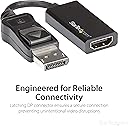
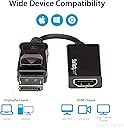
The StarTech.com DisplayPort to HDMI Adapter (DP2HD4K60S) is a compact, active video converter that delivers stunning 4K UHD resolution at 60Hz with 7.1 channel audio support. Featuring a secure latching DisplayPort connector and EMI shielding, it ensures stable, interference-free connections. Compatible with DP 1.2+ hosts and HDMI 2.0 displays, it offers plug-and-play ease across major operating systems, making it the perfect tool for professionals seeking enhanced multi-display productivity and premium audiovisual performance.

| ASIN | B01M6WK3KU |
| Best Sellers Rank | #41 in DVI-HDMI Adapters |
| Brand | StarTech.com |
| Built-In Media | (1)Mini DisplayPort to HDMI adapter |
| Color | Black |
| Compatible Devices | Monitor, Projector, Television |
| Connector Type | DisplayPort/HDMI |
| Current Rating | 1.5 A |
| Customer Reviews | 4.4 out of 5 stars 482 Reviews |
| External Testing Certification | CE, FCC |
| Finish | Hdmi, projector |
| Global Trade Identification Number | 00065030865722 |
| Item Dimensions | 8.5 x 7.7 x 0.4 inches |
| Item Type Name | A/V Cable |
| Item Weight | 0.02 kg |
| Item dimensions L x W x H | 8.5 x 7.7 x 0.4 inches |
| Manufacturer | StarTech.com |
| Mfr Part Number | DP2HD4K60S |
| Model Number | DP2HD4K60S |
| Nominal Power | 15 watts |
| Number of Items | 1 |
| Number of Ports | 1 |
| Package Quantity | 1 |
| Power Plug Type | No Plug |
| Specific Uses For Product | Monitor, Projector, TV |
| UPC | 065030865722 |
| Unit Count | 1 Count |
| Warranty Description | 3 Year |
| Warranty Type | Limited |
A**G
Worked perfectly for my system for flight simulator software
Just sharing this information in case it helps anyone; I know I had a lot of questions and did a lot of research before purchase and wasn't sure if this adapter would work. My system is as follows: Dell OptiPlex 7010 DT with 3rd generation I7 (Ivy Bridge) CPU. 16 GB memory, 500 GB HD and a 240 GB solid state drive, DVD Writer. I am using the integrated Intel HD 4000 GPU. I am using Windows 10 which boots off the solid state drive. I have an external sound system plugged into the line input in the back (subwoofer and 2 speakers). I attached my mouse and keyboard to two separate USB 2.0 inputs in the back of the desktop. I mainly use this computer for flight simulation (Flight Gear 2018.1.1 and Microsoft Flight Simulator X Deluxe Edition). I also have a CH Yoke and CH rudder pedals attached via separate USB 3.0 ports in the back of the desktop. The system had 3 monitor ports: One VGA, and Two Displayports. I was initially using only the VGA port since I had only one monitor; but wanted to add two more monitors using the built-in Displayports so that in my flight sims, I can have one monitor looking forward, and the other two monitors on either side with a left window view and right window view. For my project, I bought three identical LED monitors: 21.5 in screen and 1920 x 1080 resolution. Each of these monitors has one VGA input and one HDMI input. Once I got this StarTech adaptors (I ordered two of them), I plugged my center (main) monitor using the VGA ports on the monitor and computer. I then attached one of these StartTech adapters to one of the computers Displayports and a second StarTech adapter to the other Displayport on the computer. I then commected an HDMI cable to each of these adaptors and plugged the other end of each cable into the HDMI input in each of the other two monitors. I placed the HDMI monitors on each side of the main monitor, plugged in all the cables and powercords, pressed the ON button and the computer, crossed my fingers, and held my breath. The system booted up flawlessly. Windows 10 recognized each of the 3 monitors, and it set the resolution of each monitor to the correct setting. My main desktop and desktop icons were showing up on my "left" monitor (HDMI). The other two monitors had a taskbar and the basic Windows 10 screen. I then went to the Display Settings and windows 10 Identified all 3 monitors and gave them a uniqe reference number (1, 2, 3). I had to change the order of the monitors so that the mouse pointer would flow evenly from the far left monitor, to the center monitor, to the far right monitor. I had to go into the Sound settings to change the sound output to the internal sound card (and thus my external speakers); the system had defaulted to sending sound to one of the monitors via the Displayport/HDMI cable. I then went into each of the two fligth simulator sofware and was able to have the display exactly as I had wanted (this took several hours of tweaking the software since I am new to using flight sim software!). The center (VGA) monitor now showed the front window of the flight deck (and flight yoke and instruments), the left monitor (HDMI) was displaying the view out of the left window of the aircraft, and right monitor (HDMI) was displaying the view outof the right flight deck window. When I did some flying, all three monitors were coordinated as expected. The yoke and rudder pedals worked perfectly during flight. Bottom line, these StarTech adapters worked perfectly out of the box for my needs and for my system. Hopefully these converters are well built and will last a long time. Hope the above is helpful.
J**G
No more dozing off monitors
I am pleased to have found this DP to HDMI with active video converter adapter. I was having issues with cheap DP adapters and cables with the monitor going to sleep all the time. The active video conversion of this adapter fixed my issue. Very happy. For those curious of my setup, I have a Dell Optiplex 7070 with dual DP ports.
D**E
Highly compatible adpaters - even with using a KVMP switch! (No flickering!)
I recently gave my Dual 4k monitors to my wife and I ended up mounting two 4k LG tv's to my home office walls. Because the KVMP only has DisplayPort outputs, I needed something that would allow the conversion to the TV's HDMI inputs. The KVMP switch can only output two 60hz signals but I wasn't getting that with a different brand of adapters until I switched to the StarTech ones. Once I connected the adapters and paired them with JSAUX 8K HDMI Cables, the KVMP switch was able to work seamlessly with my LG TV's and produce the 60Hz refresh rate. I have yet to experience any flickering with this combination so I would definitely recommend them.
S**N
Just what I needed
This works very nicely for my XP Pen drawing monitor!
L**X
Mostly good news
I've got a Samsung smart TV I wanted to use on my PC, but it offers only HDMI ports. The one HDMI port in my card is already in-use, so I needed some help. I looked at several adapters before finding this one, which claimed to support 4k at 60Hz, so I decided to pay a little more for it. Good news, it works as advertised. Bad news, it dropped in price by 38% literally the day it was delivered. If you see it at a discount, it's a great deal.
M**S
Arrived on time. Works as described.
E**C
Do not attempt to connect to higher-end 4k 60Hz output
Take this with a grain of salt, as I was going through docking stations, and that could have had an impact on my situation. I purchased these to work with my Dell docking stations so I wouldn't have to mess with hdmi cables when docking/undocking (the 4k display I am using is HDMI only, the laptops have HDMI, but the docks don't). I was able to connect this to my 4k display and get it working with a laptop that only does 4k with full color depth at 30Hz, or reduced color depth at 60Hz. Unfortunately the reds are fairly dark compared to the other colors in both modes, so it ended up not being worth the reduction in hassle to use it with that laptop. It was worse for my gaming laptop, however; when I initially connected this to the docking station, it recognized the signal and defaulted to 4k @ 30Hz and worked fine, but when I tried setting the graphics output to 60Hz, the video stopped showing, and the laptop started fully consuming its considerable resources and became unresponsive trying to reestablish the connection. After this, the connector would no longer work, even with my other laptop at 30 Hz. So, something about my laptop attempting to send a tiny bit more than it can handle fries it, whether that is color format, bits-per-component, pixel format, etc. Got a replacement one (honestly great customer service btw, +1 star) and ordered another one on top of that just to see if it was a one off, and all three did the same thing. So, considering the color quality issues, on top of the thing frying if you don't have the exact right 4k settings configured, not really worth it to me. I can understand if someone has to have this to get their setup to work, but for me it was a convenience thing only to not be using the HDMI ports on the laptops themselves.
A**N
Worth the price
Works great through a UGREEN KVM switch, the only DP->HDMI adapter that actually worked through a KVM after trying a handful of others. Definitely recommend this if you are looking for an active DP to HDMI adapter.
T**N
Nope
Not even 120 ha could be because of the notebook from me
H**T
Works as advertised.
worked straight out of packaging, my previous adaptor only worked at 4k 30hz and was very unstable on new monitor, this one fixed that issue and getting the full 4k resolution without any issues so far.
F**.
Peace of mind
This adapter is pricey but I went for peace of mind and it did not disapointed. I also wanted to be a bit future proof because I did not really need to be 4k 60hz active. I have nothing to say against this product. It works flawlessly with my Radon card on my PC with Eyefinity. No lag, no picture degradation, no real limitation in sight.
A**I
Funziona anche con Linux e Tv
Perfetto, funziona alla grande. Provato su un pc con Ubuntu attaccato ad un televisore. 60 Hz e 4K assicurati.
V**T
Great Quality manufactured Active Adapter.
Functionality as advertised. Sends great picture quality to my secondary display. Joining cable allows great versatility. Simple to use, with connector locking facility built in. Quality manufactured with great durability. Great value for the money.
Trustpilot
4 days ago
5 days ago