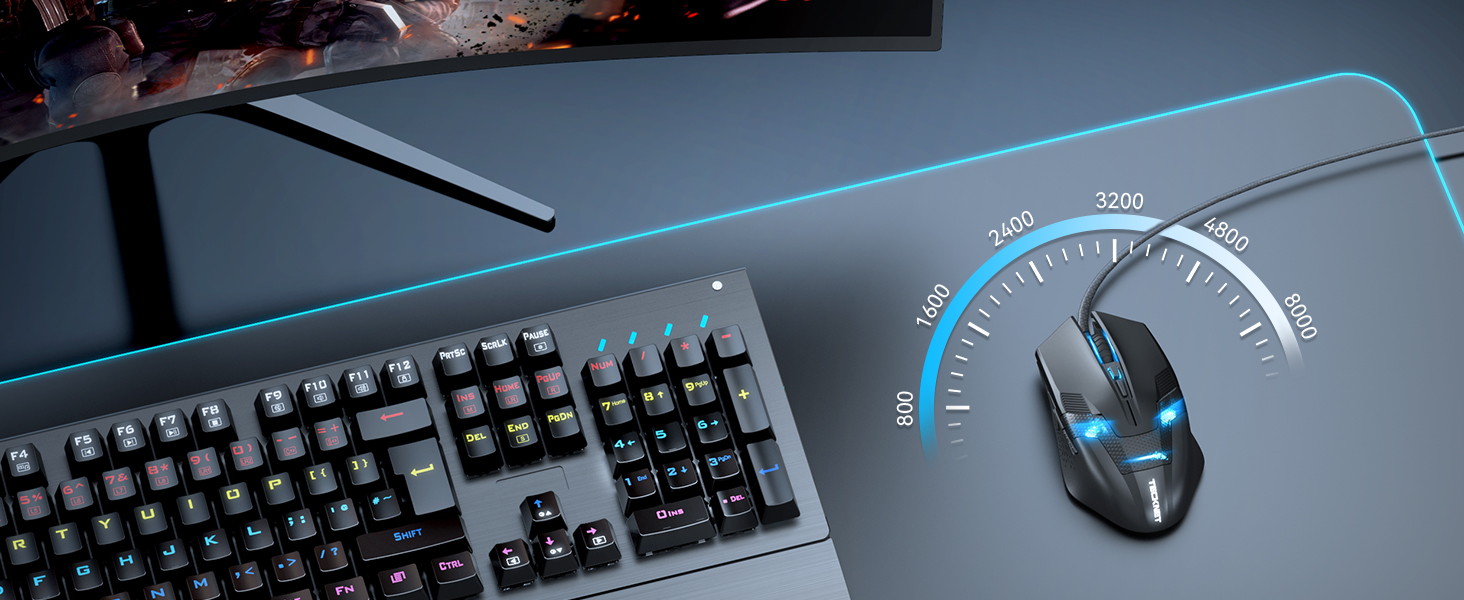
🎮 Dominate your desk with precision, power, and style!
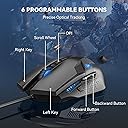
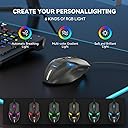
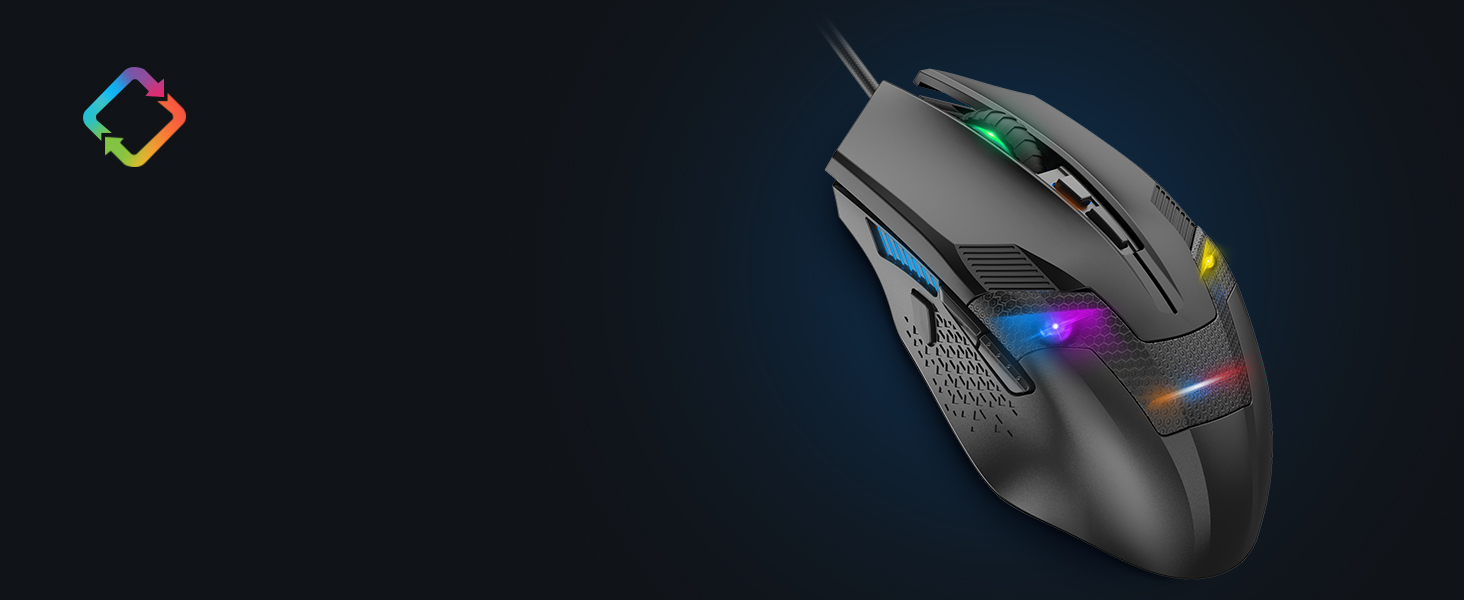
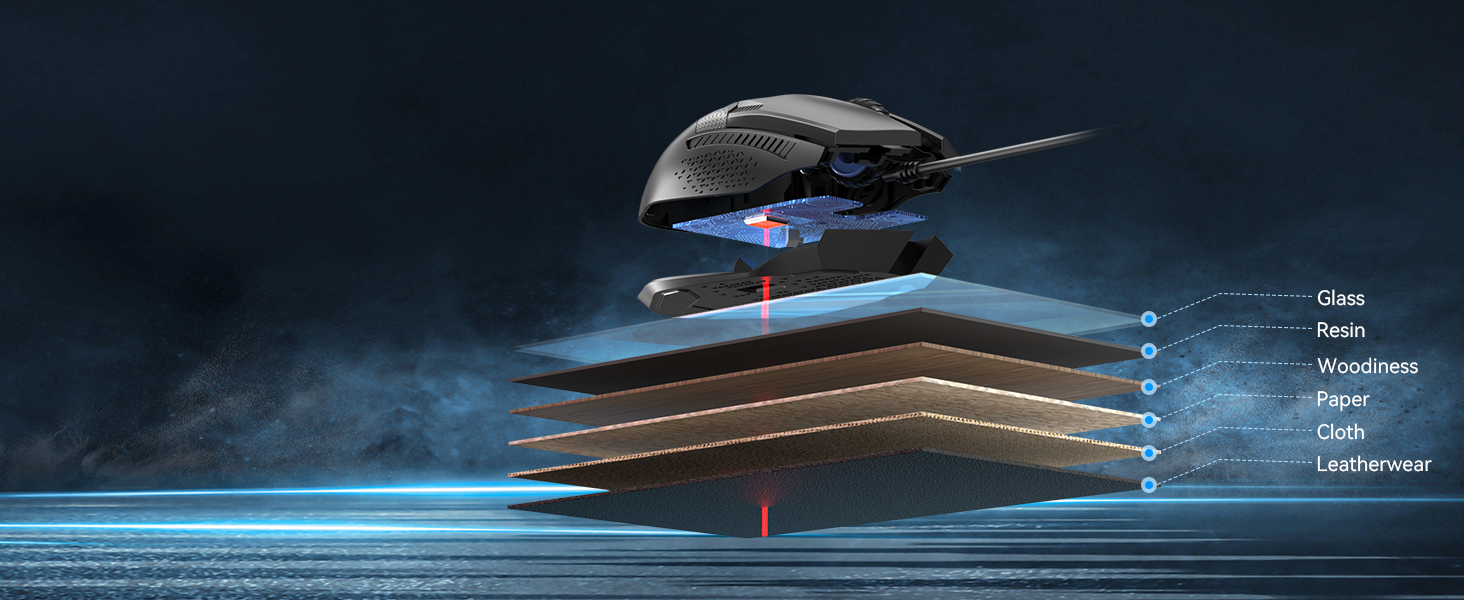
The TECKNET Wired Gaming Mouse combines an 8000 DPI adjustable optical sensor with 6 programmable buttons and 6-zone Chroma RGB lighting, delivering professional-grade precision and customization. Its ergonomic design, durable switches rated for 25 million clicks, and flexible Speedflex cable ensure comfort and longevity. Compatible across Windows and Mac systems, it’s a versatile, stylish tool for gamers and professionals seeking high performance and personalized control.


| Antenna Location | Gaming |
| Are Batteries Included | No |
| Are Batteries Required | No |
| Asin | B00E290JRE |
| Best Sellers Rank | 2,060 in PC & Video Games (See Top 100 in PC & Video Games) 96 in PC Gaming Mice |
| Brand Name | TECKNET |
| Button Quantity | 6 |
| Colour | Black |
| Compatible Devices | Personal Computer, Laptop |
| Customer Reviews | 4.4 4.4 out of 5 stars (8,200) 4.4 out of 5 stars |
| Embellishment Feature | LED |
| Enclosure Material | Plastic |
| Global Trade Identification Number | 05060274475558 |
| Hand Orientation | Right |
| Hardware Platform | Linux, Mac, PC |
| Included Components | TeckNet M268 Mouse+manual |
| Item Dimensions L X W | 12.9L x 7.3W centimetres |
| Item Type Name | PC Gaming Mouse |
| Item Weight | 152 Grams |
| Manufacturer | TECKNET |
| Manufacturer Part Number | FBA_x2680 |
| Minimum Required Operating System Version | Windows XP |
| Model Name | FBA_x2680 |
| Model Number | x2680 |
| Mouse Maximum Sensitivity | 3200 Dots per Inch |
| Movement Detection | Optical |
| Network Connectivity Technology | USB |
| Operating System | Win 11, Win 10, Win 8, Win 7, Windows Vista, Windows XP and Mac systems |
| Power Source | Corded Electric |
| Product Features | 6 Adjustable DPI & 6 Polling Rate, 6 Chroma RGB Lighting Zones, 8000 DPI Gaming Sensor, On-board memory, Programmable Buttons |
| Product Finish Type | Matte |
| Product Warranty | 36 months warranty |
| Range | 10.0 meters |
| Style Name | Modern |
| Theme | Video Game |
| Unit Count | 1.0 count |
User
Great value, stylish, and works very well
I bought this mouse about a month ago when the sensor on my Razer Naga died. The impression I got from the company known as Redragon was that of a more budget-oriented version of the kind of products that Razer put out. Even the box for the Centrophorus looked pretty much like "a Razer box, but in red". But don't let that dissuade you - I've been using the Centrophorus for nearly a month, and I can safely say that it's the best mouse I've bought, both in terms of usability and value (The latter being particularly relevant, given the price of the Naga). So how does the Centrophorus hold up in comparison to my previous experience with the Naga? Really well, as it turns out.The mouse itself moves very smoothly on my desk without the need for a mouse mat, and if it feels too weighty, there are some removable weights inside the mouse that can be accessed through a circular slot on the bottom. In terms of buttons, I got used to the main buttons much faster than the Naga's, with the less upwardly-curved design of the Centrophorus meaning that there's less chance of you accidentally right-clicking through the slightest instinctive twitch of your right middle finger, much like I did with the first few weeks using the Naga.The two side buttons have a "click" to them that feels similar to the main buttons, as opposed to the quieter, more rubbery feel of the Naga's keypad. By default, they serve as "back and forward" buttons on web browsers, but can be customised through software that installs with the drivers that, for me at least, automatically installed when I first plugged the mouse in.The mouse wheel feels great, with the texture giving a nice feel and an appropriate amount of friction when using it. It doesn't feel loose at all, and serves its purpose well. Below the mouse wheel is another button for cycling between three mouse sensitivity settings, meaning that the brighter the light between the buttons, the more sensitive the cursor is to mouse movement. While I haven't needed to use this button much (as the default setting suited me fine), I can easily imagine people more serious about on-the-fly mouse sensitivity would get something out of having this feature.I've also read up on a lot of people saying that the only problem is that the light on the mouse doesn't turn off when a PC turns off, but as someone who defines "turns off" as "fully shutting down" as opposed to something akin to hibernation or sleep modes, I can safely say that I did not experience this.Overall, I would highly recommend this to anyone who has at least a passing interest in budget gaming hardware, or in general wants to get into the gaming hardware side of things without spending tons of money on a well-known brand. I would definitely keep an eye on Redragon and see what they do next, since a lot of their other products look pretty promising!
User
Fantastic mouse
I have been in need of a really decent gaming mouse for a long time now. I've been forced to use a very old model that didn't have the weight and functions that I needed. However, at the same time, I didn't need a mouse that had a billion buttons to control and a DPi that meant my mouse would shoot across the screen if I so much as breathed on it.So steps in the Redragon Centrophorus. Not only dies this mouse look aesthetically pleasing, but it feels great as well. The DPi is adjustable from a small button on the center of the mouse, under the scroll wheel, allowing you to alter the sensitivity in three iterations, which I found much more useful than I originally anticipated. The weight of the mouse is fully adjustable as well, although I have found no real need to remove any of the weights from the mouse, but it is easy to do so, simply by removing the base plate and taking out the small weights located within.And there are enough buttons for me to make use of in most gaming situations, even in MMo's as well.I know a lot of people like to have a million buttons to make use of for MMo's, so they can scroll abilities and such, but simply having to two extra buttons on the side were a delight. Mapping them is easy in most games anyway, and they are situated in a place where I don't accidentally press them over and over, but are there in pinch if needs be.As I said before, the design is nice. Always a fan of black and red anyway, so it's an instant winner for me, and the lights that you see in the pictures are exactly how they appear in real life. Some photos on Amazon paint a picture of the product poorly, and result in disappointment, especially when it comes to backlit items. This mouse? No problems there. The lights looks great.So, overall, this mouse gets a five star rating from me. I've had no bad experiences, and it does exactly what they say it does. If you're in need of a good gaming mouse, but don't want to go overboard on design and function, then this one will suit you perfectly.
User
Great mouse but some downfalls
For the money your pay for this mouse it is an amazing product for any sort of gamer that is curious about trying pc gaming and doesn't want to throw loads of money in for a more premium product. The sensor is accurate, the three levels or dpi are a great great feature especially for fps games and the build quality it good enough for £10. The real problem lies in the shape of the mouse, the mouse is shaped really thin and it can be really uncomfortable to use. If you know what you want in a mouse and you feel like the "palm grip" is for you (having your whole palm in contact with the mouse) then maybe look else wear. But having that said I prefer the palm grip myself and I still was able to use this mouse for almost a year now. Another flaw of this mouse is where your thumb lies, it's very uncomfortable because you always have your thumb resting on the buttons (which are a great addition by the way) this can in a number of times resolve in you hitting a button by accident when gaming.The looks are a definite plus with this mouse, it looks sleek and also futuristic in a way, the blue LED's that shine through the little vents are pleasing to the eye but nothing special. Only problem is, the red light from the sensor overpowers the blue colour nearly 100% of the time. So If your into LED's in your mice, having some sort of weird light show in your room, well this simply isn't the mouse for you.The performance is the main part that blew me away with this mouse. For £10 you get a great great performing mouse that is capable of performing greatly in any sort of game. Myself I play a lot of counterstrike global offensive (a highly competitive first person shooter) and this mouse gives me no problems at all.Overall I recommend this mouse very strongly, it is an amazing product for the price that it is
User
Comfortable High Resolution Mouse
For some time I have been using a Microsoft Basic Optical Mouse for everyday use on my desktop machine. It's a simple, reliable no-frills option that I have been very happy with. However, having had the chance to test out this TeckNet Gaming Mouse and using it as my everyday mouse for a few days now, I am actually quite pleased with the change.The big advantage, for me, of the new TeckNet mouse is size and speed. I have largish hands, and the MS mouse always felt just a shade wee - the TeckNet Raptor mouse fits my hand perfectly. This doesn't make a huge difference, but it is that little bit more comfortable in the hand. The other thing is speed - I have two 1920x1080 monitors on my desk, and the higher resolution of the gaming mouse means that the cursor fairly zips around. At first I found this a little disconcerting, and I was planning to change the pointer speed in the settings - but I quickly got used to it. I especially like that I don't have to lift the mouse off my desk nearly as much as I used to. I am a cluttered-desk kind of guy, so this is really a help to me.The biggest downside I've experienced so far has been the two thumb buttons on the left side of the mouse (unlike my old mouse, this Raptor gaming mouse has a definite 'handedness'!). These are mapped to browser back/forward (at least in Ubuntu), and I found myself accidentally pressing them when grabbing the mouse. There is, however, a little 'nub' on the side for your thumb to rest on, where it is clear of the buttons - I am getting into the habit of letting my thumb rest on that, and it helps with the accidental navigation.The mouse itself is rather attractive. The matte black looks smart, and the blue LED 'face' - while not especially to my taste - is understated enough that doesn't bother me too much. The textured feel of the plastic is nice, and as I've mentioned the size is right for me - and the subtle flare out to the base is comfortable, too. In use, the mouse moves easily and with precision - in the end I'm finding the higher resolution to be really helpful - enough that I will be using this mouse as my everyday pointer.As for buttons, there are the usual two top buttons, which 'click' with very little pressure, though there is a definite tactile feedback - no doubt handy for games which require rapid clicking. Nestled between them is the scrollwheel, which is wrapped in a rubber ring - a nice, smooth movement with subtle but clear detentes. The scrollwheel also 'clicks' as a third mouse button, and the action is such that it is easy to click without activating the scroll. Just behind the wheel is a little rectangular button, just about accessible without sliding your hand off the mouse. On the left side of the mouse are two thumb buttons, easily accessible even while the mouse is in use - as long as you're right-handed. The shape of the mouse is symmetrical, and it's easy to use as a leftie - except for these two buttons.The mouse without cable weighs in at 95g, versus 58g for my old Microsoft mouse. You don't notice the extra weight except that it feels a bit more 'solid' - a good thing, in my view. The cable is also wrapped in what appears to by braided nylon, which will presumably help it last, but I don't think I've ever worn out a mouse cable!Overall I am more pleased than I had expected with the mouse, and will be keeping it on my desk. It's a quality item for a budget price. As you would expect, it works without a hitch in both Linux and Windows machines.Note: I received a free mouse in exchange for this unbiased review.Further Note: I figured out that I could use xev and xmodmap to disable those thumb buttons... mouse is now perfection! Also, something I didn't notice before but is handy for 'fiddly' work: the small button just behind the scroll wheel actually cycles the mouse resolution - so you can slow your pointer right down (eg for photo retouching) without having to mess about with settings!
User
Awesome mouse for the price.
Judging by the price alone, it's clear to see why at first you'd be dubious about purchasing something that you're going to be using on your computer on a regular basis for such a small amount of money as generally, the cheaper it is, the lower the build quality and functionality.However, I couldn't be more pleased with this mouse. Having tried mice from well known brands such as Razer & Corsair, I'd say this mouse is easily comparable. The adjustable DPI setting is more than enough for any "casual" gamer and the removable weights to adjust to your liking, just these factors alone make this mouse worth every penny. The 2 buttons on the side of the mouse a very comfortable to use and can be assigned keys in games, of which I personally found very useful. It's also a very comfortable mouse as a whole, having used the mouse for long amounts of times, it remained to be consistently fluid and effortless to use. The LED's on the mouse aren't too overpowering and something I failed to realise at first is that the LED on the top of the mouse changes brightness depending on the current DPI setting (Low DPI = Low Brightness etc), which I also found to be a very nice touch.The only problem I think some people would have is their preference to how they hold their mouse. I personally use a "palm grip" so this mouse is ideal for me, as it's quite long, but it may not be so ideal for people who use a "claw grip" or "fingertip grip" due to the curvature and overall design of the mouse, but this is only an assumption so don't let that put you off.Would definitely highly recommend this product to anyone looking for good performing mouse for a lower budget.
User
Worked fine, then...
Firstly, and fairly, this truly is a brilliant low-end gaming mouse. It feels far smoother than a standard Microsoft wired mouse, and it feels and looks far more sensitive than the latter...not to mention the mouse's wonderfully futuristic aesthetics. Its additional weight is a large bonus for people like me, who - while playing the likes of fast-paced FPS games - like to go overboard with the panning around. That little bit of added weight goes a long way toward making you feel like you have more control.Underwhelmingly, I played PlanetSide 2 the most with this mouse, and it took only two months of fair usage - give or take - before the scroll wheel on this mouse failed. The scroll wheel button operates as normal, and the scrolling wheel movement otherwise feels unchanged, but no matter what lengths I go to when we talk about software, the scrolling does not work any more - neither up nor down. I have triple-checked that this was not a random re-binding issue, and even went as far as acquiring a third-party gaming mouse management application to try and fix this - all to no avail.I understand that my situation largely seems like an isolated one - perhaps my mouse was faulty from the start, or perhaps it took a nasty knock somewhere along the line. Overall, it is a great mouse, and only a shame that something such as the faulty scroll wheel causes me to try an alternative mouse.
User
Great Value, great product.
I just got this mouse two days back and have been really enjoying it, no obvious flaws (yet >.>).Size, it's a little on the bulky side though that is likely in part my perception after having used almost exclusively cheap laptop mice for years - it is in fact smaller than some cheap three button mice that ship with certain name brand desktop PCs, also, I have reletively small hands and I have absolutely no issue using it.The scroll wheel is quite nice and is textured to allow for grip - however I would have liked it to resist turning more or have a more mechanical feel, that is not to say that it is overly loose or imprecise it just doesn't have much in the way of tactile feedback when you scroll with it. This is personal taste I'm sure and many will prefer this smoother style.Buttons, well you have five buttons you can use, left, right, middle and two thumb buttons (on the left hand side i.e. designed for right handed users). There is a sixth button but this is a non-programable (I believe) button whose purpose it to cycle through three preset levels of responsiveness for mouse movement. A good little addition I feel - if you are buying the mouse for gaming then you will surely appreciate being able to alter the sensitivity on the fly. The buttons aren't too sensitive which is good because otherwise the thumb buttons would be succeptable to accidental presses. I think they hit a good balance here. I would say that one more button would have been ideal in my view, not too many to get used too but it would certainly be a boon, perhaps that is just greedy though.The mouse itself is quite a hefty weight for its size, but you aren't meant to be picking it up during use so it isn't a bad thing, if anything it gives a greater feeling of control making accidental twitches less likely and giving you a greater sense of what movements you are inputing as you do so. An interesting feature (apparently it is specially weighted) which I must admit I never considered before the product arrived.Another interesting note is that the wire via which you connect is not simply sheathed in plastic as is status quo with mice but instead knitted cord which makes it more resilient. A nice touch which will hopefully increase the lifespan of the item by reducing the risk of split or frayed wiring.Looks are just kind of gorgeous, I wasn't considering looks when I ordered and couldn't remember what it looked like until delivery but it was a nice thing to unbox and even better once plugged in, the back of the mouse is slightly translucent giving out a subdued red and blue glow through a latticework of plastic, the sides are likewise styled. All of the translucent parts are tinted though so the light is not intrusive or distracting, just kind of pretty when you're not holding the mouse. Also, both the left and right button extend slightly further than expected which gives it a vaguely industrial/sci-fi look. All in all pretty gorgeous.The seller clearly dispatched very promptly as it arrived three days after ordering on free delivery - prompt dispatches must always be a plus, no one wants to wait for their new playthings.Price, very good. I don't consider myself much of a gamer but wanted to treat myself, I couldn't justify the high price of most 'gaming mice' but this was a steal comparatively and that definitely helped me make up my mind.Cheap, pretty, feels good to use, gives the appearance it will be sturdy, fast dispatch. It has a lot of pros and no real problems.
User
Keep Calm (Literally) and Carry On Gaming
As someone on a tight budget, I chose to purchase a mouse which was good looking, promises good performance with a relatively cheap price tag. This mouse ticked all these boxes, so eagerly I ordered the Red Dragon Centrophorus, despite advice from family members to bide my time until I could afford a "proper" mouse from more well-known brand, such as Razor or Steelseries. It's a very good good thing that I am renowned for being stubborn and headstrong, otherwise I wouldn't of discovered the truly underrated potential that this mouse possesses, at such a good value for your money too.The pros of this mouse is that, for me, ticked all the three standards that I set. The appearance of this mouse is visually pleasing, with a red LED back and side lights give this mouse a professional look, though given that the large glowing dragon on the back, in some eyes, looks rather tacky, but given the price I paid for this, I am more than willing to forgive that opinionated flaw. However, the mouse itself is not the only part that is aesthetically pleasing, as the USB wire is actually a fabric cable, with a very nice looking red and black pattern along the length.The Centrophorus promises a wide range of functions for the best performance it can offer, and it sure does deliver. The adjustable DPI settings is just a click away from finding your comfortable speed for gaming, with a small button below the scroll wheel allowing you to quickly adjust your settings with ease. The two programmable buttons on the mouse can be changed in game or on a driver you can download from Redragon's website, allows you to allocate keys to each button for swifter actions as your disposal. Adjustable weights inside the mouse are easily accessible from the bottom, allowing you to remove as many as you wish to achieve your ideal weight, and the smooth gliding motions you can make with this mouse is certainly impressive, even to the point that when compared to my brother's Razor Abyssus, he admitted that he preferred the performance and feel of the Centrophorus over his Razor brand mouse. Overall, an impressive mouse.But however, as much as I like this mouse, I would be a liar if I were to say that it didn't have its flaws. There are a few problems I have with this mouse to which I will talk about now.Problems concerning the design on the mouse is that I find that the right and left mouse buttons seem to be positioned a bit too far apart for my comfort. I tend to find that my fingers feel slightly uncomfortable after a while of playing, though this is probably down to the fact I have small hands myself, this mouse wasn't designed for us size impaired folk in mind.This factor is the one that is definitely worth pointing out is the physical factor of this mouse. This mouse does not feel sturdy, and the plastic does feel 'cheap'. While this is not a problem for me, since I do not tend to get angry whilst gaming, I can certainly recognise that there are many people out there who tend to take out pent up frustration on their mice. I would imagine once this mouse is slammed, something inside would be damaged, guaranteed. I would not recommend this mouse for those who are prone to 'game rage'.So all in all, this mouse has really impressed me, with the pros outweighing the cons by a long shot, I would definitely purchase the Centrophorus again, despite the button distance. The performance this mouse offers is unbelievable compared to the amount of money you're paying for it. I would definitely recommend this to new and experienced players who can keep a cool head on while playing. For those who tend to animated during gaming, I would recommend finding a sturdier mouse that can withstand your wrath.
User
Le produit parfait.
Ce produit est tout simplement parfait! J'ai voulus me lancer pour une installation du "Gamer content" et je suis tombé sur ce produit, je voulus essayé cette souris (première souris Gaming) qui me paraissait plutôt sympathique. Elle a été livré dans une petite boîte qui en prenait vraiment pas de place de tout (pas une tonne de polystyrène pour 1 gramme de marchandise comme pour tout les autres produits achetés sur le internet), ce que j'ai beaucoup apprécié. J'en suis à mon deuxième mois d'utilisation et je suis toujours aussi heureux de cette souris, les deux boutons à gauche de la souris sont vraiment bien et amplement suffisant, elle n'accroche pas mais ne dérape pas pour autant donc pas vraiment besoins de tapis de souris. Elle émet une petite lumière bleue très sympathique qui se marie très bien avec son design très agréable . Un petit défaut, si on éteint l'ordinateur, la lumière bleue de la souris elle ne s'éteint pas. Mais bon malgré ce petit défaut, cette souris est vraiment géniale pour ce prix vraiment bas. Je la recommande énormément pour ceux qui souhaite avoir du matériel Gaming pas très chers, vous ne serez pas déçus! Merci beaucoup pour ce produit Tecknet.
User
Für den Preis unschlagbar
Die Maus ist wirklich ein absolutes Schnäppchen und von der Qualität her absolut in Ordnung.Das Handling und vor allem die Haptik ist sehr angenehm und sie liegt gut in der Hand. Das Umschalten zwischen den DPI-Modi funktioniert auch tadellos, auch wenn das keine Funktion ist die ich primär benötige. Besonders gut finde ich, dass die Maustasten sensibel sind und schon bei leichtem Tastendruck einwandfrei funktionieren. Das Mausrad ist von der Struktur her angenehm und erfüllt ebenfalls seinen Zweck. Besonders schön und auch hochwertig wirkt das Kabel der Maus, dass von Stoff umhüllt und somit bestens geschützt ist.Die Beleuchtung ist eine nette Zusatzfunktion, aber auch nicht unbedingt notwendig.Ob sich die Maus wirklich als Gaming-Maus eignet vermag ich nicht festzustellen, da ich nichts spiele wo es auf Millisekunden bei der Reaktionsgeschwindigkeit oder zusätzliche Hotkeys an der Maus ankommt, kann ich das nicht wirklich beurteilen. Im Normalgebrauch und auch bei Rollenspielen ist sie jedenfalls großartig!Ich kann daher guten Gewissens eine klare Kaufempfehlung abgeben.
User
Wired TeckNet Full Review
After using this (Wired) edition mouse for a few months on some extreme FPS gaming, I have decided that it is finally time I should write a review about this.-Setup/Installation-The setup and installation was quite complicated when I first received the mouse, I plugged my mouse into my PC as it was installing the drivers I waited for about 5 minutes and the mouse still wouldn't move. So I unplugged the USB for the mouse and replugged it back into my PC and the mouse booted up instantly and I was able too start using. I then had the same issues with my other PC whilst trying too install it.-Info-Now I don't usually write reviews about items, but I think this really needed it. One of the things I like about this mouse is the price, most name-brand gaming mice are around $60 - $100 and I was thinking about going with one of them. I came across this mouse and I decided too give it a try so I can get rid of my stock HP wireless mouse. I went with the wired mouse so I wouldn't have too change batteries like I had too do frequently for my old HP mouse.-Cable-The cable for this mouse is braided which it really feels like a high-quality mouse that you would buy from other brands. The cable is long enough too be able to reach from the back of my thick all-in-one computer monitor around the monitor, too my mouse pad and still have enough cable length too pull the mouse off the mouse pad and pull it past my chair. Yes, the cable is quite long.-Mouse Buttons-The mouse has 6 buttons that are clickable in which I will explain later on. The buttons feel like a weird material, I don't know how I would explain it, whether it is plastic or some other material the mouse buttons do feel like they will last along time. I have put the mouse buttons through some torture in games like "Counter-Strike: GO" in-which I had mapped the 2 side buttons (Left side of mouse) too reload and switch weapons, which I click WAAAY too much, so the buttons durability is really good. Then the mouse has another button at the top in which it changes the DPI for the mouse, and whilst you change the DPI the mouse wheel lights up in "3" different stages. (Off (lowest DPI), semi-bright (Around 1,000 DPI), full-bright (2,600 DPI). The final buttons would be "right click, left click, scroll wheel".-Lighting-The lighting in this mouse is what turns me off, I am a light junkie, I love being able too change the colors of my equipment and seeing the different colors that I can do. This mouse has 1 color and it is "Blue" although you can see red inside the mouse from the lazer at the bottom of the mouse. The lighting is quite bright I can see it really well at night whilst it is dark in my room. In gaming sessions the mouse light won't matter but it just gives it that little bit of detail.-Build Quality-The build quality for the mouse itself was really great it doesn't seem like it will be breaking down on me anytime soon. It feels like a sort of plastic material on the mouse itself, and the clear space where you can see the lighting is feels a little worse than the plastic. I would rather the mouse feel a little bit more like a logitech, and maybe some more comfort. But either way the mouse is really great and I would recommend it too anyone! I would even buy another one myself.
User
Bello, solido e funzionale, anche se:
Il mouse è di buona qualità e lo consiglio. Non avevo il cd incluso, ma ho facilmente recuperato il programma dal sito del produttore ed è possibile scaricare anche il manuale (anche se non aggiornato).Voglio fare qualche appunto:- in rete e nella gallery delle recensioni si trovano immagini e video della versione vecchia del programma, che sembra includere alcune funzionalità che sono state tolte, come la possibilità di assegnare ad un pulsante l'esecuzione di un programma o impostare il loop dei colori combinato alla modalità breathe (peccato...), ma in compenso ne sono state aggiunte altre;- la documentazione del programma è al minimo essenziale: si riesce a settare tutto senza problemi, ma non mi sono chiare le funzioni "blink" e la seconda "steady" dato che si attivano solo quando si cambiano i DPI;- il mouse non è proprio RGB: ti permette di scegliere qualsiasi colore dal color picker, ma poi usa quelli che ha a disposizione (se per esempio viene impostato il marrone, il mouse si illuminerà di giallo).Per quanto mi riguarda questi sono piccoli dettagli e per questo do comunque 5 stelle e, visto anche il prezzo (16.99€), lo reputo un mouse adatto a chi vuole il fascino dei led senza andare a spendere troppo per un mouse full RGB.
User
the technet raptor m288
Lot of people say that this the best gaming mouse under the price tag. And I think that too. This is a gaming mouse Having 2000 DPI 6 buttons and its wired. The wireless models of this dude also comes but I would suggest go for wired because in the world of gaming wired stuff are better but if you have a wireless setup then go for wireless and its all based on that also this comes in several colors I am having the black colored mouse cause its the cheepest you can go for the color that fits your setup nicely. Ok. Well the packaging isn’t great. But its fine for a cheap product. In the box you will find a mouse a warranty card and a user manual. I am finding that the packaging is bad. But anyway this mouse is having a braided cable.because of this your cable wont break. 6 buttons as I said the left click right click scroll wheel you can press it also and that’s the third button dpi button and the two side programmable buttons. You can change the dpi in three modes 600 dpi 1200 dpi and 2000 dpi the higher dpi the faster the mouse will move on screen. Now you would ask how will we know in which dpi I am? That its very easy. When you will plug this mouse in your computer or laptop or whatever thing you have its leds will light up if the light in the dpi button place is high then you are in 2000 if the light is medium then you are in 1200 and if the light isn’t glowing at all then you are in 600 dpi so thats great. One thing that I find great about this mouse is that it is big and fits my hands nicely. it is 12 cm long. the leds are pretty visible it is having a button like thing below the dpi button but it cannot be pressed dont worry that is just the design and there should be no button there. The left and right clicks are nicely made and are springy which I am liking. The weight of this mouse is neighther high nor low so both gamers who want heavy or light mouses can buy this mouse. It nicely glides on the mousepad and if you have a laminated table like mine but dont have mousepad then also the mouse works great. The cable is also long. All of its buttons are programmable and you can program it using a software known as X mouse button control . What you have to do is when you have installed it correctly then it will come in your task bar you can see the mouse logo right click on it and click on setup here you can see you can program any button you want like in this mouse the default button are of remember I am talking about the side button the default is the upper button make a web page to go forward and the lower button make you go to the last web page. If you dont know the defaults then it will be in the user manual. thank you for reading and pls hit the helpful button.
Trustpilot
2 weeks ago
1 week ago