Buy anything from 5,000+ international stores. One checkout price. No surprise fees. Join 2M+ shoppers on Desertcart.
Desertcart purchases this item on your behalf and handles shipping, customs, and support to Portugal.
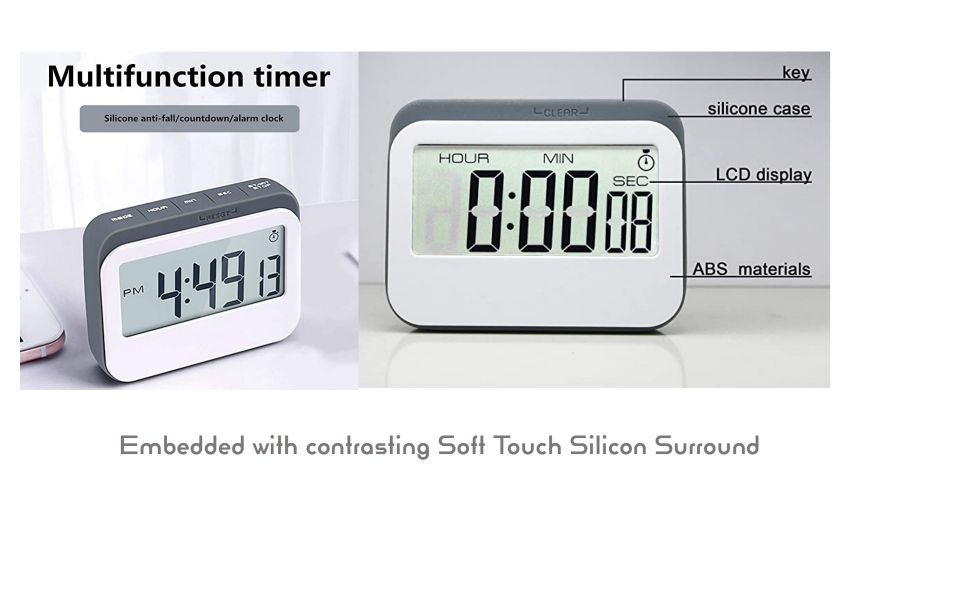
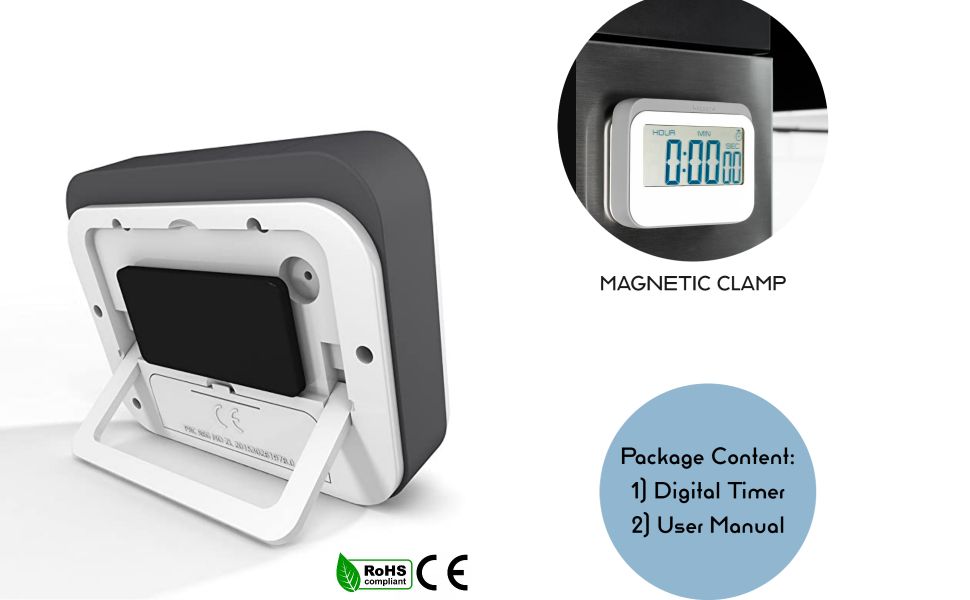
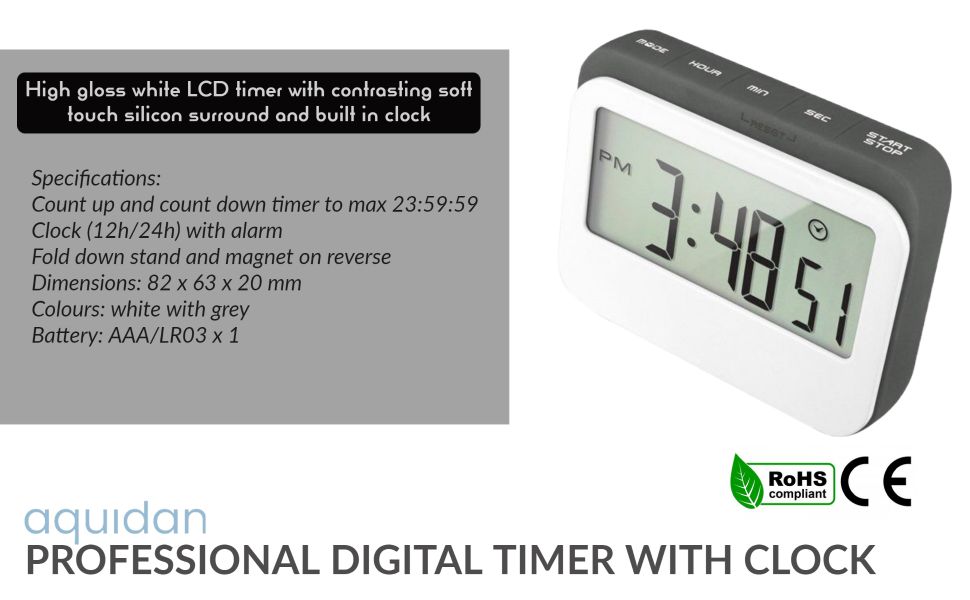
Product Description DT-1047 is a Large Digits, easily operated and multi-functional 12/24 hours digital clock timer, its long counting time, it can countdown and count up and also, be used as a clock at ordinary times. Multi function digital: works as an alarm clock or a timer and can keep the memory for advanced counting time. It's designed with user-friendly element, very easy to operate. And more, you will enjoy the cute design and flexible placements with its magnetic force, stand and clip back. maximum time: 24 hours,59 minutes, 59 seconds, The timer will remember the last setting for repetitive activities Review: Best Product - Very Nice Watch for students but it's little bit expensive.Alarm sound is decent Loud .Timer Function works well . It's Durable also. Go for it. I am using from the last 1 year still working. Review: Good, but a bit pricey - Generic Chinese product. Clean front with no visible buttons looks really good. Back magnet works very well, can take the weight of the clock with battery easily. Large digits, clean background with minimal LCD shadow. Buttons at the top feel a bit cheap, flimsy kick stand. No light. Can count down and up, upto 23:59:59. Timer can be set to hour, minute and second. Beeps when changing mode, on reaching countdown 0:00:00, and alarm. Pretty loud beeps. Runs on 1 AAA battery, even Eneloop rechargeable works. Came with a cheap Chinese alkaline battery, but will not use it as such battwries usually leak and destroy the internals. Could have been a bit cheaper. Rwcommendable.


| ASIN | B01E5U14X2 |
| Best Sellers Rank | #110,226 in Home & Kitchen ( See Top 100 in Home & Kitchen ) #9,105 in Kitchen Tools |
| Brand | VPAL |
| Colour | black or white |
| Country of Origin | Taiwan |
| Customer Reviews | 4.3 out of 5 stars 675 Reviews |
| Display Size | 2.7 Inches |
| Item Dimensions D x W x H | 2D x 8.2W x 6.3H Centimeters |
| Item Type Name | timer |
| Item Weight | 82 Grams |
| Manufacturer Part Number | KT02 |
| Model number | KT02 |
| Number of settings | 1 |
| Product Dimensions | 2D x 8.2W x 6.3H Centimeters |
| UPC | 769700670622 |
| Unit Count | 1.0 Count |
M**H
Best Product
Very Nice Watch for students but it's little bit expensive.Alarm sound is decent Loud .Timer Function works well . It's Durable also. Go for it. I am using from the last 1 year still working.
F**N
Good, but a bit pricey
Generic Chinese product. Clean front with no visible buttons looks really good. Back magnet works very well, can take the weight of the clock with battery easily. Large digits, clean background with minimal LCD shadow. Buttons at the top feel a bit cheap, flimsy kick stand. No light. Can count down and up, upto 23:59:59. Timer can be set to hour, minute and second. Beeps when changing mode, on reaching countdown 0:00:00, and alarm. Pretty loud beeps. Runs on 1 AAA battery, even Eneloop rechargeable works. Came with a cheap Chinese alkaline battery, but will not use it as such battwries usually leak and destroy the internals. Could have been a bit cheaper. Rwcommendable.
R**T
Good thats why I gave 5 star
I don't review much but here lot of people confused so i am giving. 1. Quality good ( better than 350,400,450โน timers ) If you are confused about which to buy then buy this little expensive but strong. 2. Magnetic power good. 3. Functions - Clock / alarm(with loud sound)/ timer all three 4. Button quality - good and hard to push but good quality 5. Body good quality plastic and rubber bordering so not break if fall. 6. Battery -6 month I think 10โน Nippon battery will run using since 4,5 months and still not new battery needed 7. Display normally good in new battery. Slowly it will becomes light according to dulling of battery. Who should buy : kitchen work , study purpose or those places where this item will close to you. Far from you won't work much because these displays are good for short 5,8 meter. And for front view. Not for side view. I think i coverd all points It does not turned off once you put battery in it will keep on 24/7 and it will show you you clock time, timer or alaram whatever you want to see just change mode
A**R
Good product
Good product
K**R
Awesome product
Good quality and looks nice, and working everything is good
V**.
Quality and feature
I use this product for my studies and it helping me a lot
S**L
No instruction to set clock mode. after setting to clock mode, how to change time with PM or AM?
This timer is to use the timer and clock in the kitchen above vent hood
A**I
Perfect for kitchen as well as a travel companion.
Although It is make for kitchen, but there are places where mobile phones are not allowed or cannot be charged; this clock can be a good companion for those places too. Good for portable use. Alarm is loud enough to wake you up from deep sleep or if used in kitchen then you can hear it from bedroom. You will not regret the extra money spent on this one.
W**.
Great for multiple uses.
Great functionality, I used it just as a clock for my work. Great value and easy to use. The noise level is fine if you want to use it as a timer. Durable and sleek design.
F**E
Photo is extra zoom
Small. Canโt see display at night after lights are off
W**N
Great clock!
Great clock, worked an year, then I forgot how to set the time. I asked a question and got wrong answer from Amazon AI that replaced Q/A that used to be great and unique Amazon feature, so I thought it was broken, and ordered one more. It came with an instruction which buttons to press to set the time :) Now I have 2 such clocks for my kitchen. They are very convenient with strong magnets to hold them in place.
M**Y
Buttons too hard to press
The buttons are to hard to press and resetting usually requires two hands. The stand and the sticker behind are useless when you want to press the buttons with one hand -- you need to stabilize the unit with both hands before. Not worth the price...
N**M
Nice little clock. Operating Instructions / Manual down below if needed...
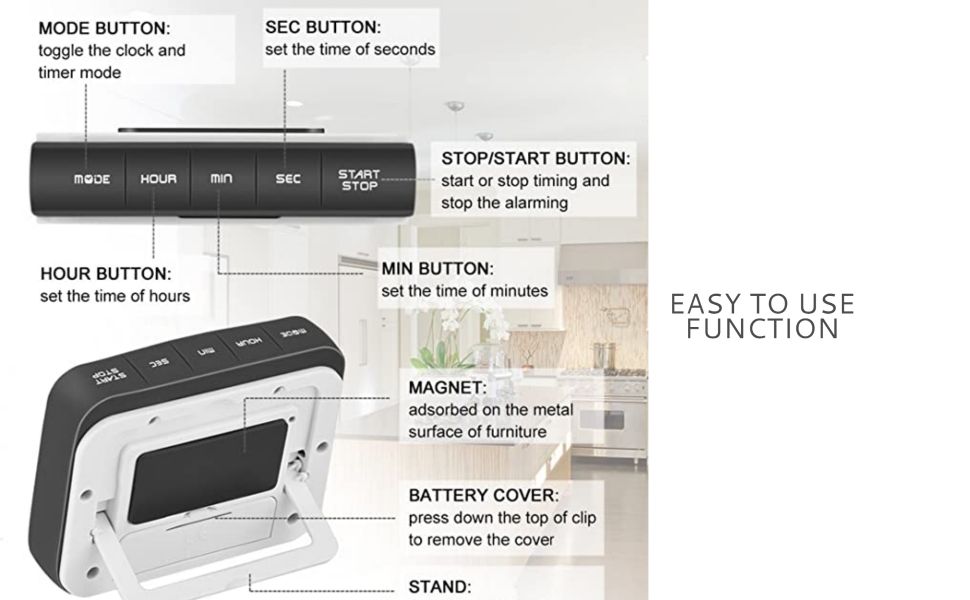
Observations: It is a little bulkier than I had hoped, but I guess Larger Numbers means that it will be easier to read. I like that it has a 12/24 hour format, although if one is setting this feature "in the morning" there is no way to tell which "mode" it is in till you reach the afternoon hours. I cheated and set the time ahead to 1pm so I could tell the difference when I changed between 12/24 time. The "Count Up" (Stopwatch) feature is nice, as well as the ability to use it as a "Count Down" timer with a one minute alarm. It takes a single AAA battery. Measures 2 1/2"h, 3 1/4"w, 6/8"d, or 1 5/8"d using stand. Configuration: As others have said, the Trick seems to be "resetting" the timer, which is done by holding down the "Minute" and "Second" buttons AT THE SAME TIME. This is actually shown on the device, as on the front (grey rubber) is imprinted the word "RESET" with lines drawn to the two buttons. Perhaps one needs to press down Long-and-Hard to trigger a "reset", as the instructions recommend using BOTH hands instead of just two fingers. Only other item is note is that to "set/configure" this device's features, you need to press (or hold down) the "Start/Stop" button. I have noticed in the Q&A section several queries about the instructions. I'll probably lose the little piece of paper soon, so will jot down some of it below.. Sort of Instructions... ( typed up the manual ) ...As the little piece of paper will Run Away someday (and as of August 2021 I can't find the documentation either) ---------------------------------------------------------------------------------- SETTING THE CLOCK 1. Press MODE button as many times as necessary until the clock time is shown. 2. Press and hold START/STOP button until the digits start flashing. 3. Press HOUR/MIN/SEC buttons as many times as necessary until the desired clock time is shown on the LCD display. 4. Press START/STOP button or leave unit idle for 30 seconds to exit setting mode. * 12 HOURS / 24 HOURS CLOCK FORMAT Toggle select 12Hr or 24Hr format by pressing START/STOP button while under CLOCK mode. For the 12Hr format, the "PM" icon will appear on the LCD display when the clock time reaches noon time. There is no "AM" icon. * COUNTDOWN TIMER 1. Enter the TIMER mode by pressing the MODE button as many times as necessary until the timer (stopwatch) icon appears on the LCD display. 2. Press HOUR button to set the desired hours. 3. Press MIN button to set the desired minutes. 4. Press SEC button to set the desired seconds. 5. Press START/STOP button to Start or Stop the countdown timer. 6. The alarm will beep for 1 minute when the countdown time is reached. 7. Press any button to stop the alarm sound (except MODE button). Note: Once the alarm sound is stopped, the diplay will revert to showing the previous countdown time set. Note: The timer alarm sound can only be stopped in Timer mode. 8. RESETTING THE COUNTDOWN TIMER BACK TO ZERO First press START/STOP button (if necessary) to stop the timer countdown. Then press and hold the MIN and SEC buttons at the same time until the display shows "00:00:00" * COUNT UP TIMER 1. Under TIMER mode, make sure the timer time is 00:00:00. To reset timer, see step 6. 2. Press the START/STOP button to start the count up. 3. Press the START/STOP button to pause the timer. Press again to resume the timer. 4. The alarm will beep for one minute when the maximum time limit (23:59:59) is reached. 5. Press any button to stop the alarm sound (except MODE button). 6. Reset the count up timer back to zero by pressing and holding the MIN and SEC buttons at the same time until the display shows "00:00:00". Note: The timer needs to be stopped before it can be reset. * SETTING THE ALARM 1. Press the MODE button until the display shows the word "AL". 2. Press and hold the START/STOP button until the digits start flashing to enter alarm setting mode. 3. Press the HOUR and MINUTE buttons to set the desired alarm time. 4. Press the START/STOP button or leave unit idle for 30 seconds to confirm and exit setting mode. 5. Press the START/STOP button (while in "AL" mode) to enable/disable the daily alarm function. The alarm's icon will appear/disappear on the LCD display. 6. When the set alarm time is reached, the alarm will beep for one minute. 7. Press any button to stop the alarm sound (except MODE button). * DAILY ALARM ON/OFF 1. Go to ALARM mode - the word "AL" will show up on the display. 2. Press the START/STOP button to enable the daily alarm function. The alarm's icon will show up on the LCD display indicating the daily alarm function is activated. 3. To disable the daily alarm, go to ALARM mode (see step one) and press the START/STOP button. The alarm's icon will disappear from the LCD display. * ------------------------------------------------------------------------------- Negative stuff: :( It seems that one needs to use something thin like a knife to open the battery compartment, and the stand does seem a bit brittle, but what concerns me is the possibility that over time the button markings will wear off from use - especially if one uses the "timer" often. For what it is worth, the LEFT most button is "Mode", the RIGHT most button is "Start/Stop", and the three middle buttons are (left-to-right) "Hour, Minute, Second". Instructions are included on a little fold out piece of paper, but odds are this will get misplaced. Note: Added the word Manual to this review in 2021 so it might appear better in Missing Manual searches.
Trustpilot
2 weeks ago
4 days ago