Buy anything from 5,000+ international stores. One checkout price. No surprise fees. Join 2M+ shoppers on Desertcart.
Desertcart purchases this item on your behalf and handles shipping, customs, and support to Portugal.
โจ๏ธ Elevate your workspace โ one keyboard, endless possibilities!
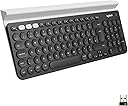
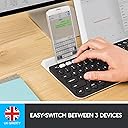
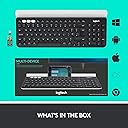
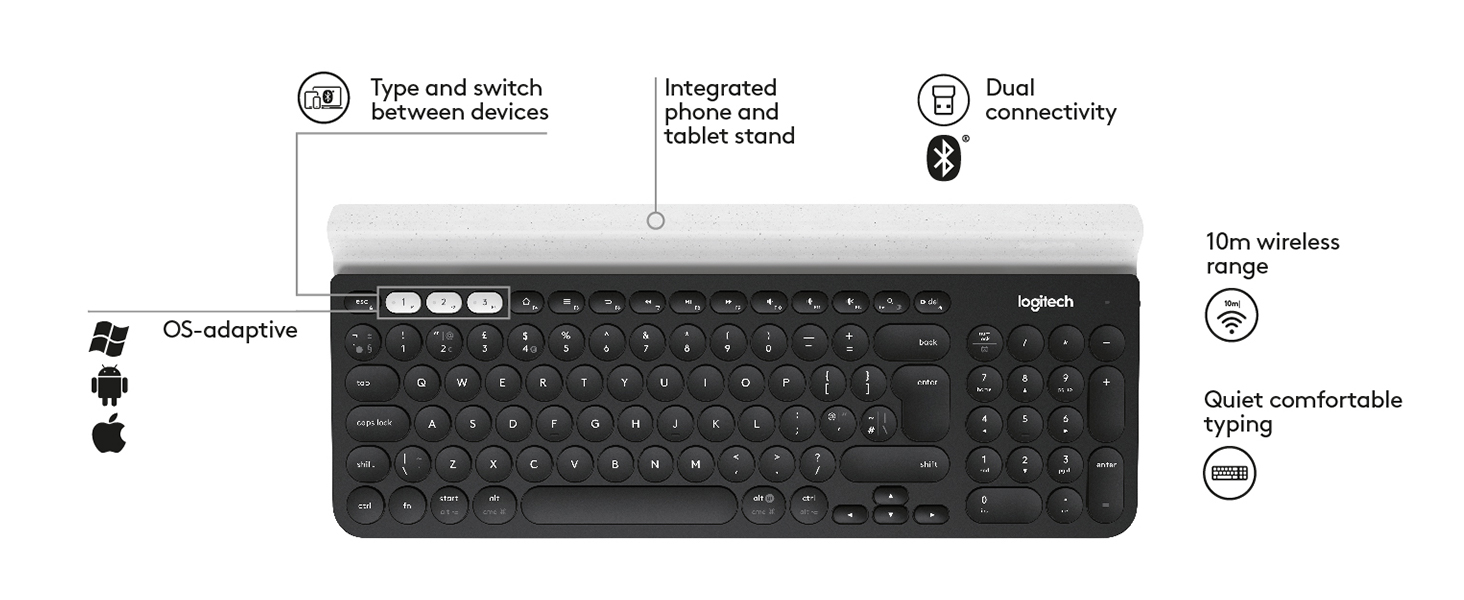
The Logitech K780 is a premium multi-device wireless keyboard designed for professionals who demand seamless switching between up to three devices via Bluetooth or USB. Featuring a full-size layout with quiet, tactile keys and a sturdy metal-backed build, it offers exceptional comfort and durability. Compatible with Windows, Mac, Android, and iOS, it includes a smart cradle for phones and tablets and boasts an impressive 12-month battery life, making it the ultimate productivity companion for the modern multitasker.


| ASIN | B01GV6HP0E |
| Antenna Location | Office |
| Best Sellers Rank | 6,865 in Computers & Accessories ( See Top 100 in Computers & Accessories ) 101 in Keyboards (Computers & Accessories) |
| Box Contents | Keyboard, 2 AAA batteries (pre-installed), Logitech Unifying receiver, User documentation |
| Brand | Logitech |
| Brand Name | Logitech |
| Button Quantity | 78 |
| Colour | Dark Grey/White |
| Compatible Devices | Computer, Phone, Tablet |
| Compatible Operating System Family | MacOS, Windows |
| Compatible devices | Computer, Phone, Tablet |
| Connectivity Technology | Bluetooth |
| Connectivity technology | Bluetooth |
| Country of Origin | China |
| Customer Reviews | 4.6 out of 5 stars 2,464 Reviews |
| Enclosure Material | Plastic |
| External Testing Certification | CE, FCC, CB |
| Global Trade Identification Number | 05099206065017 |
| Hand Orientation | Ambidextrous |
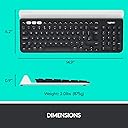
| Item Dimensions L x W x H | 38L x 15.8W x 2.2H centimetres |
| Item Type Name | Multi-Device Wireless Keyboard |
| Item Weight | 830 g |
| Keyboard Backlighting Color Support | Single Color |
| Keyboard Description | Multi Functional |
| Keyboard Layout | QWERTY |
| Keyboard description | Multi Functional |
| Language | English, English, English, English, English |
| Manufacturer | Logitech |
| Manufacturer Part Number | 222A237 |
| Mechanical Keyboard Switch Model | Romer-G |
| Minimum Required Operating System Version | Windows 7 |
| Model Name | K780 |
| Model Number | 920-008041 |
| Number of Batteries | 2 |
| Number of Keys | 104 |
| Number of Sections | 2 |
| Power Source | Battery Powered |
| Product Features | Easy-Switch, Ergonomic, Portable, Wireless |
| Product Warranty | 2-year Limited hardware warranty |
| Recommended uses for product | Office |
| Series Number | 920008041 |
| Special feature | Easy-Switch, Ergonomic, Portable, Wireless |
| Style Name | QWERTY, UK Layout |
| Switch Type | Tactile |
| Theme | Modern technology |
| Unit Count | 1.0 count |
N**N
Amazing keyboard! Solidly built, excellent battery and excellent switching!
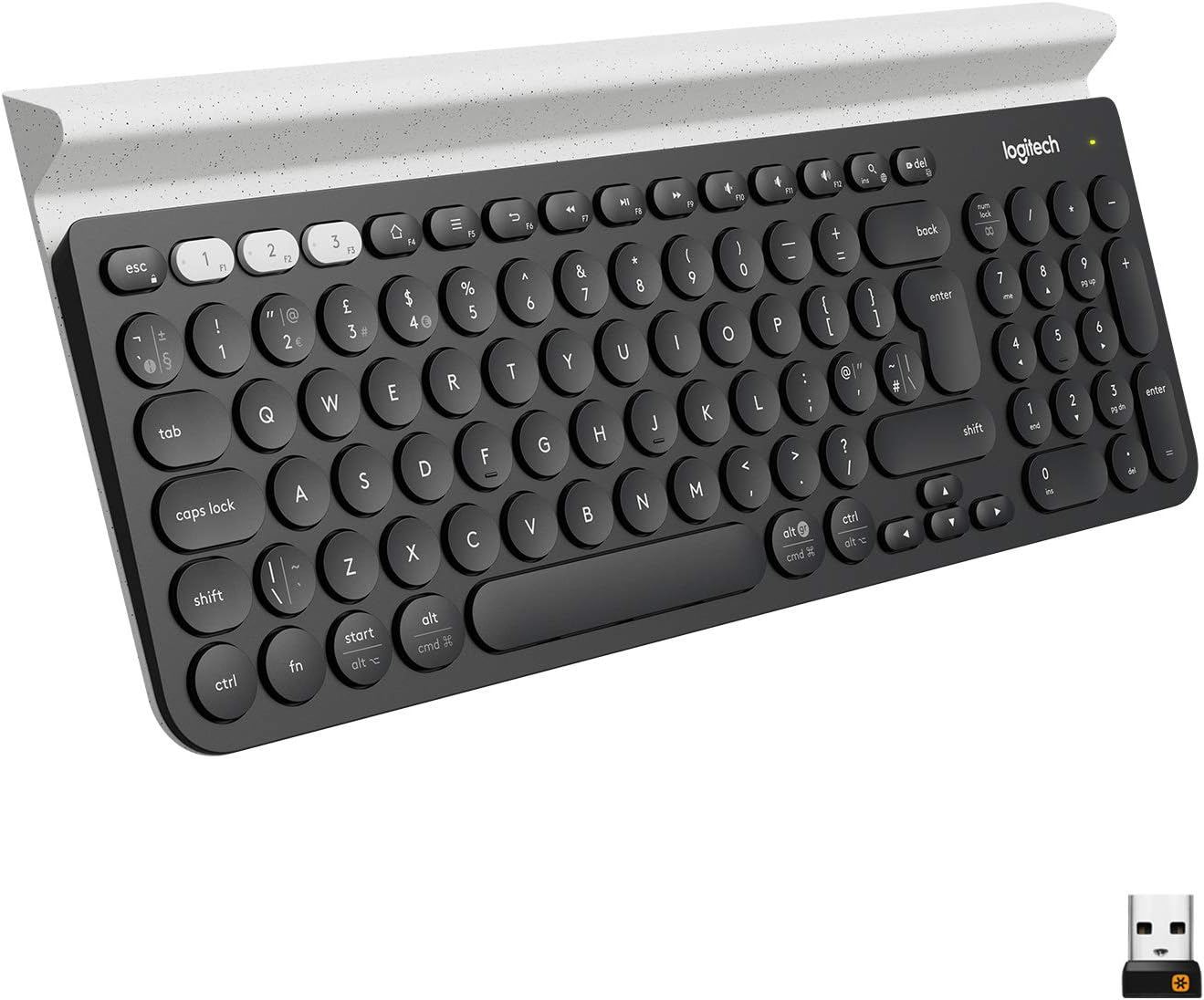
I've had loads of keyboards, including quite a few wireless ones. I'm probably going to go out on a limb and say this is the best of the wireless keyboards I've ever used. The keyboard itself is very slim, far slimmer than mose, and the keys have a low profile, which makes it great for sliding on a shelf, or down the side of the sofa when you're not using it. The top of the keyboard has a toblerone-shaped device-stand. I assume this is for people who want to prop up a tablet or phone. I don't use it for this, but it looks like a far better solution than I've seen elsewhere, using legs and arms. The keyboard is SOLID. It's quite heavy, heavier than it looks like it should be. My guess is that there's a solid piece of metal forming the back of the keyboard, making it very stiff, and unlikely to bend/break if you accidentally sit on it. I'm really impressed by how solid it is. The key action is nice and clacky, so you get good tactile feedback. Of all the low-profile keyboards I've used, I'd say the key action on this one is as close to a 'proper' keyboard as I've got. The keys have a nice resistance, good spring and stop at the end of their travel with a nice firm 'tack' sound, not the muffled plastic of some chiclet-style keyboards. The pairing of the Unifying is relatively painless, but needs a PC to do it. Once the keyboard and dongles are paired, you can unplug them and stick them in anything that recognises a standard USB HID keyboard (which is pretty much anything, probably even including PS4s). Pairing of the bluetooth is very easy, and doesn't need a PC. You can have the keyboard paired with up to two dongles AND a bluetooth connection all at the same time. You switch between the paired devices by pressing the function keys F1->F3. if you want the actual function key, you need to press Fn and the function key. This can be reversed, so you need to press Fn in order to switch. There is a way of doing this via the software (if I remember correctly), and you can do it with a special key combination on the keyboard, but some people say this is non-permanent, so if the batteries run out, you need to do it again. Battery life is excellent. I've not had to replace them in a year, and I've used the keyboard for about a day a week. I bought this with an M720 Triathlon mouse. The keyboard is able to pair up to the M720's dongle, and the M720 mouse can pair up with the K780's dongle. This allows you to have a proper Keyboard+Mouse pair for two different devices, and you just switch between them with the Function keys on the keyboard and a toggle switch on the mouse. I use this M780 with a MisterFPGA, a SteamLink and a Sony TV (via bluetooth). It works flawlessly with all three. Overall I'm extremely pleased with this keyboard, it's absolutely the best wireless keyboard I've ever owned, and absolutely the best designed. The only slightly negative thing is that you need the Windows software to pair it and set up things on the keyboard, but I'm sure there's a Mac version too now.
T**R
Versatile and Premium: A Keyboard That Makes Life Easier.
I held off on reviewing this keyboard until I had time to get familiar with it, and now I feel ready to share my thoughts. First, the weight: itโs substantial, which gives it a premium feel and keeps it securely in place on the table. It also includes a USB dongle for devices without Bluetooth, which is a nice touch. Some reviews mention that the round keys take time to get used to, but I didnโt find that to be the case. Then again, Iโm not the fastest typist. The keys themselves feel fantastic, like a premium laptop keyboard. My favourite feature though, is the ability to connect to up to three Bluetooth devices simultaneously, or with the press of a button at least. I love being able to switch seamlessly between my laptop and phone. It makes typing messages so much easier, and who doesnโt appreciate a little added convenience? Another neat feature is the option to configure a few buttons for different functions. Itโs surprisingly handy, once you remember which function you assigned to each button! Overall, very happy to give this Logitech keyboard top marks.
J**N
A lovely keyboard that pairs easily and switches instantly between channels at the click of a button
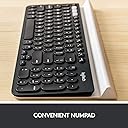
This is the first time I've spent anything more than the minimum amount on a mouse or keyboard. I have 2 laptops that I use for work and home, and am constantly switching dongles between the two to share a wireless keyboard and mouse. So I decided to invest in the Logitech MX Anywhere 2 mouse and this keyboard. Both laptops work on Windows 10, and the set up was incredibly easy. I just searched on my laptop for Bluetooth settings, and both the keyboard and mouse were immediately discovered. I just clicked "pair" for each product and the mouse instantly paired. The keyboard just needed a code inputting before it also paired. I then did this on my second laptop. I was a little worried that the keyboard would be a bit small as some of the reviews mention it being a travel keyboard, whereas I wanted it for permanent use at my desk, but I needn't have worried. It is heavier and does take up less space than my older wireless keyboard, but I haven't had any problems typing on it. The keys are lovely to press and if anything I seem to have been typing more accurately. There is a separate number pad that is in a comfortable position. A few of the keys are placed in slightly different positions, but that is just a matter of getting used to reaching to slightly different places. The keyboard switches instantly to my other laptop when one of the channels is selected. I won't be using it for gaming so cannot comment on its suitability for that, but for office work I couldn't recommend it more highly. All in all I can now see why people spend a little more to get a good mouse and keyboard.
D**H
Very handy
I bought this keyboard to replace a previous version whose spacebar inexplicably stopped working one day. Itโs the same make, so Iโm making these comments after a few months of decent use. Iโm hoping that the flaw that killed the previous one is no longer at issue for this one. This is a solidly built keyboard. Much bigger and heavier than its predecessor, but yet comfortable in the lap whilst seated. The front strip has a hollow to enable you to stand a phone or table whilst working with it - a thoughtful touch. Like the other keyboard, this has the ability to support 3 different devices via Bluetooth. There are 3 keys which, when individually pressed, select their respective associated device. There is no light to offer feedback on which is selected - this is surprisingly irksome, and could have been avoided easily. The action on the keys is responsive, fast and good. The buttons provide satisfying feedback, and typing quickly is comfortable and accurate. I have never known the device to lose connection. After 4 months of decent usage I am yet to need to change the battery. Thatโs good, but I would still have preferred a rechargeable battery. All in all this is a well made and really useful tool, especially when paired with a multi device mouse. Apart from the few quibbles listed above (for which I am deducting one star) this is a good piece of kit, which makes it really easy for me to switch between my home and work PCs and my phone.
A**R
Perfect external keyboard (for me)
This is my third one of these. I have one at home and one at the office (my daughter has the third). So handy to have the slot to rest a phone / tablet in and switch between the connections. Batteries last for ages (I still haven't had to replace the batteries in my original one). Handy to have the numberpad too when using a MacBook. It's very quiet to type on. The keys have good travel, somewhere between a laptop and a normal external keyboard. Can't fault it and would happily buy more if I had the need!
M**R
Best I've Ever Used.
I bought the Logitech K780 after I poured a brimmed cup of tea into my last Logitech bluetooth keyboard (K480). I know that was the most British-people-problems thing ever, but I would like to say that the K480 was what I thought was great, but this new K780 in my opinion is the best on the market right now. - round keys are great to stop mistyping with my fat fingers - keys feel really nice to press and aren't too loud like the K480 - product isn't too lightweight to move about or feel cheap but also not too heavy to be a pain and travel with - product's design and button layout is perfect - switching between devises is easy and instantaneous (would be a pain if I used F1 F2 or F3 ever but I don't..) - the device stand bit is awesome. iPhone fits with a chunky case on. And because the stand bit doesn't have ends like the K480, you can have loads of devices in there. The K480 couldn't fit an iphone and ipad because it had enclosed ends on the stand (look at the photos, it'll make sense). - I didn't realise how much i would use the side keypad but that's a massive bonus too. - if the battery life is anything like my K480, it'll be all things to all men and women. I had my old K480 for 5 years, never changed the AAAs once. If you use a laptop stand and need a wireless / bluetooth keyboard, look no further. This is affordable, bulletproof (apart from copious amounts of tea) and does everything you need.
J**G
Good first keyboard (but not travelling friendly)
Compatibility with different kind of devices I can confirm it worked with an Acer Laptop, Pixel 8 Smartphone and an iPad (5th Genertion). switching in between different devices are smooth but I doubt anybody needing to rapidly change from different devices so often. Functions keys If you need to type Japanese, like I do, I would advise to download the offical software from Logitech's website. This will make changing words into katakana using the F buttons a lot easier. Physical Weight It is quite heavy - I don't think this is a travel friendly product, for long distance travelling I would reccomend you buy something else. Battery Life As I only bought this less than a week ago, it is difficult to coment. The Smartphone/Tablet slots> The slots are quite narrow and won't fit your phones and devices with covers but hat is expected. External Acessories (This does not afferct the overall rating of this product) Maybe it is Just the UK market , but I am having a huge problem trying to look for a slicone cover (the one I found on Amazon or other e-commence webistes were for a USA layout iwth a different shaped enter key). Gamings > The arrow keys you can see are very small so those who plays on games that requires them may have some difficulties Connection stablitiy>>> I had some problems with Bluetooth connection (the PC recognised it was connected, but my typing were not reconigsed) - but it started to work again after restarting the PC)
B**N
Worth the money
Quite expensive but a quality product and versatile. It uses a dongle for connecting to an older Apple computer without Bluetooth, as well as iPhone or iPad as required. The key feel is superb. My wife is a touch typist and loves using it. This is the second one I have bought. It is a bit narrower than some other full size keyboards despite having a digit pad on the right. Needs a separate wireless mouse, however.
W**Y
Initially skeptical but happy to be wrong
I first bought a Logitech Triathlon mouse from Amazon where I was first introduced to Logitech's Easy-Switch technology which impressed me so much that I decided to buy this keyboard. Based on this keyboard's sticker price, I thought it was on the expensive side. Externally the keyboard is made almost entirely of rubber and plastic which further fed my growing skepticism. After setting it up and using it though, I was delightfully surprised how responsive the keys are to the touch and how solid the entire keyboard feels and sounds. This is definitely one of the best keyboards (wireless or otherwise) I've ever used. Despite the unconventional (and quirky) shape of the rounded keys, I never found myself poking the wrong keys -- I'm a touch-typist. With both mouse and keyboard on Easy-Switch I feel I now have a truly wireless KVM solution for my home. Both this keyboard and the Triathlon mouse are able to switch pairings from my Mac mini and my MacBook Pro, quickly and flawlessly. If this keyboard lasts a few years, it will be well worth the money.
K**D
ุงูู ูุชุฌ ููุณ ุงุตูู ูุณุฎู ู ููุฏู
ูุณุฎู ู ููุฏู ู ู ุงูุญููููู ูููุณ ุงุตูู
O**B
Super clavier
Un peu lourd mais super, Le clavier de mon ordinateur portable รฉtait pratiquement HS, jโai mis celui-ci par dessus directement. Il est plutรดt simple ร installer il suffit juste de telecharger le logiciel โoptionsโ de logitech.
M**N
Excellent
Thank you
F**R
Excelente
Lo uso tanto para trabajar (developer) como para jugar videojuegos y la verdad que me resulto muy comodo para ambas. No es ruidoso, y definitivamente lo mejor es la conexion Bluetooth a 3 dispositivos entre lo cuales podes cambiar facilmente, tocando el boton q le corresponde a cada uno.
Trustpilot
2 months ago
2 months ago