


๐ Ignite young innovators with precision, play, and wireless freedom!
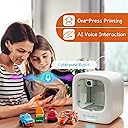
The X-Maker Joy is a beginner-friendly 3D printer designed for kids and families, featuring ultra-precise 0.05mm printing, fast 200mm/s speeds, and wireless app control compatible across major platforms. It includes a vast library of 1500+ STEM toy designs with weekly updates, a built-in camera for real-time monitoring, and a fully enclosed, safe structure. The complete kit comes with 8 PLA filaments and all essentials to start creating immediately, making it a top choice for educational and creative home use.
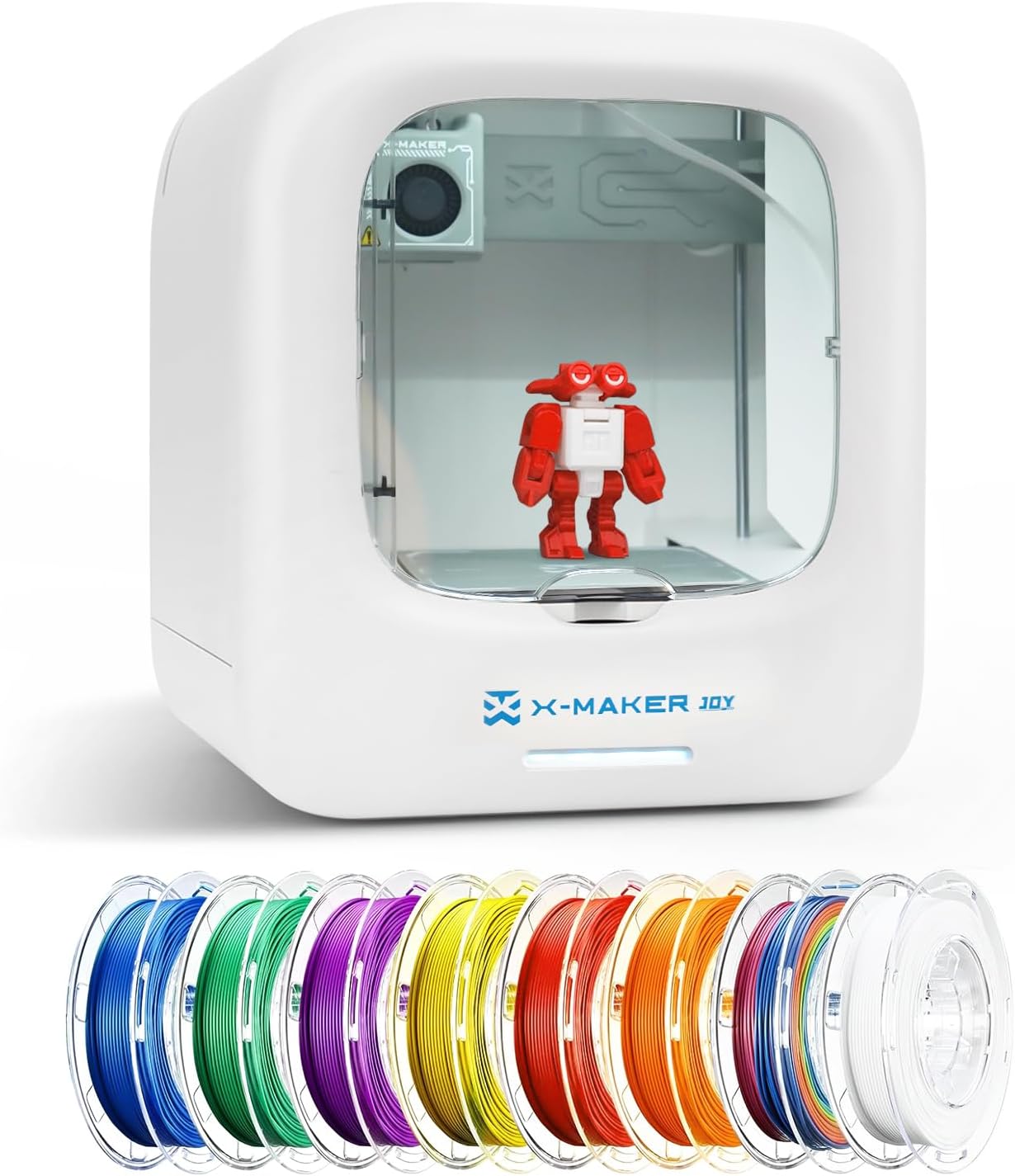


| Best Sellers Rank | #96,917 in Industrial & Scientific ( See Top 100 in Industrial & Scientific ) #103 in 3D Printers |
| Brand | AOSEED |
| Color | White + 8 PLA Filament Set |
| Compatible Devices | Andriod Pad& Phone, Windows, iPad & iPhone |
| Customer Reviews | 3.7 out of 5 stars 307 Reviews |
| Item Weight | 14.3 Pounds |
| Material | PlasticใMetal |
| Product Dimensions | 15.1"D x 13.6"W x 17.1"H |
A**N
Wow! So worth it! Our son is having the time of his life!!!
Our 9-year-old son has been printing since Christmas. This is by far one of the best things he is really enjoying. It is so nice to see the excitement and appreciation he experiences with this purchase. He is making his own toys and learning skills at the same time. Loading and changing the filament is super easy, with the exception that the level is a bit hard to squeeze and it takes two to load, one to squeeze and one to send the filament through. I would highly recommend this. I am a much older parent, in my 50's with less experience with electronics and it was very easy to watch the videos and set it up. The toys that come out have been great quality and printing is super easy. He has made at least 7 toys, including a pretty large lego-type man and the toys snap together easy. He even made some gifts for others.
E**.
Printing is frequently interrupted ruining a project
Gave it as a gift to a grandchild. He made one object than quit using it. I reclaimed the gift and printed 4 simple objects. The process was interupted repeatedly with an error 130 message. The printer had to be rebooted. It could NEVER connect with my Tablet. It would run from my phone but the frequent error messages appeared. I tried to download the app for my laptop but was advised by microsoft windows that it was a suspicious piece of software. I downloaded the X-Maker software and attempted to install it. Norton found it was infected with malicioius piece of software and deleted it from my computer. The software is very buggy and prone to frequent interruptions which ruins a project most of the time. This can't be returned at the point in time and will go into a yard sale. Assembly is easy. Print quality is rarely good. Print speed is very slow. Software is infected with malware.
A**R
Excellent for the kids
I recently purchased the X-MAKER JOY 3D Printer, and itโs been the perfect introduction to 3D printing for my kids. This compact, ready-to-use machine makes it easy and affordable to step into the world of 3D printing. The printer arrived fully assembled, with no complicated setup. Its leveling-free feature takes the hassle out of calibration, delivering smooth and reliable prints right away. The included 8-color PLA filament set let us start printing projects immediately. My son especially loves the built-in camera, allowing him to monitor and control prints directly from his phone or tablet. Watching his designs come to life has been incredibly rewarding, and the print quality has exceeded our expectations for an entry-level printer. Itโs sparked a new passion for the whole family, and weโre excited to tackle more advanced projects soon!
J**J
Great Buy!
So impressed with this printer. It is so easy to use that my 10 year old can do everything himself. The set up was easy and took 10 mins. It comes with a quick set up guide and a QR code that takes you to a step by step video set up. So far we have printed 8 things and havent used half of one spool of filament. A couple of suggestions, when going through the set up and it comes to it asking to push the done button once you see the filament starting to drip through the nozzle, push done as soon as you see it. If you wait to long then the machine thinks it has to heat up longer which will allow to much filament to come though when starting to print. Then the design will lift off the base in the middle of the print. Also, if your prints are coming off, we googled it and found if you put a little glue stick on it and use a wet paper towl to spread it then dry before printing, they will stay on the plate. Also, you will want to rinse the plate off after every couple of uses with soap and water to get any oils from your hands off. Store filament in a zip lock bag in the box out of light and away from moisture for best use. It is fun for the whole family and the app has hundreds of designs that it will print. The kids love watching the progress on the app through the built in camera. I watched the item for months and it goes on different sales all the time. Definitely a good buy for the price when on sale for beginners!
J**R
Worth every penny!
My son has had this running 20/7 literally since he opened it on Christmas. He has made some really awesome items. The first was a little whistle because it only takes an hour to print. Best whistle sound. Solid small plastic whistle. He made half a dozen for friends. It can be attached to a life jacket for safety etc. His favorite print so far is the "sword" that folds into itself so it looks like your stabbing something but really not obviously. Our other favorite was the q-tip shooter. So cool. He has made dozens of items. We had a tiny hiccup on day 3 with the swords and two didn't print properly but my husband said he had the filament loaded wrong. No issues since. We have not had to calibrate the machine yet. This is a truly wonderful machine! It's perfect for first time users because you can pick from thousands of items to print. I have no idea if you can print your own creation. But we haven't had any need for that yet as my son is having a blast choosing what's already there. We love it. It was a great price. The filament lasts through quite a few creations. I know it's costly to replace, but I do believe it goes a long way. My son is 8 but myself and my husband love it too. Age 43 and 45.
J**A
Great except for the app
Love this product and it made a great Christmas gift for my 8 yr old. Unfortunately the app crashes but not to consistently at least once a day. If you are willing to have patience with the app this is a great starter printer for kids to explore and use there imaginations
K**.
Christmas disappointment
If you want to disappoint your child on Christmas, you have found the perfect toy to do it! The company did not prepare for the holiday rush and therefore about 98% of people are having issues with not being able to connect to the Internet. The app keeps crashing, prints stop mid way, and even if you sign in with the right credentials it says invalid. If your like me and purchased this before the holidays and it's outside your return window you have 2 options. 1. Wait it out. The company promises the servers will be back up after the rush. 2. Contact Amazon and complain and don't let them off the hook until they let you return it. Merry Christmas to everyone and I hope you don't have to listen to your kid cry all day like I did!
A**R
New to 3D printing
I will start off by saying that I had zero experience with 3D printing. My expectations were that this was going to be fun, with a little learning curve. Wrong. So I just want to prepare those of you that were as new as myself to take a deep breath if you struggle at first. I did have issues getting the joy unit to connect to my internet. I have Spectrum and I had to go into my account and do an adjustment to get it all to work. There are instructions for this. It was frustrating from the start, but I was able to get that part accomplished. Once I did that I watched all the tutorials (have had the unit about 4 months now). I know they have added to the tutorials since that time, which is helpful. If you get on FB groups (beginner ones) you will soon realize that is a "hobby" that needs lots of learning. I would recommend watching some basic YT vids just on beginner topics. I am currently printing files that come with the X-Maker app. Sometimes the files are not the best, but most are. I am glad I purchased it as an entry level machine and maybe in a few years I will upgrade but not until I know more about doing my own designs. The best part is the customer service on the AOSeed website. If you go to chat and the time zones line up, you will get someone live to help and they do their best to get your questions answered. I am watching YT and hoping more of the experience people run some sample videos with the X-Maker Joy. There are a couple on there now and they are helpful.
J**Z
.
Muy buena
Trustpilot
4 days ago
1 month ago