Buy anything from 5,000+ international stores. One checkout price. No surprise fees. Join 2M+ shoppers on Desertcart.
Desertcart purchases this item on your behalf and handles shipping, customs, and support to Portugal.
🚀 Print Fast, Print Smart, Print Like a Pro!
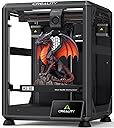
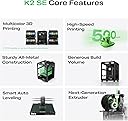
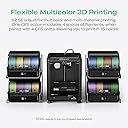
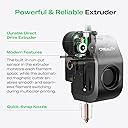
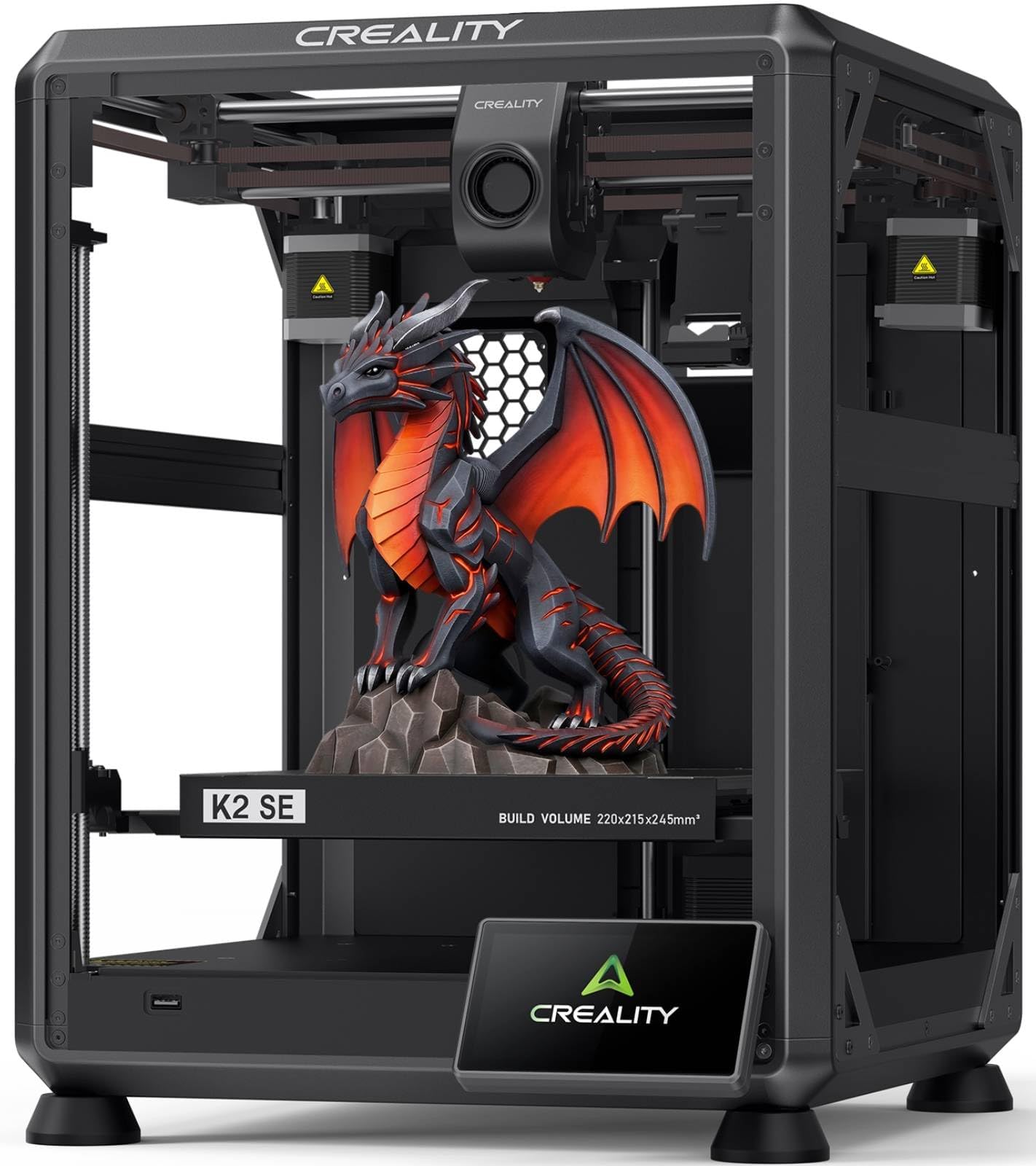
The Creality K2 SE 3D Printer combines a high-speed CoreXY system capable of 500mm/s printing with a robust die-cast aluminum frame for exceptional stability and precision. It supports expandable multicolor printing via the Creality CFS system, features a direct drive extruder with quick-swap nozzles, and offers beginner-friendly automatic bed leveling and setup. Designed for professionals and enthusiasts seeking reliable, fast, and versatile 3D printing with minimal hassle.


| Best Sellers Rank | #6,140 in Industrial & Scientific ( See Top 100 in Industrial & Scientific ) #9 in 3D Printers |
| Brand | Creality |
| Color | K2 SE |
| Compatible Devices | Personal Computer |
| Customer Reviews | 4.0 out of 5 stars 1,662 Reviews |
| Item Weight | 12.5 Kilograms |
| Product Dimensions | 13.98"D x 13.96"W x 18.98"H |
| Supported File Format | 3MF |
R**B
Fast, Reliable, and Stunning Print Quality — Best 3D Printer Value!
The Creality Ender 3 V3 SE is an absolute powerhouse for the price! At 250mm/s print speed with CR Touch auto leveling, this thing sets up fast and prints reliably right out of the box. The Sprite direct extruder handles flexible and rigid filaments with ease, and the print quality is stunning. Whether you're prototyping custom parts, printing jigs and fixtures, or cranking out creative projects, this printer delivers every time. Best 3D printer value on the market — period!
I**K
Not the biggest kid on the schoolyard, but plays a solid ground game.
The K2SE is an excellent printer for users who are still interested in learning and growing within the 3D-printing ecosystem, but who no longer want to spend the majority of their time troubleshooting basic hardware issues. While it may not be a flagship, top-tier machine by today’s standards, it represents a significant step forward—especially when compared side-by-side with older platforms like the Ender 3 Pro. Out of the box, the K2SE delivers a level of refinement that once required extensive upgrades on earlier printers. Features such as automatic bed leveling, filament runout detection, a sturdier frame with vibration-dampening feet, and a properly supported raised Z-axis bed all come standard. The addition of cloud access and a fluid web interface—complete with optional root access for advanced users—bridges the gap between a consumer-friendly machine and a system that still rewards technical curiosity. My first print, a simple Kirby model, was intentionally done with minimal tuning to get a baseline feel for the machine. The results were impressive, especially coming from years of compensating for aging components on my Ender 3. With that printer long overdue for a new extruder, I had grown accustomed to managing variables that simply don’t exist on the K2SE. The consistency and reliability here are immediately noticeable. Although I didn’t have the budget to add the multi-filament CRT system at launch, the printer’s upgrade path is clearly well thought out. Planned expansions like an enclosure, camera monitoring, and multi-material support make it easy to justify future investments. I would also welcome a firmware or hardware update that introduces Bowden extruder support, as it could further improve filament switching speeds and overall print performance. As someone who has stuck with the same Ender 3 since long before touchscreens, CR-Touch, and modern quality-of-life upgrades became commonplace, it’s refreshing to see Klipper remain a core component of the K2SE. For users who are on the fence about moving away from heavy DIY builds, this printer strikes a compelling balance—offering reliability and speed without sacrificing control. Perhaps the most underrated benefit is time savings. The K2SE is noticeably faster than older models, and its intuitive touchscreen interface makes it accessible even for non-technical users in my household. After setup, my wife and children can confidently start prints on their own, which speaks volumes about the usability of the system. Print quality alone justifies the upgrade for patient users. While some may find the stock cooling fans slightly underpowered, the machine compensates with excellent compatibility for multi-tool and threaded expansion systems—an advantage over many Bowden-dependent designs that require significant modification for production or multi-material workflows. And as a final bonus, despite being scheduled for February delivery, the K2SE arrived weeks early. Getting this machine ahead of schedule was the perfect way to confirm that the upgrade was absolutely worth it for the value price point.
R**N
Don’t buy
This printer is pretty awesome. Here is the biggest catch to it. We have spent hundreds of dollars on the app and or validating what we could buy between buying filament and everything else. This thing does not connect properly. It is very technical if you are not smart. This is a terrible thing to buy. I’m a very educated person and so are the other 3 to 4 people in my household that have all tried to use this thing it will not let you change individuals to print off it and even the amount of money you spend to buy credit credits and or other items that you want to purchase in the store do not print properly. This sucks don’t buy it even though this equipment is awesome. This is the worst thing I wish I’d never bought. I do not say this in the test and or ignorance I have studied. I have read up. I’ve looked at forums. I’ve been on Reddit. Everyone says this creatality is extremely difficult and we have definitely found this out firsthand. I would definitely return this, but I think my window has closed. It sucks when you buy a product and you have it for like 2 to 3 weeks before you get to use it but then your window to return it is closed. The app does not match what is online and or if you have more than one person that wants to print, you cannot share unless the other person is logged out and even if the person is logged out, it does not always match the same, so for example, I have tons of money and credit on my account, but it will not let me print out certain apps and or creations then it tells me that it will work on our item that we have purchased, but then it’ll say it does not work. It will not print. 3-D printer is a scam. It sucks. It has great potential but this is not the one for you. Don’t waste your money too much money.
E**H
Forget Adventurer 5M , This is the true and easy to use beginner machine
This is my 3rd 3d printer. Once I spent about 45 minutes assembling it has been printing nonstop since the amazon driver dropped it off, these are the best for reliability and perfect for hobbyists. It is not the quickest machine out there, but it makes up for it with a quality print good price as well.
H**T
One - Month Review
First - I wrote a out of the box review - I do not know if this review will replace the old review or compliment it. Just in case this review replaces the old review - I will repeat a few of the important points from the previous review. I must also say it helps a great deal if you are already familiar with Ender because about 80% or more of the machine is built the same way as the older models. If this is your first Ender - read the instructions and check to make sure you have all the parts. Placing the parts where you can easily tear open the bags and not having to search for a part cuts down the assembly time. While the assembled printer takes up a small footprint - give yourself room to work. This is my 3rd printer - my first one I made from scratch. It took about 2 weeks to get it assembled and another two weeks to get it to print properly. Most of that time was spent modifying the Martin software so it would run my machine! My second one was an Ender V1. It took me about 90 minutes to assemble and about 30 minutes to get it to work. Over the years - I modified it to the point it was virtually impossible to tell the difference between it and a V3. I replaced it because a least one of the motors was going bad and I did not want to do the repairs. I picked this printer for 3 reasons 1) it was on sale, 2) I am now wheelchair bound and needed a printer that did not require too much assembly, and 3) I had worked with Ender before and knew how they worked. I was able to keep some of the old parts from the old machine (but threw most away). Everything was packaged well, but the small parts are in plastic bags that you have to tear or cut open - so be careful you do not lose any parts! There are only three parts to be assembled. They are the base, the frame, and the screen. I had no trouble getting the machine together - did have some trouble getting it to work. I was never able to reach customer service which ranged between "Who are you Kidding?" and "Did you really expect any?" I did some internet searching (there is lots of stuff out there - many are good YouTube videos). I found I needed to do an update - it got a bit complicated here. Part of the update was done using the hidden slot on the LEFT side of the removable screen and part was done using a SD card on the LEFT side of the Unit. (Ender does NOT tell you this on their website!). I was already angry when I tried their slicer and it did NOT work - after not being able to get customer service again. I deleted their slicer and used my Cura. After doing a few prints using Cura (which works fine) a couple days later, I reinstalled their slicer and did some troubleshooting - I found I had a setting wrong. I use both Cura and their slicer now because of the differences. Each one has some features the other one lacks. One example: The Cura has a large number of preset configurations, and it is easy to save a custom configuration. The Creality titles the g-code with a filename that includes the estimate print time. I tried customer service and actually someone! They did give me the manual settings for generic Pla - when I asked how to save those settings they send me to a useless link. I will research how to save one day - but will use my Cura for generic pla until then. What I like about the machine. 1} While it is nosier (a trade-off for higher speed) - it is still much quieter than the original Ender I had before modifications. 2)The new ribbon and print head are a big improvement. The filament is easier to change, and you can easily make prints with different colors! I do not miss the bowden tube and individual wires at all! 3) I like to put my prints on a card. The old machine used a micro-SD card - and I quicky bought an adapter! The new machine takes regular SD cards and no adapter is needed! 4) I really like the automatic leveling feature. There have been times I have spent hours getting my manual table set the way I wanted. So far - it has worked great. I have only made about 50 prints - so I cannot tell you how reliable it is in long term use. 5) The quality of prints is much better than my old machine. I am not sure whether this due to being a better machine or the stepper motor needing replacement. What I do not like: 1) The SD card has to be put into its slot upside down. 2) The controls and the SD card slot are all on the left side of the printer. I think putting the computer connection and the SD card would have been much better on the front of the machine. 3) Updating is like putting up a Christmas tree. The firmware is done with a hidden C connector on the left side of the detachable screen (this is like putting up a Christmas tree). Fine details on display etc. are put in using the SD card (this is like putting the lights on the tree). Once you figure out what goes where - it is the easiest printer to update I have had. 4. This one is a mixed bag. I do not give their customer service good marks - but the fact I found solutions on the internet was a good thing.
S**S
The K2 SE is a great entry level printer. Don't let the naysayers get you down!
I bought the K2 SE because it was inexpensive and I wanted to get into 3D printing. I had a Creality laser engraver that worked well, so I figured I'd go with the brand I knew. I bought the additional enclosure because I was planning to use this in the garage where my wood shop is, and I wanted to keep some dust out. I have been pushing this thing pretty hard for three months now and it has not so much as looked at me cross eyed. It takes everything I throw at it. The quality seems to be there, as nothing is wearing out. I have a little superlube oil and grease to keep up the maintenance, and I suspect any failures people report have been on unmaintained machines. If you're the type that drives your car without changing the oil, 3D printing is not for you. A quick note on 3D printing, for the uninitiated. When you see the one and two star reviews for the K2 SE, make sure you read why the reviewer is leaving the low rating. "Doesn't come with filament" - if you're not buying a combo with filament, none of the printers on the market come with filament. "Makes bubbles and pops when printing" - this is wet filament and not the fault of the printer (dry your filament). 3D printing is not a set it and forget it proposition, at least not at first. It requires a little skill (that can be built), a little knowledge (the U of Tube), and a little patience while you learn how to use the machine. Now for the machine itself... The print quality surprised me as a first time 3D printer user. I have purchased 3D printed items in the past and the lines were not something that impressed me. The K2 SE prints pretty much the same quality as the higher end Bambu Labs printers. The speed is all I could ask for, and I have fed this thing all kinds of PLA, PETG and TPU from Creality, Sunlu, Polymaker and AnyCubic without a problem. Any issues I have had have been the fault of the operator (me) not knowing I had to dry PETG before I use it. I have a Creality filament dryer now and dry my PETG right out of the package, then store it in an airtight container with dessicant. I have two printers running dried PETG sitting behind me right now and they're doing great. If I have a single complaint about the K2 SE, it's the bed size. At 215 x 220 it's smaller than the industry "standard" of 256 x 256, and if you get some of the larger prints that are designed for a "standard" sized printer, they won't fit the build plate. But I knew that coming into this, because they advertise the size right up front. Overall, I'm happy with the K2 SE. It was an excellent entry level printer and I have learned a lot from using it. I may even buy a second to add to my growing farm.
N**A
Something went wrong
Iam sure this is an amazing machine but something was not quite working and looking forward to just opening the box following instructions and ready to print and it wasn't.
B**A
Creality replaced my printer after it destroyed itself
It broke itself completely by driving the printer head directly down into the object it was printing right after I had resumed the print (I had paused to make sure the thing didn’t fall over and to UV resin the base since it was a flute print standing straight up) I heard a loud noise like a motor working too hard and I turned it all off immediately but the damage was done, the fan wobbled, and it barely was able to move correctly in the z direction - also the print nozzle was no longer in its original position. I messaged Creality on the Amazon app to report what happened and they immediately decided to send me a new one which is a relief, better than a kick in rear end lol. All in all I think if I were just starting out I would get something like the Bambi Labs A1 with the multicolor filament accessory. Personally, I think my next printer is going to be the Bambi Labs P1S since it’s enclosed and it’s a core X,Y so the bed doesn’t move that was what was causing me problems when printing tall objects.
J**B
Prima product
Makkelijk te installeren. Zorg wel dat je als je alles weer in elkaar zet de x-as waterpas vast zet, dit voorkomt problemen met het bed.
P**R
Zum Aufrüsten ein Top zubehör
Ich hab die zweite z achse mit z spindel in meinen Ender 3 v2 Eingebaut , der Aufbau war nicht unbedingt sehr schwer und die teile fühlen sich sehr hochwertig an . Jedoch kommt die z spindel nicht geschmiert an .
J**R
Material
Note la mejora de impresión con este doble eje , va genial y los materiales son bastante buenos , el montaje se me dio bien pero hay videos en internet para ver algunas posibles dudas
G**Z
Excelente producto
10/10 super recomendable, un mes con ella y funcionando al mil%
N**D
Bra
Bra grejer
Trustpilot
3 weeks ago
1 week ago