


Desertcart purchases this item on your behalf and handles shipping, customs, and support to Portugal.
🚀 Elevate your network game with STEAMEMO’s smart, sleek, and power-packed switch!
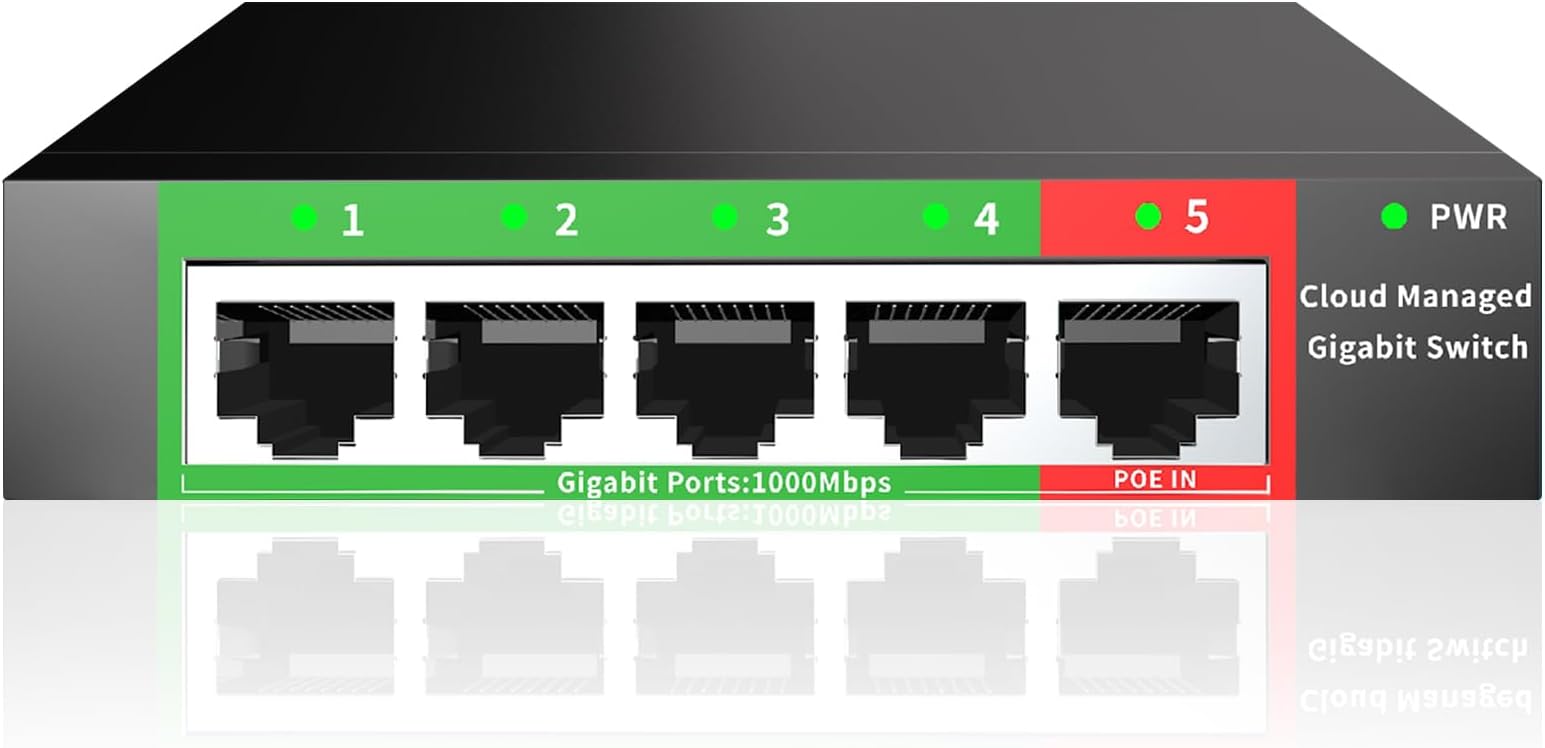
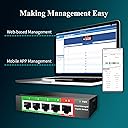
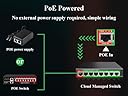
The STEAMEMO 5-Port Gigabit Ethernet Switch is a compact, smart-managed network hub featuring 5 high-speed RJ45 ports, advanced VLAN and QoS traffic management, and innovative PoE In power design. Its durable metal casing supports desktop or wall mounting, while easy plug-and-play setup and dual managed/unmanaged modes make it perfect for professional home offices and small businesses seeking secure, efficient, and scalable network expansion.



| ASIN | B0DG2N8DWH |
| Best Sellers Rank | #133 in Computer Networking Switches |
| Brand | STEAMEMO |
| Built-In Media | Ethernet switch, Power Adapter, User Manual |
| Case Material Type | Metal |
| Color | Black |
| Compatible Devices | Desktop, Gaming console, Router, Printer, Laptop, Camera |
| Customer Reviews | 4.3 out of 5 stars 181 Reviews |
| Data Transfer Rate | 5 gigabits_per_second |
| Included Components | Ethernet switch, Power Adapter, User Manual |
| Interface | RJ45 |
| Item Dimensions L x W x H | 5.19"L x 3.14"W x 1.06"H |
| Manufacturer | SSC |
| Mfr Part Number | GS105 |
| Model Number | 5 ports |Easy Managed |
| Number of Items | 1 |
| Number of Ports | 5 |
| Platform | Not Machine Specific |
| Product Dimensions | 5.19"L x 3.14"W x 1.06"H |
| Switch Type | managed |
| Warranty Description | one year manufacturer |
C**E
Keeps things running quickly, great for my home office!
I picked up the STEAMEMO 5-port gigabit switch for my home office, and it’s been awesome. Setup was super easy, and switching between managed and unmanaged modes was straightforward. I like how it handles traffic smoothly and keeps everything running fast. The web interface is simple to use, and the POE power option is a nice bonus. It feels solid, and I haven’t had to mess with it since installing. Great little device!
B**T
Plug, Play, and forget - just how I like it.
I bought one of these, and it was so good that I ended up getting another. I don't know much about networking, so this was the perfect solution for my needs—plug and play. I have one in my office and another in my living room. Thanks to this device, I've connected my computers, TVs, and other gadgets to my network, which has allowed me to enjoy the internet speeds I'm paying for—unlike my Wi-Fi devices, which only deliver a third of what I pay for. They're small and can be hidden anywhere. They provide a more reliable and faster connection than I expected, and I recommend them. I also think they're very well priced.
M**O
True Plug and Play
This switch resolved an issue I was having with my home network setup using ZIply Fiber. My current setup is as followed: Ziply Fiber ONT -> Switch -> 3 Different Routers w/in my Home. Previously, I was using an older TP-Link (TGSG1008D) switch in place of this current (Steamemo) one. What was happening was that previous switch was limiting my upload speeds to less than 1/Mbps when my plan calls for 300/300 Mbps. While troubleshooting the issue, I bypassed the switch by going from the ONT -> Ziply Provided Router. Doing so, I was getting my full 300 download /300 upload Mbps speeds. So on a leap of faith, I decided to swap out my older TP-Link switches with this new one, and thankfully it resolved my issue. (I'm very happy it did that with little effort!). The only reason why I didn't give this a full five starts is the instructions are not that great. I'm not asking for much, but the one thing I'd like to do is log into this "managed" switch via a web browser, and adjust the configurations as needed. The instructions tell you to use "10.0.0.10", which I did - though nothing is happening. Maybe I need to connect straight to it via my desktop (which I'll try), but instead the instructions call to use your mobile device by installing it's app. Frankly, I don't trust it (with being made in China and all) - which is why I'd like to stick to accessing it local only via a web browser. Other than all that - I would recommend this switch to others if they are facing a similar issue I was.
G**E
Tiny PoE powered switch that performs great and is cool to the touch.
Perfect little PoE powered switch for my downstairs media area. I have a PoE backhaul to my switch in my network closet and this little thing is supplying network to my TV, whole-home audio receiver, uplink for my secondary/backup DSL router without breaking a sweat. I've not used the cloud control functionality, so I can't comment on that, but for the price, you can't beat this thing for a compact little PoE-powered switch. The setup was a little bit of a pain only becuase I had to find an ethernet adapter for my macbook so I could configure the switch for my network but that's a minor "me" problem.
Z**Y
Great value, performance---can be powered by PoE
Bottom line: this was an excellent value, and it works great. Would buy again. The Amazon product page does not mention the model number. A sticker on the switch identifies it as GS105. The switch reports its hostname as GS105V1_1 via DHCP to my router. Both Netgear and Cudy offer "GS105" switches, which seems to stand for Gigabit Switch with 5 ports, but they aren't the same. I tested performance using iperf3 and ping, and confirmed full gigabit speeds and low latency. The switch includes a web server on port 80 for local management. It is not encrypted and does not require a cloud app. The mobile app listed on the Google Play Store has a low average rating. The switch is in a closet without an outlet, so I power the switch remotely. It comes with a 12V 0.15A DC adapter but also works via Power over Ethernet. I tested using both power sources at the same time. While running ping at 0.1 second intervals, I disconnected each power source individually and saw no interruption. This suggests the switch can use either source as backup. Note that the PoE input and uplink data cannot be on the same port: if the PoE injector (on uplink) loses power, the PoE injector will not relay any packets. (This is not the switch's fault.) The DC power input is located on the side. The case is made of sturdy metal. My unit has firmware version 6.0.241227. There is a project on GitHub that offers firmware for Home Assistant integration, but I have not tried it.
M**T
Picky with POE switches
Won't work with two of my POE switches - power LED just flashes, works with two other POE switches. I originally thought this was a POE powered POE switch - it is not. The 4 ports have data only, no power. I tested it powered off a POE switch with a DVR and another POE switch connected to it with 4 IP cameras and it worked for that. It also includes a power adapter if you don't have a POE switch to power it with. I was going to return it but for $13 I'll hang onto it incase I need a gigabit switch somewhere.
J**.
A steal for those with more modest (typical) needs.
I just have a simple home LAN setup with a PC, an HTPC and a hardwired router AP in another room. This switch enabled me to connect my wired devices after getting some new hip monstrosity of a 'router' from the ISP that had only two ethernet ports. This switch can do VLAN and stuff like that too if desired, but will 'just work' like an unmanaged switch if you never bother to tweak it. Unlike the new router, this switch has a web interface you can use from a browser. Throughput has been fine when testing by moving large files here and there, and doesn't choke my 1gbps connection. Will report back if it dies prematurely, but so far it's been just fine. Would recommend.
S**X
Frustrating and Lacking Basic 802.1Q Features
As the other reviewer (Kevin Burtch) pointed out, I had the exact same experience. You have to email the company to get updated firmware just to gain local control of the switch—otherwise it’s cloud-only via a phone app. I made sure to firewall it before connecting it to my network. What’s really disappointing is that this switch lacks basic 802.1Q features that any other VLAN-capable switch has. There’s no way to set tagged VLANs, and you cannot assign 802.1Q PVIDs to ports, which is essential for keeping devices on the correct VLAN. I even contacted the company with a very common VLAN setup I already use on other switches and my router. Their response was simply: "Our switch only supports TRUNK and ACCESS." When I asked if this might be a translation issue because “access” didn’t make sense in context, I got no reply. I ended up returning it to Amazon. There are plenty of other switches out there that actually support proper VLAN tagging and come with decent support. Definitely shop around before buying this one.
E**O
Bom
Excelente switche
Trustpilot
2 weeks ago
1 day ago