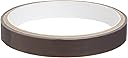
PTFE Mouse Tape, Tan Color, 0.5" x 5 yds
Product ID: 667252
Details
- BrandCS Hyde
- ColorTan
- MaterialPTFE Silicone
- Product Dimensions0.5"L x 180"W
- ThemeBotanical
⏳5 yds length
⚡PTFE material
🖱️0.5" width
Desertcart purchases this item on your behalf and handles shipping, customs, and support to Portugal.
🎮 Elevate Your Game with Effortless Glide!
The CS Hyde PTFE Mouse Tape in tan color (0.5" x 5 yds) is engineered for gamers seeking superior performance. Its long-life PTFE material reduces friction, allowing for faster and smoother mouse movements, while ensuring easy application and residue-free removal.
| ASIN | B003DZ16X4 |
| Antenna Location | Gaming, Office |
| Best Sellers Rank | #372,225 in Tools & Home Improvement ( See Top 100 in Tools & Home Improvement ) #5,597 in Wall Stickers & Murals #101,401 in Home Décor Accents |
| Brand | CS Hyde |
| Color | Tan |
| Customer Reviews | 4.3 out of 5 stars 274 Reviews |
| Enclosure Material | PTFE, Silicone |
| Item Dimensions L x W | 0.5"L x 180"W |
| Item Thickness | 0.5 inches |
| Item Weight | 9.07 g |
| Manufacturer | CS Hyde |
| Material | PTFE, Silicone |
| Mfr Part Number | Teflon Mouse Skates |
| Model Number | Teflon Mouse Skates |
| Number of Items | 1 |
| Number of Packs | 1 |
| Product Dimensions | 0.5"L x 180"W |
| Recommended Uses For Product | Gaming, Office |
| Size | 0.5L x 180W inches |
| Theme | Botanical |
| UPC | 696738463721 074994412781 |
| Unit Count | 1 Count |
D**D
Perfect Accessory for MX 1100 Mouse
I bought this CS Hyde PTFE tape because I was concerned about the wear on my MX 1100 mouse's feet. Thing is, I LOVE this mouse, it's the best one I've ever had and I want to make sure I can keep using it for many years. The problem was that the "control" side of my reversible Razer metal mouse pad was causing too much wear on the mouse feet. Hence my purchase of this PTFE (same thing as Teflon) tape to go over the mouse feet. After reading the documentation for this tape and for CS Hyde's PTFE mouse pad, I decided to buy both products. I am very glad that I did; I think these two things together are the perfect solution for mouse feet wearing down AND for mouse pads wearing out. The "speed" side of my Razer pad had become so worn from friction with my former mouse's feet that it no longer had that nice slippery coating and was not useful any more. I have found that this size of tape is perfect for my MX 1100 mouse's feet. The idea is to cut it a bit longer than the feet themselves, and then smooth the ends of the tape over the plastic and rubberized sides of the mouse. Works just beautifully. The roll of tape is 5 yards or 180 inches long; since it takes about 4 inches of tape to cover the mouse feet completely, there is enough tape to cover the mouse feet 45 times. That should be enough to last for years to come. Then I cut the 16" x 16" CS Hyde PTFE mouse pad into four 8" x 8" pieces and placed one of those on the worn-out "speed" side of the Razer. The reverse side of the CS Hyde pad has a tacky, sticky feel to it and grips the Razer nicely. The end result is that once again my beloved MX 1100 glides effortlessly along. The mouse pad is made of very thin material, nearly as thin as the tape itself. Although this product can be used as a mouse pad all by itself, I think it is best used as a replacement covering for an existing mouse pad. It serves the same purpose for your mouse pad as the tape does for your mouse feet. I am VERY pleased with my purchase of both these products, which are very reasonably priced in addition to being extremely well suited to their purpose. I do think you should buy both products because I think the PTFE coating on the tape might wear out too fast otherwise, but even so it's still a bargain considering how much you get for the price.
M**E
Great Teflon Tape - Worked perfectly for me.
Purchased this tape to extend the life of my Microsoft Sidewinder Mouse (5 button USB) mouse. The tape works great! It allows the mouse to slide as it did when I first purchased it. Worked so well I also use it for my mouse at work. With as long as this tape lasts (at least for me) this is probably a lifetime supply unless I find other uses for it. Pros -Fixed my sidewinder mouse. Slides easily like it did when new. -Tape is very adhesive to other surfaces. I was afraid that it would pull off or snag. It has not once. -Very easy to install. -Cheap easy solution to prolong the life of your mouse. Cons -This size tape didn't cover my mouse feet exactly. The wider tape would work better I think as this tape does not stick to itself so you can't just cut another piece and over lap it. Not really a con but just so you know what to expect - this tape is THIN! It does not add any thickness to the surface. So you can not 'add' other points of contact or raise your mouse feet if other parts of the mouse are dragging. It is best used on top of the original mouse feet as on some mice if you remove the original pads it will allow other parts of the mouse to touch.
K**R
Tape works well, great value.
You get pretty much a lifetime supply of tape here. It is very adhesive so it will not peel off, yet somehow does not stick to its own surface (the teflon side). Teflon feels very smooth and is noticeably slicker than even top brand mouse feet. Great item. I only wish I had ordered the wider 1" tape because this can be a little bit tough to fit cleanly over some larger mousefeet. Better to go too wide and have to cut it than too thin. I would buy the wider tape from this same manufacturer, I am pretty sure it is the same material.
C**S
Thin so may need to layer but adheres well
Was using this to replace the glide pads on my cordless mouse which had worn off and some were also slightly bent. This is thin so I just made two layers and cut off a small strip and placed this over the spot where the previous glide pads were. It is pliable so I was able to press it and get the outline to show through were the mounting area is. Then I used an Xacto knife to trim around the edge. Have been using that mouse this way for months and the teflon tape is holding up well and is still slick to the touch. Some mentioned that the tape was shipped with the tape being held down and causing it to bow up along the edges. I fixed this by removing the wrap and using a blunt/smooth object to smooth down the edges before I even used. For glides on a drawer or something like that, I would probably get something thicker but this worked out great for my mouse.
C**N
It's supposed to be thin.
I want to counter the review saying this is too thin. Many mice are very sensitive about the distance the sensor is from the pad. I put pieces of duct tape over my mouse feet and just the thickness of the tape made the mouse non-functional on any surface. This tape is thin enough to do it's job without interfering with the tracking of my mouse or any mouse. It works well too. good and slippery on one side, good and sticky on the other. When putting it on your mouse it's good to oversize it a little. It will stick better to the plastic near the mouse feet than to the feet themselves because the feet are meant to be low-friction, things like this tape wont adhere to them well. This tape really isn't going to stick to itself either because it's super low-friction, so don't overlap pieces. If you have an Icemat/steelseries experience mouse pad, this is a great alternative to the pricey padsurfers/glides that need to be used with those pads. These do an equally good job on my Icemat.
N**J
I actually took the feet off of one and that worked better for a while
Wow, stuff is kind of cute. I tried everything on my desk to get a mouse to glide smoothly. I actually took the feet off of one and that worked better for a while. OH, in fact it's the mouse I'm currently using a Logitech Wireless Performance Mouse MX. I tried taping stuff on with double sided tape, different mouse pads.... Then I saw this and well for whatever I paid, it seemed worth a try. So, I made my own feet, a little board paper cut small pieces, placed in the center of the tape and taped them on. Works great. I was really surprised when I went to replace it and the tape just pealed right off, no sticky residue. And yet, it stays on. I do occasionally replace it, but there's so much of it and it takes so little... I replace the tape like every two or three months... A guess it's a con, maybe not, but it gets dirty easily. I just could be the surface I'm using it on. I have a microfiber cloth I clean it with and my desk. I did get a new desk so I kind of cleaned it with Pledge Lemon wax, that was worked really well with the tape (didn't help with the original feet). Basically I love it. Oh PS: Part of the dirt problem on my desk that attaches to it and needs cleaning, could possibly be due to five cats in the house... But again, I just wipe it off with a soft cloth, sometimes damp and don't have a problem.
M**N
Not as good as razer diamondback's original feet
I bought this tape to try and add some more life into my razer diamondback. I pulled some off to cover the three feet on the mouse and cut around the feet for a more exact size. I cleaned up the mess and began gaming. First thing I noticed was that it felt like it was slower. It actually felt like there was more friction between my mouse feet and the pad with the tape on. Assuming it was maybe the pad I swapped that to test. I tested a cloth steelseries qck pad, a hard aluminum backed pad, and the razer scarab pad. Nothing changed. I ripped off the tape from the feet and tested the original mouse again to see if it was just me perceiving the drag incorrectly. But once the tape was removed and my original razer diamondback feet were exposed the mouse started to glide nice, smooth, and quick again. Simply put, this tape was not as smooth, or slick as the original feet on my razer diamondback mouse. Thankfully the advertised part about it leaving no residue is true. I think maybe for some different brand mice this tape may be better then the their original feet. But unfortunately it wasn't for mine. UPDATE: 12/1/11 - I just bought a razer deathadder to replace my diamondback. And the mouse feet on the deathadder compared to my diamondback are terrible. I'm currently using a Razer scarab mouse pad. My diamond back as mentioned before moves smoothly, quietly and quickly on the scarab. But this deathadder literately makes a grinding sound when moving around on it. I guess razer's mouse feet quality has dropped over the years? Anyways. I will be trying this tape on my deathadder to see if it improves it. I will update my review once I give it a go. UPDATE: 12/3/11 - Put some of the tape on the deathadder. It did help smooth out the deathadder a little bit. Placed tape on feet and used my kershaw to cut around the edges for a fitted shape. Wish I could find the material my original razer diamondback feet were made of. To sum it up, it depends on what type of mouse you have and the type of feet your trying to replace/cover with this tape. But I can say as far as the razer diamondback goes it can't compete with the diamondbacks original feet.
J**E
Slicker than Snot on a Broom Handle!
My Logitech M525 mouse feet started dragging worse than a kid's feet on the first day of school shortly after I got it. I checked with Logitech and they do not sell replacement feet for this model. Although Logigech offered to replace or fix the mouse under warranty, I didn't want to pay for shipping it back and waiting God only how long to get it back only to have the feet start dragging again so I decided to try this mouse tape. The tape is even thinner than cellophane tape but that makes it easier for the tape to conform to an uneven surface. Being the lazy old broad I am, I didn't even bother to cut the tape to the exact shape of the feet since the only ones who are going to see it are the two mice printed on top of my mouse pad; I just approximated the outside curve of the feet and let the inside edge hang over the feet onto the bottom of the mouse. As I mentioned, the thin tape conformed very well to the feet and the bottom of the mouse. I was shocked how smoothly the mouse moved over the pad! It was much better than when new. My only concern is how long the tape will last since it is so thin. Even if I do have to replace it every two or three months, there is enough on the roll to last for a couple of years or more. The tape cost less than shipping the mouse back to Logitech would have cost me. One of these days, I'm going to get ambitious and put this tape on the rest of my mice (mouses? meece?). Post edit: I finally got ambitious and put the tape on the feet of the rest of my mice (or whatever the plural of a computer mouse is) only this time I went to the trouble of trimming around the edges with a single edge razor blade (it was close to hand). The results look good and the mouses slide like ice on greased ice. I used only a foot of tape to cover the feet on three meeces, even after I left a slight overhang on the end of each piece so only untouched adhesive would touch each foot itself. After doing four mice, I still have roughly 13 1/2 feet left. Post post edit: I've since found that CS Hyde makes a 1" wide PTFE tape that is slightly thicker and much easier to apply than the 1/2" mouse tape. It works every bit as well as the 1/2" tape and should last longer before wearing out. I don't even bother to pretrim the tape. I just cut some off that is a bit longer than the mouse foot, then, while holding the tape by the side, I apply it to each foot and trim the tape that overhangs the side of the mouse with a pair of scissors. I don't even bother to trim around the foot anymore since no one will ever see it.
Trustpilot
2 weeks ago
2 weeks ago