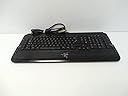
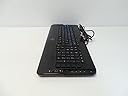
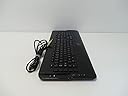
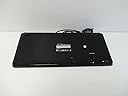
๐ฏ Own the game with precision and speed โ the Razer Tarantula is your ultimate weapon.
The Razer Tarantula Gaming Keyboard is engineered for competitive gamers seeking precision and customization. Featuring anti-ghosting for up to 10 simultaneous key presses, a blazing 1ms response time with 1000Hz polling, and 32KB onboard memory for storing multiple profiles, it delivers seamless control. Its 10 programmable hotkeys and modular BattleDock system allow tailored gameplay and future-proof expansion, making it a standout choice for serious gaming setups.
| ASIN | B000I20IHA |
| Additional Features | Ergonomic |
| Brand | Razer |
| Built-In Media | Keycap Puller, Tarantula Keyboard |
| Button Quantity | 10 |
| Color | Black |
| Compatible Devices | Gaming Console |
| Compatible Operating System Family | Windows |
| Connectivity Technology | USB |
| Customer Reviews | 2.9 out of 5 stars 44 Reviews |
| Global Trade Identification Number | 00814227010458, 00897126000577 |
| Hand Orientation | Ambidextrous |
| Item Weight | 5 Pounds |
| Keyboard Description | QWERTY |
| Language | English |
| Manufacturer | Razer |
| Mfr Part Number | RZ03-00070100-R2M1 |
| Model Number | RZ03-00070100-R2M1 |
| Number of Keys | 10 |
| Special Feature | Ergonomic |
| Style Name | Contemporary |
| UPC | 840356792989 897126000577 814227010458 |
| Warranty Description | 1 year warranty |
J**D
Tarantula? More like lady bug.
I bought, owned and used this keyboard for 6 months. I play solely FPS games at a reasonably high level. If I may paraphrase Naomi Klein briefly, if I am not the Target Market [tm], then who is? Short review: Its rubbish. Longer review: A big problem is the key size and key spacing. The keys are too big and too widely spaced. If you have to use more than one keyboard in your day, your never going to get used to this. It wrecks however many years of finger ergonomics you may have accumulated to this point. The "gaming keys" on the left and right are also rubbish. Spacing is wrong, too far away, no good for anything, never used them. Now before you may suggest that I am a midget, I have "man sized" hands to match my 6"4 frame. My wife had to occasional use the keyboard and she hated it. Bright lights? That stupid glowing logo down the bottom drove me insane. Yes its a Razer product. I know, I bought the damned thing. You can't turn them off. You can't change the frequency of the glowing. Contacted support to ask if they could update the firmware to turn them off or change the software? Sorry buddy, you can't do that. Thanks. My solution? Big piece of black gaffer tape over the logo. Fixed. Great. Large hand rest at the bottom? Non-removable. Too big, anti-ergonomic. Useless. Audio and USB extenders? So you get about 4million cables coming out of this thing to plug in. Audio in/out. 2 x USB cables? 2x????]. You get a USB 1.0 hub, which is useless for transferring anything. The audio jacks are poorly grounded and hum and buzz. 1000hz polling? Ahhhhhhhhhh the REAL reason why us gaming nerds by these things. We need the refresh to match the mouse. Hitting A to dodge a bullet, thats what the money is for. Great, I presume it was 1000hz. Can't really tell. At the end of the day, this thing is an OEM Taiwan special with special Razer firmware to give it 1000hz polling and some pokey software to configure the big buttons. How do I know? If you look around there are other gaming keyboards in the same chassis with the same gaming keys without the 1000hz polling that are much cheaper. Probably not better. But they're there. I suspect this is why Razer is EOL'ing this thing to push their own custom chassis. To the guy I sold mine to on Ebay, sorry buddy!
J**P
Excellent Keyboard
After using serveral other keyboards for gaming, the Tarantula has given me the best results. The keys are responsive and feel robust. Add the Battlelight and be the envy of your friends!
U**K
Gaming only!
First of, I love the Razor products. I'v used their mice before I purchased their keyboard. With the experience with their mice, which are one of the most confortable mice I'v used, I decided to try their keyboard. I purchased this keyboard when it first came out so I'v had a good at least 6hrs a day on it since then. I'm a gamer(fps, mmorpg) and when it comes to it this is a good keyboard. Not too big and cluttered like some I have used. Very responsive to the gaming controls and comfortable. I'v used both USB ports with the headphone/mic jack all at once without a problem. My Razor Deathadder is always connected to one of the USB ports at all time. That's the good part. Now the bad. Not all the keys are has backlighting and I play in the dark. You have to get purchase the Battlelighting and it gets annoying when using it in the dark. Too bright I think. When it comes to typing, well, that's why I titled it "Gaming Only" because for some reason the keys have a hard time responding during game chats or just typing in general. Either you have to press the bottons at least twice to get a character out or you tap once and 3 characters comes out. Kind of like the problem I'm having now while typing up this review. I guess it's trying to prevent me from doing it. LOL :)
E**N
Good for Someone Who Needs It.
As my title notes, it is a great keyboard for me. Let me explain. I am a numpad gamer. One of the first computer games I played was Thief, which defaulted to the numpad. I never looked back in other games since. This creates problems for me. First off is that games have become more complex, there are usually more need for buttons. I decided to upgrade from my old G15. Good keyboard no real complaints except for the macro keys that I had difficulty using early on since I am a numpad gamer and the macros did not work well. Where this keyboard shines for me is that the layout is condensed in a way that gives me way more realistic access to keys that I never had before. For other numpad gamers out there, this is a good look for you. The keyboard seems solid and I cannot opine on the ports since I do not use them. They key feel is nice, however, some of the keys I have been using often over the last 2 months of ownership have me concerned of the long-term viability of them. Nothing is broke now, but I feel that some of the keys need to be pressed harder now than before. I am not sure if it is because the keyboard needed to be broken in a bit or if this is a sign of future problems. Some of the things I do not like have been noted before but should be reinforced for other potential buyers. 1. Need firmware to update the board to work in bios. After the update, it works fine. However, the process of updating the firmware was a pain in the rear. I did the steps at least 20 times and failed and then finally it updated. I have no idea why it finally worked or what I did differently. However, I remember needing to reboot each time to try again since I came up with an error when I tried to update more than once without a reboot. I hope I never have to do that again. 2. Software - Looks good at first, but then some things occur to you. First, why does the program have to be so darn small. The keys that you click to reassign keys (important for me so I can use the numpad enter key in some games) are tiny. Then the profile button does not seem work the way I thought it was supposed to. My understanding is that there are two profiles per profile (A + B). If I have A re-mapped and B normal, hitting the button should bring me to a clean B slate. It shows up on the screen that it switched, but my keys are still re-mapped. Not sure what is going on there. The macro ability is not too bad. I do wish that I could link a mouse key with it too, but that does not work in my experience. 3. LED lighting - Come on, make the whole thing light up. I did not think I would miss it from the G15, but I do. I have low lighting by my computer and it is a little hard to see the keys. I am a decent typer, but every now and then I need to look for something. 4. Keys - As noted above, I am uncertain how long they will work based on the change in feel. I have read user reviews who say that the keys can stop working pretty quickly. I took the gamble since the layout was what I am looking for. In summary, a decent keyboard. I would rate a 3 if it was the more typical layout. I rank it a 4 because it is different, but fits my needs perfectly. In use, I have more usable keys bound and this keyboard has helped me in games because of this. However, it is not perfect even though I have been a razer fan (not exclusive) since the original boomslang 2000 came out. *** Update *** As noted above, I do have an issue with one key I use regularly. I need to press it down quite hard to have it work properly. This is a pain since the others seem fine and it messes me up in gaming. Using the tool to take keys off, I pressed down on the suction cup inside and the key works well and pretty easily. I have determined that the key does not fit correctly and that there is a gap between the bottom of the key and the contact suction. As a result, I need to push quite hard to make the proper contact happen. I have patched this by using a piece of cotton to fill in the gap by wedging a portion into the key and balling it up on the other end. It works well for a time, but needs to be replaced often as it flattens. I plan to work on a final fix (guessing that crazy glue will be involved ;-) ), but I have not had the time to do so or think about how would be the best way. Overall, I am still pleased with the keyboard. As noted above, it really works well for my style of play. However, due to the key issue, I think I would rate a solid 3 overall now since a keyboard at this price range should not give such a basic problem like this.
R**S
SSSS not good
had keyboard for less the 3 weeks and 2 keys stopped working // back to Logitech for me
M**E
Not impressed
I had problems with this keyboard, if you tried to adjust profile while in a game, the keyboard locked up and wouldn't work even after reboot. Took a while to get the keyboard "unstuck" had to basically reset the keyboard profiles after using another keyboard to get back up and running.
J**S
JUNK
This thing came with my HP Blackbird Game PC.In the 1 year warranty I had to replace it twice and now just 1 month after the warranty expired it is out again.Sometimes when the PC starts it is dead.Sometimes all the lit keys flash like crazy and all 3 of the squares in the top right corner stay lit.When this happens you can not type on the keyboard and there is no way to turn them off.The letters on this keyboard are extra small.Over the years I have had several Computers and this is the first one that the keyboard has quite working.To me this is just a junk keyboard.
A**R
Replacement for G15 -had a 1st gen G15 that finally died ^^;
As the title states, this keyboard was bought to replace my 1st gen G15 that finally died. I've only been using it for a little over a week so far. ~PROS: 1. One of the few keyboard that has separate programmable keys. Some keyboards say they have programmable keys but they're referring to the F1-F12 keys which started to get annoying when shopping around. I actually do USE the F1-F12 keys for things! 2. Loving the soft feel & fast response/Anti-ghosting, when my G15 died I had to go searching for an old keyboard to use until my Razer arrived and ended up with one of those freebies you get with a new PC. It reaffirmed why I want a higher quality keyboard! 3. Razer's rearranging of the Delete, Home, End, Page Up & Page Down keys hasn't been a problem to adapt to like some users have reported. 4. Attached wrist rest! I've had other keyboards with the detachable wrist rests which were constantly coming loose/off or breaking. 5. Haven't noticed any static or buzzing with headphones plugged into the headphone/microphone jacks on the back of the keyboard as some other users have reported. At least not with Vent & WMP so far. ~CONS: 1. I run Vista 32-bit and it took me about 10 tries to get the Firmware to update, which was annoying due to how you have to update the firmware. (it's an older version on the CD that's shipped with the keyboard) In order to update the firmware you download the update files, click on the .exe, then following their prompts: unplug the keyboard, hold the escape key down, plug keyboard back in, let go of escape key, then PRAY the firmware installed properly! Needless to say I got real sick of crawling under my desk to keep unplugging my keyboard, and after the third try rearranged some of my other USB devices so I could temporarily plug the keyboard into the USB ports in the FRONT of my CPU! 2. Razer's lack of customer support! When I was having difficulty installing the Firmware I went looking for customer support options on razerzone.com. Due to this being my 1st Razer purchase, maybe they had some hints or tricks I didn't know about. NOPE! Just said the same thing in several different locations, and don't remember even seeing any type of forums or a customer support phone number... 3. Going for the escape key quickly I've accidentally hit the L1 key a few times, and the same with the Enter key (on NumPad) & R5 key. ~~~ Overall, as long as I don't have to update the Firmware again real soon I'm happy!!
Trustpilot
3 days ago
2 weeks ago