Buy anything from 5,000+ international stores. One checkout price. No surprise fees. Join 2M+ shoppers on Desertcart.
Desertcart purchases this item on your behalf and handles shipping, customs, and support to Portugal.
⚡ Power your productivity with the ultimate 13-in-1 Thunderbolt 4 dock!
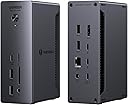
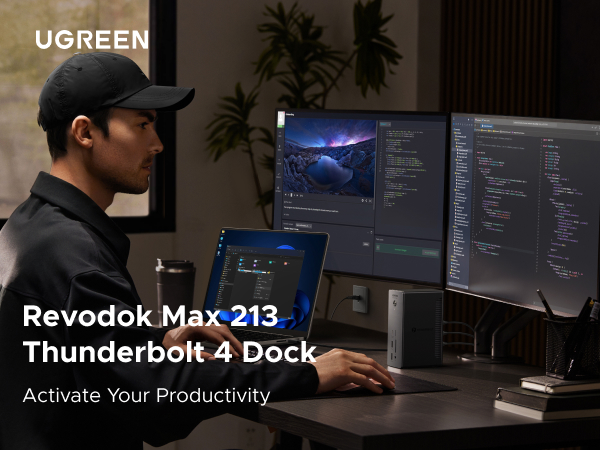
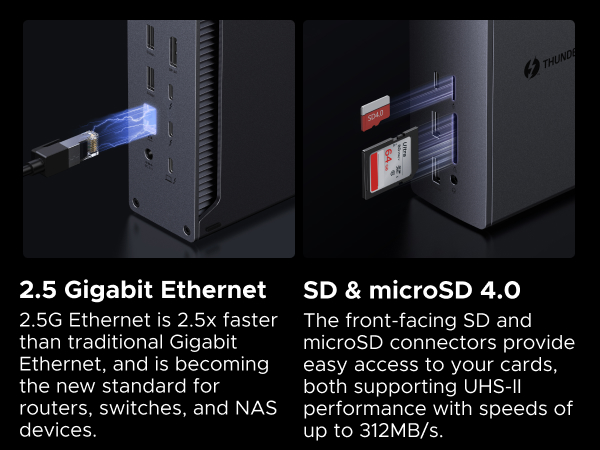
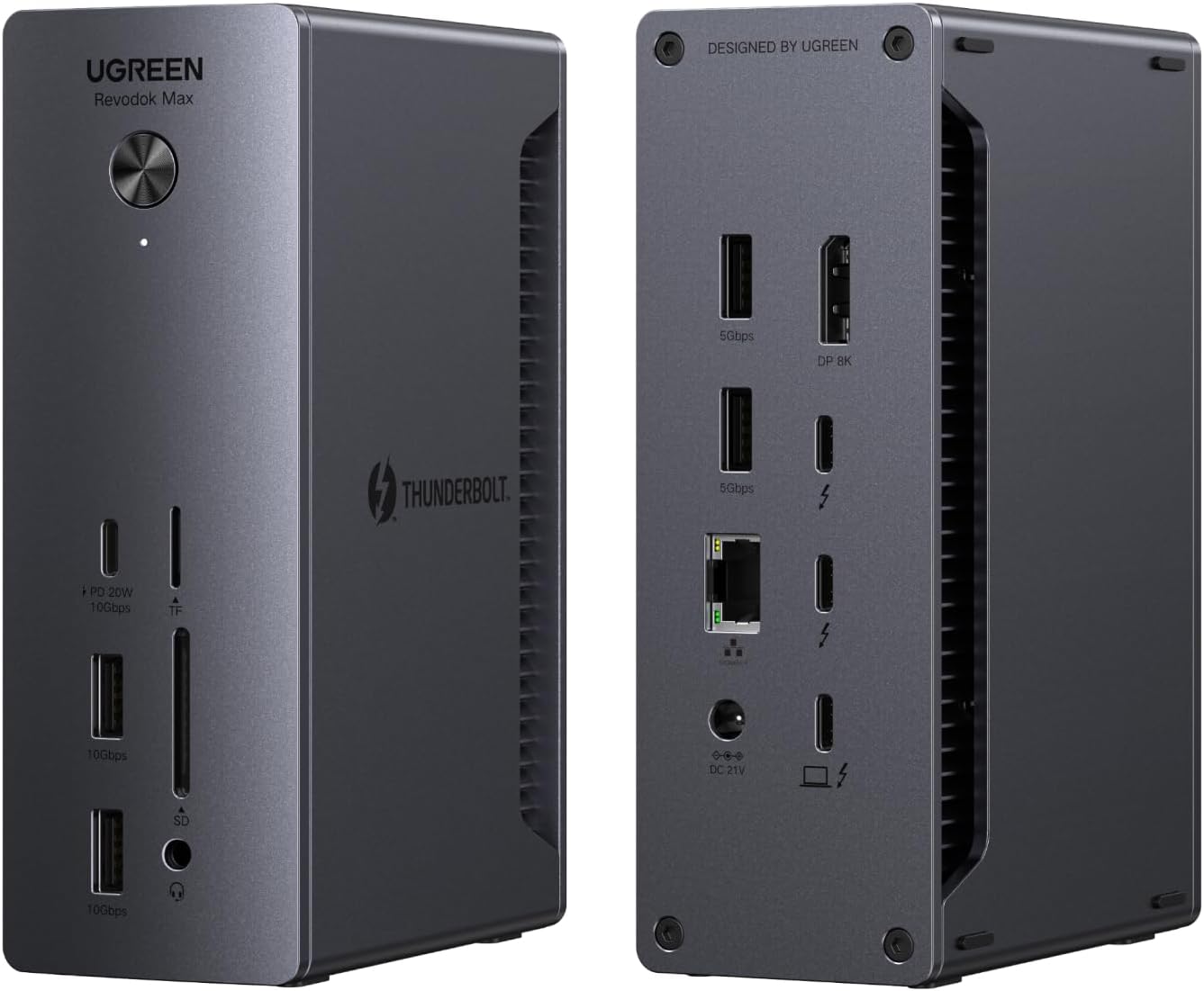
The UGREEN Thunderbolt 4 Dock 13-in-1 delivers unmatched versatility with 40Gbps data transfer, dual 4K@60Hz or single 8K display support, and 90W laptop charging. Featuring 13 ports including 2.5GbE Ethernet and SD/TF 4.0 readers, it’s designed for seamless compatibility with MacBooks, Surface Pro, and USB-C/Thunderbolt laptops—perfect for professionals demanding speed, power, and multi-device connectivity in one sleek, robust hub.


| ASIN | B0DQWJNJ21 |
| Best Sellers Rank | #18,004 in Electronics ( See Top 100 in Electronics ) #286 in Laptop Docking Stations |
| Brand | UGREEN |
| Color | Gray |
| Compatible Devices | Compatible with Apple M4/M3/M2/M1 Macs, Intel Thunderbolt 3 Macs, and Thunderbolt 4/3, USB4, or USB-C Windows laptops/PCs Compatible Devices Compatible with Apple M4/M3/M2/M1 Macs, Intel Thunderbolt 3 Macs, and Thunderbolt 4/3, USB4, or USB-C Windows laptops/PCs See more |
| Customer Reviews | 4.2 out of 5 stars 181 Reviews |
| Hardware Interface | Ethernet, Thunderbolt 4 , USB 3.2 Gen 1 |
| Item Dimensions L x W x H | 5.85"L x 3.79"W x 2.05"H |
| Manufacturer | Ugreen Group Limited |
| Mfr Part Number | 25054A |
| Model Number | 25054A |
| Number of Ports | 13 |
| Product Dimensions | 5.85"L x 3.79"W x 2.05"H |
| Total USB Ports | 5 |
| Total Usb Ports | 5 |
| Unit Count | 1.0 Count |
| Warranty Description | 2 year |
U**S
solid, well-arranged, hassle-free
This dock has worked steadily without problems out-of-the-box, supporting a Dell XPS running Ubuntu 25.04+. I have a 4k display connected with a (UGreen) USB-C to DP 1.4 cable, and another ancient display connected to the built-in DP port with an old DP 1.1 cable. I expect everything would work fine with earlier kernels and other cables, as well. I saw a review mentioning troubles with HDMI. DisplayPort is actually a preference for me, because HDMI is proprietary and seemed like it might eventually invite 3rd party drivers on Linux, whereas DP is an open standard. So I haven't even tried HDMI. The USB-C to DP cable was not expensive, and gave me no trouble. (I did have to change settings on a monitor to select DP input.) I like that the fast USB-A ports are on the front. Slower USB-A ports in the back are perfect for keyboard and mouse, and if you want an attached SSD or something, you have more TB/USB-C in the back. But if you want to dynamically connect something, you want the faster USB-A ports to be in the front, right? Why don't others get that? The box is shockingly heavy. I imagine they would've wanted it lighter, if possible, but were forced to make it heavy. Perhaps it's unavoidable, if you want a robust power supply? I previously tried a (reconditioned) Dell WD22TB4 before this, and it just suddenly quit after a couple of days. So, maybe heavy is good. (Or they knew I'd think like that and added a slab of steel to impress me? I doubt it.) Plus, it stays put. Anyhow, I spent a lot of time weighing other options, and this box feels like the perfect balance of capability and cost, and has been rock-solid. My displays come up from sleep in about 2 seconds. I have successfully used the (much less expensive) OWC "Bus-Powered 5-Port Multi-Adapter" TB3 mini-dock with my setup (including HDMI without 3rd party drivers, so go figure). However, there were a few occasions with older kernels, when it had a big problem waking up after sleep, though it seems stable with newer kernels. It's passive and has limited ports, so I have to unplug power or juggle connections when I want to add some temporary extra connection. I did briefly create a problem for myself with the UGreen dock, when I disconnected the laptop in clamshell mode, plugged something into the dock, typed some keyboard keys, power-cycled the dock, etc, before realizing I hadn't reconnected the laptop. After reconnecting, I had to open the clamshell and unlock the laptop, in order to bring back the displays. No big deal. Be aware that other docking stations that connect via USB-C only (rather than Thunderbolt) are going to require "Display Link" drivers.
T**D
Functional Dock
This thunderbolt dock is amazing. I have a MacBook Air M4 and wanted to use my two 27" 4K monitors while the lid is closed. It does it perfectly and wakes up without issue. I also have 2 gig symmetrical fiber internet and the dock gives me great results. This was a nice feature that I can take advantage of. It's nice having near full line speed while my MBA is docked. I have not encountered any overheating issues with either the laptop or the dock. Packaging was well done. It was smaller than I was expecting. Has plenty of ports for me and I'm sure most people. Overall a great dock that just works. Wish I had gotten this when I got my laptop. Makes life easier.
M**S
A robust dock with great expandability—just pricey and missing a few conveniences
The UGREEN Revodok Max 213 is a feature-packed Thunderbolt 4 dock that delivers excellent performance and flexibility for power users. With 13 ports, including dual Thunderbolt 4 downstream ports, DisplayPort 1.4, SD/microSD slots, 2.5Gb Ethernet, and multiple USB-C and USB-A ports, it’s clearly built for serious multitasking and connectivity. Setup was effortless—plug and play with no drivers needed. The build quality feels premium, with a solid metal chassis that stays cool even during heavy use. I especially appreciated the 90W power delivery, which comfortably charges my laptop while running dual 4K monitors and several peripherals without breaking a sweat. However, there are a few caveats. It lacks an HDMI port, so if your monitors don’t support DisplayPort or Thunderbolt natively, you’ll need adapters. The unit is also a bit bulky, taking up a fair amount of desk space. And while the overall USB-C support is solid, having only one USB-C port on the front limits quick-access flexibility. Overall, it’s a reliable and robust dock for professional workflows—ideal for creatives, engineers, or remote workers with high demands. It's not cheap, but the performance and build justify the investment for most users.
S**N
Great extension for a Mac Mini M4 Pro - drives my 3 monitors with no issues
I ordered the UGREEN Thunderbolt 4 Dock specifically to find a relatively lower-cost option to drive my 3 monitor setup in my creative studio. While I would have loved to have had a Thunderbolt 5 solution, I wasn't willing to put out the extra money for my specific needs. I have been running this for about 6 weeks now and have had not issues. I connect my three monitors using the 1 display port on the UGREEN, 1 Thunderbolt/USB-C on the UGREEN and the HDMI port on the back of the Mac Mini M4 Pro. Additionally, I have connected a Logitech Video Camera via USB on the back of the UGREEN Dock as well as my Bose Companion 3 Series 2 sound system via a back UGREEN USB port. As you can see from my photo, this still leaves all the ports on the fronts of both the UGREEN dock and my Mac Mini. I am not a gamer/video producer so all monitors are running at 60Hertz. My setup is mainly for AI development, 3D printing, day-to-day browsing and tasks. Love the low-profile, small footprint of this dock.
K**A
Absolute garbage!!
I bought this in December. It is now April of the following year and this Dock is flickering off and on like there's a short in it or something. I tried unplugging one of my two monitors in turns (so tried both, one at a time), tried replacing the Thunderbolt 4 cord, tried plugging it into different ports in my laptop. Same result. There's something wrong with the dock. I got essentially 4 months out of it before it went bad, but paid over $230!! Piece of junk! Would NOT recommend!! Also, FWIW, I am connecting a Dell 34" and an LG 27" to a MacBook Pro M3.
B**A
Sleek, Sturdy and functional
Why did you pick this product vs others?: There is no question that you will love the size, look, and build quality. The fact that this was on sale for $239 versus many 200-dollar competitors made it a competitive deal. Additional sets of Thunderbolt to Video connectors will run you about 50 bucks as well, so keep that in mind. My only complaint is that they should include these in the box or offer a package deal with them. I've seen a complaint about this unit's lack of Display Ports or HDMI ports since it only has one Display Port. But the Thunderbolt ports act as Display Ports with the right USB-C video cables. I would just make sure to purchase a USB-C to HDMI 2.1 or a USB-C to DisplayPort 2.1 cable. This will ensure you can push your monitors at the right Resolution and Refresh rate. The bandwidth for Thunderbolt 4 is 40Gbps, HDMI 2.1 is 48Gbps, and DisplayPort 2.1 is 80Gbps. This will ensure 8k or 4k support, or in my case, Ultrawide 1440p @ 144hz. I was also questioning its capability to charge my Lenovo P16s Gen 2 Workstation laptop, which has a dedicated Quadro Video card, but it has no problems maintaining a charge. Also, I've used other docks in the past, and some of them have issues coming out of sleep. Monitors won't come back, you need to reconnect the dock to your laptop, etc. I've not had that issue once with this unit, and that was the reason I was looking for a new one.
E**S
So glad that I bought this one over a couple others...
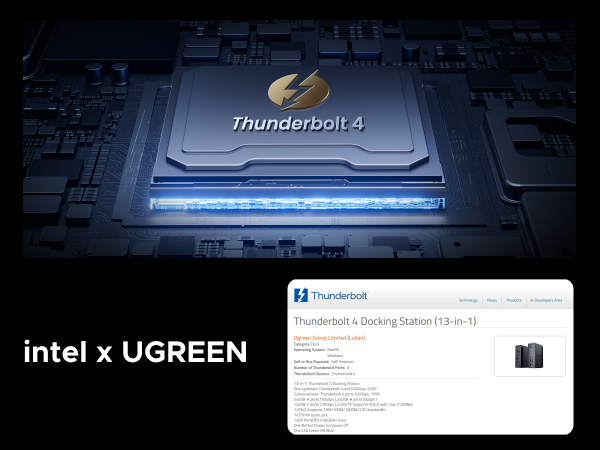
I am so glad that I pulled the trigger and bought this Dock over a couple others I was looking at. The fact it has a Intel chip inside to give you that extra processing and horsepower, if needed. USB 2.0 wireless mouse dongle never stutters like my older hub. Top/full speeds of all drives plugged into Dock, solid LAN speeds via 2.5GB connection. Don't have or use external monitors to take advantage of the Thunderbolt ports, but since it's still a USB-C 3.0+ port, I have an external SATA Hard Drive dock plugged into that port and getting the full 10GB speeds the Dock stated it can transfer at. Wasn't cheap, but you truly only get what you pay for and this Dock is the real deal. All metal, quality cables came with it that transfer at max speeds, and it also powers laptop needing one less plug in the power bar. I would buy again for other systems and would highly suggest to family and friends who are looking for a Dock for their systems as well.
M**C
Highly recommend this dock!
Works flawlessly. Quality build with solid materials, all ports work as advertised and the profile is small enough not to get in the way. I run an M4 MBP through this and have not had so much as a single issue. I am running ethernet, audio, a video output connected to a KVM used with my Mac and PC, and wireless usb devices. I also connect 2 separate M.2 enclosures to it without issue. I have but one complaint and I hope they address this in the future. The audio jack is in the front and I want another option for the back. I worked around this by using a usb-a to 3.5mm jack adapter and run it out back which works fine but shouldn't be necessary. I think audio should have options for both front and back since it's common to use both. Overall I'd buy again without hesitating.
G**O
Increíble calidad
Increíble, súper conectividad y velocidad!!! Calidad de construcción y materiales impecable!
2**E
Excellent dock
So far this dock has been rock solid. My past experience with a competitor dock has been very sour, and I started thinking it's my system, but once I switched to this UGREEN dock it's like night and day - everything just works! I have an ultrawide monitor, a DAC, a mouse/kb combo and an external SSD connected to it, and as I switch the one USB-C cable connected to it from my home laptop, to work laptop, and back - things just switch over, it takes a couple of seconds and I'm back to using the computer. It also stays very cool - slightly warm to the touch but that's it. Conversely my previous dock would get hot enough that it was difficult to touch it. I am very happy with this dock and can't recommend it enough.
J**S
Great for value
I’ve had this dock for a month and it works perfectly good I run it using a M4 Max and under heavy loads it does get warm but only when I’m pushing my Mac to the Max using Davinci and editing a 4K timeline with masking effects de-noising and colour grading and I’m running a dual monitor set up
D**E
Well worth the money!
Absolutely a powerhouse of a product. I read the reviews and it does exactly what I want it to do. Not fail me! Running 6 SSDs and one spindle drive and it doesn't flinch. Had an issue where my drives would just self eject. Docks/Hubs I was using just didn't have enough power, hence the drives dropping. This unit fixed all of that.
香**香
MBP
M5 MBPで使用しています。LAN・エンクロージャ・モニタ2枚(DPtoDP/CtoHDMI)に接続していますが、すべて問題ありません。エンクロージャは直接の接続より5〜10Gbpsくらい落ちますが、通常気になりません。ただ、ためしにDPtoHDMIの変換ケーブルを使ったらモニタを認識しませんでした。HDMIモニタしかない人はCから出力するほかなさそうです。
Trustpilot
2 months ago
3 weeks ago