๐ Elevate Your Workspace: Dual 8K Power Meets Effortless Control
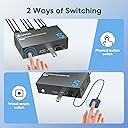
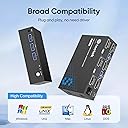
The Steetek 8K HDMI KVM Switch empowers professionals to control two computers across dual 8K monitors at 60Hz with HDCP 2.3 support. Featuring three USB 3.0 ports for high-speed peripheral sharing and a wired remote switch for seamless toggling, it offers plug-and-play setup with adaptive EDID for stable visuals. Compatible with Windows, Mac, Linux, and gaming consoles, this switch is designed to streamline multitasking and maximize productivity in demanding environments.


| ASIN | B0D5D3X7V5 |
| Best Sellers Rank | #428 in KVM Switches |
| Brand | Hearvo |
| Brand Name | Hearvo |
| Circuit Type | 2-way |
| Compatible Devices | PC, Laptop, PS4, Windows 7/8/10/11/Vista/XP, Linux, Mac |
| Connector Type | Hdmi |
| Contact Type | Normally Open |
| Control Method | Remote |
| Control Type | Switching |
| Controller Type | Push Button |
| Current Rating | 1 Amps |
| Customer Reviews | 3.4 out of 5 stars 119 Reviews |
| Manufacturer | Steetek |
| Model | STK-S7229H2-B |
| Mounting Type | Surface Mount |
| Number of Positions | 2 |
| Operating Voltage | 5 Volts (DC) |
| Operation Mode | ON-ON |
| Part Number | STK-S7229H2-B |
| Specification Met | Hdcp 2.3, Ip41 |
| Switch Type | Push Button |
| Terminal | Screw |
| Unit Count | 1.0 Count |
J**H
Amazing KVM
Extremely Impressive! Seamless Dual-Monitor KVM for Ultimate Productivity I recently added the Steetek 8K HDMI KVM Switch to my setup, and it has completely transformed the way I work and game. Here's why I'm absolutely thrilled with it: 1. Stunning 8K Video & Smooth Switching This KVM properly handles up to 8K@60 Hz with HDCP 2.3, delivering breathtaking clarity and crisp visuals across Windows and Macโplus support for 4K@240 Hz, 2K, 3D, and 1080p for older gear. 2. Dual Monitor, Dual Computer Control It effortlessly lets me control two computers using just one set of keyboard, mouse, and monitor. Whether for juggling work and casual gaming on a PS4 or rotating between two desktops, itโs silky smooth. 3. Handy Remote & Adaptive EDID The wired remote switch simplifies toggling between systemsโno need to reach behind the desk. The Adaptive EDID automatically adjusts display settings, guaranteeing stable, hassle-free visuals every time. 4. USB 3.0 Peripherals Made Simple It includes three ultra-fast USB 3.0 ports (up to 5 Gbps) for sharing peripherals like printers, flash drives, and external drives between machines with ease. 5. Plug & Play Setup with Thoughtful Extras No drivers neededโjust plug in using your own HDMI 2.1 cables (not included) and youโre good to go. The package includes two USB 3.0 cables and that much-appreciated wired remote. Plus, the lifetime warranty gives real peace of mind. Bottom Line: If you're after an elegant, high-performance solution to control two systems on dual monitorsโespecially with visually demanding tasks like gaming, video editing, or developmentโthis Steetek KVM switch is an absolute winner. Highly recommend!
C**S
Not recognized by windows
Isnโt recognized by windows: causes both systems to prompt issues (beeping every 20 min or so), loses signal to mouse and keyboard, delays switch of monitor between systems. Would not buy again. I was trying to connect a single monitor between 2 systems along with a keyboard and mouse. Installation was easy, but it didnโt come with all of the needed cables. Once connected it was not recognized by windows and led to losing keyboard mouse access. Do not attempt to use for gaming. If you are ok with each system warning you that it doesnโt recognize the device, intermittent loss of mouse and keyboard and up to 20 sec delays on switches at times then it wouldnโt be too bad. Occasionally it was working as intended with about a 2s switch for monitors and mouse/keyboard. When it was working it was usable for most things including gaming. However, the frequent disconnects at unpredictable times ruin the experience.
R**G
Box functioning
I give 3-star rate due to the functionality of the Box: Everything seems to work ok except for the Keyboard, number-key on the right-side of keyboard did not works Not sure why? alphabet works fine plus number-key on top row works. It just the group digit-key on the right nothing works, if I plug keyboard directly to computer, it works fine By the way I use USB-Wire keyboard and mouse, no wireless I hope someone have an idea to solve this? Edit my review: Saler respond to my request for help very quickly but did not help me as much, till I discovered and solve my own problems, I used Windows-11, and this version build in lot of features that I did not know like you press Certance key repeatedly Windows will turn on some other function without you knowing it, my case it turn on Mouse-key and cause my numeric-key pad to stop functioning, I did not know till I search google for help. Thanks to google that help me solve my issue.
R**X
Worked for six month then malfunctioned
It worked fine for 6 months for my windows 11/ Mac mini M4 combo setup. Suddenly one day the keyboard and mouse stopped working for my Mac, as it could no longer detect nor power peripherals, the backlit on the keyboyand mouse would not light up after I switch input to my Mac . I swapped inputs between windows and Mac and got no luck, now I'm down to one usable workstation.
R**N
Great KVM switch for switching monitor, keyboard and mouse from laptop to pc
So, I waited a good 3 weeks before writing a review. For all those who are wanting to get a switch, it can be a daunting task (if you are like me!), and the amount of choices and options out there make it harder to zero in and pull the trigger. I got this at full price (60$ + tax if I remember), and I recollect being so frustrated having to reach over to the monitor control and selecting the output and then having to remove the cables for my mouse and keyboard and plug them into the macbook hub. Finally, I just completely caved in and purchased this one day. The hub comes with the wires that you might need to plug it in, and get it up. You will have to supply your own hdmi cables or the DP cables, whichever option you choose. Additionally, the hub also comes with a button that allows you to just switch between the computers. This is connected by 3.5mm, which is pretty ingenious since then you can also just plug in a longer one if you so choose, depending on your setup. For me, I have all the wires plugged into everything, and I have mounted this switch under my desk with strong double sided table . As to how it works, well, if setup correctly, you just need to press the button and it works. Whatever you have plugged into the switch will just transfer over to the other computer. For me, this happens to be my 32 inch 4k monitor, a keyboard and a mouse. I don't have need for more ports than that, since I don't use speakers for my macbook, and the desktop speakers for the PC are plugged in directly to the PC ports. FWIW, my setup is - Macbook pro used for work - Gaming PC - 1 x monitor - wired keyboard - wired mouse Coming to the issues: - Once every 20-21 switches, you might see that the mouse or keyboard is not switching over. This happened frequently when it was new, but since then, I have replaced all the cables with good quality braided cables fearing that the bends under the desk would be causing this issue. I can say that using better quality cables has reduced this, but not completely eliminated it. The good news is that I just reach under the desk and power cycle the KVM switch. This is literally the only reason I am docking a star. And that's it. I don't think that there's anything else to complain about. Especially for this price. I was looking at startech which are gold standard apparently, and their KVMs run > 100$. For half the price, I am willing to live with the occasional issue.
J**B
Works great.
Have a 2 monitor desktop setup, but redid it a little to integrate my laptop as sort of a third monitor. So I'm not using the video aspect of this KVM, so I can't speak to how well that aspect works. However as far as the keyboard and mouse are concerned it works great, and the delay between switching is minimal. My keyboard is wireless and has a USB dongle for 2.4ghz, as for my mouse it's also wireless and uses the logitech powerplay mat. I was a little concerned about how well both of those would work with not being directly plugged into my computer, but I've had 0 issues with either one; both my keyboard & mouse work the same as they were previously and my the KVM has no issue delivering enough power to my powerplay mat to both work the dongle function of it and charge my mouse.
E**K
Laggy and unreliable
Video switches quickly but there is a 2-4 second lag for mouse and keyboard input. Aside from the lag it worked well for about 10 days. After 10 days it sporadically stops accepting keyboard and mouse input until I power cycle the unit. Now I'm having to power cycle this thing 6-8 times/day just to use it. Completely unacceptable. Look for a better solution. Edit: 8 days later. I contacted Hearvo and they immediately offered a replacement which arrived yesterday. I appreciate the quick response but the replacement is worse than the original. The original worked for about 10 days before flaking. The new one is basically unusable right out of the box. I cannot recommend this brand. Edit: 12 days later. Hearvo offered a full refund since the replacement didn't work. I can't give the switch more than one star but the customer service was excellent and much appreciated.
C**U
Convenient connector for multiple PCs on one display.
It works prefect, I can now switch between working laptop and private pc seamlessly. One thing to highlight is that NO HDMI cables are included, you need 6 of them for 2 monitors. The Heat level is good so far, acceptable. The size can fit the desk corner. The switch buttons work well on switching the PCs, one in the front and the other at the back. Itโs good for the money, no need to spend money on the additional monitors.
Trustpilot
3 days ago
1 week ago