Desertcart purchases this item on your behalf and handles shipping, customs, and support to Portugal.
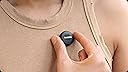
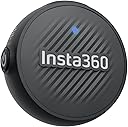
🎤 Mic Air: Light as a feather, loud as your ambition.
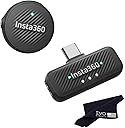
The Insta360 Mic Air is an ultralight 7.9g wireless lavalier microphone delivering 48kHz high-fidelity audio with built-in noise cancellation. Designed for creators on the move, it offers a 10-hour battery life and a stable 300m wireless range, connecting effortlessly via USB-C to Insta360 cameras and smartphones. Its versatile magnetic, clip-on, or pendant design ensures discreet, comfortable wear, making it the perfect companion for professional-grade audio capture anywhere.
| ASIN | B0FFW4KXR8 |
| Antenna Location | Video Conference, Video Recording |
| Audible Noise | 20 db |
| Brand | Insta360 |
| Customer Reviews | 5.0 out of 5 stars 11 Reviews |
| Enclosure Material | Plastic |
| Frequency Response | 48000 hertz |
| Item Dimensions | 6 x 4 x 2 inches |
| Item dimensions L x W x H | 6 x 4 x 2 inches |
| Manufacturer | Insta360 |
| Material | Plastic |
| Mfr Part Number | CINSABWA-CINSABWB-ALT1 |
| Microphone Form Factor | Lavalier |
| Model Number | 1 TX + 1 RX |
| Number of Batteries | 1 9V batteries required. (included) |
| Number of Channels | 2 |
| Number of Items | 2 |
| Recommended Uses For Product | Video Conference, Video Recording |
| UPC | 810132546617 |
| Unit Count | 2 Count |
R**K
Great little microphone
I’ve been using the Insta360 Mic Air for about a week now, and I’m really impressed. Setup was literally plug-and-play — I connect it to my phone and my insta 360 X5. The sound is super clear, even in busier environments, and it does a nice job cutting out background noise. Connecting to Your Phone • The Mic Air has a USB-C receiver. • Plug the receiver directly into your phone’s port. • The mic pairs automatically — no Bluetooth setup required. • Once connected, your phone recognizes it as the main audio input, so any video or voice app will use it. To connect the Insta360 Mic Air to the X5 camera. *Press and hold the power button on the Mic Air for approximately 6 seconds until the blue light flashes rapidly, indicating pairing mode. *On the X5, swipe down to access the shortcut menu, tap "Bluetooth Headset/Microphone," and select "Insta360 Mic Air" from the list to establish the connection. *The camera will then connect to the microphone, and the AirPods icon will appear on the screen, showing that the mic is ready to use.
Trustpilot
1 month ago
1 week ago