Description
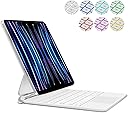
⌨️ Elevate your iPad mini experience with style and precision!
- EFFORTLESS NAVIGATION - Multi-touch trackpad with 5 signal receivers for smooth gesture control
- ILLUMINATE YOUR WORKFLOW - 7-color backlit keys for stylish, low-light typing
- INSTANT POWER EFFICIENCY - Smart magic cover with auto wake/sleep to save battery life
- VERSATILE VIEWING ANGLES - Floating cantilever magnetic stand adapts to your perfect position
- SEAMLESS WIRELESS CONNECTIVITY - Quick Bluetooth pairing with intuitive power controls
The flowshow Keyboard Case is a sleek, wireless folio designed for iPad Mini 7 (2024) and Mini 6 (2021). Featuring a 7-color backlit keyboard, a multi-touch trackpad with stable signal reception, and a unique floating cantilever magnetic stand, it transforms your tablet into a versatile mini-computer. The smart cover supports instant wake/sleep functionality, while precise cutouts ensure full access to all ports. Perfect for professionals seeking a blend of style, functionality, and productivity on the go.