
DOWNLOAD THE APP


Customer Support

Desert Online General Trading LLC
Warehouse # 7, 4th Street, Umm Ramool, Dubai, 30183, Dubai
DOWNLOAD THE APP
Customer Support
Desert Online General Trading LLC
Warehouse # 7, 4th Street, Umm Ramool, Dubai, 30183, Dubai


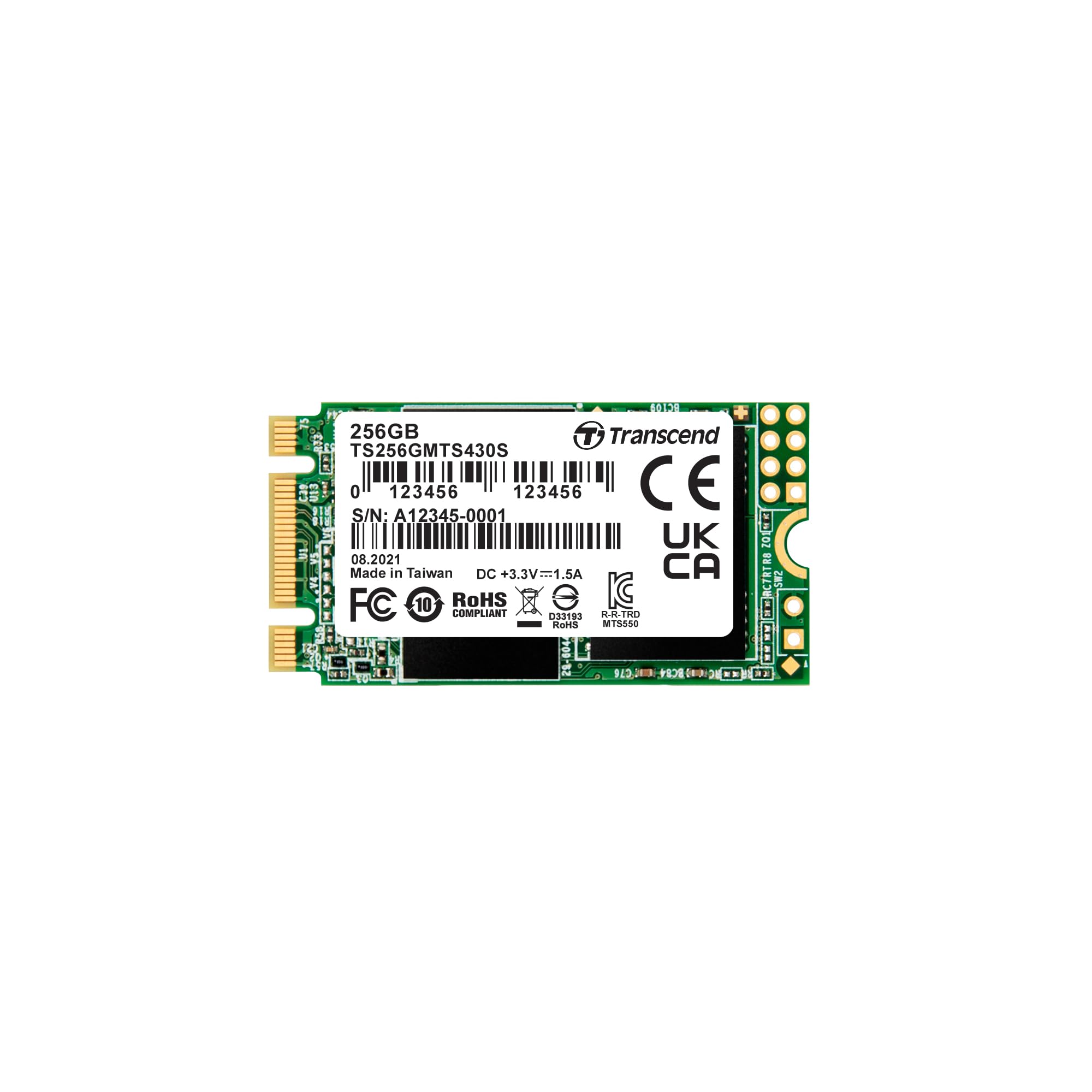


🚀 Elevate your device with speed and reliability that means business
The Transcend 256GB M.2 2242 SATA III SSD combines a compact form factor with high-speed 3D TLC NAND flash memory, delivering up to 560MB/s read and 500MB/s write speeds. Featuring DDR3 DRAM cache, LDPC error correction, and DevSleep ultra low power mode, it ensures fast, reliable, and energy-efficient storage ideal for ultrabooks, laptops, and desktops.


| Hard Drive | 256 GB Solid State Drive |
| Brand | Transcend |
| Series | MTS430S |
| Item model number | TS256GMTS430S |
| Hardware Platform | PC, laptop |
| Item Weight | 0.16 ounces |
| Product Dimensions | 1.65 x 0.87 x 0.14 inches |
| Item Dimensions LxWxH | 1.65 x 0.87 x 0.14 inches |
| Color | Green |
| Computer Memory Type | DIMM |
| Flash Memory Size | 256 GB |
| Hard Drive Interface | Solid State |
| Batteries | 1 Lithium Ion batteries required. |
| Manufacturer | Transcend Information |
| Language | English, English, English, English |
| ASIN | B07KG2KFSX |
| Is Discontinued By Manufacturer | No |
| Date First Available | November 22, 2018 |
D**T
Great for upgrading old laptops to Linux
Bought this for my old laptop boot drive. Now running Linux and very fast. Easily reduced boot up by half. Excellent choice for upgrading old machines.
J**.
Working fine for serveral months now.
I used this as the 3rd drive in Geekom IT13 miniPC. I clone the system disk to this drive in case of any system disk or OS failure I can just quickly restore the system disk from this one or even boot from this one if needed.
P**Y
Just what I needed!
A few years ago I bought two Dell Inspiron i3050 Micro computers to set up as streaming devices. Out of the box they were pretty limited with just 2gb of ram and 32gb of storage. With Windows 8.1 installed, you just didn't have a lot of room for anything else, much less updates... so every so often, Windows would try to do some major updates but could not due to the incredibly limited storage capacity of 32gb. So to upgrade these little guys to Win10 and add some functionality, I needed a bigger drive and that's where the Transcend 256GB drive comes in. Very easy to install... a fast little drive and has a lot more storage than I started off with, but in 2019, 256gb seems small. This drive though meets and exceeds the needs of what I am doing with those little Dells. I ordered 2 and the first one worked perfect... the second one how ever never could be recognized in Bios and therefor Windows could not be reinstalled. Sent it back and quickly got a replacement that worked perfectly the first time.
L**R
Runs HOT!!!
I installed this in a mini-computer that, admittedly, does not have adequate cooling. After partitioning and formatting, the drive temperature was 67C at idle. Idle meaning it was in the PC and ready for use but not being read from or written to. When in active use, it easily exceeds 70C. The only way I can use this drive and keep the temps below 70C is to leave the cover off the mini-computer. Other than this, the drive works as expected, reads and writes fast, and is a good value for the money. However, be advised that whatever you use it in will need really good cooling and airflow.
J**N
Perfect boot drive for my Hackintosh
I got this for my Hackintosh (HP Elitebook 840 G2). The Hack already had a Crucial SSD (500GB) that I was using for the boot drive, which is fast and works well, but I was using less than half of the drive's capacity. I added the Transcend and cloned my Mac partition to it using SuperDuper!, and then manually copied the EFI partition over. I pulled the SSD and booted up to see if it would work. Worked on the first try. I reinstalled the SSD, then added 2 more partitions to the SSD, one which will eventually contain a copy of my iTunes library, and the other which will be used for auxiliary storage. I now back up the Transcend to the SSD, which is very convenient, plus I can boot up from the SSD if anything happens to the Transcend. The Transcend boots about as fast as the SSD does. I thought it would have booted a lot faster, but that may be because I need to reconfigure something. It's still WAY faster than even a 7200 RPM traditional hard drive. The most difficult part of the process was getting the computer to recognize the Transcend drive. While I was researching what type of M2 drive to get, I found a very old post on the HP web site that explained how to do it. Can't remember the exact details, but it involved going into the BIOS and enabling RAID (go figure...), rebooting and getting a BSOD, rebooting into the BIOS and putting things back they were before the the RAID thing, and then letting the system come up normally. THEN the computer could see the drive. In my research I saw some posts about people not being able to use an M2 in this computer as a Windows boot drive. I don't use Windows, so I can't speak to that subject. Recommended.
B**W
DRAM cache SSD
It is getting hard to find SATA SSDs with DRAM cache, Transcend is one of the few remaining. I use these in old laptops along with IDE-SATA adapters where maximum speed is critical for an old machine. DRAM is absolutely needed for an SSD and cheaper options without a DRAM cache will get bogged down and not last as long due to them using the NAND flash as a cache. These drives do have a higher heat output than their cheaper DRAM-less counterparts, so for heat dissipation I recommend removing the label and adding heatsinks/thermal pad if there is room.
B**E
Good value for a relatively uncommon form factor
m.2 SATA drives aren't exactly the most common devices on the market, and finding a decently priced one isn't always an easy task. Although they're pricier than a full size 2.5" SATA drive, there really isn't any performance benefit to them. Regardless of the price difference, this drive has performed just as expected. Completely plug and play, and is currently serving as secondary storage for a couple of VM's on my linux box. Drive went in, was detected, and has provided more than enough throughput to serve at least two Windows 10 VMs concurrently. While this is a one-off case for my needs due to the form factor, if I ever DID need another m.2 SATA, I'd definitely come back and look at this drive again.
W**S
Buena memoria
Excelente mi pc funciona de maravilla
Trustpilot
2 weeks ago
4 days ago