
DOWNLOAD THE APP


Customer Support

Desert Online General Trading LLC
Warehouse # 7, 4th Street, Umm Ramool, Dubai, 30183, Dubai
DOWNLOAD THE APP
Customer Support
Desert Online General Trading LLC
Warehouse # 7, 4th Street, Umm Ramool, Dubai, 30183, Dubai


🔥 Dominate your game and workflow with Predator power! 🎯
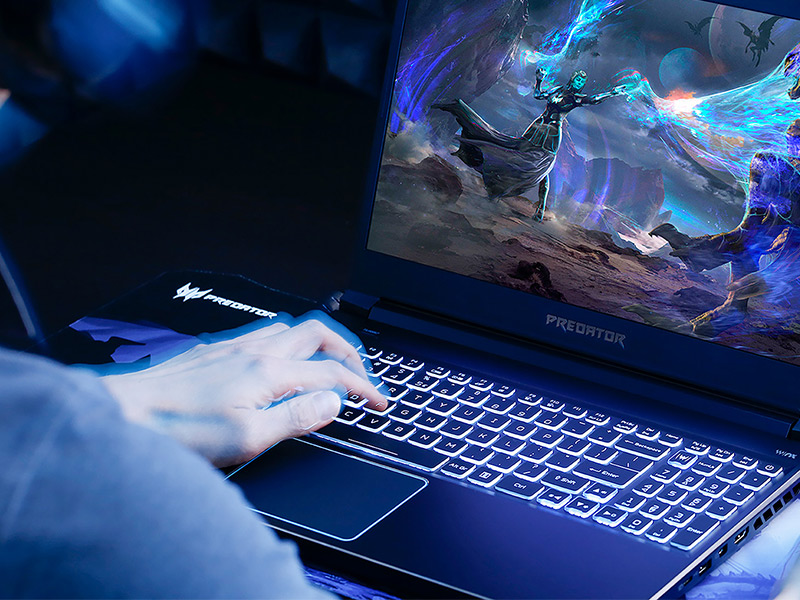
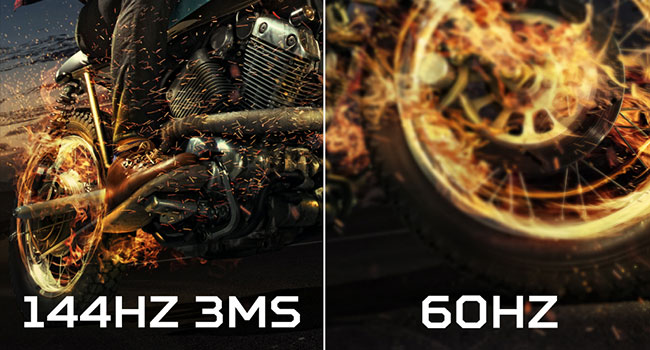
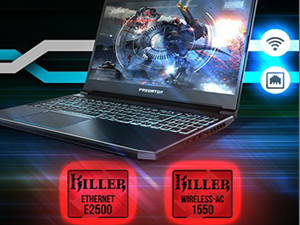
The Acer Predator Helios 300 PH315-52-78VL is a powerhouse gaming laptop featuring a 9th Gen Intel Core i7-9750H 6-core processor with turbo boost up to 4.5GHz, NVIDIA GeForce GTX 1660 Ti 6GB GDDR6 graphics, and a 15.6" Full HD IPS display with a 144Hz refresh rate and 3ms response time. It comes equipped with 16GB DDR4 RAM, a 256GB PCIe NVMe SSD, and offers easy upgrade options. Enhanced connectivity includes Killer DoubleShot Pro WiFi and Gigabit Ethernet, while advanced cooling is ensured by 4th Gen AeroBlade 3D fans. Perfect for gamers and professionals craving speed, visuals, and reliability in a sleek 5.07 lbs chassis.



| Standing screen display size | 15.6 Inches |
| Screen Resolution | 1920 x 1080 pixels |
| Max Screen Resolution | 1920x1080 Pixels |
| Processor | 4.5 GHz core_i7 |
| RAM | 16 GB DDR4 |
| Memory Speed | 4.5 GHz |
| Hard Drive | 256 GB SSD |
| Graphics Coprocessor | NVIDIA GeForce GTX 1660 T |
| Chipset Brand | NVIDIA |
| Card Description | Dedicated |
| Graphics Card Ram Size | 6 GB |
| Wireless Type | 802.11ac |
| Number of USB 3.0 Ports | 4 |
| Average Battery Life (in hours) | 6 Hours |
| Brand | acer |
| Series | PH315-52-78VL |
| Item model number | PH315-52-78VL |
| Operating System | Windows 10 Home |
| Item Weight | 5.07 pounds |
| Product Dimensions | 14.23 x 10.01 x 0.9 inches |
| Item Dimensions LxWxH | 14.23 x 10.01 x 0.9 inches |
| Color | Black |
| Processor Brand | Intel |
| Number of Processors | 6 |
| Computer Memory Type | DDR4 SDRAM |
| Flash Memory Size | 256 |
| Hard Drive Interface | Solid State |
| Power Source | Battery Powered |
| Voltage | 240 Volts |
| Batteries | 1 Lithium Polymer batteries required. (included) |
W**N
Best Value in a Gaming Computer
Granted I've only had this laptop in my possession for a couple of days, but so far I like it a lot. Gaming on a 15.6" screen will take some getting used to. (My previous gaming laptops were ASUS ROG models with 17 inch screens, and my desktop has a 27" monitor.) but the picture quality is the best I've seen. The Predator has some great components with the 9th gen i7 processor, the Nvidia 1660 Ti GPU, 16 GB of RAM and an NVMe SSD. The SSD is 256 GB so I added a Seagate Firecuda 2TB hybrid drive for an additional expense of $80. In addition, the Killer networking hardware/software seems to work very well. That's the good. The bad is that it comes with Windows 10 (but what's a practical alternative?), and Microsoft is very aggressive in pushing its services. It can be difficult if not impossible to remove them. I make my own choices for browser, search engine, email clients, etc, but when I removed Edge I got notifications every time I started up on my startup screen pushing Edge and not once but twice. ( I think and hope I finally removed it. I'm not a fan of advertising, and I don't trust Microsoft.) And I'm not willing to trust "the cloud", so Dropbox and cloud storage were refused. I've downloaded several games onto the hybrid drive but only played Destiny 2 for about an hour and a half and a little of Age of Wonders III. As I said the graphical quality is the best I've seen, but Destiny 2 did freeze after I'd been playing for an hour or so which I assume was due to the GPU overheating (and I do use a notebook cooler), but I'm also assuming there are things I can do to prevent this in the future. For one thing, the game was optimized by the Nvidia GeForce Experience software and I'll have to look at their selections. I should also adjust the fan speeds, but I haven't looked into this yet either. So, if I should have to amend this review (and recommendation) in the future I will do so, but so far I'm very impressed with what Acer has provided and at what cost. I gave battery life and camera quality three stars because the laptop will always be plugged in, and I'll rarely if ever use the camera (though from what I've seen in YouTube reviews the image quality is certainly IMO acceptable for ordinary uses). Update: On the day after I wrote this review, I played some Shadow of the Tomb Raider, Dragon Age: Inquisition, WOW, Alpha Centauri and more Destiny 2. GeForce Experience optimized the games at ultra quality. I tinkered with the fan settings setting them slightly higher than standard (about 4000-4200 rpms and will fine adjust this more). The games looked great and played well without any problem. The fans did make some noise, but it's a whoosh and not a whine, and for me not terribly intrusive. As I said, I'll adjust the fan speed some more and may be able to reduce it even further. The speakers by the way are great with excellent sound quality and volume for a laptop. The fan noise never interfered with the sound at my settings. Again, well done, Acer. Two months later, and I'm still very impressed with this computer. I installed the new Crytek Neon Noir Ray Tracing Benchmark for ray-tracing effects without an RTX gpu, ran it fullscreen at 1920x1080 and ultra and got a score of 5529 with very fluid playback and frame rates that varied from about 45 to the upper 70s. The benchmark would seem to be quite the workout for a system and the Acer got a commendable result IMO.
N**Z
Seriously Consider This Laptop
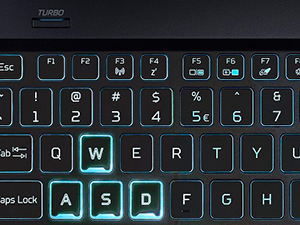
All I have to say with this laptop is just wow. Acer has really delivered with this laptop for 2019. Just a quick story, I’m upgrading from a 17’ 2014 Asus G751JT that has a GTX970m 3GB, Intel i7 4c/8t 4710hq 2.5ghz/3.5ghz boost, 60hz IPS screen that was $1500 and is 8.6lbs. As a college student, my tolerance for lugging that thing has been getting lower over the years. Also had some infamous battery problems that were annoying. I needed a good overall laptop to fulfill my gaming and study needs as I commute an hour to my university and stay there most of the day. It’s amazing on how far gaming laptops have gone within the last 5 years. Luckily, I was able to buy this laptop on prime day for $1000 which sold out hours after it got discounted. That speaks volume of how fantastic this laptop is. This won’t be a full-fledged nitty gritty review, so I’ll just stick to my opinions and findings on the product. The laptop feels premium. I’m amazed with the build quality at this price point along with the weight. It’s an eye catcher as I enjoyed looking at this laptop when I first unboxed it. The keyboard is pretty solid as it didn’t take long for me to get used to typing it. To be fair, I have smaller than average hands so your mileage will vary on this. It’s comfortable to type on for me, and I enjoy the sky-blue backlight as I’ve been stuck on red for 5 years. No complaints on the trackpad. It’s a little rough, I wish there were actual physical buttons for right and left click but I mostly stick to my USB mouse. The screen is 144hz and it is BRIGHT. The colors look great and the buttery smooth screen is just an awesome upgrade for me. There is some backlight bleed, but I only notice it on startup and loading screens. I do not notice it during gameplay unless you are playing a game with dark settings. The screen is so good for the price that I am willing to forgive some minor backlight bleed. If this was a $1600+ laptop, then I’d have a serious problem with it. Internet speed is good, no complaints. This laptop comes standard with 2x8gb of ram. Although I might upgrade to 2x16gb of ram down the road if I need to for my Information Technology classes. One thing to note is you definitely need to upgrade the storage in the laptop. You have space for a 2.5 drive and another NVMe ssd. I’m definitely going to get a 2tb sshd when I have the spare funds; which thankfully Acer provided a kit for a 2.5 drive for your convenience. A 1tb WD Blue is a good m.2 drive to get for storage if you need some fast speeds for any applications that benefit from it like Photoshop or VMware. Now for gaming, I’ll throw in a couple games. The Witcher 3 runs between 70-80fps on ultra-settings. Deus Ex: Mankind Divided was anywhere between 55-70fps on ultra. And for fun, I threw in Rocket League and it maxed out with spare performance to boot. Threw in a heavily modded Fallout New Vegas with 30+ mods and it ran beautifully. Battlefield 4 was a pretty awesome experience too. Overall, this laptop will handle most, if not, all your gaming needs. What’s great is that I never reached above 75c on the GPU and 80c on the cpu without touching anything on the laptop (Auto fans, no overclocking). The fans are somewhat audible; they never got as loud as turning on the turbo button which is just overkill imo. I usually keep fan speeds at around 85%. Keep in mind, my room temperature was 76F. I definitely don’t recommend any heavy gaming in a quiet place like the library, but if you are then you’re not doing your studying like you should be. Look up a YouTuber named OwnOrDisown. He reviewed the laptop and configured the laptop settings to get a nice middle ground for extra performance. Battery life is anywhere from 3.5 – 5 hours depending on your usage. This is with 20% brightness, max keyboard backlight brightness, and some YouTube in the background while typing up this review on Microsoft word. It’s not a long battery life like some ultra-books, but the battery is enough for me to get through some classes before I have to charge which is fine. I don’t recommend gaming on battery unless it’s a low intensity game like Rimworld, Stardew Valley, or AoEII. Seriously, don’t expect any gaming laptop to run AAA titles at max settings and max performance on battery. It’s unreasonable. One minor annoyance I had was the sound. Apparently, the laptop comes with Acer TrueHarmony that modifies sound by default. If you are hearing an echo-like sound as I was, then I’ll save you the 30 minutes. Open the PredatorSense interface and click on the App Center tab. Open Waves MaxxAudio. Click on the Waves Nx tab and disable the feature. Viola, the echo is gone. You can go back to the MaxxAudio tab and configure the sound properly to your liking. Closing Thoughts: This laptop is a breath of fresh air for me. I was extremely lucky on getting it for $1000. It does so many things right that I’d say it’d warrant the full price (Which is currently $1200 as of the time of writing..or typing? Whatever.) and I’d be ok with it. If you’re considering on getting a laptop, this is one of the few I’d heavily recommend because of the price point. (Other brands, please take notes).
J**Y
Excellant for it Price and even better than I could have hope for!
I purchased this in the Fall 2019 (so 6 months of use at this review time) for about $1200 after doing a lot a online reviews of it and comparable laptop setups. My main focus was having a good gaming setup without having to purchase or modify the system - I also wanted at 15" screen with at least 1080p and high frame refresh rate. I was not worried about battery power since this would be plugged in most of the time. This Predator Helios 300 is "Acer Predator Helios 300 Gaming Laptop PC, 15.6" Full HD 144Hz 3ms IPS Display, Intel i7-9750H, GTX 1660 Ti 6GB, 16GB DDR4, 256GB PCIe NVMe SSD, Backlit Keyboard, PH315-52-78VL" 256GB is not enough for what I need but it is very easy and cheap to upgrade so not a big issue you to me VS buying a system that is identical but had the larger SSD. One main concern I had was screen quality since other reviews were upset at the backlight bleed through and I thought that might be a deal breaker. I am very happy to report that the blacklight bleed through for me is absolutely unnoticeable during normal use and playing games. The only time I see the bleed through is during the start screen. The screen is crisp and the colors are good. I am sure there are better screens out there but this one I would say is over all Good - maybe even Excellent. The refresh rate of 144hz also makes for very smooth game play - I really notice it smoothness on Fortnight on max graphic settings and it runs Classic Wow on max graphic setting very well. Another Pro that will a small amount of software tweaking I am able to get the trackpad to work just like my macbook pro - this is really mircosoft windows adjustments but as far as sensitivity it is almost as good as the mac book - its like an 8 out of 10 (macbook pro is a 10 out of 10) - most non-macbook trackpads are horrible that I tested so I was pleasantly surprised. Cons - these are minor: (1) The number pad on the right is off a little because they put the special "Predator" graphics key where normally the "NumLk" goes - and i adjacently hit it all the time. I think they could have put that key or switch somewhere else. (2) I wish they had the F keys setup like the macbook pro where I could adjust volume without having to toggle the "Fn" key. Right now this requires two hand to change the volume from the key board because the volume keys are the "up" and "down" arrows. (3) the way the "delete" key is setup along with the placing of the backspace key - they are both not normal to a standard key board so I end up accidentally hitting them or not hitting them when typing if I am not thinking about it. (4) the track pad is not centered on the laptop. It is further to the left and since I am right handed it make me have to place my right hand further to the right than what is comfortable. (5) The power cord and the way it attaches the computer. I am soiled with the old macbook pro magsafe connection and I wish this did something similar. Multiple times I have pulled this computer off the table because either me or my kids tripped on the cable. Also the cable has a large plastic piece just a few inches from the connector and it seems to get in the way of effectively running the cable around for me. (6) the usd ports are all on the side and close to the front - so this makes it difficult for me to hook in my USB mouse and key pad and have them right next to the computer since hey overlap and hit the key pad. I wish there was two port on the back of the PC or at least on the side but far back. Overall, I am very please with the setup and my gripes are very minor. If this computer makes it 5-6 years without any issue it will be a really good deal.
M**0
Great gaming laptop overall for the money
I have had this laptop for almost 3 weeks and have been putting it through its paces with general use, games, watching streaming videos, etc. before writing this review. ======= Pros: ======= * Cooling is MUCH improved over the 2018 PH315-51 model and comes factory under-volt by -0.125v which certainly helps. * The screen bezel is a lot thinner than the older models. The screen just feels bigger now even though logically, on paper, a 15.6" screen is a 15.6" screen. * Has a DisplayPort * All USB ports are USB 3.0 (Instead of 2x 2.0 and 1x 3.0 as on the older model) * Gaming performance is great * Overall performance is great * Boot time is insanely fast on the NVME drive. Around 10 seconds or so, if that. * Screen is beautiful, colors are vibrant, the view angle is fantastic, and the 144 HZ refresh rate is great; although please see my gripe about discoloration of the top of the screen in the Cons section. * The touch pad is nice and spacious * It is pretty light as far as gaming laptops go. I've seen some people complain that this laptop is heavy; but coming from an older gaming laptop that weighed almost 15 pounds... The weight of this laptop is a major relief! * The keys are back-lit which is great for low-light/night time computing/gaming * The chassis is nice. The top (back of the screen) and the keyboard area is metal, while the bottom and the bezel surrounding the screen is durable plastic. I absolutely love how nice and cool the metal is against my wrists when I'm typing. ======= Cons: ======= * My biggest gripe about this laptop is that there is visible light/color distortion at the top of the screen that is very noticeable against dark backgrounds. This is very distracting if you're watching a movie and there's dark scenes, or if you like to play horror games where typically the environment is dark. I've noticed a lot of people calling this light bleed and I've seen multiple screenshots of the effect; but this isn't light bleed (Well, it might be in the technical sense of the word). You know how if you press your finger lightly against an LCD screen (I'm NOT recommending that you do this by the way), it discolors slightly around the area where you touched? That is what's happening here. Apparently the bezel at the top of the screen is pressing WAY too freaking tight against the top of the screen (From factory!) and causing the discoloration at the top of the screen. I can't imagine that this is good for the health of the screen. This NEEDS to be fixed. * NVME drive is small at 256 GB. There is 237 GB usable, but realistically, there is less than that due to operating system install, so there is more around 130 - 150 GB of free space for applications, games, etc. You can load a handful of modest sized games or one huge game (Doom 2016 is around 80 - 100 gigs after patches and Final Fantasy XV is around 90 gigs after patches. Sheesh, game sizes are getting absolutely ridiculous!). That little drive will be hurting for free space in no time at all after a few games are installed. You will definitely want to add a spare drive to put games on. Acer claims that the laptop is expandable with a second NVME drive and a 2.5 inch bay (Which does include the connector you need for it in the package), but the entire back has to come off if you want to put a drive in internally, and you might void the warranty in the process if you do it yourself; so it's not a false claim, but it's a 'gotcha' claim. An external USB drive is the way to go if you want to remain on the safe side and don't want to pay a tech to put a drive in for you. * Battery life is OK; not great, but not bad either. When not gaming it can get about 3 - 4 hours of light use. It is absolutely horrendous when gaming at approximately 50 minutes, give or take a few depending on the game. Although I will say that this is to be expected from a gaming laptop. It's a lot of power packed into a tiny device. You will definitely want to be plugged in if you want to game on it for any extended length of time. * The webcam is horrible. It is -technically- HD in resolution, but only in resolution. The picture quality resembles early 2000s webcams. The video quality is something between a VHS recording and low quality grainy DVD. You'll either want to get an external webcam or pass this laptop up for a different one because this webcam sorely disappoints. It will work in a pinch though. I will note that it helps a bit to have a very well lit room if you want to use the webcam; even so, it's still pretty bad in my opinion. In the end it doesn't matter to me personally since I don't use webcam that often anyway. * The sound quality of the microphone is not fantastic. It sounds like someone is talking through a tin can. Like the webcam though, It will work in a pinch. I don't use microphones that much anyway, so it isn't a big deal for me. * The speakers sound piercing and tinny. No bass whatsoever. This is to be expected though, most laptops don't have the greatest speakers anyway. Use headphones or an external speaker system whether wired or blue tooth. * Acer seems bent on making installing your own OS on this laptop as hard as possible; even if you want to install a different edition of Windows 10 (For example: It comes with Windows 10 Home but you want to upgrade to Windows 10 Pro). It is doable but be prepared to do a little digging and research to figure out how to do it. I would expect this kind of crap on a low end cheap laptop, but NOT on an expensive gaming laptop! * UEFI/BIOS settings are bare minimal. You can tweak a few boot settings and that is about it. It is definitely NOT a power user's utility. Again, I expect this on a low end laptop, not a gaming laptop. ============================================= Mixed Feelings that are neither Pro nor Con for me: ============================================= * Although cooling is much improved over last year's model, for some games, you will want to turn the fan to max. Keep an eye on PredatorSense temps. I personally prefer to max the fans if I notice the temps getting higher than about 75, but that's just me. * There is a very limited amount of USB ports if you're not counting the USB-C connector, there are 3x USB 3.0 ports. Invest in a powered USB hub if you need to plug in more than just a keyboard and mouse (Because who wants to game on a laptop keyboard and touch pad unless they had no choice?) * USB-C connector is data only; does not output video * There is no optical disc drive. Not a big deal since USB drives are cheap nowadays, but it would have been nice to have. * You have to be slightly heavy handed on the touch pad but this may come down to user preference. Personally I'm fine with it and I'll be hooking an external mouse to it whenever possible anyway. * Keyboard back lights are not RGB. They are solid blue/light blue in color, you can toggle them on or off, and set a few different levels of brightness on them. Not a big deal for me though; I'm just happy being able to see the keyboard in the dark. * There is pretty minimal bloatware pre-installed, but it is no where near as bad as other computer brands. I would consider it a reasonable amount to be honest. * The dual GPU set up can be confusing at first. A tip for anyone first time to dual GPU: If you're having trouble figuring out why some applications are performing badly and they don't seem to be using the nVidia GPU; close the program, then right click it, and chose Run application with GPU > High performance nVidia. You can also set up an application profile in the nVidia control panel for your program to use which ever GPU you want if you want the program to always run with that. Despite some faults with this laptop, overall, I like this laptop a lot.
T**T
This is a nice laptop, and gamer, (1 week review)
I almost cancelled my ordered when realizing the only reviews were all from Vine reviewers! I am glad I didn't. I have only owned 1 other laptop which lasted almost a decade. That and my PC's is what I have to compare it too. When I buy computer stuff I try to get the best for the money that will not be out of date for many years. In my mind I try to buy things that will be good for 8-10 years. After looking at many laptops from top brands, and reading reviews and articles from the PC world, I realized I wanted a monitor at or above 120HZ. This one is 144HZ amazing! My old laptop became no fun when the cpu was way passed it's prime, so I wanted no less than a I7 8th gen, this one is the 9th gen! When it came to the video I wanted a 1060 or faster. This has the 1660ti, yesterdays beast card. The last on my concerns were heating up while under load. I am still concerned with heating up under load, but at this point it seems to handle everything I have put at it so far. The Predator Key pulls up the CPU, GPU,and Laptop temps, which has not gone much higher than mid 70's. The 2 games my kids and I have played on it might not be the most demanding either at this point. I like the way the key board feels also, and I use a wireless mouse. I can not say enough about the monitor, it is just great! I have only had the laptop for a week at this point and will update my review if something great or terrible comes to light. Best of Luck! Troy *6 week update* I am very happy with this laptop. It is a daily used PC, and it is fantastic. I'm unable to find any negatives at this time, unless your looking at the 2060+ video cards that have come out this year. so far the 1660ti has been great. I will update again with anything new. At this time this was a great and enjoyable purchase.
N**K
Monster gaming laptop for affordable price
Alright, so let me clarify a few things for those of you who have extreme OCD like myself: * Despite review models and seemingly even some customer models having this feature, the two lines on the back of the laptop nor the Turbo button light up. They look like they should, but they don’t. Myself and some friends all have this laptop and none of ours light up, but I’ve seen it in review videos and even the amazon reviews. It must just be a review model feature. Now that that’s out of the way... this thing is a BEAST. Performs at or above most laptop models with RTX 2060’s and 2070’s. If you want anything less than an RTX 2080 this laptop is the ONLY one that makes sense unless you’re really set on getting a laptop with a ray tracing card in it. You cannot beat the performance of this monster for the small price. 256GB SSD is small for games, so I went ahead and ordered a 2TB external HDD so I can run my games off of it, easy fix and I recommend you do the same so you’re not frolicking around your drive all day trying to find where you can cut a gigabyte or two. Since it appeared that a LOT of people got a lemon with this laptop (see the 1 star reviews) I was determined to test mine heavily the first day to ensure mine wasn’t. Charging port seemed weird but ended up just being me, it’s a little tight and I’m a little bit of an OCD freak. Ran prime95 for 10+ minutes finding no issues or errors and not reaching anything too high in regards to temps, very impressive. Also ran Heaven afterward and jacked the resolution up, ran very smoothly with an occasional hitch which was likely due to the Intel power saving settings that I later on changed, but it ran perfectly. Loaded up Borderlands 3, Overwatch, and CS:GO, all ran perfectly without a hitch. Overall I almost didn’t order this laptop due to the one star reviews but I’m glad I did, I encourage you to try it if you too are holding off due to the apparent high volume of lemons. Running 1.08 BIOS and it’s smooth as butter, couldn’t be happier with it so far. Temps also haven’t hit over 83, and went as low as 20’s idle when I left it running while I was at work. 0 regrets and I’ll likely be buying next generation of the Helios as well.
P**K
Great bang for the buck
Bricked after updating windows and wouldn't recognize 2nd drive. Spent over an hour with Predator support. I was very excited for this product and will update my review if I ever get my exchange. ***Updating After Receiving Replacement*** This laptop is a beast. It can handle any game you throw at it. Features: Turbo button. If you're anything like me the idea of tinkering and micro managing settings seems tedious. "Say no more!" says Acer and they provide a turbo button. With 1 press you automatically overclock your gpu and cpu and boost your fans to get the most out of your latpop! Predator button: Another wonderful addition. With a press of a button you can bring up a management screen to adjust everything. You can set bandwidth priority you can set fan speed. If you like to tinker, this is wonderful. Hardware: This laptop is an amazing piece of equipment for the price. Especially if you catch it on sale like I did for prime day ($999 are you kidding me?!). You would be hard-pressed to build a desktop with this much power for the same price, including a 144hz monitor. Speaking of 144 hz: As someone who has never played at anything over 60hz this is amazing. Its so smooth! The 1660ti makes gaming at 1080/ultra a breeze for most games. The not so good: While the monitor is literally amazing, there are some spots along the edges during black screens. I assume this is just something we have to live with as most reviews mention it. The hard drive expansion, while not difficult warrants some research. Instead of simply having a plug and play SATA cable for a second hard drive acer sends you a cable and a rubber case of sorts. It is not particularly difficult to install but you can damage your laptop if you don't know what you're doing. At the very least watch a YouTube video. Overall: This laptop is amazing for the price. This is THE BEST budget gaming option of the year. If you want to play upcoming games like Cyberpunk 2077 or have a relatively future proof machine for 1080 gaming this is an easy buy.
M**I
Great gaming laptop for most use cases
For $1000 USD, this is the best bang for buck. I got it on sale when it was $920 USD. Pros: - The 1660TI is excellent. I played Gears 5, Siege, Black Ops 3 Zombies, Rocket League, etc. all at 120-144 fps and medium settings. - The keyboard feels really nice. I'm very picky and this one is quality. - As with any gaming laptop, it will get hot. There is a convenient button on the laptop labelled "TURBO" which ramps up the fan speed. It will keep the laptop at good temperatures, but it will be loud. I have a HyperX Cloud 2 headset which cancels noise pretty well, so I barely hear it. If you don't have a headset on to cancel out some noise, it will be too loud. - Great for taking to a friend's house for some LAN gaming or taking your gaming setup on a flight. I brought mine with me for my internship across the country. - Installing an extra SSD is very easy (M.2 or SATA). I installed a 1TB SATA SSD as soon as I got it. It took under 10 minutes. Look up a video and it's simple. This goes with a con though, which is that you are basically forced to install an SSD (or use an external drive) since the given 256 GB SSD is not enough for installing games. Cons: - 15 inch screen. A 17 inch screen is bigger/heavier, but a bigger screen would be better IMO. Going from a 24 inch desktop monitor to a 15 inch laptop monitor for gaming is a big difference. - The refresh rate is great, but the video quality is meh. I don't know the technical term for it, but on dark screens, there is a white glow on the top of the monitor. Usually this is not noticeable for every day use, but when watching game cinematics or movies, it can be noticed during dark scenes. - Very little storage. I bought mine with 256 GB. That leaves no room for games, unless you only play one medium size game. Otherwise, you absolutely will need an external drive or to install an SSD of your own. - The touchpad is horrible. You will definitely need an external mouse, but if you're gaming, you'd need one anyway. It's annoying, but not a dealbreaker. Keep in mind that I come from Mac where the touchpad is the best ever made, so I may just have too high of expectations. - The battery life is horrible. You could say this is a con, but I don't know why you would ever NOT plug in your gaming laptop. Gaming laptops are nice for easily moving between setups, but should always be plugged in while gaming. I leave it plugged in on a desk. Gaming takes a lot of power and you really shouldn't expect to game off battery power. It still has enough power to stay on if you unplug it and adjust the setup, which is good enough.
Trustpilot
1 month ago
1 day ago