🪑 Elevate your workspace game—comfort meets control!
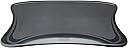
The Mobo Chair Mount Ergo Keyboard and Mouse Tray System by Ergoguys offers a compact, ergonomic solution to transform your chair into a fully functional workstation. Measuring 2.5" x 12.5" x 7.5" and weighing just 6 pounds, this sleek black tray supports both keyboard and mouse, enhancing comfort and productivity for professionals on the move.
| Manufacturer | Ergoguys |
| Brand | Ergoguys |
| Item Weight | 6 pounds |
| Product Dimensions | 23.2 x 13.2 x 4 inches |
| Item model number | MECS-BLK-001 |
| Is Discontinued By Manufacturer | No |
| Color | Black |
| Number of Items | 1 |
| Manufacturer Part Number | MECS-BLK-001 |
E**7
Might save my shoulder
My shoulder began having constant pain after years of a pretty bad setup for my mouse. I am typing this review on the tray now and my shoulder feels much better. I will update this review in a few months to see what progress has been made and if the pain, stiffness, and bad posture has improved. Assembly: You will need to connect the two arms rests to your chair. It will take some assembly but it is not too bad. Took me about 30 minutes with one person. Would have been MUCH easier to assembly with two people as you need someone to hold the armrest as you attach it. You will also need a screwdriver. I only looked at the pictures in the instructions and didn't read the text so I missed the fact that you only need 8 screws to attach the entire setup, but the box has a bag of about 30 screws with different lengths. You need to pic the correct length screw or you will have a long screw sticking out from under your armrest. They also say to connect the front screws first but I found with my curved chair it was easier to connect the back first. design: feels pretty solid for the price. This has two arm rests on both sides. Both have a padded area for the mouse. I use my optical mouse and it works fine. I also use this wrist rest on it: [...] Since there are identical rests on both sides it can be used for both left and ride handed persons. The table can then be set on top of the two arms for the keyboard to sit on. The armrests on my chair are too high so this keeps my shoulders and elbows too high so I plan to buy this chair to go with it: [...] The two mouse rests fold out into position and can be folded up when not in use. Because of this it is still pretty easy to get in and out of the chair. Since the armrests are high on my chair it does take space from my elbows, but that is a chair problem and not so much a problem with this product. Overall highly recommended product for the price.
M**8
Some minor issues - but the chair is what matters
I got the Mobo Chair kit because I was looking for a more comfortable keyboard mouse solution than a keyboard drawer. Currently, I have a Microsoft ergonomic keyboard and its width made most drawers useless, and forget about the mouse! So I bought this after about a month of shopping and got it a few days ago. I originally mounted it on my existing chair which I had bought at a office supply retailer. I couldn't get it to mount level, fit right, or comfortably. This is the chair I tried first: Serta Executive High-Back Chair, Black It worked, but if you leaned back everything was so tiled it was almost unusable. I tried the inserts, etc. I happened to have another chair in my office that I used to use so I mounted it to that. *Perfection*. The difference in the chairs was the arm-rest. In the first chair, the arm rest arched and had padding while the second's arm rest was padded but mostly flat. My advice: If your chair has curved arm rests, be prepared to invest some time mounting it. Additionally, if the arm rests of your chair move with the back, mount it tilted slightly forward if you tend to lean back. Additionally, on the right arm rest the padding was carelessly installed. It lipped up on the inside and was further away from the outside edge. I have a Microsoft Comfort 3000 laser mouse and it is mostly OK with the pre-glued padding but sometimes looses track of where it's at. This was especially noticeable when I leaned back and the paddles were tilted. My plan it use a larger, thinner mouse pad and an exacto knife to build exactly what I want... if necessary. Overall - I am so far happy with this. The keyboard is practically in my lap and the space for the mouse is less than I'm used to but not too much so. Update (1/14/13) - One thing I've noticed is make sure you have a place to put the tray when getting up. Also - make sure you have everything you need before sitting down. :) I've found myself forgetting my coffee or something. - REALLY want to find a *GOOD* wireless keyboard and mouse. I type fast and have read that some of them loose key strokes. Update (1/22/13) - It broke last night (left paddle). I'm not small but not huge either (5'11 - 210lbs) but I guess I am too much for it. It's a shame because I liked having my kb in my lap. I looked on the manufacturers website and a replacement left paddle + shipping is almost $60(!). I could buy a whole new one and have spare parts for only $20 more. Anyone have one and the right paddle is broken and want to split the cost with me? :) It's not cheap plastic - but it's still plastic. IMHO if they were smart they'd have something on the base that extends outward to support the paddles.
I**K
Doesn't work for me
I bought the Mobo and have to say while the concept is good, the one size fits all design kinda sux. I am a larger woman, and while the depth is good, the width leaves a little to be desired where the tray is concerned for larger people. They could make this expandable. Installation was easy enough. No complaints there. Although when I saw all the screws contained in the packaging, I was a little concerned that this had more parts than my ergo chair had for assembling. The screws are geared to the depth of the chair arm, so one doesn't use all of them, only the ones needed for your chair design. Convenience: I liked the idea of a tray attached to my chair, but dislike the idea of storing the tray on my desktop when not in use. So gave it three stars there. I don't know what a better solution would be, other than an under desk rack option for storage but then one should then just buy a keyboard mount for under the desk. I went wireless with my setup, so that's the reason for this purchase. I am trying to get away from being tied to the desk. Ease of installation: Like I said above, my ergo chair took less time and used far less parts to assemble... but that's like comparing an apple to an orange. I was able to assemble the pieces by propping the arms against my desk while I made adjustments. if one doesn't have the room to do this, then another set of hands may be in order. Thats the reason for the four stars. Ergonomics: Its nice. I cannot lie there. I just wish the tray were expandable or wider. I am keeping it because I am on a mission to lose the weight so eventually, I may love this thing. Sturdiness: Its hard plastic. (what isn't these days) As accident prone as I tend to be, I worry that one good slippage and the tray will be junk, again that leads back to the width issue for me. A thin person will adore this item. I gave it four stars because 1.) the weight is my issue; 2.) the manufacturers failed to consider larger users and as much as they prefer not to acknowledge large people, we are here and spend money just like skinnies do. I am contacting them to see if they offer a wider keyboard tray, but this is also good motivation for me to continue with the weight loss. Would I buy it again knowing all that I do now? Maybe. The arms alone for the build in mouse pad would make the purchase valid but not worth what I paid. I may just buy and under the desk mount for the keyboard, and put the mouse on this and work that way. If you're larger, I don't recommend the purchase. If your skinny I do. Take it for what it is.
G**E
This just may be the answer to all my problems!
I am so excited after installing my Mobo mount that I had to sit down and write a review. Life is such that I have been temporarily living in various cities, and I don't want to move my office furniture every time I move. But my work requires a lot of typing and computer use, and with every passing year, it becomes more important to me to have an ergonomically appropriate setup. The biggest obstacle is finding the right position for my keyboard and mouse, and frankly, most kitchen tables and chairs just aren't right for the job. When I first opened the box, I was surprised at how few pieces there are. I thought the installation would be more complex. Basically you get two "caps" that fit over the arms of your chair. Each "cap" is roughly a foot long closed, and then opens with a flip forward to reveal a mouse pad so you can have your mouse on the left or the right. Flipped open, each "cap" is roughly about two feet long. Each cap is fastened to the top of the respective arm of the chair with two plastic braces. Each brace goes under the arm of the chair, two on each side, one more towards the back and one more towards the front. There are two screws that you screw down through the cap into each plastic brace. So really, four screws on each side and you're done with the installation. ErgoGuys thoughtfully provide a vast assortment of screw lengths to accommodate all sorts of chair arms. They also include a "curve adapter" which also goes under the cap, between the underside of the cap and the top of the chair arm, to keep your flipped-open caps level from back to front no matter the curve of your chair arms. I wish I could say that with such easy installation, I was able to do it all by myself in a matter of a minute or two. Unfortunately, I think this is a two-person job because I needed four hands to keep the cap with curve adapters in place while I slipped the brace under the arm and tried to hold the brace up while holding the cap down and the finding and inserting the screw into the screw hole and then tightening. The biggest frustration was that the curve adapter does not snap in tightly. I had to try to hold it in place, upside down on the underside of the cap on the curved arm while trying to keep the cap and brace and screws from slipping off the arm of the chair until I could get the screws tightened down. As I said, it required four hands to do this. Once I had four hands, it did only take a couple of minutes to do the entire installation. It might be possible to do it alone if you can put your desk chair upside down on a kitchen table and install the caps upside down. The biggest thing that surprised me from looking and the pictures and reading the reviews is that the flat part where your keyboards sits does not attach in any manner to the caps or the arms. It is just a flat plastic piece that is wide enough to reach both sides of the caps and mouse pads, and just sits there. I decided this is an advantage, because I can move it to whatever angle or position, closer or further away from my body at will, whatever I want to do to make myself more comfortable. There are rubber gripper strips that keep in in place. I am quite comfortable typing this review using my Mobo, and only time will tell if I remain this happy with it. It seems very stable, no noticeable bounce. I would like to address a few complaints that I read in the reviews, because some of them made me hesitate to buy. One reviewer said that this is not designed for plus-sized people. The caps will each take up about an inch/inch-and-half of your space inside the chair arms, so be prepared to lose 2 to 3 inches of width in your seating space. Several reviewers remarked on the plastic parts breaking. I suppose it's natural for us to all use the chair arms to help us rise out of our chair. Thank you for the warnings. I am going to be careful not to push down on my chair arms when I get up. Lastly, I read that users face a dilemma of where to put the keyboard tray and keyboard when they get up out of the chair. Now, that does pose a problem! I use a wired mouse and keyboard, so I am limited where I can set my keyboard and tray as I stand up. A quick note: Because the caps extend the length of the arms when the mouse pad flaps are open, be careful if you have a swivel chair! Your swivel will be a bit more limited with an extra foot of arm length. But overall, I am thrilled and can't wait to give this a thorough workout. Thank you, ErgoGuys!
J**L
Great product and great customer service
I was initially skeptical of buying this given the price, but there really isn't much else like it, so I ordered it anyway. It is very configurable for nearly any office type chair. My plan was to use it for gaming, with a mouse on the right side and a Logitech keypad on the left and it works great for that. It is well-built and feels like a natural extension to the chair. Too much so maybe because after having it for about a week, I leaned over to pick something up and pushed down on the end of it and it snapped one of the hinges. The other hinge of the same arm still worked and I was able to line up the broken part so I could still use it, but after another two months the other hinge finally gave way too, and I was without my right armrest. I emailed the manufacturer and told them what happened and asked if it were possible to just order the right arm because I didn't want to have to re-purchase the whole thing. Within a day via a very nice email they authorized a free arm replacement (+shipping). I thought this was a great gesture for something that was completely my fault and I fully recommend this product and the manufacturer. These days, I'm just very aware of where the arm extensions are, so as not to repeat my mistake. After going through some of the reviews, the only con that I have experienced is when I lean back in my chair, the mouse will slide off the back arm extension. To fix that, I put a black rubber-band around the base near the hinges and the mouse stops nicely before sliding off and I don't even notice it's there. Also, the pad works just fine with optical mice, no need for a different pad.
M**A
Very cheaply made. The concept is great, but it needs fine tuning.
In terms of quality, this item is not worth the price. The plastic is so flimsy, I am shocked at how cheaply made this item is for the price that I paid. The material of the folding mouse pads is very sturdy, but that's it. Everything else is cheap lightweight plastic. As for design, the keyboard placement is excellent. If you are having ergonomic issues, this definitely helps keep you from outstretching your arms to type. Unfortunately, if you are a smaller person, like myself, the arm pieces are too long. I barely have my mouse on the mouse pad because it sits too far forward. There is a stop at the front of the arm pieces, so I can't just slide it back on the arm rest. This could be such a great ergonomic tool if it was made with better quality and had better adjustability for various sizes and chair set up.
S**H
Good Idea with Problems
I purchased this "desk" about a year ago to use with a regular office computer. I had a shoulder injury and I was wanted to keep the mouse and keyboard close to me and in appropriate position. The Good News The basic concept has ergonomic merit. I found using my vertical mouse on the keyboard surface that spans to the two arms better than using the fold out mouse pads. It kept my arm in a more natural position in front of me thereby keeping my elbow next to my body as compared to resting on the arm rest. Using the keyboard was also comfortable. However your height and weight become a major factor if you plan on attaching this to a chair with non-adjustable arms. In this case at 6 feet tall they were comfortable. It might be reasonable to assume someone who is shorter might find the position of their elbows and hands high. With the exception that one fold out mouse pad has now broken off the quality of the plastic was able to take the daily use and the pressure of being bolted on without failing. I had no problems using a laser mouse. Based on the bad news below it might well be the case this desk is better for a lap top and an office chair with adjustable arms. The Bad News The plastic surfaces placed on non-adjustable arm rests makes them noticeably higher and not ergonomic. They are also plastic and hard on the skin on one's elbows - ouch. It is difficult to attach this to office chairs with arms that curve. I got the job done but with some effort figuring out exactly what would work to make them so they did not tilt down. Damaging padded arms of your chair if you have them is a definite possibility since you have to apply a lot of pressure to keep these bolt on attachments stable. Chairs that can lean back present problems. In my case the arms on my chair tilt back when the seat tilts back. Of course the mouse will slide off if you don't watch it. On the other hand since it follows the angle of your tilt it keeps the surfaces where you need them. It is however likely the best way to go is to lock tilting chairs down to straight up. To be noted chairs that have arms that tilt up and down increases the probability you will catch the folded out mouse pads on your desk (under the desk top or a drawer) when you lean forward to get up lowering the height of the pad and then sitting back down tilting the pad upward when it is caught creating the very real possibility of breaking it off. I had a number of near misses from first leaning forward lowering the pad, sliding the chair forward and then leaning back catching the pad on the desk. These actions are usually done while you are concentrating on your work making it in my view inevitable to catch the mouse pads on the desk or bump them into the desk since the extend out nearly a foot. More frustrating and something I did not fully appreciate when I purchased this is that every time you get up you have to put the key board and its tray and the mouse somewhere (on my desk) and you would wisely compulsively fold up the mouse pad extensions pads. Otherwise when you turn the chair to get up the long extensions strike the desk, get caught under the top of the desk (made worse if you chair arms tilt back), and I have had them swing over the top of the key board pressing keys when I place the keyboard on a pull out tray. It is also easier to sit down if they are folded back. If you get up and down a lot this process is inconvenient. I found myself often using the keyboard on the desk and the mouse on the fold out pad. Also the mouse pads extend out nearly a foot so you can find yourself having issues sitting close enough to the screen without bumping into your desk. Swing the chair around also has to take into account these 1 foot extensions. As fate would have it I just broke off the left mouse pad. The disclaimers say do not place excessive force on the mouse pads including using them to support you when you stand up. While warnings like this may seem obvious given the plastic attachment of the pad to the chair that uses a metal shaft through a hole on either side of the pad and the arm allowing them to rotate open --life is not perfect. I have already mentioned the tendency to catch the pads on the desk for chairs with fixed arms that tilt up and down. There is also an inevitability you will put pressure on them if they are not folded up when you get up. This tendency is encouraged to some extent by the large flat surfaces you attached to the arms that are not of a nature to be used like normal arms on a chair to support you getting up. In my case (6 foot 195 lbs) I naturally place my palm on the arm rest portion with my fingers on the mouse pads if I do not fold them up. Constantly putting finger tip pressure on the pad getting up I assume fatigued the plastic that stood up to this for a long time before failing. Nuts. In final analysis this approach costs enough to make a good contribution to an articulating arm to put your mouse and key board on. I have used these before with good success and comfortably in that I can move as close to them as I like. Getting up is a matter of scooting back or pushing the arm forward.
S**3
Game Changer!
This thing is a game changer for me! I have a degenerative disk disease issue, and it gives me considerable neck pain for which I refuse to take pain meds. And, I write at a desk for many hours a day (I'm a graduate researcher, and writing research is my main job). I spend at least 5 hours per day at my computer, and I often sit there for 10 hours at a time when I get in a zone. But my neck pain was making this a serious problem. Enough so that I was considering surgery just so I could continue doing what I love. So, I started searching for solutions. I knew part of my problem, which was pain and numbness, was due to reaching for my mouse and typing on a keyboard on a desk that was less than ergonomic (you should see grad student desks! It's a joke!). I started looking for things to bring the keyboard closer to me. However, there are drawers on the front of my desk, so I couldn't mount a keyboard tray. So, a lap desk or doing something with the chair was all I could think of to do. That's when I stumbled upon this. I was pretty skeptical for a couple of reasons. First, other reviews stated it was built with inferior materials. Second, considering those reviews, the price seemed steep (grad student pay is even worse than the desks!!). Considering that this solution seems obvious, I am surprised other manufacturers haven't made a cheaper item like this. I only found one other similar item, and it was more costly than this one, and the mounting options were more restrictive. So, I bit the bullet and bought this one. I do not regret it. I can confirm that in 2016 when I bought this, the materials are still plastic, which probably is inferior considering that there are stronger materials out there. So that hasn't changed. But, I have not had a problem with that to date. The arms on my chair are very weird. They curve a little, and have an uneven surface for mounting this item. But that wasn't a problem. They send so many different size screws with this that I can't see how it wouldn't fit on a variety of chair arms. Additionally, if a chair has a steep curve, they provide some additional hardware to correct for that. I didn't need that, but I kept it in case I need it in the future. Mounting took me a little bit of time. I mounted them once, and then determined I used a set of screws that were too long. That didn't appear to be a big deal until I snagged my new shirt on the part of the screws that were sticking out of the bottom of the mount. So, I changed those out. Getting everything lined up with my weird chair arms was the time consuming part, but I think it took less than 30 minutes in total. Since I got everything squared away, I couldn't be happier. When getting up and down from your chair, you do have to find a place to put the tray that holds your keyboard. I don't mind that, but some might. But, when sitting down and using it, I am completely satisfied. The area where the mouse sits (and it's also the tray holder) flips out and folds in for when you get up and down. It has a nice, non-slip surface that has been comfortable for me to use and my mouse doesn't slide around unnecessarily. The tray is a bit slick, but I have an older mouse pad that is quite big (roughly 15" x 15"), and it sits under my keyboard. Now that it's there, I have no problems with the tray. Because of the surface for the mouse area and the non-slip area thanks to the big mouse pad, I can even use the reclining function of the chair and lean back to type! It's a huge relief for the arm pain and numbness! I don't walk away from my work each day feeling like I've tortured myself! I do use a wireless keyboard and mouse (Microsoft Sculpt wireless with mouse), and I highly recommend that. If you're going to free yourself from your desk, it's best to not have cords that can be yanked out of the computer. I've had no trouble with wrist pain from the position of the tray or the mouse. I type fast, and sometimes the tray gets some bounce. But it hasn't hindered me in any way. If you find that annoying, it may bother you, but I barely notice it. I can see where you could accidentally snap the mouse area/tray support if you don't remember to fold them up when you get up from your chair. I use a bit of cognitive trick (I'm a research psychologist), to remind me to fold those up. I only get up from the right side of the chair (the mouse side), and I've repeatedly reminded myself to fold the arm when I move the mouse to a different surface. It becomes a habit after a while. Just try to remain cognizant of the fact that you should fold those up every time you get up. Eventually it will be a habit for you, too. I purchased this item through a seller (MegaRetailStore), as it wasn't eligible for Prime. For the record, I have no complaints regarding the seller-everything was exactly as described. I couldn't recommend this item more!! It has been worth every cent I spent on it and I would live on ramen noodles for a month just to get this kind of relief!
Trustpilot
2 months ago
3 weeks ago