

Desert Online General Trading LLC
Dubai, United Arab Emirates
Desert Online General Trading LLC
Dubai, United Arab Emirates


⚡ Power your workstation like a boss with the ultimate TRX40 beast!
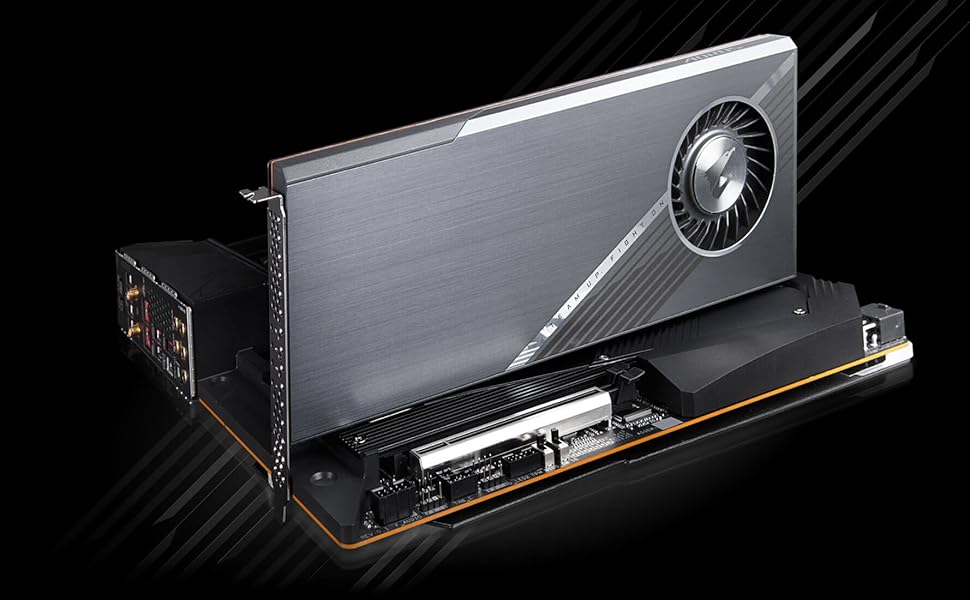
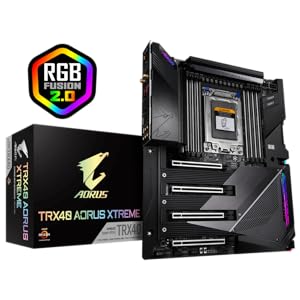
The GIGABYTE TRX40 AORUS Xtreme motherboard is engineered for professional creators and power users, featuring a robust 16+3 phase Infineon VRM with 70A power stages, advanced thermal design with fins-array heatsink and mega-heatpipe, and cutting-edge connectivity including Intel WiFi 6 and dual 10GbE LAN. It supports 3rd Gen AMD Ryzen Threadripper processors and up to 8 DDR4 DIMMs at 4400MHz, delivering unparalleled performance, stability, and expandability for the most demanding workloads.



| RAM | DDR4 |
| Memory Speed | 4400 MHz |
| Wireless Type | Bluetooth |
| Number of USB 2.0 Ports | 12 |
| Brand | GIGABYTE |
| Series | TRX40 AORUS XTREME |
| Item model number | TRX40 AORUS XTREME |
| Item Weight | 8.82 pounds |
| Product Dimensions | 15 x 12.25 x 5.08 inches |
| Item Dimensions LxWxH | 15 x 12.25 x 5.08 inches |
| Computer Memory Type | DIMM |
| Manufacturer | GIGABYTE |
| ASIN | B081JDP378 |
| Date First Available | November 19, 2019 |
T**H
Ultimate Powerhouse for Enthusiasts: GIGABYTE TRX40 AORUS XTREME Review
I recently upgraded my system with the GIGABYTE TRX40 AORUS XTREME motherboard, and it’s nothing short of spectacular. Designed for AMD’s 3rd Gen Ryzen Threadripper processors, this motherboard combines robust power delivery with high-end features, making it an excellent choice for enthusiasts and content creators alike.**Design and Build Quality**The TRX40 AORUS XTREME boasts an impressive build quality, featuring a sleek, dark aesthetic with RGB lighting that can be customized to match your setup. The Fins-Array heatsink design not only looks good but also ensures efficient thermal management, keeping the system cool under load.**Performance**This motherboard shines in performance with a 16+3 phase Infineon digital VRM solution, providing stable power delivery for overclocking. The support for quad-channel DDR4 memory up to 256GB and PCIe 4.0 makes multitasking seamless, whether you’re rendering videos or gaming.**Connectivity and Features**The TRX40 AORUS XTREME is packed with connectivity options, including four PCIe 4.0 slots, USB 3.2 Gen 2 ports, and a high-speed Ethernet port. The addition of WiFi 6 and Bluetooth 5.0 ensures that you’re well-equipped for future-proof networking. The onboard audio, powered by the ALC1220-VB codec, delivers rich sound quality, which is a bonus for gamers and audiophiles.**Installation and Setup**Installing this motherboard was straightforward, thanks to the clear and detailed manual. The BIOS is user-friendly and offers a range of customization options for both novice and experienced users. The Q-Flash Plus feature allows for BIOS updates without a CPU, which is a handy addition.**Conclusion**Overall, the GIGABYTE TRX40 AORUS XTREME is a powerhouse motherboard that combines performance, features, and style. It’s perfect for anyone looking to build a high-performance PC for demanding tasks. While it may be on the pricier side, the features and future-proofing it offers make it a worthwhile investment.
M**G
Stay away, not worth the frustration.
I've personally owned 2 of these boards and each had stability issues and exhibited display issues at times while using GPUs in the 16x slots. I have a 1000 watt power supply and it's not a cheapo rosewill either. No problem with these same GPUs in another setup. Work flawlessly on that board. I sent the first board back to amazon because of the repeated stability issues, I would constantly get watchdog errors and couldn't even install some drivers. The next board was slightly more stable and I could install the drivers but I would experience display dropouts with regularity and other stability issues while the system was under load such as hard crashes. This likely can be attributed to poor memory compatibility. I tried XMP profile and adjusting timings many times. It wasn't until GB released its latest BIOS that I could my supported memory running stable on this board at advertised speed. Even then I shutdown the computer one day normally and went to turn it back on and the board was completely dead. The PSU still works and I have been trying to RMA this board now for weeks. Gigabyte customer service is sluggish and unresponsive. I've sent several emails over the last couple of weeks inquiring about the RMA and nothing. They just think ignoring customers is acceptable. This is marketed as a premium product but does not perform as such and neither does their customer service dept. This is the last product I buy from Gigabyte and it's not even so much that the board is defective that makes me angry. it's their customer service which is terrible. I've never had such a difficult RMA experience in my decades of building PCs. 850 dollar board that is apparently being held hostage at the Gigabyte service center in California. Buy any other brand. Don't touch this. It has the best on paper specifications but it's a beta product and like I said. Zero support. I've been doing research on customer service for motherboards and looks to me like Asrock spends on a customer service dept because people report successful RMAs with them.Edit July17th 2020I ended up purchasing the zenith ii extreme alpha from asus ROG. I bought the square trade insurance plan to cover myself and purchased on a credit card that will have my back if a company is in default of promised warranty. I don't know if ASUS customer service is like Gigabyte's and I hope I don't have to find out but this experience has left me without a computer for weeks which is unacceptable. 850 dollar motherboard held hostage with not a peep out of Gigabyte support and a 1400 dollar processor collecting dust. If you can't tell I'm quite angry.Anyway, I am happy to report that so far my ASUS experience is good with TRX40. I popped in my RAM which was unstable with Gigabyte selected DOCP in the BIOS and it just works. Ran memtest86 and no errors at the advertised XMP speeds. Now I know for sure the Gigabyte board is just an over-marketed POS. Same chipset but totally unstable with this same RAM on two boards.
L**K
Third time's the charm
The first time I got it, I was surprised that the CPU socket cap (not the clear plastic rail frame) was missing. The only reason I was expecting the cap is because "Step 7" on page 15 of the manual shows a picture of a gray cap. I requested a replacement which also did not have the CPU socket cap. After multiple attempts, I was able to talk to Gigabyte technical support who told me that none of the motherboards comes with a CPU socket cap and that the manual is not updated.After installing all my PC parts and turning on the motherboard for the first time, my monitor did not receive any signal and the motherboard got stuck on code 94 which corresponds to "PCI Bus enumeration for detecting how many resources are requested" on the manual. After multiple attempts at restarting the motherboard, my monitor showed the startup page and the motherboard showed code AA which corresponds to "Reserved" which is expected during the normal operation. I used the PC for a week and during that time, the motherboard almost always got stuck on code 94 on startup and had to be restarted up to 10 ten times before it booted normally. Sometimes after restarting the motherboard several times, it instead showed code 5A (Internal CPU error). I know the CPU is fine because I stress tested it using multiple CPU stress test software for days and the CPU passed all the tests. Finally after a week, when I turned on the motherboard, it booted directly into the BIOS because it could not detect the NVMe SSD. I immediately knew that it was either the PCIe bus or slot that was faulty. I moved the NVMe SSD to another slot and voila, the motherboard never got stuck on code 94 anymore.I asked for a replacement again and the third motherboard is flawless.The only reason I put five stars is because I was able to get a replacement.
Trustpilot
5 days ago
1 month ago
3 weeks ago
3 weeks ago