
🚀 Power meets portability — your on-the-go productivity partner!
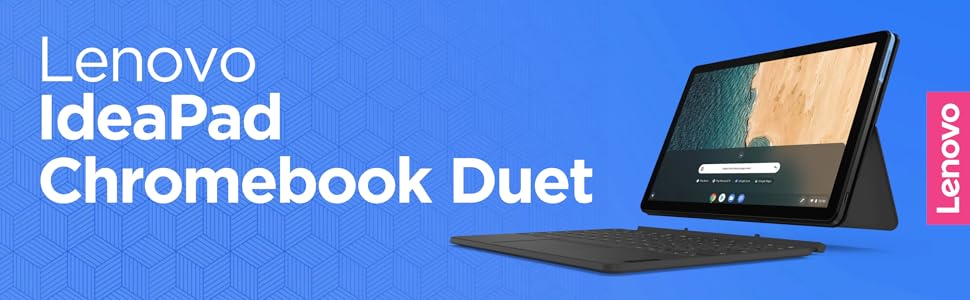
The Lenovo Chromebook Duet is a sleek, ultraportable 2-in-1 device featuring a vibrant 10.1" WUXGA IPS touchscreen, a fast MediaTek Helio P60T processor, and 4GB RAM. With a detachable keyboard, up to 10 hours of battery life, and Chrome OS supporting Android and Linux apps, it’s designed for professionals seeking stylish, versatile productivity anywhere.


| ASIN | B0856QVM2F |
| Average Battery Life (in hours) | 10 Hours |
| Batteries | 1 Lithium Polymer batteries required. (included) |
| Best Sellers Rank | #68,111 in Computers & Accessories ( See Top 100 in Computers & Accessories ) #1,009 in 2 in 1 Laptop Computers |
| Brand | Lenovo |
| Card Description | Integrated |
| Chipset Brand | MediaTek |
| Color | Ice Blue + Iron Grey |
| Computer Memory Type | DDR4 SDRAM |
| Customer Reviews | 4.4 4.4 out of 5 stars (1,363) |
| Date First Available | February 26, 2020 |
| Flash Memory Size | 64 |
| Graphics Coprocessor | integreted |
| Hard Drive | 64 GB SSD |
| Hard Drive Interface | Solid State |
| Hardware Platform | Chrome |
| Item Dimensions LxWxH | 9.44 x 6.29 x 0.29 inches |
| Item Weight | 15.8 ounces |
| Item model number | ZA6F0031US |
| Max Screen Resolution | 1920x1200 Pixels |
| Memory Speed | 2400 MHz |
| Number of Processors | 1 |
| Operating System | Chrome OS |
| Optical Drive Type | 64 Gb |
| Power Source | Battery Powered |
| Processor | 2 GHz mediatek_helio_p60t |
| Processor Brand | MediaTek |
| Product Dimensions | 9.44 x 6.29 x 0.29 inches |
| RAM | 4 GB DDR4 |
| Screen Resolution | 1920 x 1200 pixels |
| Series | Lenovo Chromebook Duet |
| Standing screen display size | 10.1 Inches |
| Voltage | 12 Volts |
| Wireless Type | 801.11ac |
P**J
Bang for the buck!
You are definitely getting a lot from what you paid for. Screen is amazing. Colors are vibrant for an IPS LCD. Sceen resolution is high enough. Dual speakers up top are decent. Performance is a bliss. Was able to run multiple tabs at the same time playing music in the background and no lags were experienced. Playing android games are amazing as well. No lags, whatsoever. Tried playing CODM and everything was smooth even at the highest possible graphics settings supported (High & High framerate). Battery life is also amazing! Tried playing and browsing the web for hours and still got around 50% of the battery left. As for the software experience, its good. Aside from the desktop-grade browser, we are also getting support for Android apps and Linux as well. Its a dream tbh, to have all those things packed in this tiny chromebook. ChromeOS definitely wins me over iPadOS (in terms of productivity). I've experienced some glitches whilenusing tablet mode but I'm sure that'll be fixed on future updates since this is supported until June 2028. I sincerely hope the hardware will last as much as it's software :D I'd suggest to buy a USI stylus to take advantage of the stylus capabilities. Tried installing a normal screen protector (the clear plastic type) and stylus still works. Cheers!
R**S
Slim, lightweight, good screen and runs Android **and** Linux
EDITED: Added two stars. After a little more tinkering I was able to install Linux following instructions found on Reddit to disable DLC at chrome://flags/#crostini-use-dlc I bought this to replace a much older Samsung Chromebook that doesn't run Android apps. It seems to be of high quality - it has a nice screen, usable keyboard, and is relatively solid, but light. I was concerned at first that enabling Linux via the developer tools was failing and recommending an update to the OS. However a little research with looking up the exact error message showed a workaround on Reddit. On my previous Chromebook I had tried another workaround that involved disabling some security features and installing Crouton, but I do not recommend taking those steps. On the Samsung, it was unstable and I had to wipe/reset the whole system to get it working again. After following the steps on Reddit and rebooting, the Linux prompt showed up and an OS update was available. For those looking to run Linux like I was, be advised that some sources also say that many Linux applications that are built for Intel Platform will not work on this MediaTek processor. Steam is one example. I'm also having some difficulty with VSCode saying the dependencies can't be installed, but I haven't given up yet.
C**P
This is much "bigger" than 10.2"
This is one tiny workhorse. I am on my 2nd one [don't ask], and there are tough and versatile machines. They are fast, can handle multiple applications at once and the conversion to a tablet and a wonderfully reactive touch screen is just a tug away. In tablet mode one gets a day's [8 hour shift] worth of work out of it's battery and it has a great feel, light, but not that cheapy-light heft to it. There are two drawbacks that prevent me from giving it 5 stars: 1. There is only one usb-c type port on the entire rig. That is is. And it is positioned so far down the side that most add-on ports where it has the connector on the body of the adapter do not fit as they run into the table. 2. It is not a true laptop as putting it in one's lap is a bit problematic, because the great way and convenient way to connect the keyboard is also very flexible and does not hold up well in a lap. Having said that, this is an absolute "must buy" if one is looking for a portable, 2 in 1 Chromebook with power and heft. For the price it BLOWS the keyboard off of any other rig it would be compared to by any maker. Don;t wait, get it now!
A**R
What a value for the money!
Honestly, I was a bit hesitant. All those good reviews... There must be something wrong with this thing? After playing and fine-tuning for four days, I think I have mastered it as a first time Chrome OS user. I am a stock android lover, so I figured, I would love this as well. The experience so far is smooth! I can only mention one con, and that's that I can't influence the placement of the icons on my screen as much as I would like. Battery life is excellent. Screen responsiveness is the best I have ever experienced on a budget tablet. The size is perfect for horizontal and vertical use. The keyboard, yes there is a free keyboard, works like a charm and working a whole morning writing concept plans with it, I am surprised. There is a little adaptation that goes with it since it's only 10" but for this money, it feels like the jackpot. Chrome OS is also better than expected. Switching between tablet mode and laptop mode by attaching and detaching the keyboard is really a gift. But even with the keyboard attached, most apps work perfectly in a smaller screen. The trackpad on the keyboard is also a nice surprise. Adding a stylus wouldn't hurt I guess, but that's for the update of this review. So far, I'm a happy Lenovo Duet owner.
A**.
Estuve buscando por un tiempo una tablet pero convertir un iPad con teclado resultaba muy costoso y yo necesitaba algo ligero y costeable para el hospital. Este Chromebook resulta una gran herramienta porque cabe en una bata (pesa pero cabe) y te permite estar ingresando a sistemas hospitalarios y trabajando rápidamente si utilizan zoom y Google drive como herramientas principales. Abre Office y permite bajar Office, además que es compatible para trabajo conjunto con celular Xiaomi. Solamente he tenido la limitante de no poder acceder a una aplicación para un curso médico por incompatibilidad pero en general si hizo mi trabajo más fácil que traer una laptop. Tuve mis dudas por el sistema Chrome pero ya en el uso no pide nada a otro sistemas. La cámara suficiente para guardar evidencias aunque no pude hacer que cargará imágenes para rocketbook
T**S
I just love that Chromebook, the value and quality is just extraordinary for that price point. I still can't believe that for that price, you get the tablet, the screen cover that acts as a stand, and a great keyboard. It's fast, reliable, amazing screen resolution and after almost a month of using it, I have not noticed any lag or unresponsiveness. The only thing that I wish was better would be the screen quality, it scratches really easily.
K**I
Perfect device for carrying around to do light work on. Linux support also means you can do a lot more than edit documents or browse the web. Display is real nice too, super crisp
T**T
الجهاز ممتاز من ناحية التصميم والسعر والمحتويات الجهاز يحتوي على الكيبورد والغطاء الخلفي والشاحن داخل صندوق الجهاز وهذا يشفع لعيوب الجهاز.. الشاشة ما توقعتها بالجمال هذا لكن جميلة (تنافس الاوليد طبع لا). العيب الاول في الجهاز هو المعالج المعالج ثقيل مع اول تشغيل او في وضع المطور ياخذ وقت طويل جدا لبدأ التشغيل ... العيب الثاني الرام...الرام اعطى تجربة سيئة للجهاز خصوصا انه نظام كروم يعني ياكل الرام اكل والنظام يعتمد اساسا على تعدد النوافذ وهذي اللي يفرقه عن اندرويد... الجهاز يدعم العربية قراءه وكتابة وواجهة.... الاحرف الموجودة على الالكيبورد احرف انجليزيه فقط لكن يمكنك تركيب استيكر للأحرف العربية الجهاز يمكن توصيله لشاشة خارجية في الاخير السعر يشفع له وبقوة شكرا لينوفو على الجهاز الحلو وتجربة كروم على تاب نص نظيف تستاهلون الخمس نجوم لأجل السعر والمرفقات...لو حطيتم القلم في الصندوق بعد كان رحت سلمت على مديركم سلام حار
P**R
Lenova included a C2G USB-C to AUX Adapter (3.5mm) in the box but I think mine went out with packaging because I did see it once then it disappeared. The quick start guide says not to use 3rd party adapter as won't work. Comments from others on all audio adapters show many of them do not work with all devices. I just had a chat with Lenova US who said they are sold out of those adaptors and are discontinuing them. The ONLY option is to buy the C2G USB-C to AUX Adapter (3.5mm) WITH Power Delivery which of course is ideal but the price in Canada is $58.57! Think I'm going to try a cheaper version and return if it doesn't work. Other than that I love it so don't lose your audio dong! If I find a cheaper one that works for the Duet (so far no one has answered that question) I will post it. Any background noise drowns out the low speaker output so is necessary if you want to go mobile. I do not want to wear bluetooth headphones so I will keep hunting.
Trustpilot
2 months ago
2 months ago



