
DOWNLOAD THE APP


Customer Support

Desert Online General Trading LLC
Warehouse # 7, 4th Street, Umm Ramool, Dubai, 30183, Dubai
DOWNLOAD THE APP
Customer Support
Desert Online General Trading LLC
Warehouse # 7, 4th Street, Umm Ramool, Dubai, 30183, Dubai




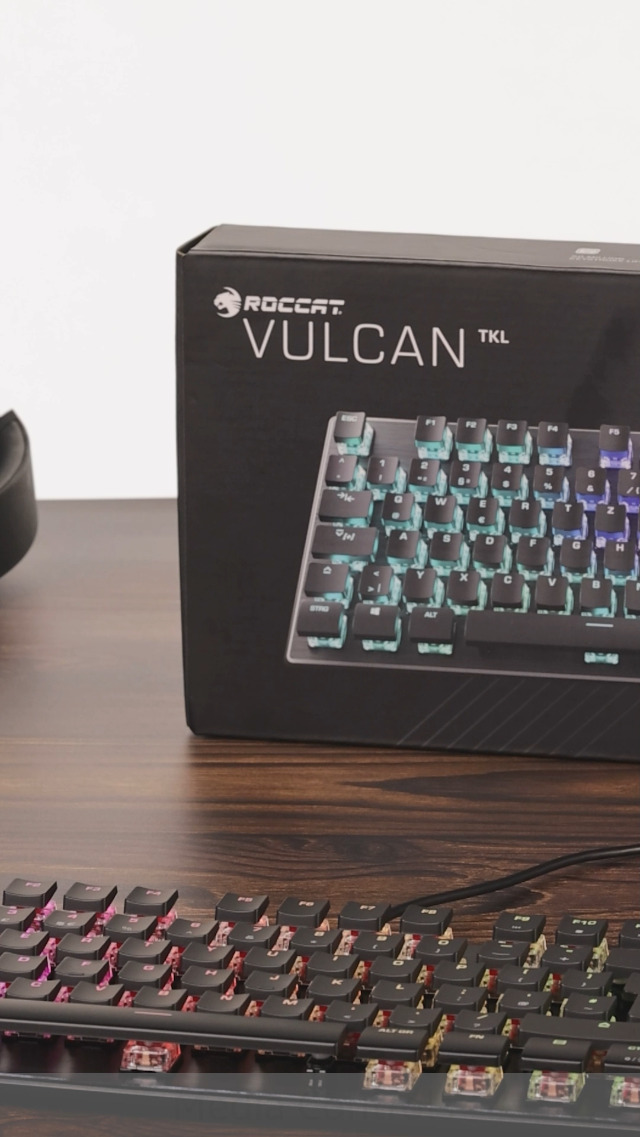


🎮 Elevate Your Game with Style!
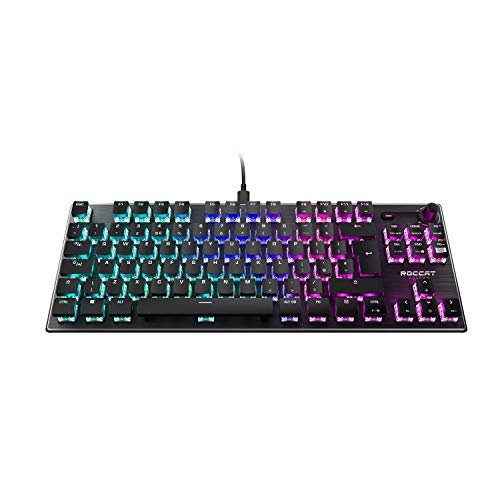
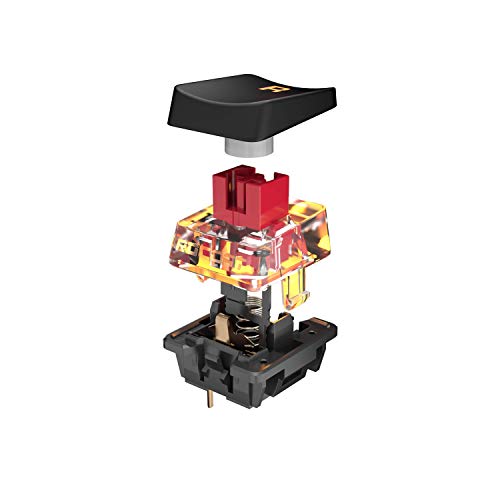
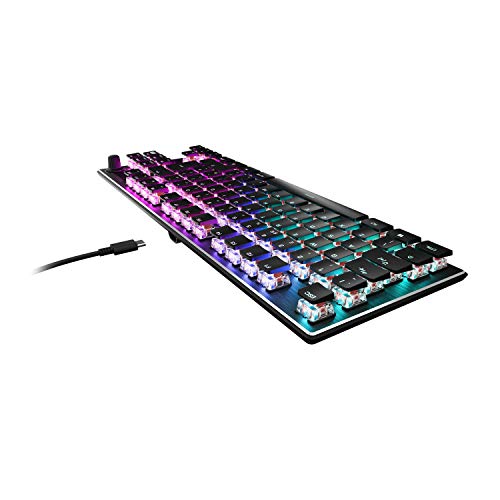
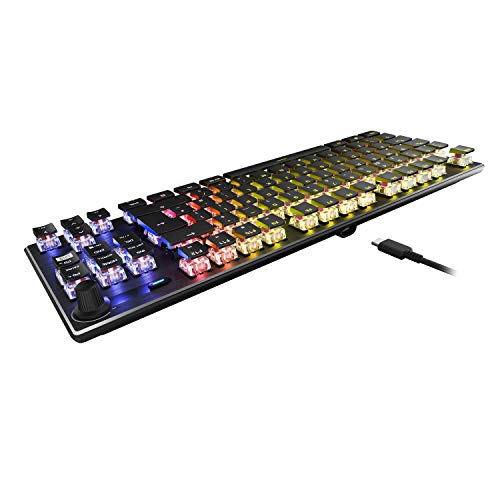
The Roccat Vulcan TKL is an award-winning mechanical gaming keyboard that combines a tenkeyless design with Titan Switch technology for rapid actuation and durability. Featuring per-key AIMO RGB lighting, an anodized aluminum top plate, and a detachable USB-C cable, this keyboard is engineered for both performance and aesthetics, making it a must-have for serious gamers.


| ASIN | B08HCRKYN3 |
| Customer reviews | 4.6 4.6 out of 5 stars (305) |
| Item model number | ROC-12-274 |
| Product Dimensions | 36 x 13.33 x 3.4 cm; 1 kg |
| Release date | 30 Oct. 2020 |
D**R
Beautiful compact keyboard
Lovely solid keyboard, with an inoffensive, silky but satisfying click. Keys really easy to clean around with a paintbrush. Lighting effects nice and bright but only really use the pre-programmed 'aimo' which is spot on. Physical sound volume is great and has a good solid feel to it, much easier than looking for volume controls on various apps and browser windows. Swarm software that supports this is a bit overblown (useful for someone who wants to record macros though) however, have fallen a bit in love with the sound feedback so I can have a loud, in headphone traditional clicky sound when coding without annoying anyone (well ...if I was back in the office). Have an older Roccat Kone EMP mouse however, it isn't compatible with aimo lighting effects which is a shame. Newer models do. Bought this as a treat for myself and found it was the best keyboard I've ever had for coding. Its responsive, has excellent key spacing - which reduces fat-finger typing mistakes and has the | \ / @ symbols all where they need to be (last keyboard needed some arcane key combos). I can type a smidge faster during a long day and as odd as it sounds this keyboard is..just fun. Its tkl and I haven't missed them but I notice the extra desk space. If I was moving this keyboard around a lot I'd be worried about the USB-C /HDMI connecting cable which is not braided and finding generic replacements might be difficult as the USB-C port is shaped to hold the connection snugly. Not much more to say other than I love it. Zero buyers remorse. Would buy again. Highly recommend.
M**H
A really excellent keyboard
I have bought many different keyboards over the years in my work as a software and database developer. Until recently I had always stuck with low profile membrane keyboards and usually went with Logitech (K740, K750, MX Keys etc) and always found them to be great keyboards - reliable, comfortable and always sub £100. In the past few years, mechanical keyboards have come to the fore and I felt it was time for me to delve into this previously untested area. I started with the Roccat Vulcan TKL (non Pro version) and loved it immediately. Very comfortable typing experience, solidly built with the best RGB output I have ever seen! I paid just over £100, (£115 from memory) for this board and I considered it a very good buy. Soon after, I was swayed by the Logitech G915 TKL, which, don't get me wrong, is an excellent keyboard, but at nearly £200 is overpriced and I was generally underwhelmed with it. It is a great keyboard, well built with a slightly better typing experience than the Roccat (slightly larger keycaps and fractionally more comfortable to type on) but really not worth £200. The RGB output is very tame in comparison to the Roccat too. I had wondered about the Pro version of the Vulacan and when I saw Amazon had it with £40 discount, I just had to get it to try it out. I have really not been disappointed! It is a brilliantly built keyboard with a a very similar, but improved typing experience over the non-Pro version. Maybe the optical switches make a slight difference, I am not sure, but I am loving this board. For the price, even at full price, it knocks spots off the G915 with a nearly £50 saving. Essentially, any of the 3 keyboards mentioned here will be very good purchases, but the Roccat is a bargain as well as a very good buy.
L**S
Roccat Vulcan TKL keyboard
Well made and a pleasure to use. UK layout. Backlight is rather dazzling. Hint: Search for "Turtle Beach Swarm II" for the control app; the tiny manual is well out of date. This app is not well laid out! 1. click on the picture of the keyboard. 2. then on "illumination" on the left. 3. then on the tiny arrow at the bottom right of the "CUSTOM" icon, to get to the colour key assignments page. Good luck with that!
R**B
A truly fantastic keyboard let down by software
This is beautiful keyboard. It's solid and has a real quality feel. Keystroke action is smooth and ultra responsive as you need from a gaming keyboard. Really, after trying so many types of mechanical keyboards, this has the best feel by miles. Downside...the software is awful. Once you set up the colours you want your keys, each time you start up your PC, it resets to default. Also, it doesn't like other software that manages other RGB in your PC and it causes the keys to flicker like the keyboard is shorting out. A real shame that something like this should let down such a good piece of hardware
J**N
Sensitive spacebar if you are heavy handed, great keyboard though :)
Best keyboard I have had so far in 10 years, it is durable and has withstood alot of stress with minor cracks on the keycaps as a result over the course of 3 years, the only issue I have encountered with the keyboard is the tab/capslock keys come off every now and then however that is likely from wear when removing keycaps to clean the keyboard and the space bar is a bit too sensitive for my liking and it gets pressed accidentally every now and then which is mildly frustrating however 10/10 keyboard will 100% purchase another one when mine finally dies on me :)
C**D
Seriously, for how much this costs why do I have keys with the wrong symbols labeled on them? Is this some sort of long-term plan to force me to memorize all of my letters, and special characters?
Trustpilot
2 months ago
2 weeks ago