
DOWNLOAD THE APP


Customer Services
Copyright © 2025 Desertcart Holdings Limited
DOWNLOAD THE APP




🚀 Power up your home network with next-level speed and stability!
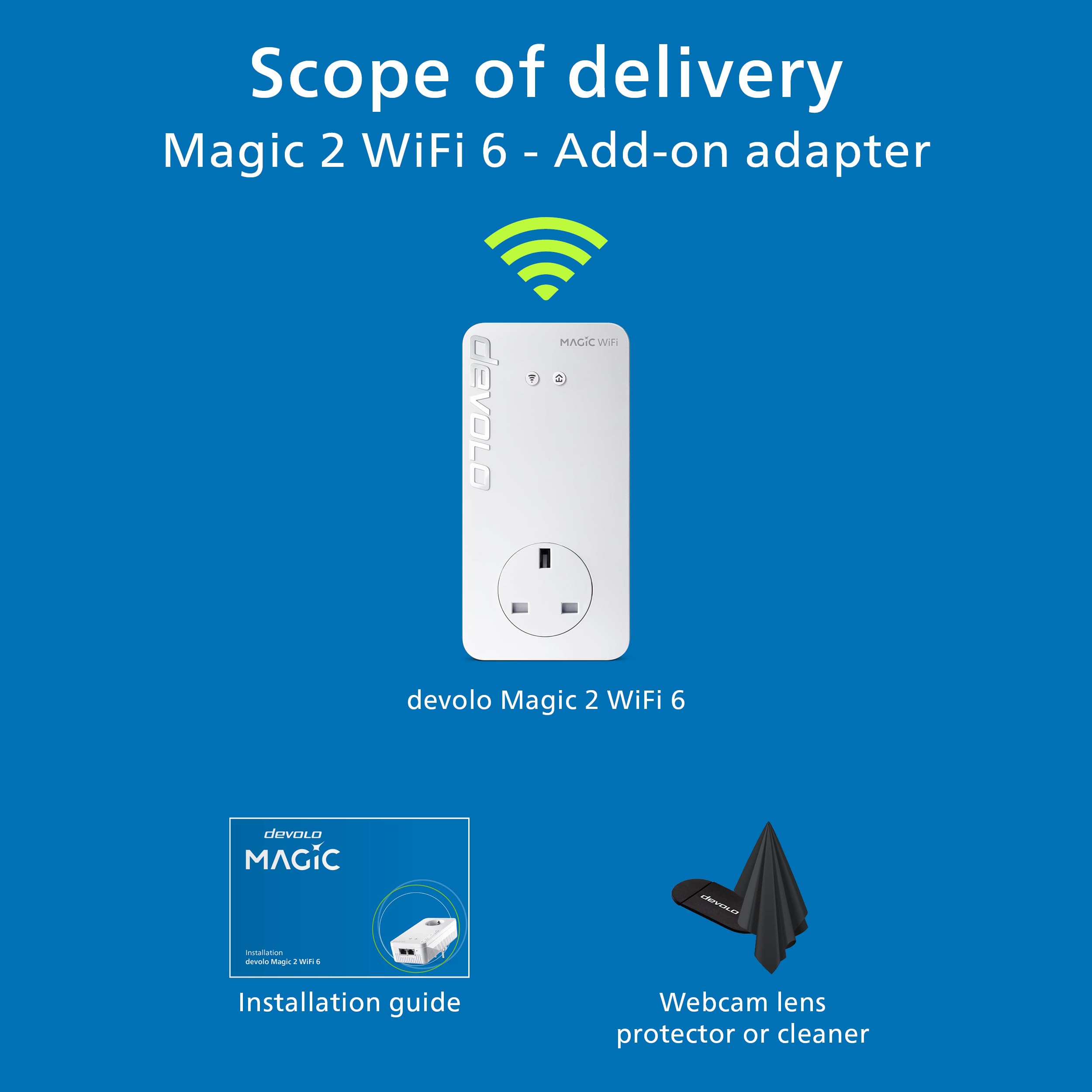
The devolo Magic 2–2400 Mesh Wi-Fi 6 Add-on adapter boosts your existing Magic Powerline network with up to 2400 Mbps over powerline and 1800 Mbps Wi-Fi 6 mesh speeds. Featuring cutting-edge G.hn technology and dual gigabit LAN ports, it delivers seamless, multi-device connectivity ideal for UHD streaming, gaming, and stable home working environments. Easy to set up and designed to overcome challenging home layouts, it’s the premium choice for professionals demanding reliable, high-speed internet throughout their space.


| ASIN | B09JWR912F |
| Best Sellers Rank | 2,115 in Computers & Accessories ( See Top 100 in Computers & Accessories ) 13 in Powerline Network Adapters |
| Box Contents | 1 x Magic 2 WiFi 6 Add-On |
| Brand | devolo |
| Brand Name | devolo |
| Color | white |
| Colour | white |
| Compatible Devices | Desktop, Game Console, Internet Protocol Camera, Laptop, Printer, Smart TV, Smartphone, Tablet, Webcam |
| Compatible devices | Desktop, Game Console, Internet Protocol Camera, Laptop, Printer, Smart TV, Smartphone, Tablet, Webcam Compatible devices Desktop, Game Console, Internet Protocol Camera, Laptop, Printer, Smart TV, Smartphone, Tablet, Webcam See more |
| Country of Origin | China |
| Customer Reviews | 4.0 out of 5 stars 1,853 Reviews |
| Data Link Protocol | WiFi 6 (802.11 ax), Gigabit Ethernet |
| Data Transfer Rate | 2400 Megabits Per Second |
| Data link protocol | WiFi 6 (802.11 ax), Gigabit Ethernet |
| Data transfer rate | 2400 Megabits Per Second |
| Hardware Interface | Ethernet |
| Hardware interface | Ethernet |
| Manufacturer | Devolo |
D**C
Easy set up of quality poweline plugs - although expensive!
Bought to replace my failing dLan set up - had given 5+ years of service with one plug failure but was often a pain to reset/reboot when needed (too often). Debated but decided to stick with Devolo, glad I did. These were so easy to set up and add to - just plug in, add network details, and wait a few mins. All good so far, speeds up a bit but not massively, main limit is the part fibre 60 odd feed. Now have 3 wifi plus one non and all work 100% - need as internal walls have blocks with high metal content.... Expensive, almost twice that of the equivalent(ish) competition but I'm happy with both ease of set up and functioning now installed.
M**S
Worked in a challenging situation!
Fibre router in one corner of a wide house, needed wifi in the furthest far corner of the building (above a garage) for a cinema/gaming room. Sky Q mesh couldnt reach it effectively, if at all. Was slightly dubious the devolo system would work (it was having lots of items (6) plugged into a 8way multisocket attached to it's pass-through, on both ends of the system, and the sheer distance), but it did. Not mind-blowing speeds (probably for the reasons just mentioned) but I can now watch 4k video no probs. I didn't set up the seamless wifi system (well not yet anyway) so I found initially my devices still wanted to connect to the router across the house - I assume the mesh system devolo uses would sort this. Im currently operating the devolo wifi plug as a separate wifi network with its own passcode, to keep the cinema/gaming room discrete from the rest of the house network. All-in-all, very pleased. It was easy enough to set up using the app, and a few youtube videos. A bit nervy waiting for things to sync and connect as they give you a countdown timer for things working. Recommended, but with the caveat - certaining home wiring systems might not work with it very well.
D**N
Experiment with the configuration
I have 6 x Mesh WI-Fi and 3 x LAN Magic 2 adapters on a single encrypted powerline network. They all run at LAN speeds above 100Mps (Up and Down), the ones nearest the router at over 1200Mbps, and are proving very stable and reliable. These are excellent adapters, but be aware that they use the G.hn network standard and are not compatable with dLAN® Powerline adapters and other HomePlug AV products. If a network of these adapters is used on the same power circuit as a network of adapters running the dLAN standard, they interfere with each other. Both networks will run slower and all adapters will need regular resetting. However, the G.hn standard easily supports 8 compatible adapters on a single network, rather than the dLAN standard which only work reliably with 5 adapters. My house has 0.5m thick stone walls, so I need a large number of wi-fi transmitters to get good coverage. Now, for the first time and after 15 years of trying different products and network configurations, I have a single network of the Magic 2 adapters with a powerline backbone that provides excellent WI-Fi, as well as LAN, coverage thoughout. In addition, to reduce local electrical equippment interference, I followed the installation advice and use the interference filtering in the passthrough socket, if necessary with an extension lead, to connect all other electrical devices plugged into the same socket outlet block and I no longer plug anything into immediately adjacent power socket outlets. This has significantly boosted the powerline LAN network speeds. I had the significant expense of replacing all my top of the range dLAN adapters, but now, my entire LAN network runs more than 10 times faster, I hardly ever have to reset the adapters or router, and I finally have full Mesh Wi-Fi coverage throughout my house.
S**N
Don't buy for gaming!
I have used Powerline adapters for many years, always TP link because that is all I knew and to be fair they always worked. My house wiring is a mix of old and new and the main reason I have the Power line adapters is for my business in a seperate garage. I have never had a problem with consistency of signal with TP links and only changed from 500's to 1300's to increase band width. 5 Years on from my last upgrade to the 1300's I thought I'd look into the subject again and discovered the Devolo Magic2 2400 units and claims of fastest etc etc and the app looked practical so thought, right I'll give it a go. They install and pair very much the same as the TP Links and I did gain around 5 to 10Mbps over the 1300 TP Links in the workshop although the PING went up from around 9ms to around 12ms but ultimately no a big deal. HOWEVER, I use my connection for a online eSports where PING and consistency is far more important than band width. Whilst internet speed looked great, in an online race I started getting packet loss warnings and other network connection issues, something I've never had before! Two weeks of settings changes within the Devolo App, PC software, relocating plugs, checking Firmware, restarting and rebooting Routers and Magic 2's with no significant reliability gain followed. In the end I thought I cannot risk this again, so changed back to my old TP Link 1300's and straight away, 9ms PING and ZERO Packet loss or connection issue warnings. I contacted Devolo who passed the buck to Amazon who pass the buck to an automated system that goes no further than requesting a return but never actually allowing me to activate a return. I've chnaged every possible setting within my PC, I've checked Firmwares, Unit Pairing and Low and high power modes and the only minor improvement was returning it to low power mode where the tempuratures dropped from scarey 90 deg CPU top a still crazy 65deg CPU. The simple fact that swapping back to the TP Links after weeks of wasted time problem solving a moving goal post and the problem dispeared tells me all I need to know that the Devolo product is not as developed as it should be, latest Firmware from Devolo dated 2023 says something to! Adequate but over priced if all you do is watch TV and surf the net but do not touch if you use them for gaming. BUY TP LINKS I know they work.
J**D
DONT LISTEN TO THE BAD REVIEWS > THEY ARE GREAT BUT.....
Upgraded from develo 1200 and they are literally twice as fast. Setting them up is more of a pain there is no longer a manual add facility using the code off the back of them you have to press the button on one then on the others. If you buy the WIFI ones TURN OFF YOUR MAIN WIFI, it conflicts with the MESH , the 1200's did exactly the same thing and it degrades the WIFI massively. Our conservatory which is a mega long cable run used to get 30MB and now gets 60-80MB which is plugged into our sky box films now download twice as fast. If you DONT use the wifi version anywhere IE are LAN only > the app doesn't work on IOS or Anroid > Only deverlop Cockpit desktop for PC or MAC> its been waiting for a firmware update from develo since September > appears it needs at least 1 wifi point for the management app to function on mobile device> seems they didn't expect anyone to not want there "crappy" wifi > and it is crappy. I initially bought the wifi version but the "mesh" wasn't very good, lots of signal loss , bad handover, no WIFI 6 / AX > so sent them back and bought the LAN version (which is brilliant) and then replaced my router with a Netgear RAX200 WIFI 6 router and hung another RAX200 Netgear WIFI 6 router (set in AP access point mode) off a LAN MAGIC 2 the other end of my house - Net result is rock solid Ethernet Everywhere I need it in the house and mad fast WIFI 6 AX covering the whole house. What I'd like to see for Magic 3 1- is a 1/2.5GB port on the ethernet LAN port and on the triple - as although the LAN triple can do 2400MB's it can only do 1GB per port > with routers / Access points now supporting 2.5GB this would save me having run a cat 7 cable in my house to the secondary Access point - which defeats the object that Magic 2 is supposed to avoid 2 - On the WIFI version Wifi 6 / AX with ideally triple band and 6 or 12 streams and work on the "mesh" handover between wifi points and automation around channels 3 - more speed you can never have enough speed :) 4 - A less flakey cockpit 5.1.3 it crashes lots on windows 10 , 5.1.2 runs fine > no idea why or the difference Summary is LAN MAGIC 2 ones are brilliant , WIFI ones are "OK". You'd probably be better of buying the 1200's if you just want wifi as I couldn't see any difference between magic and 1200's but if you want rock solid LAN performance then Magic 2 is the way to go use your existing wifi and hang a "matching Access point / AP or router in running in AP mode" off the other end and you'll get amazing matched mesh wifi (assuming your router and AP are decent)
D**F
Superior connectivity over cable and WiFi, but setup not easy
I had been using TP Link devices, to get cable bandwidth over my mains sockets at the other end of my house to where the router is located. However, I started to get low signal strength and disconnecting, which rendered them useless. Having done some research, I decided to take the plunge, and try these powerline devices. Initial setup failed completely, so I decided to follow the manual process for pairing the devices, which worked perfectly. I did notice you must have them not all on the same circuit, especially if there are lots of other mains devices connected, as it will cause a weak signal warning over the cables. I placed the 2 Wi-Fi/LAN devices in the same sockets where my TP-Link devices were, and they both connected to the device at the router end perfectly. To configure the Wi-Fi on them, I strongly recommend you download the app 'Devolo Cockpit' onto your mobile first. It will automatically detect the Wi-Fi and allow you to configure and make changes to SSID and password, so you will not need the key from the back of the devices. It is a brilliant app, and easy to use, but sometimes you need to keep re-connecting until it recognises the devices, so be patient. I get nearly 100MB on Wi-Fi, and full bandwidth of 200MB over the cables. Expensive, but well worth the money, as you are paying for superior performance and signal quality.
D**H
WiFi Marmite
I've been using inexpensive TP-Link 500Mbps extenders with additional nodes in my study and home cinema in quite a long house (27m). They worked fine, but over six years the TP-Link powerline transmitter connected to the router died twice, so I decided to upgrade. The devolo Magic 2-2400 Mbps whole house kit replacements are now up and running and provide very good WiFi coverage throughout the whole house, down to 50% in just two spots - one in a bathroom, and are so far stable. They are much larger than the TP-Link units, so large that they cover the mains socket switch they are attached to, and it's a bizarre design decision for a product intended for a domestic environment to have the network ports at the top of the units - this is always going to look ugly, but as the cinema unit is in a cupboard with the projection kit and the other is near the floor in a small study, it doesn't affect me. Installation, however, was a nightmare. Now I am not a network specialist, but I did work in IT consultancy for over 30 years, so am reasonably adept at installing and troubleshooting new software and hardware, and yes, I can read a manual. Reading other reviews, the essential problem seems to be that if you follow the very pared-down installation instructions step by step and it all works first time, you are a happy camper and you'll be up and running in 10 minutes. If it doesn't all work first time you may be entering a world of pain. The full online instruction manual has more pages, but tells you very little more. There is an amusing FAQ on the devolo web site where the question is posed: "How are Magic devices installed?" The "answer" provided is, "The devices connect automatically. You do not have to do anything." Who said the Germans had no sense of humour? On day one I spent approximately 3 hours attempting to install the devices, first pairing them (so that in theory two new devices each with its own security key should appear in your list of wireless connections) and then following the extra steps to create a mesh wireless network (utilising your existing router id and wireless key.) The manual is dumbed down almost to the point of uselessness. One of the first questions is raised when the manual recommends that you "make a note of the Wi-Fi key on the back of the devolo Magic adapter". At this point you pause because in the "whole home" kit you have two devolo Magic adapters, so which one do I use? The installation manual is specifically for the whole home kit, and has a picture of the three devices on the front... but there is no mention anywhere of the two WiFi keys question. In fact the manual has a space on the back page where you can write down "the" WiFi key. This point was also raised in a magazine review, where they suggested that maybe it's the first one you connect (it turns out that isn't necessarily so, for me it was the second.) It's not a large point, but it became significant later. Not being a complete idiot I wrote down the two WiFi keys, and Post-it noted each unit approprately, and also the security key on the transmitter unit (this key not mentioned in the manual at all) and of my existing hub/router itself. I also noted the steps I took on each attempt. By the way, the manual also said in English "the WiFi key on the back of the devolo Magic adapter". The other six languages said (in translation) "the WiFi key on the back of the devolo Magic WiFi adapter". So it became advisable to check some of the other language instructions at each step in case any other important words had been omitted in English. I followed all steps to pair the units. Unfortunately the manual doesn't call it "pairing" at this point and this becomes important when you recognise there are two processes to perform, pairing the units to create interlinked WiFi nodes, and THEN creating a meshed WiFi network with one unified WiFi key cloned from your hub. For the first process the manual refers to "connecting", "encryption", and then "set up WiFi connection on your smartphone etc." In the second process it does say that you can "Optionally use Mesh technology to connect all devolo Magic adapters and your router to a contiguous network..." Much later in the manual, after describing the indicator lights/buttons in six languages it mentions "Help: If automatic pairing during initial installation was unsuccessful, you can carry our manual pairing of the Magic adapters." Note that this is the first mention of the word "pairing" or "pair" and it's completely unclear whether this is a manual alternative to the first or second process! I managed to get one Magic WiFi adapter connected (white Powerline Connector light) and one not (red PLC). I had one devolo-460 listed in available WiFi connections, but neither of the WiFi keys worked (and nor did the main unit's security key, nor the router's WiFi key: I even tried them using the SSID on the back of each unit - Nada! I think I know what happened here. The unit that hadn't fully connected was the one supplying the WiFi key, not the WiFi key of the one that had connected, so I couldn't log on to the devolo-460 connection. Once again, "devolo-460" wasn't mentioned in the manual. I repeated this twice more and finally got all white lights. So, after 2 hours of fafffing about that was the "You do not have to do anything" part of the FAQ completely sorted! Now the Meshing. That just made things worse and I ended up with one WiFi unit's PLC light flashing white, the other flashing red. I couldn't log in to anything except my router, I still had the unloginable devolo-460 showing in my list of connections, and despite several attempts to reset to factory defaults I was unconvinced the units had actually reset. Three hours gone. Next morning I tried once more with no luck. I phoned the devolo help desk and was pleased to be number 2 in the queue, then quickly number 1, where I sat for 20 minutes. I though maybe this indicates they only have one help desk operator, and/or each problem takes about 20 minutes. Finally spoke a help-desk, a rather dour German who was abruptly dismissive of my attempts to enter the LAN unit's security key or the router WiFi key, before I explained in exasperation that if nothing else works you are led to attempt the implausible. After 35 minutes of starting from scratch we finally got through both processes to create a mesh WiFi system. Thirty-five minutes! That tells you that this was NOT straightforward. Several steps we had to repeat as they didn't "take" first time, and one step (creating the mesh) we had to repeat three times, moving the WiFi adapter closer and closer to the router until it managed to sync with the router's WPS process. When all that was done I located the units where they should be and they all reconnected fine, and (only 4 days later) everything seems stable. Main problems are an under-written installation guide that gives you no clue what to do if any step fails, sloppy structure and language translation where in an attempt to simplify things they manage to obscure meaning (e.g. "connection" or "basic installation" used instead of "pairing"; and "pairing" only used when describing how to use "manual pairing" when "automatic pairing" has failed - when by now you are not sure which of two processes this is. The fact it took 35 minutes to talk through and carry out the installation process for two WiFi adapters (it really was automatic with the TP-Link units) shows that when you have problems, you REALLY have problems, that can take a help-desk techie some time to bash through. So, including 55 minutes on the phone (including the 20 in the queue) that was a total of FOUR HOURS.
J**N
Better than AV2 600
So nearly decade later and AV2 Homeplug Powerline has moved over for the ITU G.hn standard. I decided to buy the wired version (too many reviews of pain with the WiFi) and give them a go. They worked out of the box, and I had no issues during set-up. They did require a firmware update, but that was about it. To be clear, I bought a Devolo Magic2 LAN Triple. This contains ONE triple port, and ONE single port adapter. I think the box art on this is very deceptive. The triple port adapter is slightly bigger than the single port, both are bigger than AV2 and both run much hotter - for better or worse. Also, I ordered an Amazon Warehouse deal, and the first one Amazon sent didn't actually have any triple port Magic2 in the box (just two single port ones) , so I had to return and re-order. I've discovered they're happy to run in parallel to AV2 adapters without any noticeable loss, and bizarrely the Devolo Cockpit software even spots AV2 and Magic2 adapters. There's also web-page access to the adapters via their ip address, and the ability a set password if you don't trust people on your network. The iPhone Home Network app is okay - but it doesn't display any link speed information despite telling you it will. In tests at range I discovered a few surprises. AV2 is in the same location for reference, tests using iperf3: - TP-Link AV2 600 Two-Port ~16Mb/s (appears to split bandwidth across both ports rather than share it) - TP-Link AV2 600 Single-Port ~32Mb/s - Magic2 Single and Triple Port ~80Mb/s If range is reduced, speeds jump quite quickly up to 200Mb/s and then on to about 350Mb/s if distances are close. As a rule, expect 150 to 200Mb/s in a new-build four bedroom, but be prepared for slower. You'll still beat an AV2, but it might only be on range, or a factor of two. And in some cases, I suspect AV2 1300 will beat the Magic2, but not necessarily if you have older AV2 kit mixed with new stuff, which is why I was testing the Magic2. Will I keep them? Well that depends on whether they're stable. They solved my problem and increased my setup by speeds by about 7 or 8 times. I'm concerned about the temperature they run at (50C on the back, 35C on the front, 0.3A@240V = 7W), but they do have a three year warranty in case they melt down though. Note - if you're looking for adding WiFi Access Points to parts of your house, I wouldn't recommend the Magic2, simply because you'll be crippling any broadband gains you may be looking for, go for WiFi Mesh and Access Points with a dedicated third back-channel, or run Cat6 cabling (budget vs effort). The Magic2 is about easy of use, and getting the best out of something while doing very little. It does achieve this very well. Better than AV2 600 for sure, but it's not a "magic" bullet (sorry - groan now).
Trustpilot
1 week ago
2 weeks ago