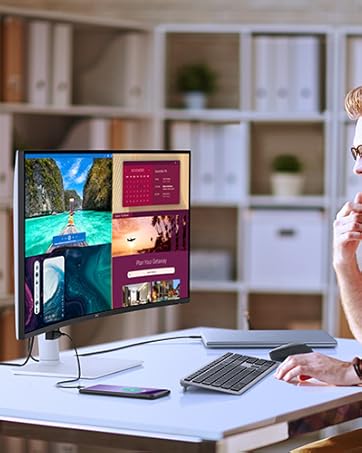
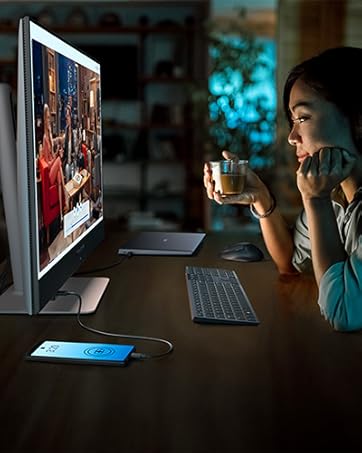
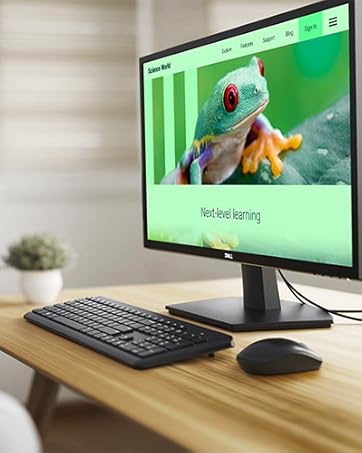
✨ Elevate your workspace with stunning 4K clarity and seamless USB-C power — because your desk deserves the best! 🔥
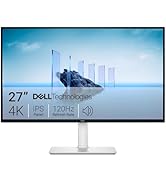
The Dell S2722QC is a 27-inch 4K UHD monitor featuring a sleek ultrathin bezel design, USB-C single-cable connectivity for power and data, and 1.07 billion colors with 99% sRGB coverage. It offers ergonomic adjustments, built-in dual 3W speakers, and ComfortView technology to reduce eye strain, making it an ideal professional display for millennial managers seeking productivity and style in one package.


| ASIN | B09DTDRJWP |
| Are Batteries Included | No |
| Best Sellers Rank | #30,133 in Computers ( See Top 100 in Computers ) #911 in Computer Monitors |
| Brand | Dell |
| Color | Platinum Silver |
| Customer Reviews | 4.4 4.4 out of 5 stars (1,800) |
| Date First Available | 22 October 2021 |
| Item Weight | 6.87 Kilograms |
| Item model number | S2722QC Monitor |
| Manufacturer | Dell |
| Number of HDMI Ports | 2 |
| Number of USB 3.0 Ports | 2 |
| Product Dimensions | 40.01 x 17.48 x 51 cm; 6.87 kg |
| Resolution | 3840 x 2160 |
| Screen Resolution | 3840x2160 |
| Series | Dell 27 4K USB-C Monitor - S2722QC |
| Standing screen display size | 27 Inches |
| Voltage | 240 Volts (AC) |
V**Y
This is better than I expected at rendering the macbook air m2 display. I researched a lot before buying monitors, even returned a few I purchased earlier from Amazon because the display, especially text and icons were pixelated or not scaling well. This desktop did not have any of those issues. Go ahead if you are happy with the price point. Better any day than buying an overpriced mac or studio display for perfectly accurate macbook mirroring
A**Y
A fantastic monitor for office work. Now - this may work well for movies or for gaming, however, I have just not used for that purpose so not in position to comment on it. My Setup: I am using this over VESA mount (100mm x 100mm). My VESA mount have weight capacity of 15 lbs and this holds very well with it. Features: USB Functionalities --- USB-C port is being used to connect to my Macbook Pro. What is the good thing? It is charging as well as display. Compared to my old setup, I was able to get rid of "Dongle" to hook up HDMI and charger separate and now my table is pretty clean. Other USB ports are also connected to the "hub" - implies I can use my drawing tablet to the USB port (it is NOT USB-C) is connected with the monitor always and I can use as soon as plugin mac to the monitor. This is very good because my desk is almost clutter free now! My macbook was able to detect this monitor and setup was really breeze. Power Saving --- When Macbook is closed down or disconnected, it auto powers off. Yeah, I know this may not be big deal - but to me it was. I do not have to touch practically monitor to do anything after installation! Color Quality --- I am not pro in this department. However, I find it pretty good color compatibility with the Macbook's original screen. Night Time --- Night time feature is something I have not tinkered with. I would love to run this a bit yellowish while I work in the evening time. It is in my TODO list - especially I would want to use if I have to be with screen after 6:30 PM. Speaker --- I used headphones the most time, I have not heard anything from the speaker when headphone is not connected. I am not sure if required HDMI or works with USB-C as well. Wishlist --- I wish this computer had 2 or 3 USB ports on the left side instead of just one. Also, in terms of real estate, would be nice to distribute USBs across sides so that all cable (does not come from one side). Overall --- I am pretty pleased with this purchase. I was able to upgrade from FHD to 4K with USB-C hub - get more "real estate" as well as work seamlessly with the Macbook pro. I upgraded myself from Samsung HD2333HD to this one. I have chosen after going through many many monitors configuration and reviews. This one was in the best location in the triangle of price, features and quality. Of course - spending $200 more would get much better monitor, if I had required better sRGB % - this would not be the best. If you happen to be in the similar situation like I did - I would recommend others to give this a chance.
S**K
VESA 10x10 in Dell S2722QC monitor made it very easy to install. The 4K resolution gives me absolutely great control over the video/picture quality (editing work) that I do as my hobby.. The power over usb-C is a great thingy and gives a "clean" look to the desk. I have been using it for a month plus and could recommend anyone who would like to upgrade to 27" monitor with 4K.
M**C
As a Mac user, I was looking for a monitor that offers exceptional image quality for photo editing and graphic design tasks without breaking the bank, and the Dell 27 4K UHD USB-C Monitor - S2722QC has been the perfect choice. The 4K resolution is simply stunning, with crisp, clear images and vibrant colors that make everything from photo editing to graphic design feel incredibly accurate. The USB-C connection is super smooth, allowing me to connect directly to my Mac without needing an HDMI adapter. Plus, I can use the second USB-C port to charge my phone or other devices, making it extra convenient. The design of the monitor is sleek and modern, fitting perfectly in my workspace. This monitor is also great for everyday tasks, making it an all-around winner for both work and general use. The only thing I wish for is an app that works on Mac to easily adjust the brightness, but it’s not a big deal—I can still adjust it manually with the buttons on the screen. What really stands out is how you get outstanding quality at such an affordable price. I actually grabbed this during a Black Friday deal, and it was definitely a deal not to be missed. This monitor has completely exceeded my expectations, and I couldn’t be happier with it! Highly recommend!

J**.
I use this for work-related tasks and programming, and it's lovely to have a 4K for this. Text and images are nice and crisp. Colors are rich, luminosity/contrast controls are pretty simple. I love that I can just plug my laptop to the USB-C and have display and power in the same cable, really handy. Something that I do miss is a USB hub, though. I would be really handy to be able to put in my webcam into the monitor directly. Instead I use a USB hub that I plug to my laptop separately.
Trustpilot
3 days ago
2 weeks ago