
⚡ Elevate your home network to pro-level speed and coverage — because buffering is so last decade!
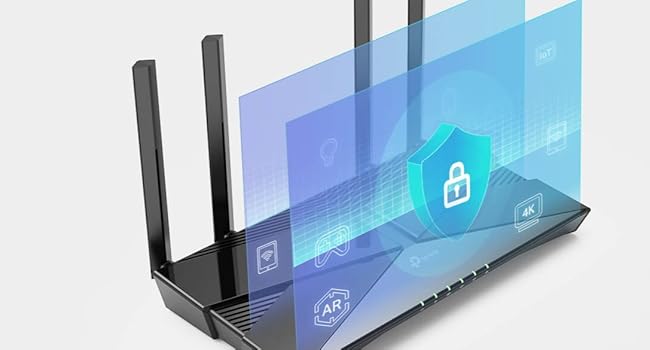
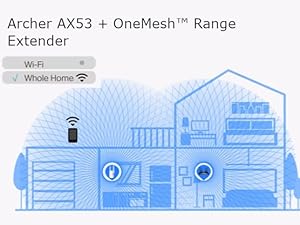
The TP-Link Archer AX53 is a cutting-edge Wi-Fi 6 router delivering up to 3000 Mbps dual-band speeds with ultra-low latency, ideal for gaming and streaming. Equipped with four high-gain antennas and Beamforming technology, it ensures expansive whole-home coverage. Enhanced security via WPA3 and TP-Link HomeShield keeps your network safe, while Alexa voice control and EasyMesh compatibility offer smart, flexible management and seamless expansion.










| ASIN | B09TPKT929 |
| Antenna Location | Gaming, Home |
| Antenna Type | Fixed |
| Best Sellers Rank | 1,712 in Computers & Accessories ( See Top 100 in Computers & Accessories ) 8 in Routers |
| Box Contents | Archer AX53 |
| Brand Name | TP-Link |
| Colour | black |
| Compatible Devices | Laptop, Personal Computer, Smart Television, Tablet |
| Connectivity Technology | Wi-Fi |
| Control Method | Voice |
| Controller Type | Amazon alexa |
| Country of Origin | China |
| Coverage | whole-home coverage |
| Customer Reviews | 4.4 out of 5 stars 20,102 Reviews |
| Data Transfer Rate | 3000 Megabits Per Second |
| Frequency | 5 GHz |
| Frequency Band Class | Dual-Band |
| Global Trade Identification Number | 04897098682630 |
| Is Modem Compatible | No |
| Item Dimensions L x W x H | 26L x 13.5W x 4.2H centimetres |
| Item Weight | 0.81 Kilograms |
| Item height | 4.16 centimetres |
| LAN Port Bandwidth | 3000 Mbps |
| Manufacturer | TP-Link |
| Maximum Upstream Data Transfer Rate | 3000 Megabits Per Second |
| Model Name | Archer AX53 |
| Model Number | Archer AX53 |
| Number of Antennas | 4 |
| Number of Ports | 6 |
| Operating System | Windows |
| Other Special Features of the Product | Beamforming,Alexa Compatible,Access Point Mode,External Antanna |
| Security Protocol | WPA3, WPA2-PSK |
| Wireless Compability | 802.11ax |
R**N
Great product
Great product, easy to setup, massive boost in range over my standard providers supplied router, loads of additional features and a bargain on sale. Signal never drops out and a big improvement in reliability. After a quick Google search and YouTube video I had it setup in about 10 mins.
A**R
10/10 router
Excellent router. Easy to set up with QR code and Tether app. Boosted my speeds and range dramatically, so I am now getting the speed I pay for. Highly recommended. Not expensive for the quality you are getting.
D**C
I'ts better than Virgin Router
Bought this beginning of the year to covert the useless Virgin Hub 3 into a Modem. The instructions were great and after about half an hour was up and running in the household with excellent results WiFi was great throughout house and everyone able to connect with excellent signal. Bought two TP Link extenders as back up and there fine. My gaming Son has no complaints lol. Only gripe is updating Firmware, it can be an issue but i find resetting the Router and modem before hand allows process to succeed. Also it does't seem to like connecting to Amazon Firesticks for some reason.
M**T
Easy Setup with App
Good quality router to enhance any network especially if used with a TP link mesh extender. Wifi range distance much better than my provider's supplied router.
R**4
Fast, Reliable Wi-Fi with Great Coverage
The TP-Link Archer AX53 has been fantastic for our home network. Setting it up was quick and easy, and the AX3000 speed really makes a difference — streaming 4K videos and gaming online is smooth with no noticeable lag. The dual-band feature helps keep devices stable even when multiple people are connected at once. Coverage is excellent; I get strong Wi-Fi signals in every corner of my house. The interface is user-friendly, and firmware updates are simple. Overall, a reliable router that delivers fast, consistent performance at a reasonable price. UPDATE ITS STILL GREAT
N**N
Easy setup
No issues. Plugged straight in and instantly set to AP mode. Connected via Ethernet to main router and worked perfectly as an AP. Setup for seamless connectivity through the home and have not experienced any problems
J**J
Not great for stability
Either I've got a dud unit or this is a nightmare to get connected. I generally buy tplink as it's never done me wrong in the past but this router has driven me crazy...IF you can keep it connected it is great the speeds are fast & generally stable.... However mine keeps dropping out & resetting despite only being 12 feet away on the same floor with direct line of sight. No help from tplink this time ... It's ended up boxed up & ready for donation.
J**S
Overall very good and worth the price.
Overall I'm happy with the router, it's about as good as it gets for the price. The router is overkill for our connection speed but I went with it for the good Antennas. Wi-Fi signal is good overall. It covers my 3 bed house well enough on it's own even though it's in the corner of the house. I'm getting the same speeds via Wi-Fi to my PC, as I do when I'm connected via Ethernet direct to the router, so I can't complain. As with almost all TP-Link products, you just scan the QR code on the back of the router with your smart phone and follow the instructions to set it up. I used my ISP's very old router in modem mode and connected both together via the included Ethernet cable. Ran a few Wi-Fi tests on my PC which is about 8 Meters away with out of the box settings, results - RSSI 2.4Ghz - 41 RSSI 5Ghz - 53 12 Ping 273.74Mbps Down 26.34Mbps Up Our ISP package is 250Mbps so we are getting full speed via Wi-Fi and Ethernet with the router.
Trustpilot
2 months ago
2 weeks ago



