
🎮 Elevate your game with KOORUI: smooth, vivid, and built for the grind.
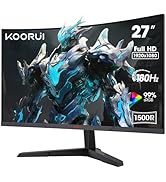
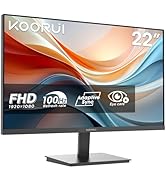
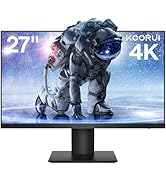
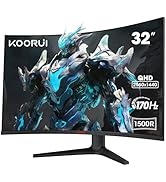
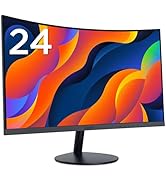
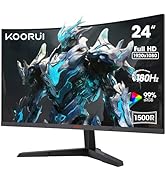
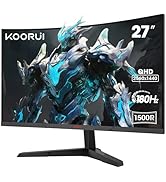
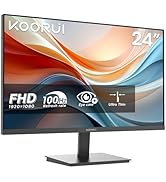
The KOORUI 24 Inch Gaming Monitor features a Full HD 1080p VA panel with a blazing 165Hz refresh rate and 1ms motion blur reduction, delivering ultra-smooth visuals ideal for competitive gaming. Its 85% DCI-P3 color gamut and 20,000,000:1 contrast ratio ensure rich, vibrant colors. AdaptiveSync technology minimizes screen tearing and input lag, while ergonomic tilt adjustment and VESA compatibility offer flexible setup options. Eye-care mode with blue light filtering supports extended use without eye strain, making it a budget-friendly powerhouse for gamers and professionals alike.


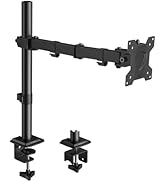
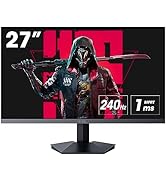

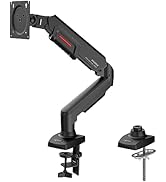
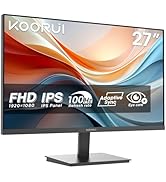





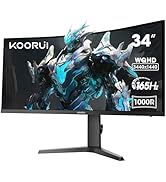
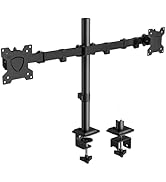
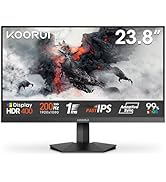
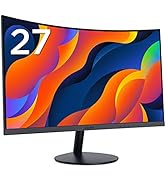
| ASIN | B0B2RCXTK9 |
| Are Batteries Included | No |
| Best Sellers Rank | 3,235 in Computers & Accessories ( See Top 100 in Computers & Accessories ) 69 in Monitors |
| Brand | KOORUI |
| Colour | Black |
| Customer Reviews | 4.3 4.3 out of 5 stars (4,707) |
| Date First Available | 31 May 2022 |
| Guaranteed software updates until | unknown |
| Item Weight | 4.23 kg |
| Item model number | 24E4 |
| Manufacturer | KOORUI |
| Number of HDMI Ports | 2 |
| Power Source | DC |
| Product Dimensions | 17.63 x 54.2 x 42.42 cm; 4.23 kg |
| Resolution | 1920 x 1080 |
| Screen Resolution | 1920x1080 |
| Series | 24E4 |
| Standing screen display size | 24.0 |
C**R
KOORUI 24 Inch Monitor - High-Performance Budget-Friendly Gaming Monitor
Pros: High Refresh Rate: Impressive 165Hz refresh rate at an affordable price, a standout feature compared to other brands. Quality Display: No dead pixels; the monitor has maintained its performance well over time. Value for Money: Excellent choice for those seeking a good quality monitor on a budget. Cons: Brightness and Contrast Difference: When used alongside a higher-end Samsung curved monitor, the differences in brightness and contrast are noticeable, though not detrimental to the overall experience. Best Use: Secondary Monitor: Ideal as a second monitor in a multi-display setup. Budget Gaming Setup: Suitable for gamers looking for high refresh rates without breaking the bank. Verdict: The KOORUI 24 Inch Computer Monitor is a solid choice for anyone in need of a high-performance yet budget-friendly gaming monitor. Its 165Hz refresh rate is particularly impressive for its price range. While there are noticeable differences in brightness and contrast compared to higher-end models, these do not significantly hinder its usability. It functions well as a second monitor or even as a main monitor for budget-conscious setups.
M**S
Great gaming monitor
My grandson loves it. Great picture quality for his PS 5. I would deffo recommend
G**Y
A cost effective monitor however dont believe everything you read.
Read the instruction book fully to understand how to set this up. Instructions leave a lot to be desired. Color is good, not using sound option as have seperate sound system,refresh rate seems ok.
P**B
SO impressed I bought a bigger one for my lad. Incredible value.
Really good for gaming, watching videos and general PC use. It is flawless at 120hz on a Display Port lead. It goes up to 165hz BUT I don't need that and my graphic card won't do games that high anyhow. There's lots of adaptability and options. The refresh rate is set via your source say PC or Xbox. Much better on my eyes than my aged Dell screen. I like this so much my lad needed a bigger screen and I had no hesitation in buying a bigger one from the same maker that I'd never heard of before. Well packed, comes with 2 input leads, HDMI and DP. it has 2 HDMI ports and 1 DP. The controls are by several fiddly buttons. under the bottom right corner. They work but are a bit annoying. This has a few crosshair options built in, they're not subtle but do help. No real negatives and definitely recommend.
J**N
DO NOT BUY! Good first impressions - But be warned: It WILL break down over time.
I bought 2 of these exact monitors in November of 2022. Like many other of the 1 star reviews, I too had issues. This product needs taking down from Amazon as it is clear they have no regard for looking after users who run into these issues. Initially, they worked great, the picture quality wasn't bad (I did have to change the colour profile from limited to full in NVIDIA's control panel to make it look better) and looked very smooth at 144hz. I was happy with my purchase at the time. However, it wouldn't be long before the issues, at least with this particular model, to begin emerging. It started with the panel that I used as my secondary monitor: Flickering, I thought something was up and it only did this intermittently at random times for a short period of time, so I wasn't too fussed about it given it was my second monitor, but afterwards it suddenly went black with only a tiny bar at the top visible, around 1 to 2 millimetres I'd say. Switching the refresh rate to 120hz fixed this issue, but only temporarily. After a while on 120hz, the issues began again, leaving me no choice but to go down to the last step in the allowed refresh rates, 60hz. Again, given this was my secondary monitor I wasn't too bothered. It sucked, but wasn't bad enough to initiate a return given I'd have to send both monitors back, including the working one as I bought them as a pair. I thought this was the end of the issues, and that there would be no possible way the first monitor would also begin exhibiting these issues, however I was wrong, as not long after I went away for a few days and came back to a non functioning monitor, showing the exact same behaviours as the second one which failed months earlier. The monitor was in standby mode while I was gone, so it appears to just be an issue that grows over time. The only difference this time is that I could use the monitor on 120hz for quite some time without the issue emerging. At this point, I contacted Amazon who said I should contact the seller directly as a lot of time had since passed. This went nowhere, as I went back and fourth with their customer support team with 24-48 hour response times. This was inconclusive and I left it there, cutting my loss. This is not the end though, as the first monitor on 120hz completely broke down after a game accidentally switched it to 144hz in full screen, which rendered it completely unusable even on 120hz and 60hz, as it keeps blacking out. As the second one still worked on 60hz, I eventually swapped them both so I'd at least have a stable, semi-functional monitor to use as my main monitor. At this point, I once again contacted Amazon stating that the seller was uncooperative in helping me fix the issue or get a replacement. At the same time I also contacted the sellers customer service, who finally offered to replace them if I sent them back, after paying for shipping MYSELF. I went with Amazon's return as it'd appear cheaper, who finally admitted defeat and allowed me to return the monitors, but of course not without any hassle. I was told that I needed to print out a label, and have the monitors boxed up with said label attached so Evri (courier) could collect them. The issue? They never came to collect them, and after talking with Amazon a week later I was told that I'd need to take it to a drop-off point instead. Now, I don't have a car, and my closest drop-off point is a fair distance, and I wasn't carrying two monitors and all of their accessories in a flimsy box all that distance. That, and all the time I spent waiting for the courier to appear to collect them, the deadline for when "I should send" the products back had passed. I could have paid for a Taxi to help me drop them off, but that's just an additional cost I'd incur sending 2 faulty products back that I might not have even got a refund for. Just not worth the hassle. I'm down 200 quid with two broken monitors that no one seemingly wants to take responsibility for. Something needs doing about this, and I'm astonished they're even still being sold! Amazon, DO SOMETHING!
C**G
Great budget option Gaming display
When i was looking for a new gaming monitor i didn't want something that would unnecessarily cost a lot of money. I found this and had doubts, the biggest one was Gsync compatibility. But i decided to risk it because it had everything i needed like a 1440p resolution and 170 Hz and it had more like HDR. After about a month of using it it is solid, it might need a few tinkering and tweaking to get it to your comfort level but its a fantastic monitor and it does what it says. The HDR looks amazing but you will need to tweak it a little bit in windows and nvidia settings to get it look good. In terms of Freesync and Gsync it has it. You just need to turn on freesync premium in the monitor menu and nvidia control panel will immediately detect a gsync compatible monitor and u can turn it on, and it works. One thing i did notice on the monitor which is kinda cool and very efficient, was that if the brightness was just a bit too high and u didnt notice, the monitor would dim ever so slightly to not damage the display or your eyes, i later turned the brightness down and the diming stopped. In conclusion its a good option for the money that i payed for this monitor but if you still have doubts about it, i dont blame you. Koorui is a Chinese company that features its monitors in E-Sports events. Do as you please with that information but as for my experience, its a great monitor.
N**H
Horrible doesn’t work with hdmi says no signal and turns itself off can’t even try change the hdmi definitely faulty DO NOT BUY!!
R**R
Nice little monitor, light, crisp display, easy to set up, adequate for displaying text contents.
C**G
Cero quejas, funciona a la perfección después de 2 meses de uso constante
D**R
my wife wanted multi screens so I chose Koorui since it had great reviews and was inexpensive. What a great purchase. My wife loves the screen visuals. This is by far a great monitor for the price. Highly recommend
R**A
Muy buen precio-calidad, la recomiendo 100%, la pedí aquí en México y me llego mucho antes de lo esperado, excelente producto
Trustpilot
2 weeks ago
2 months ago



