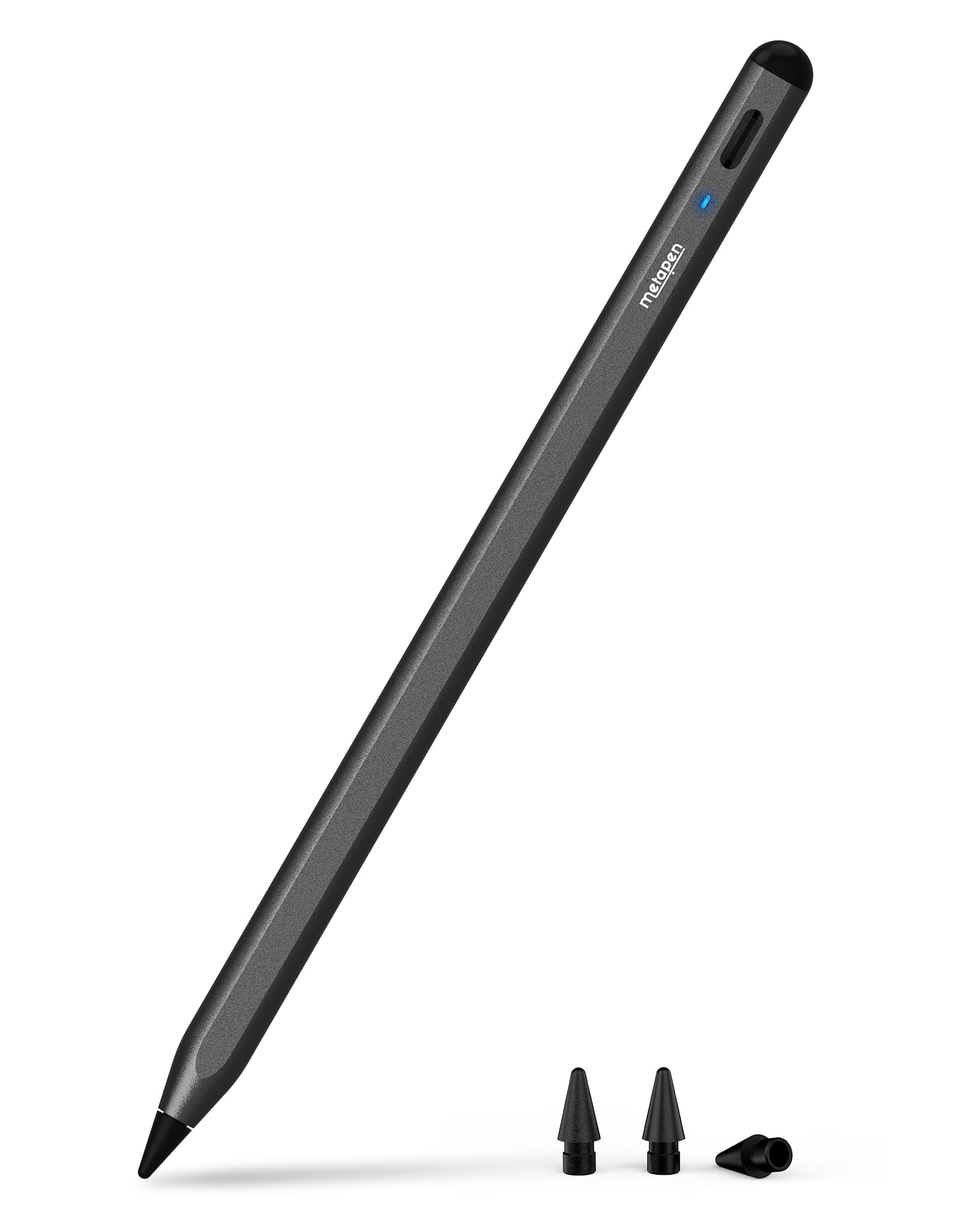
🖊️ Elevate your iPad artistry with precision, speed, and style — don’t get left behind!
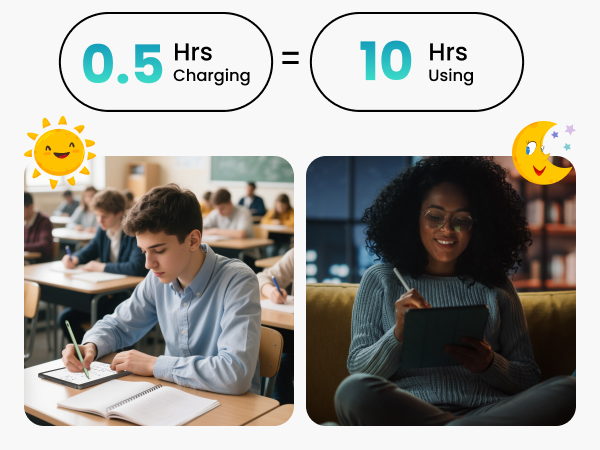
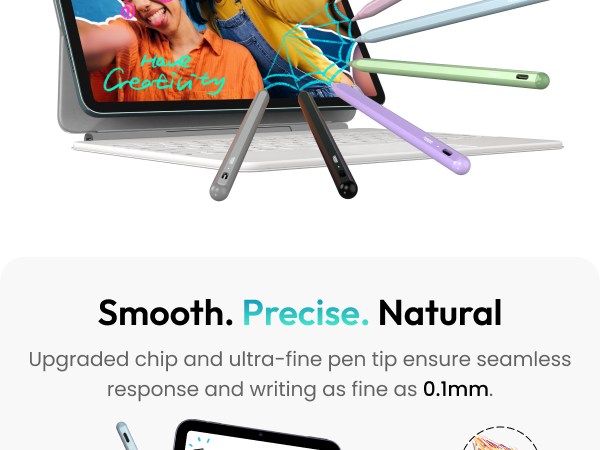
The Metapen Pencil A8 is a high-performance stylus designed exclusively for iPads from 2018 to 2025, delivering 0.1mm pixel-level precision and tilt sensitivity for natural drawing and writing. It charges twice as fast as competitors via USB-C, offering up to 10 hours of use on a single 30-minute charge. Featuring palm rejection and durable polymer tips tested for 20 km of use, it’s a reliable, easy-to-use tool for professionals, students, and creatives seeking a premium digital pen experience without the Apple Pencil price tag.


| ASIN | B0C4L8GKR6 |
| Are Batteries Included | Yes |
| Are Batteries Required | Yes |
| Battery Average Life Standby | 365 days |
| Battery Description | Lithium-Ion |
| Best Sellers Rank | #1 in Digital Pens |
| Brand | metapen |
| Charging Time | 30 minutes |
| Color | Black |
| Compatible Devices | iPad Pro 13-inch(M4), iPad Pro 11-inch(1st/2nd/3rd/4th/M4), iPad(11th/10th/9th/8th/7th/6th Gen), iPad Air (3rd/4th/5th/M2/M3), iPad Pro12.9-inch(3rd/4th/5th/6th), iPad Mini (5th/6th) |
| Customer Reviews | 4.5 out of 5 stars 46,061 Reviews |
| Enclosure Material | Aluminum |
| Item Dimensions | 6.54 x 0.35 x 0.35 inches |
| Item Height | 0.9 centimeters |
| Item Weight | 15 Grams |
| Manufacturer | metapen |
| Material | Aluminum |
| Model Number | ME-APP152 |
| Number of Batteries | 1 CR5 batteries required. (included) |
| Warranty Description | 12-month warranty |
J**.
A simple, cheap stylus that works fine
This pencil is pretty decent! It feels good in the hand, charges quickly, and keeps a charge for a long time. I have had no issues with the precision - it seems to be very accurate and works well with my base model A16 ipad. I'm not a procreate user and pretty much just use it as a standard stylus during regular tablet use, so I can't speak on tilt, palm rejection, pressure sensitivity, or anything fancy that the name brand apple pencil does. If you just like the feel of a stylus while using a tablet, this is a really good option. It's super easy to use - you don't even need to pair it or anything. Two taps on the end turns it on and off, which you can see from an LED. The LED is super bright and mildly annoying if you're using it in the dark, but it's a very minor gripe. My biggest complaint with it is the magnets - the magnets on the side are really weak when trying to magnetize it to the ones on the side of my base model ipad. I don't use a case either, so I just have to kind of keep it loose nearby and hope I don't lose it (even though I inevitably will) If you're just wanting a regular stylus for standard use or you're testing the waters to see if you like the experience, this is a great entry point. I fully plan to eventually buy a logitech crayon or name brand apple pencil, but if you don't want to go all in right out of the gate, this is a very good option.
J**Y
It works!
I recently decided to purchase this stylus pen after returning a less expensive one that I had bought for my daughter for Christmas. To be honest, I was really disappointed with the first stylus because it didn’t connect to anything, which was a huge letdown. However, this new pen is absolutely amazing! Right out of the package, it comes in a beautiful color that immediately caught my eye. The instructions are super clear and easy to follow, which made the setup process a breeze. One of the things I really appreciate about this stylus is how intuitive it is to use. Even though it’s a bit more expensive than the previous one I had returned, the price is definitely reasonable considering the quality and features it offers. The size is perfect for my daughter’s hands, and the touch sensitivity is spot on, making it a joy to use for drawing and writing. Most importantly, my daughter is absolutely thrilled with it! The stylus works exactly as intended, and it’s incredibly easy to turn on and off. Connecting it to her iPad was a seamless experience, and she hasn’t had any issues with it since. Overall, I am super happy with this purchase. It’s a fantastic product that has brought a lot of joy to my daughter, and I would highly recommend it to anyone looking for a reliable and high-quality stylus pen.
N**R
Solid Replacement Pen that Works Just as Well
It writes on the iPad as well as an official apple pencil, but at much less cost. Being black and minimalistic, it fits well with my black iPad. The only weird part is that it isn't always on or work like the pencil and you have to remember to double tap the eraser end to turn it on. It was nice to include an extra tip. I will give some advice for better handling: get a matte screen protector with some texture. It won't glide across the screen like someone trying to walk on ice.
J**D
Mine doesn’t seem to hold a charge very long when it’s not being used
1/3 the price of the Apple stylus, which is nice. It feels good in the hand. It looks good. It works good. My only complaint is that I will turn it off (it’s supposed to auto turn off after five minutes of not being used anyway.) But I only use it maybe once every other week and every time I go to use it after it’s sat for a while the battery is dead.
C**≈
Metapen has blown away the Apple Pencil
I do not have a bad word to say about this pen. I used an Apple Pencil for about two years before switching to Metapen instead because Apple Pencil broke and the transition was absolutely seamless, if not better. First off, connecting the Metapen is a breeze. All you have to do is double tap the top of the pen and it's immediately turned on. With the Apple Pencil, I usually had to plug it into my iPad before it would even be connected. Metapen connects much easier than Apple Pencil. As for quality of writing and drawing, there is not a clear winner, but multiple pros and cons. Apple Pencil adjusts better to tilting the pen, so if you're writing on the side of the pen to increase line size (I mostly use the pencil for art), Apple is more sensitive to slant. Metapen, however, certainly reacts better to pressure. Apple can be wildly inconsistent with line size and pressure, whereas Metapen is more consistent with line size. Overall, there is not a difference in the writing and drawing functionality, and Metapen does the same things as Apple Pencil for much less money. As for durability, that is no contest- Metapen wins. My Apple Pencil was literally shattered by the time I had to stop using it- it had electrical tape on it and Silly Putty holding the tip on. It broke way too often. I dropped it once and the cap on the charger was immediately fractured. The Metapen does not break, however. It has been trapped under books, bags, water bottles, you name it, and it's still kicking just fine. Metapen is much more durable than Apple Pencil, if only for the fact that I don't have to watch it like a newborn the way I did with my Apple Pencil. As for charging and battery life, Metapen has its pros and cons. Battery life of the pencil is about as long as the Apple Pencil's, if not a bit shorter. I could often get a week or so out of my Apple Pencil, where I get 4-5 days from the Metapen. That said, with the amount you're paying for the Metapen as opposed to what you pay for an Apple Pencil, there's an obvious choice. I spend a lot of time with my pencil writing and drawing as well, so I probably use the pencil more than the average user. Additionally, the Metapen recharges faster than the Apple Pencil, and you don't have to stop using your whole device for it to recharge. You can just plug it into a cord instead of inserting the pencil into the device like you're broadcasting to outer space. It is also easy to see how much battery you have with the Metapen. With the Apple Pencil you can see the exact percentage, but the Metapen has a small light that changes color depending on how much battery your pencil has left. I have found this feature to be quite helpful. The overall pick? Easily Metapen. I have not noticed any cons that I'd trade for an Apple Pencil for, and the value was much more worth it. Don't blow your money on a fancy stylus from Apple, give your $14 to Metapen and move on. The Metapen is just as effective and even more functional.
T**N
Amazing Pencil
I have had this pencil for over 6 months and it still works perfectly! I bought it to “test” out how much I would use an “Apple Pencil” and 6 months later I have no need to order an actual Apple Pencil because this one is perfect! Easily pairs with my iPad (and stays connected), the perfect tip for writing accurately in my Good Notes, and overall high quality for the price point!
B**S
Meta Pen That Outperforms Its Price
Impressive! I was a bit skeptical purchasing a pen that was not by Apple, I was honestly surprised how quickly it synced to my iPad without any additional steps or configurations. Battery life was good as well, glides smoothly when coloring, love that there’s a little weight, makes it feel expensive like the Apple branded one, overall I would highly recommend this pen to anyone and all ages for its accuracy and functionality, great buy, great price.
C**Y
Finally, a stylus that actually works on iPadS— no random disconnects, no $129 price tag
✅ Reliable — no random disconnects, unlike ESR & others ✅ Affordable — works on both iPad Air & Pro in one pen Finally—a third-party Apple Pencil alternative that actually works. Reliable, affordable, responsive, and it even swaps seamlessly between my iPad Air and iPad Pro. No disconnects, no constant wake-ups. I’m so impressed I’m already ordering spares. For the detail-seekers: This is my fourth attempt at a non-Apple stylus. Others I’ve tried (including ESR) claimed they’d only power down after five minutes of non-use — but in reality, they disconnect or fall asleep right in the middle of writing or editing, often in less than five minutes. That’s a dealbreaker. I even contacted ESR support and got a replacement, thinking mine was defective, but no — that’s just how it works. Constantly having to tap, snap to the magnet, and re-tap again was maddening. Not this one! The Meta Pencil has been rock solid from the start. Setup was simple: • Tell your iPad to “forget” any previously paired styluses. • Charge this one fully (cable provided). • Lightly double-tap the touch-sensitive “eraser” end. From there—smooth sailing. Scribble features like scratching out words, inserting text, and handwriting recognition work exactly like Apple’s own pencil. What it doesn’t do are Apple-exclusive tricks (like barrel squeeze or double-tap to switch tools) — but no third-party stylus can. Also, it doesn’t offer magnetic charging. Some competitors (like my Pocomax stylus) do, but only for a single iPad model — mine charges magnetically on the Air but nowhere else. Without that iPad nearby, it’s useless, since there’s no port to plug in. In contrast, this one charges by cable, which means it works flawlessly across both my Air and Pro. The battery lasts for days. The magnet itself is rock solid for storage — no wobble at all — and the charging light is clear and easy to read so I always know the status. And since people often ask about feel: this pencil is the same size and shape as the Apple Pencil (round with one flat side) but is a little lighter. The key difference is texture — Apple’s smooth finish can feel slippery, while this one has a subtle built-in roughness that gives just enough grip. It feels secure in the hand and isn’t likely to slip out accidentally. Another plus: it comes with extra nibs in the box. Apple charges separately for those. The response feels natural, and the best part is being able to use the same pencil across my pro and air. (Apple has never allowed that, which says a lot about their sales strategy.) Since my dog occasionally mistakes styluses for chew toys, I’ll be keeping extras on hand. At this price, I’m done with Apple’s sky-high costs and the frustration of the other third-party pens that fall asleep every few minutes. Huge thanks to the manufacturer for creating a well-made, affordable pencil that truly delivers.
Trustpilot
2 weeks ago
1 day ago



