

Desert Online General Trading LLC
Dubai, United Arab Emirates
Desert Online General Trading LLC
Dubai, United Arab Emirates




⌨️ Elevate your iPad game—work smarter, anywhere, anytime!
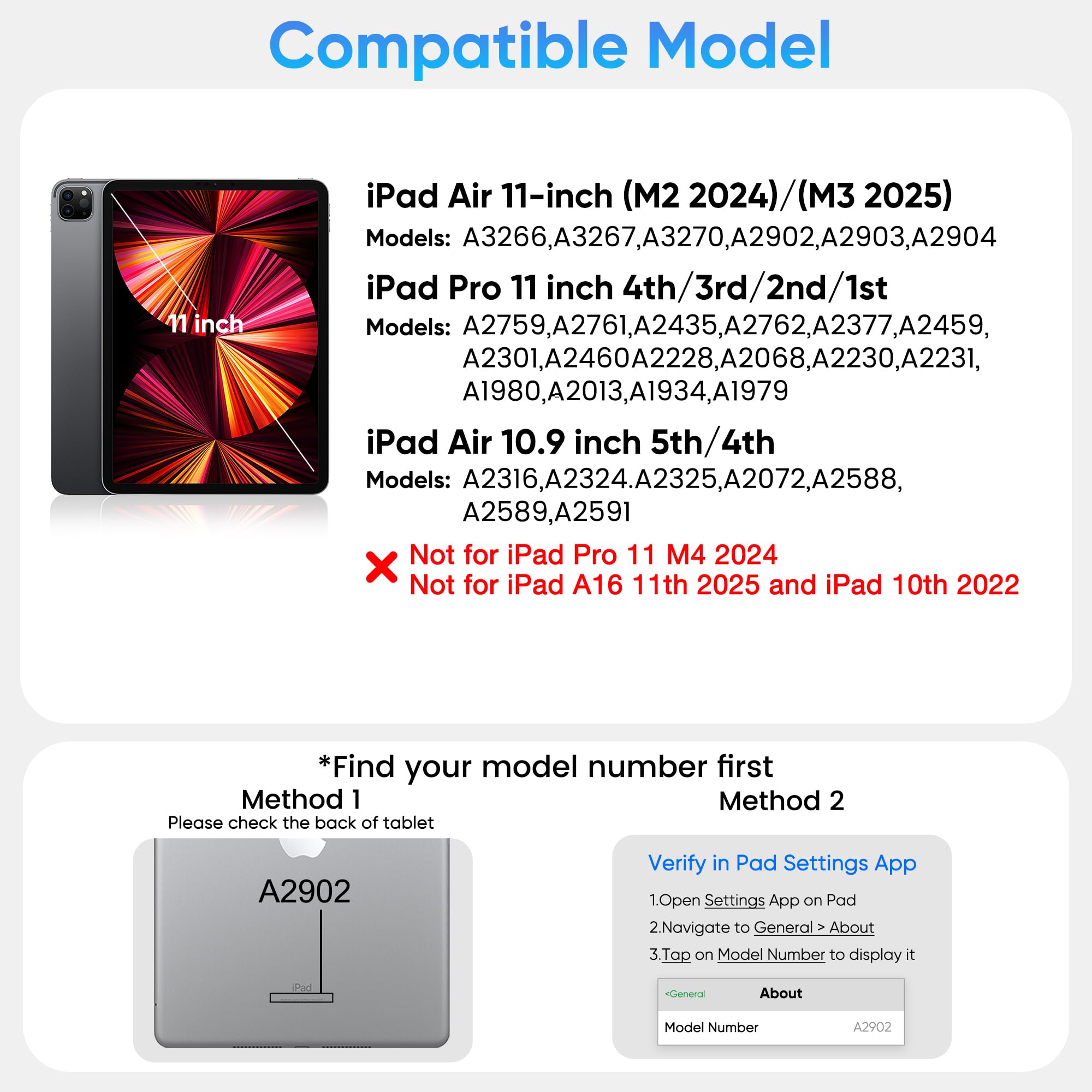
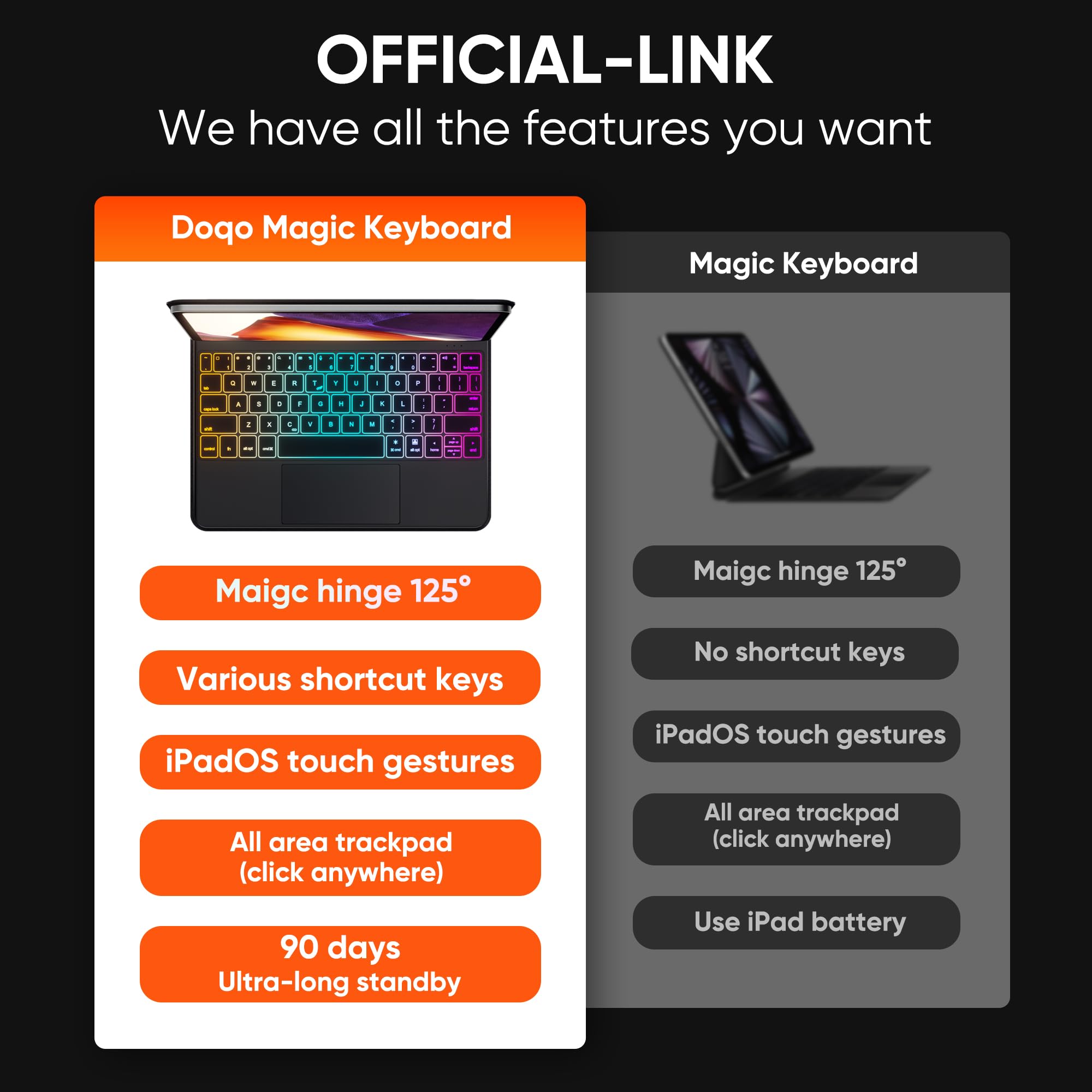
The doqo Keyboard Case is a sleek, PU leather magnetic keyboard and trackpad combo designed for iPad Air 11 (M2/M3) and iPad Pro 11 (1st-4th Gen). Featuring 7-color backlit scissor keys, multi-touch trackpad, and a 90-day standby battery, it transforms your iPad into a versatile, laptop-style workstation with premium durability and portability.


| Hand Orientation | Ambidextrous |
| Button Quantity | 64 |
| Is Electric | Yes |
| Keyboard Backlighting Color Support | RGB |
| Power Source | Battery Powered |
| Switch Type | Tactile |
| Compatible Devices | ipad pro 11 inch 4th gen 2022, iPad Pro 11inch 1st Gen 2018, iPad Air 5/4th Gen, iPad Pro 11inch 3rd Gen 2021, iPad pro 11inch 2nd Gen 2020 |
| Connectivity Technology | Bluetooth |
| Special Features | Portable, Magnetic, Lightweight, Backlit, Trackpad |
| Number of Keys | 64 |
| Style | Vintage |
| Color | Black |
| Material | leather |
| Item Dimensions L x W x H | 11.1"L x 8.4"W x 1.18"H |
C**S
If you are looking for a Apple Magic Keyboard Dupe, look no further.
Pictures are in the review, just keep in mind I still had the protector on the trackpad for this keyboard. Apple Magic Keyboard on the left and this keyboard is on the right.I took a moment to write this review because I thought it was worth the time. Let me preface this with, I love all apple products and usually prefer their accessories no matter the cost but apple failed with their keyboard in contrast to this one. This keyboard in my opinion better than the apple Magic Keyboard in a couple different ways. The pro and con list is as follows;Pros:This price point is great for what you get.The keyboard is slightly bigger.Certain keys are bigger.The letters are bigger and brighter.The keyboard lights up and the colors are interchangeable.The trackpad is basically the same as the apple trackpad.The keys are not so loud, they are less clicky than Apple’s and more bubbly/ smooth, which I like.The keys are matte so your fingers hit the keys better whereas the apple keyboard is glossy so you can hit wrong keys often. At least I tended to.The case is just as sturdy and thick as Apple case.The bar that supports the spine of this case is actually better quality metal than the apple keyboard.The keyboard and trackpad work with your other Apple devices as long as you have your iPad as another display.Cons:The Magic Keyboard derives it’s power from the iPad and can charge the iPad while it is plugged in. Which is great for functionality but not worth 280 with tax… on sale…This keyboard does not use power from the iPad, you have to charge the battery separately, but the battery percentage shows on your device and it charges with a USB-C on the right side.The case is not as soft as Apple’s but is still great quality.The velvet behind the iPad is not as soft.Some of the letters on this keyboard are slightly smaller than the rest? Maybe it is just a mistake with mine, but the letters are U,D,W, and O. I only notice when I look really closely but it’s worth noting.Overall, this keyboard has much more functionality and ease of use than the Apple Magic Keyboard. Again, I love Apple products so I was super shocked when I preferred this keyboard over the Apple Magic Keyboard. Another thing that I found a little crazy is that for $280 Apple doesn’t even give you a USB-C cord to charge with or offer apple care for this product.If you are trying to decide between which one, if you are on a budget or just don’t want to spend so much on one keyboard, get this one and it is the same experience or better.If price isn’t a question and you prefer apple products, either keyboard will be sufficient it just depends on what you are looking for. Keep in mind, Apple is always going to be the more “premium” product so the cost is going to reflect that, it doesn’t mean the product will automatically be for you.Good luck guys.
C**.
Please listen to reviews. I ignored them and I just wasted my time and money!
Absolute horrible. I got it in the mail less than 24 hours ago and as soon as I opened it it was on already. I got it connected to my ipad to test it. I plugged it in and after about 1 hour of charging I went to turn it on again but there’s no actual power on/off key. It’s the touch sensor above the keyboard on the right side next to the lights. Supposedly your supposed to tap it twice but the non existent power button isn’t working. Does anyone know any fixes on this before I return it?
J**N
How to make keyboard discoverable
This keyboard is perfect! It is the second one that I have purchased and will be keeping both. For some reason the second one I purchased did not automatically connect to my iPad like the first one did and I thought I was sent a defective product. My iPad was recognizing the keyboard, but it wouldn’t pair (I was doing it all wrong). I am thankful to YouTube that I found out that there are hot keys you can push on the keyboard that will pair the keyboard with the iPad! If you are like me and tried to swipe where the Bluetooth/Pairing symbol is by the power button and got discouraged, try pressing the Fn & c at the same time, it worked like magic. Now that I take a second look, the c key actually has the pair symbol on it that I didn’t even think to look for.I hope you enjoy your keyboard as much as I do!
A**C
Works well but case is starting to peel
I’ve had this case for a couple months, close to a year and it has worked really well for me. It is able to connect to my ipad with no problem and battery lasts for a good while. You do have to press down on the keyboard but it does move smoothly. The only issue I’ve had is with the outside of the case which has started to peel all around the sides. I’m not really sure how to fix it.
A**Z
Excelente reemplazo del Magic Keyboard
Estaba buscando un teclado para mi iPad Air de 5ta generación y me decidí por esta opción, me gusto su diseño flotante, las teclas de función y la carcasa que ofrece mayor protección al iPad. Estudie alternativas como el Zagg Pro Keys y el Logitech Combo Touch, que también ofrecen carcasas, pero este teclado Doqo DQ109 tiene un diseño atractivo que permite diferentes ángulos de visión y tiene un menor precio, por eso lo escogí. Las teclas de función son muy útiles y funcionan correctamente. La batería se ha consumido en un 25% en una semana de uso promedio de 2 horas diarias y el % de carga restante se puede observar en la pequeña pantalla donde además se puede ver el icono de conexión bluetooth y el indicador de mayúsculas; la carga también se puede ver en el widget de batería del iPad. Como aspectos por mejorar es muy importante conocer que el peso de este teclado es de 790 gramos que sumado a la carcasa (100 gramos) y el iPad Air (450 gramos) se llega a un peso total de 1340 gramos; superior a los 1171 gramos de mi Dell XPS 13. Otro aspecto es el touchpad que funciona correctamente, sin embargo, es fácil tocarlo mientras escribe, por lo que puede ocasionar saltos de linea involuntarios, para mi no es un problema porque utilizo un mouse junto con el iPad, pero quizás otros usuarios lo deben tener en cuenta. Para mi estos aspectos no son relevantes porque las ventajas son superiores, por lo que puedo recomendar este producto, Es mas, pienso hacer una revisión y publicarla en Youtube, debido a la poca información que existe sobre este excelente producto.
R**R
Not worth the price
To start off with how it first came…dirty. Takes a long time to Bluetooth connect didn’t know there was certain buttons that had to be pressed to connect it because…didn’t come with a manual. The battery is terrible I’d charge it for a whole day just for it to last a day and a half. The touchpad is slow. Hope this helped sum up your choice. #don’tbuy.
Trustpilot
1 month ago
3 weeks ago
![Ailun Screen Protector for iPad Air 11 Inch 6 Generation [2024 6th Gen], iPad Pro 11 Inch 2024 5th Generation Tempered Glass [Face ID & Apple Pencil Compatible][2 Pack]](https://images-na.ssl-images-amazon.com/images/I/71nfU3SNuNL._AC_UL116_SR116,116_.jpg)
