

🚀 Triple your screens, double your power, all-in-one dock for the unstoppable pro.
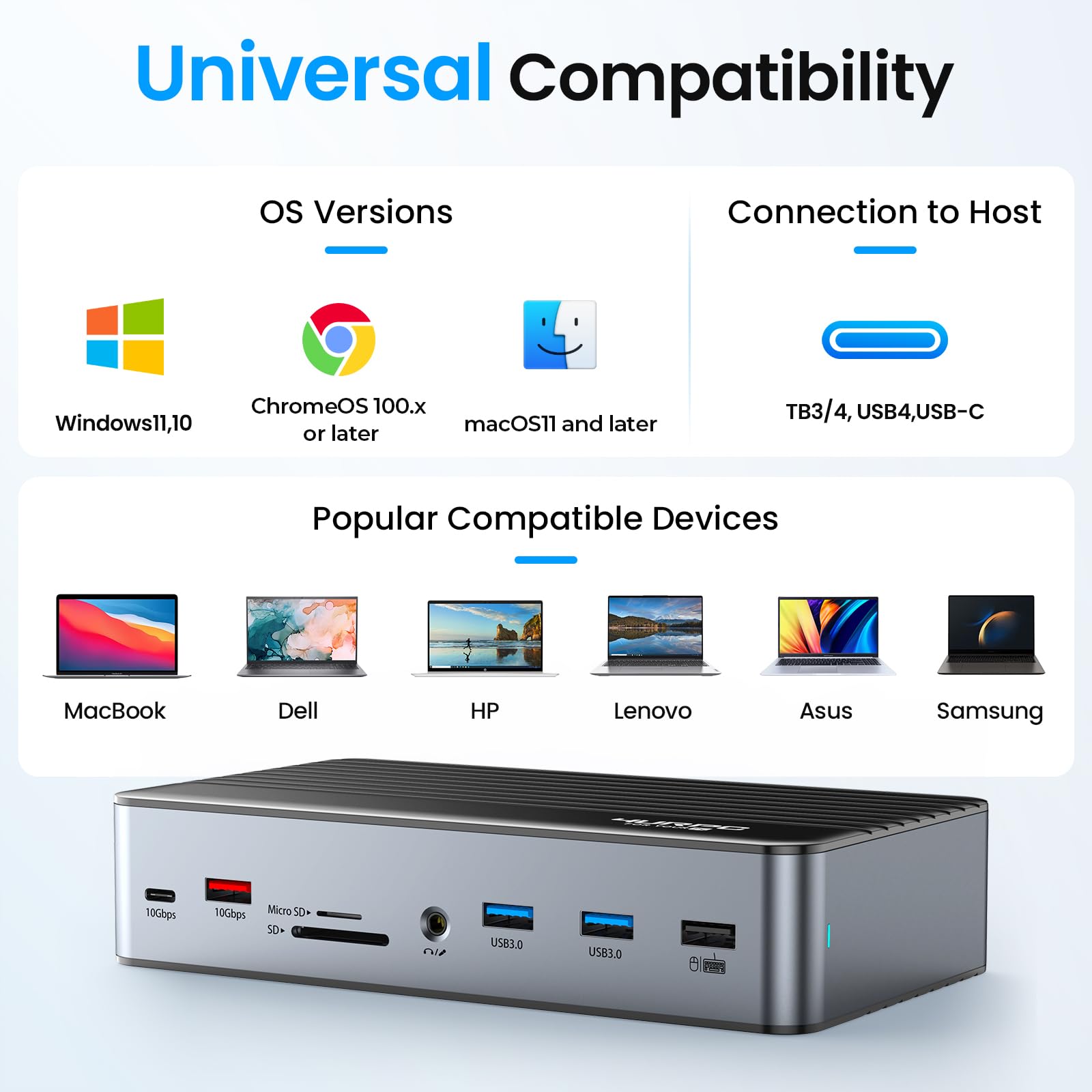
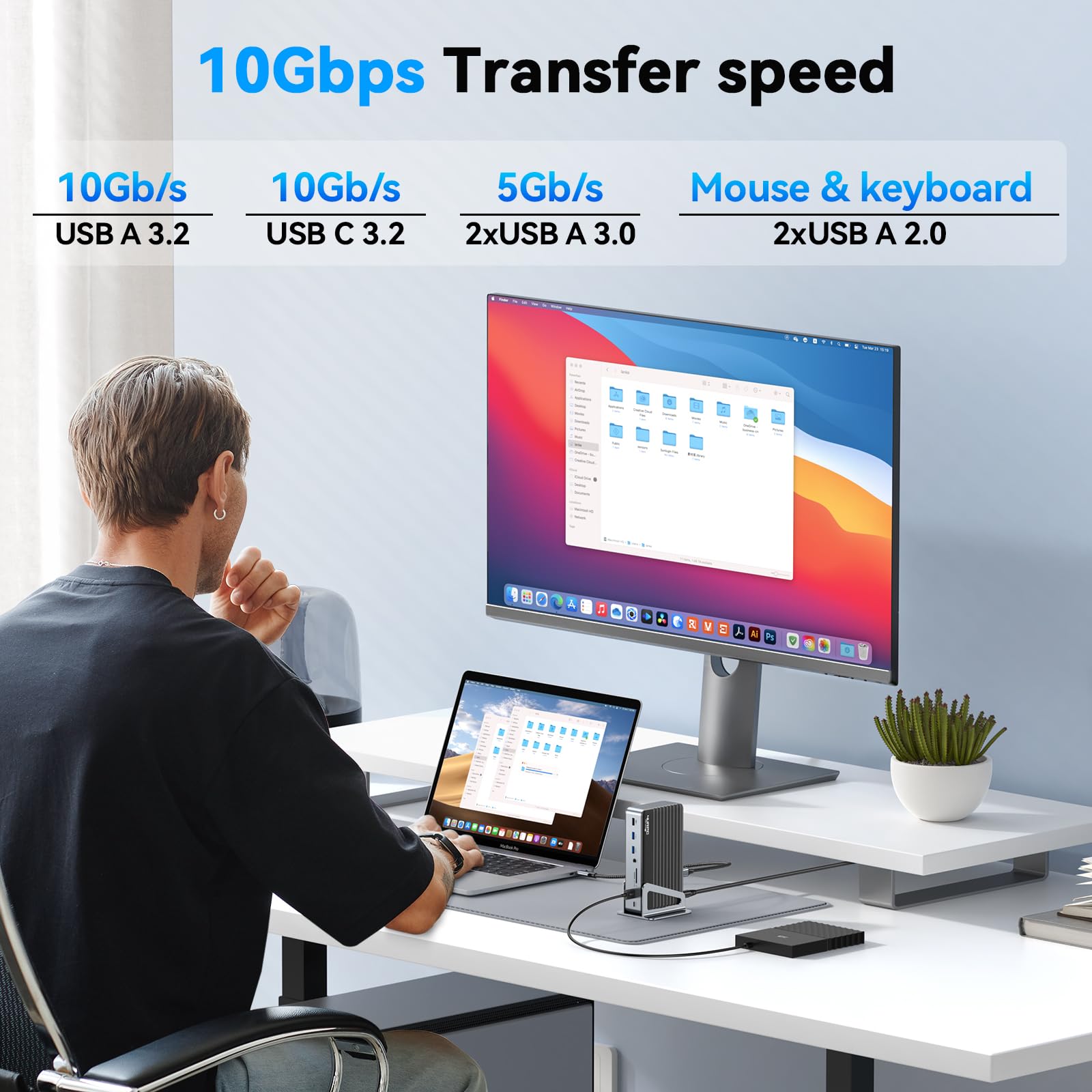
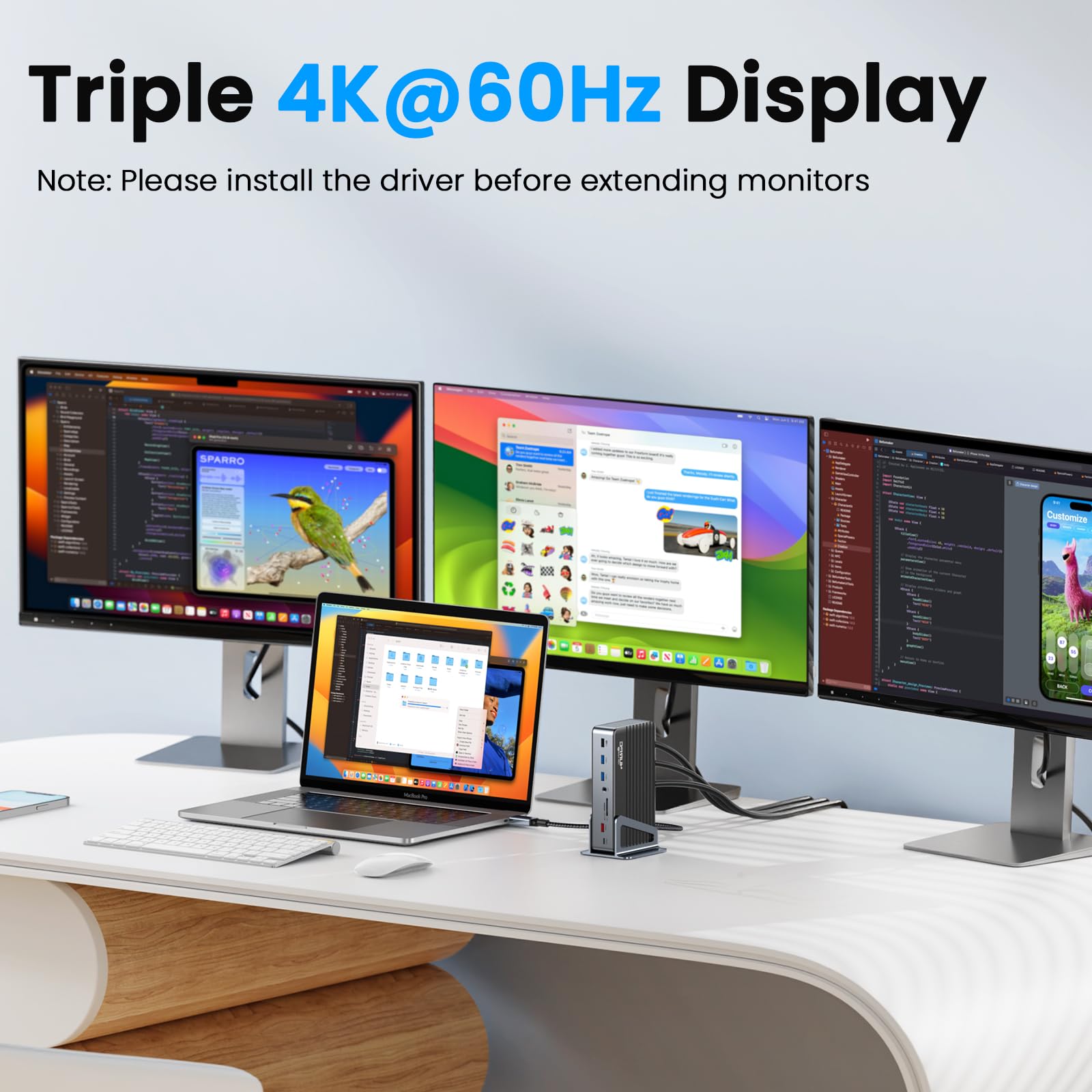
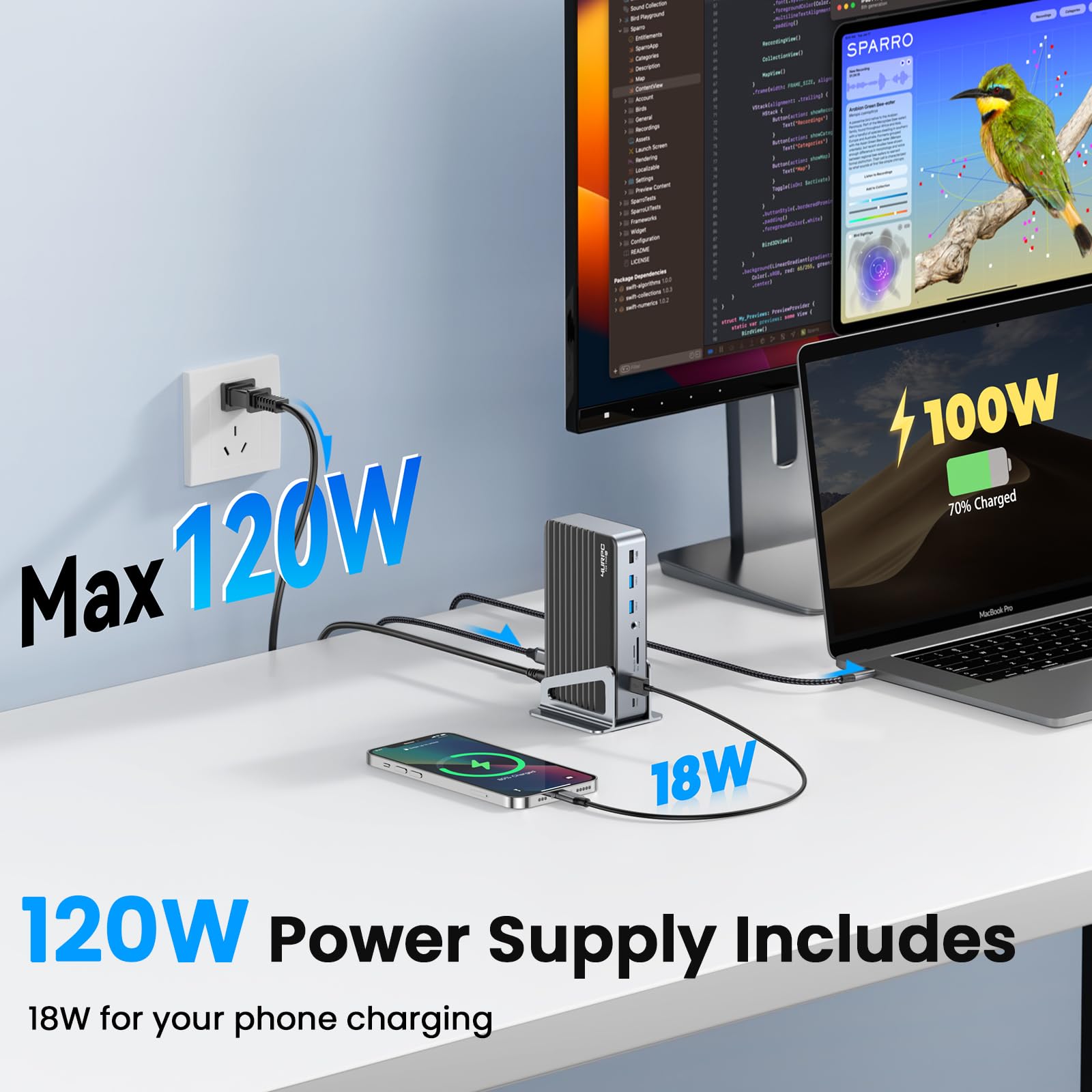
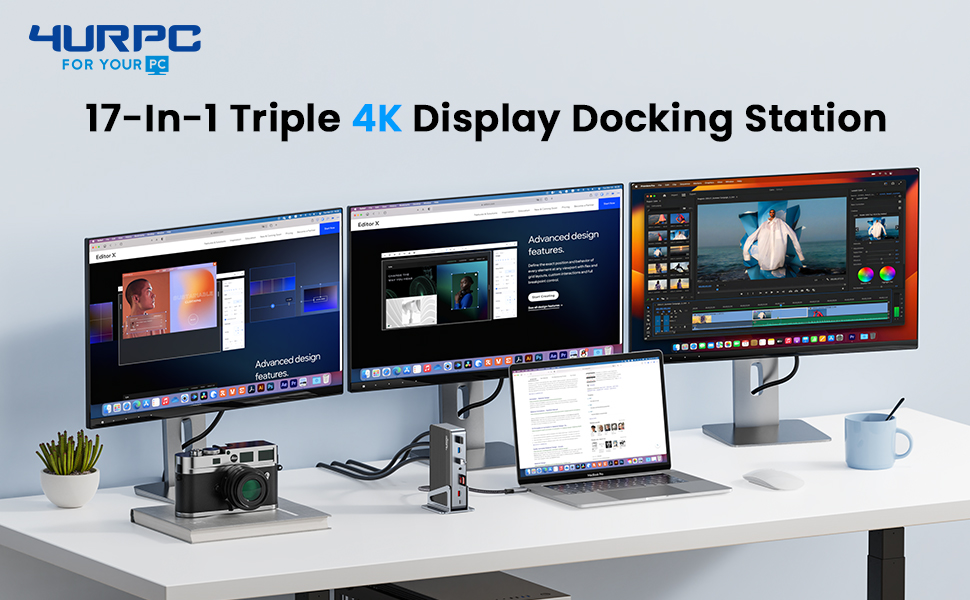
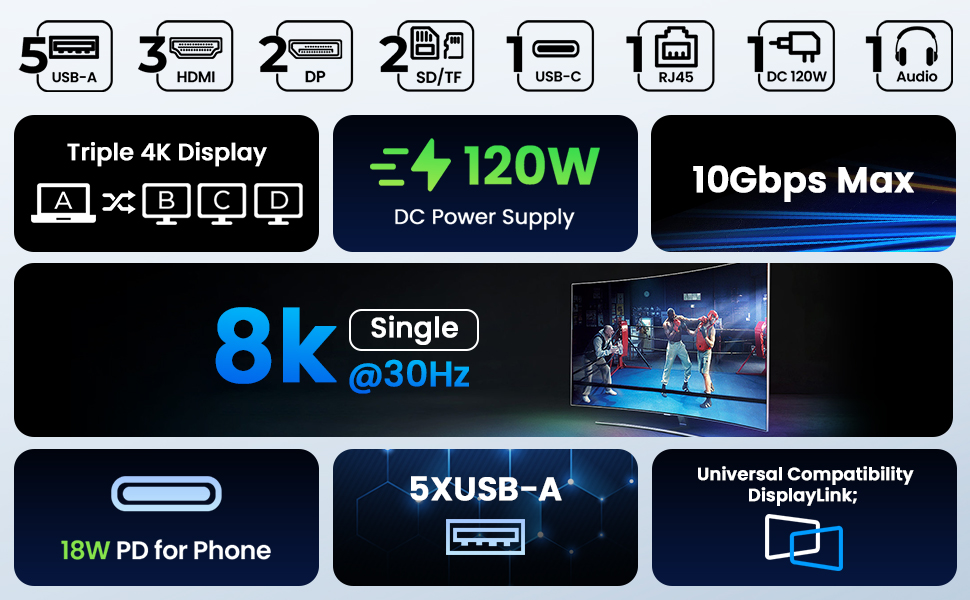
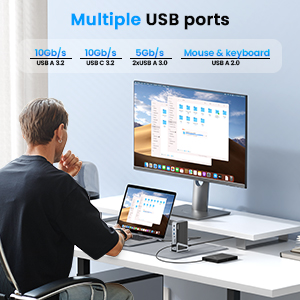
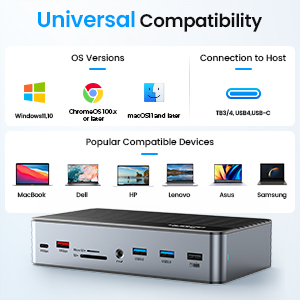
The 4URPC DisplayLink Docking Station is a powerhouse 17-in-1 hub designed for professionals craving ultimate productivity. It supports triple 4K@60Hz or single 8K@30Hz displays, delivers 120W charging, and offers extensive connectivity with 3 HDMI, 2 DisplayPorts, 6 USB ports, Ethernet, and more. Compatible with the latest Thunderbolt and USB-C laptops including Apple M1-M4 and Windows devices, it transforms any workspace into a sleek, efficient command center backed by a 2-year warranty and dedicated customer support.

| ASIN | B0CFKMC7H7 |
| Best Sellers Rank | #145,203 in Electronics ( See Top 100 in Electronics ) #1,390 in Laptop Docking Stations |
| Brand | 4URPC |
| Color | black |
| Compatible Devices | All Laptops with Thunderbolt 3/4, USB4, or full-function USB C port. Windows 10/11 systems; macOS 10.15. x and later systems, ChromeOS 100. x and later systems; including M1 / M2 / M3 /M4 (M4 Pro/Max, M3 Pro/Max, M2 Pro/Max, M1 Pro/Max, MacBook Air M4); Intel-based Thunderbolt 3 MacBooks (late 2016+), Dell XPS, Latitude, Dell Inspiron series; Microsoft Surface Pro / Go / Book / Laptop; HP ProBook,… |
| Customer Reviews | 4.2 out of 5 stars 102 Reviews |
| Hardware Interface | HDMI |
| Item Dimensions L x W x H | 1.5"L x 3.94"W x 7.09"H |
| Item Height | 7.1 inches |
| Manufacturer | C- Smartlink Information Technology Co., Ltd |
| Number of Ports | 17 |
| Total Number of HDMI Ports | 3 |
| Total Usb Ports | 6 |
| Wattage | 120 watts |
J**N
Couldn’t get it to work through Display Port (until CS sent me a new unit)
Updated review: Their CS reached out to me after I wrote this review and offered to send me a new unit free of charge which I thought was great. I was hesitant to try again but this unit worked! Having to run the DisplayLInk software on my Mac kinda sucks as it says it's recording the screen and I have no idea how that affects performance or if it's doing anything with that recording but that's not the fault of the seller. The dock works great with my Mac now and the CS experience was great! Original review: I downloaded the drivers for Mac but couldn’t get it to work. It’s a little big and has a good amount of ports but wish it had more USBc ports. It’s easy to set up and use but has a big transformer so you’ll have to do good cord management. It has good connected and solid cables. Ended up sending it back as I needed DisplayPort to work.
T**L
A Versatile Powerhouse for Enhanced Productivity 4URPC DSC08
I recently upgraded my workspace with the 4URPC DSC08 USB-C laptop dock, and the transformation has been nothing short of remarkable. This docking station is a game-changer for anyone seeking a comprehensive solution to streamline their connectivity needs. Versatility at Its Best: The dock boasts an impressive array of ports, including HDMI, DisplayPorts, USB, and SD card slots, providing a one-stop solution for all your connectivity requirements. Whether you're working with high-resolution displays or multiple peripherals, this docking station has you covered. High-Resolution Display Support: What sets the 4URPC dock apart is its ability to support a single 8K display or triple 4K displays at 60Hz. The visual experience is stunning, making it ideal for a variety of tasks, from content creation to immersive entertainment. Swift Charging and Data Transfer: The inclusion of a 120W DC Power Charger ensures rapid laptop charging, and the USB-C port facilitates fast charging for your phone and seamless data transfer. This feature-packed dock is designed to keep you powered up and connected without compromise. Universal Compatibility: One of the standout features is its compatibility with various laptops, including both Apple and Windows devices. This versatility makes it an excellent choice for users with different preferences and setups. Flexible and Durable Design: The dock's build is not only functional but also aesthetically pleasing. The aluminum demountable base allows for flexible positioning, enabling you to customize your workspace to suit your needs. The durability of the construction adds a premium touch to the overall design. Reliable Support and Warranty: With a worry-free 24-month warranty and responsive customer service, 4URPC ensures peace of mind. Any concerns or issues are promptly addressed, making the overall experience with this dock even more satisfying. In conclusion, the 4URPC DSC08 USB-C laptop dock is a reliable and comprehensive solution for those looking to enhance their productivity setup. Its versatility, high-quality construction, and excellent customer support make it a worthwhile investment. Upgrade your workspace with confidence!
P**A
Solid, Stylish and Cool
This was the first 4URPC brand purchase. I was debating between this one and an equivalent model from Wavlink. I opted for 4URPC due to its good reviews. I bought this one to replace an Anker 577 which was having issue with one of my monitors every time my Mac wakes up from sleep. The 4URPC appears to be well-built, much bigger than the Anker, and stays cool after prolonged use (v.s. Anker getting really hot to the touch). It offers most of the ports I want, and the layout on the 2 sides is reasonable. I haven't tried the 3 monitor setup yet, but the 2 monitors I currently use work really well. My Mac wakes up from sleep, and both monitors retain their resolution. One of the monitors is on DisplayLink. Everything is seamless and effortless. I may have missed it before purchase, but I've realized that this product has no dedicated power button or rocker. Unless you unplug the power, it is always on. I actually don't understand this design choice. It's such a small thing to add, but boy, that Wavlink model now seems a bit more appealing. I still like the rest of the design, style, stable performance, and its excellent temperature control. The fact that it stays cool while in-use would likely extend its service life. It's a keeper, for now. I'll report back on the triple monitor setup and its longevity.
C**E
Easy to set up and use for Macbook pro, Dell, and Lenovo Laptops
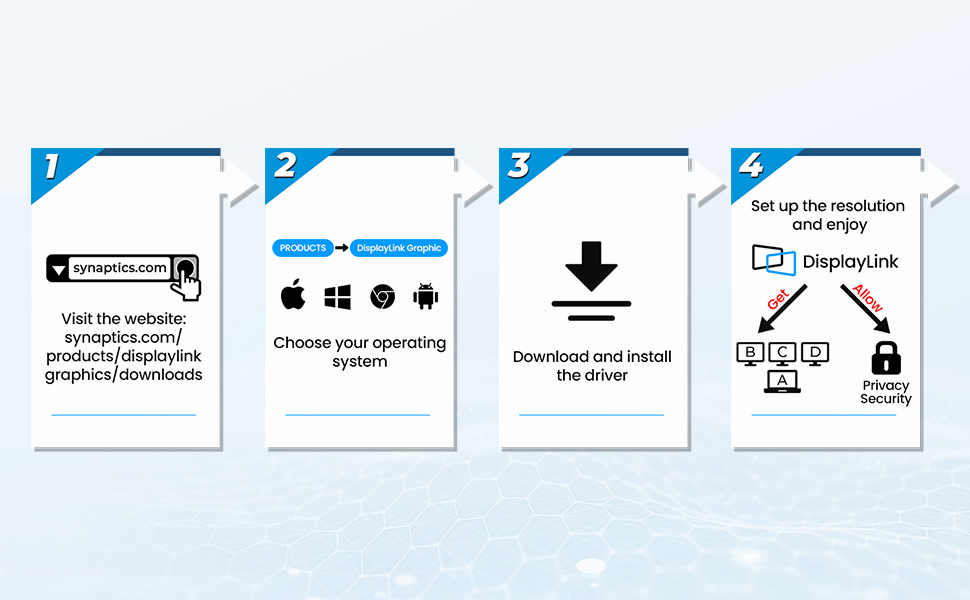
UPDATE Jan, 22025: After 3 months the docking station no longer splits to my external monitors. It still charges the computer. September, 2024 Love this docking station/splitter -worth the money and they had a $40 off coupon when I bought mine! I have 3 external monitors that I needed to interchangeably switch out laptops with. I use MacBook pro M3 max chip (will work for those with Apple products having M2, M3 non-max chips too) and a Dell for various side-hustle projects and a company issued Lenovo ThinkPad for my full-time job. I downloaded drivers for the MacBook, but didn't need to for the Windows OS PCs. *For MacBooks: Download the drivers first!!! Then plug in the MacBook, if you do it out of order sometimes MacBooks won't recognize the displays, I've found. Also sometimes you need to hold down the "option" key while looking at the display settings to get the MacBook to find external displays. I did not need to do that for the 4URPC docking station though - it was so easy! I think the resolution on the external monitors is great, but I do minimal video editing, and zero gaming, so opinions may vary. I mainly do a lot of instructional design, medical writing, image manipulation, database work, and spreadsheets. The price was worth it, especially as a docking station vs just a splitter. And so far it does not run hot. My last Star-Tech splitter w/ 4 HDMI ports (not a docking station) ran hot and did not work w/ MackBooks - but I do love that company's products in general. Other docking stations I've used for both MacBook and Windows laptops have run hotter than the 4URPC. I love that 4URPC includes a long thunderbolt/USB-C cable. I tried a Plugable splitter (not a docking station) and it had an attached USB-C that was so short I had to return it. The Pluggable splitter was a difficult set up to get the MacBook to recognize it - probably the order of operations that I did, as I mentioned earlier. Additionally, the Plugable splitter had 2 HDMI on each side so it was awkward w/ my set up. The 4URPC has a very nice set up with the HDMI all in a row and I can lay it flat, or keep it vertical - in my case I kept it vertical and upside down so the HDMI ports were at the bottom - personal preference but I love that you can set it up in any way (especially because the cords are long enough to allow this). I was not given any promotional discounts or paid for this review - just a lover of the product (my 1st w/ this company). I am only moderately tech savvy, but I knew I wanted 3 external displays and the interchangeability between computers w/ different OS and I was able to set it up in less than 10 min total w/ all of my laptops.
D**K
Back in Business with the 4URPC Docking Station
Was able to finally get this connected. Confusing with the step-by-step directions to download drivers, but my PC would not allow me to download. Come to find out with customer service help, I could bypass the software download and made the connections with no issues. Would have been better if the instructions to connect might suggest bypassing driver download. Would have saved me 4 days. I choose this docking station after going through 2 of the $40 docking stations in a short period of time. The extended warranty and good customer service confirms I made the right decision.
C**0
A Game-Changer for Productivity!
I recently upgraded my workspace with the 4URPC 17-in-1 USB-C laptop dock, and it's been a game-changer. The docking station boasts an impressive array of ports, from HDMI and DisplayPorts to USB and SD card slots. It supports a single 8K or triple 4K@60Hz display, making it versatile for various tasks. The inclusion of a 120W DC Power Charger ensures speedy laptop charging, and the USB-C port is handy for fast phone charging and data transfer. What sets it apart is its compatibility with various laptops, including Apple and Windows devices, making it a versatile choice. The dock's build, complete with an aluminum demountable base for flexible positioning, adds to its appeal. With a worry-free 24-month warranty and responsive customer service, the 4URPC USB-C laptop dock is a reliable and comprehensive solution for those looking to enhance their productivity setup.
B**N
Great Docking Station for Mac's and works with M1/M2 chipset!
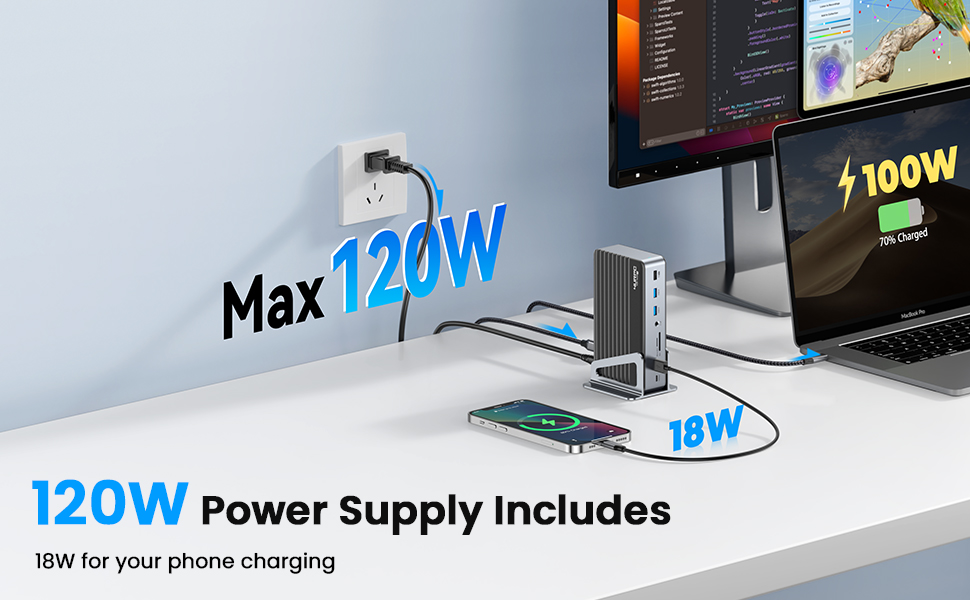
This new DSC08 docking station from 4URPC is great. I was looking for one that could handle my Mac Pro 2019 as well as my work Mac's with a M1 and M2 chips. Other docking stations were not able to handle the M1+. The 120W power supply is a nice addition giving all my usb devices plenty of power, my Logitech camera no longer has the low usb-c power glitch in Zoom. With the installation of Displaylink I was able connect to a much larger Samsung screen giving a huge viewing area for Zoom calls. All the other displays worked fine with the additional monitor. Moving data between my usb drive and the station to my mac was fast and without issue. Audio port was nice so i could still plug in my old headphones. So far a great addition.
S**T
Great Product with Excellent Support
I recently purchased the 4URPC DisplayLink Docking Station Triple 4K Monitor with 120W Power Adapter, and overall, I'm very satisfied with my purchase. The installation process was straightforward, and the dock now works flawlessly, allowing me to connect multiple monitors seamlessly and giving me plenty of screen space to complete my work efficiently. I did encounter an initial issue with connecting the dock to my laptop, but the company's tech support was outstanding. They responded immediately and guided me through the solution step by step. Their prompt assistance resolved the issue quickly, and I was up and running in no time. This docking station has significantly improved my workflow, and I highly recommend it to anyone looking for a reliable multi-monitor solution with excellent customer support.
Trustpilot
1 month ago
2 weeks ago



