We remain fully operational. Our teams are working around the clock to ensure your deliveries continue safely.

DOWNLOAD THE APP


Customer Services
Copyright © 2025 Desertcart Holdings Limited
DOWNLOAD THE APP

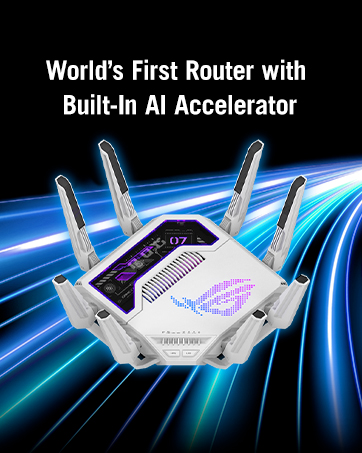
🚀 Elevate your home network to WiFi 7 — speed, coverage, and security redefined!
The ASUS ZenWiFi BQ16 is a cutting-edge WiFi 7 quad-band mesh system delivering up to 25Gbps speeds and expansive 8,000 sq.ft coverage. Featuring dual 5GHz bands, dual 10G Ethernet ports, and robust security with parental controls, it’s designed for demanding professionals and smart homes. Easy setup via the ASUS app and seamless multi-device handling make it a top-tier choice for future-proofing your connected lifestyle.




| ASIN | B0CXTL1GSL |
| Are Batteries Included | No |
| Best Sellers Rank | 4,540 in Computers & Accessories ( See Top 100 in Computers & Accessories ) 23 in Whole Home & Mesh Wi-Fi Systems |
| Brand | ASUS |
| Colour | Pack 2 - 700m² |
| Computer Memory Type | DIMM |
| Customer Reviews | 4.1 4.1 out of 5 stars (209) |
| Date First Available | 14 May 2024 |
| Guaranteed software updates until | unknown |
| Item Weight | 1.3 kg |
| Item model number | 90IG08K0-MO3N2V |
| Lithium Battery Energy Content | 1 Kilowatt Hours |
| Lithium Battery Packaging | Batteries packed with equipment |
| Lithium Battery Weight | 1 Grams |
| Manufacturer | ASUS |
| Operating System | Linux |
| Product Dimensions | 17.67 x 7.2 x 21.79 cm; 1.3 kg |
| Series | ZenWiFi BQ16 Pro |
| Voltage | 5 Volts (DC) |
| Wireless Type | 802.11.be, 802.11a, 802.11ac, 802.11ax, 802.11g |
J**H
BQ16 Wi-Fi 7 Router Review – A True Powerhouse for Fibre Connections
After years of testing high-end routers and networking gear for both home and professional use, I can confidently say that the BQ16 Wi-Fi 7 router is a breakthrough product. It not only outperformed my trusted ASUS GT-AX6000 but also did so in real-world scenarios that matter most: multi-wall coverage, wireless backhaul performance, and consistent VPN handling. Bought in January 2025 and now running the latest firmware as of March 2025, this device is nothing short of exceptional. The setup was straightforward and impressively fast. Using the BQ16 app, available on both Android and iOS, I had the entire mesh system up and running in under 10 minutes. The app walked me through every step intuitively, from placing nodes to optimising channels. Firmware updates were applied seamlessly during the setup, and the app has since been reliable for monitoring traffic, toggling features like QoS, and managing connected devices. In my household, I tested the router with a combination of devices: a MacBook Pro M1 (2021), a Dell XPS 15 (2023), iPad Air 5th Gen, iPhone 15 Pro, Samsung Galaxy S22 Ultra, Pixel 7, and several IoT smart devices like a Philips Hue Bridge and Google Nest Hubs. The BQ16 handled all connections effortlessly. Coverage was nothing short of jaw-dropping. My house is a detached, two-floor brick home with thick internal walls, and traditionally, getting reliable signal in the attic and back garden has been a challenge. I used a two-unit BQ16 setup with wireless backhaul, and the secondary unit was placed in a room three walls away from the main router. Despite the challenging layout, I was able to connect my main workstation via Ethernet to the backhaul unit, which in turn used Wi-Fi 7 to communicate with the primary router. The result? Full gigabit speeds, zero lag, and not a single drop during extended work sessions, video editing, or remote desktop usage. What sets this system apart is how well it handles WireGuard VPNs. On my GT-AX6000, enabling WireGuard would cut my 940 Mbps fibre connection nearly in half, hovering around 400-450 Mbps regardless of which server I used. With the BQ16, I enabled WireGuard client mode through the web interface, linked it to my favourite secure VPN provider, and tested it across multiple endpoints. The difference was astounding: I consistently achieved 880-930 Mbps while connected to VPN servers across Europe. The performance hit was minimal and within expected ranges, making this router ideal for security-focused users or remote workers who rely on encrypted connections. During tests, I ran speed benchmarks on every floor, including areas previously plagued by dead zones. My iPhone 15 Pro showed 920 Mbps download in the living room (main router location), 850 Mbps in the kitchen, and 700 Mbps in the attic. Even the garden office, situated 12 metres away through two brick walls, received a solid 450 Mbps. Streaming 4K content, cloud backups, and Zoom calls all worked concurrently without bottlenecks. Apple and Android devices seamlessly roamed between nodes with no noticeable handoff delays. My MacBook Pro performed flawlessly with sustained download speeds and no interruptions, even while moving between floors. Similarly, the Dell XPS laptop never struggled with latency, even when gaming on a 240Hz monitor connected to a dock via the backhaul LAN. The router's default settings were excellent out of the box, but I delved deeper to explore more advanced configuration options. Manual channel selection, beamforming tweaks, and VPN kill-switch integration were all present. More importantly, despite pushing every setting to its limit, I encountered zero crashes or instability. The BQ16 remained rock solid under stress testing. I researched potential issues mentioned by other users, such as rare backhaul connection drops or app pairing bugs. I discovered these can usually be resolved by disabling DFS scanning during initial setup, ensuring the same firmware version across both nodes, and restarting both units post-synchronisation. Once that was done, I never had to touch it again. I can safely say this is one of the few mesh systems where 'set it and forget it' truly applies. File transfers between local devices, such as moving raw photo folders from my MacBook to a NAS, were also extremely fast. The internal QoS prioritised Zoom and Teams calls perfectly, even while large downloads were running in the background. The 6GHz band, typically the bottleneck in Wi-Fi 6E routers due to lack of client support or interference, is well utilised here. My Pixel 7 and Galaxy S22 Ultra both leveraged Wi-Fi 7, and the connection was crisp, responsive, and consistently fast. I saw no disconnections or signal drops, even during extended gaming or streaming sessions. When it comes to the 2.5GHz band, I was particularly surprised by how well the BQ16 performed compared to the GT-AX6000. While 2.5GHz is usually slower and more congested due to device load and interference, the BQ16 managed to maintain more stable throughput and better range. In areas like the garage and utility room—where the GT-AX6000 would drop to sub-50 Mbps or disconnect entirely—the BQ16 kept a consistent 120-150 Mbps with lower ping jitter. This makes it perfect for low-priority smart devices that need reliable background access. On the 5GHz band, which is typically where premium routers shine, the BQ16 delivered far more consistent speeds across distance and barriers. With the GT-AX6000, I would often see a noticeable speed decline once I crossed two internal walls. The BQ16, however, retained high throughput even three rooms away, achieving over 900 Mbps on my iPhone 15 Pro in the furthest bedroom. Its beamforming and signal shaping seem better optimised, with devices showing less fluctuation in speed tests over time. This consistency translated into smoother 4K streaming, cloud file access, and stable low-latency gaming. I also appreciate how slim the units are and how silent they remain. There's no noisy fan, and the heat management appears to be passive yet effective. Even after extended operation in an enclosed media unit, the chassis was barely warm. To wrap it up, the BQ16 is an elite performer. It is rare to find a router that not only matches premium models on specs but actually beats them in real-world usability, especially with VPN usage and multi-wall mesh configurations. If you're coming from a high-end Wi-Fi 6 or 6E model like the GT-AX6000 and are considering the leap to Wi-Fi 7, this router will make that transition feel long overdue. Whether you're a remote worker, a gamer, or a demanding home user with dozens of devices, the BQ16 delivers on every front with confidence and consistency.
D**2
WOW! Immpressive bit of kit
5.0 out of 5 stars - Stellar Wi-Fi 7 Speeds on 5GHz with a Single BQ16 Unit recently purchased a single ASUS ZenWiFi BQ16 to upgrade my home network and leverage its Wi-Fi 7 capabilities with my gigabit internet connection, and I’m thoroughly impressed. Setup was incredibly easy using the ASUS Router app—up and running in under 10 minutes. Even with just one unit, it covers my 2,000 sq.ft home with no dead zones.I haven’t tried the 6GHz band yet, as my devices are primarily on the 5GHz band, but the speeds are still fantastic. On my 1 Gbps fibre connection, I’m getting 850-900 Mbps download and upload speeds when connected via the 10Gbps Ethernet port. Wirelessly, on the 5GHz band, I’m hitting 600-700 Mbps at 15 feet and around 400-500 Mbps at 40 feet through a couple of walls. These speeds handle 4K streaming, online gaming, and large file transfers effortlessly.The 10Gbps port and three 1Gbps ports offer great flexibility for wired connections, and the AiProtection Pro security features are a solid bonus without any subscription fees. The price (£430 for a single unit) is steep, but for the cutting-edge Wi-Fi 7 performance and reliability on a gigabit connection, it’s a worthwhile investment.Highly recommend the ZenWiFi BQ16 for anyone with a high-speed internet plan looking for fast, reliable Wi-Fi without needing a full mesh system yet. Can’t wait to test the 6GHz band with future device upgrades!
F**S
Awful system
Truly awful. Yes it's very fast WiFi but getting all of your devices to connect and stay connected is another matter. I will never touch Asus again!!
A**R
Good value with good performance
Speed and stability are very good, not required to reset nor restart after one moth. Setting interface is not difficult to use, I am not en expert on networking but a few steps for security are necessary and its easy to complete those steps. Wireless covering is good enough for me. Rebuilding or improving satellite connection is faster than my old Netgear 752, usually in 1 minute or less. The biggest connection issue I faced was my Brother aio printer, which could not connect to any password-protected SSID. Hence I opened the 2.4Ghz network but protecting the 2.4Ghz network with white access list, to take my printer to internet.
P**L
Excellent WiFi 7 router
Just got the BQ16 set up and running today, and boy am I impressed. Upgrading from an older XT8 system. Initial setup was pretty painless, but make sure you power up both nodes (make sure they’re in the same room, a few metres apart) before you get going. Forgetting to do that means that the app doesn’t set everything up in one go, and you’ll have to add the node later. I found this to be a very painful process, especially given the main router had upgraded its own firmware, but not that of the satellite. After a small bit of messing around, everything was up and running! Coverage is excellent, and speeds that finally make full use of the Gigabit Internet access I pay through the nose for. About 829mbps, run on an iPhone 16 Pro, 1 room away from the router. Love the IoT network functionality, and the ability to create other Wireless networks if you need it. There’s even Alexa integration if you want to turn Guest Wifi on and off by voice. Mobile app is excellent, and allows you full control of the device without needing to log in to the somewhat complex Web UI. If you’re a power user, you’ll still probably want to use the Web UI. So far, the mesh is very stable and I am super happy. Previous Asus mesh systems have been known to be a little unstable through the first few firmware iterations, but everything seems to be fine so far. Definitely recommend
D**.
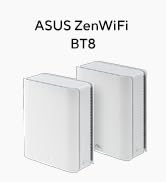
Nachdem ich das Linksys Velop 7 pro leider auf Grund eigenartiger Verbindungsabbrüche retournieren musste, ist, als Ersatz für mein Xiaomi Mi WiFi 6 Mesh, die Wahl auf das ASUS ZenWiFi BT8 WiFi 7 im 2er Pack gefallen. Ich hatte schon früher, vor dem Mi, einen einzelnen ASUS Router mit dem ich sehr zufrieden war, allerdings war die Ausgangslage eine andere und es wurde nicht in der ganzen Wohnung eine stabile und schnelle W-LAN Verbindung benötigt. Die Wahl ist auf Grund des Preises auf das ASUS ZenWiFi BT8 und nicht das BT10, geschweige denn auf das BQ16, gefallen. Gegenüber dem 10er, ohne, dass ich es direkt vergleichen konnte sondern nur anhand der Produktdaten abgeglichen habe, würde ich behaupten, dass für meinen Zweck und vorallem wegen dem Preis das BT8 die absolut logische und vernünftigere Wahl ist. Die Hauptunterschiede sind gegenüber dem BT10 zwei Antennen und Frontendmodule weniger, außerdem eine etwas schwächerer CPU sowie weniger Arbeitsspeicher, das BT8 hat „nur“ 2,5gbit und 1gbit statt 10gbit und 1gbit Ports und auf dem 5ghz bzw. 6ghz Band sind „nur“ 3x3 statt 4x4 Streams möglich (auf Grund der 2,5gbit Anbindung macht das aber Sinn). Bisher konnte ich bei der CPU, lt. Monitor, noch keine zu hohe oder negative Auslastung feststellen. Die hat bis jetzt immer bei einstelliger oder maximal niedriger zweistelliger %Zahl gelegen. Der Arbeitsspeicher ist permanent zu ~64% belegt - bisher auch ohne negativen Auswirkungen) Ausgangslage: ~100m2 Wohnung mit 4 Zimmer + Küche, Bad, WC, Abstellraum, langem Vorzimmer und Terrasse. Das Kabelmodem und der Hauptrouter stehen im Wohnzimmer, quasi diagonal am anderen Ende der Wohnung das Büro, in dem bis zu 100% HomeOffice genutzt wird, ca. auf der Hälfte der Strecke zwischen Wohnzimmer und Büro, im Schlafzimmer, der Meshknoten. Die 2 ASUS Geräte kommen schick verpackt und vorsynchronisiert. Die Geräte selbst sind in schlichtem Weiß gehalten. Von der Haptik her wirken sie subjektiv nicht ganz so hochwertig wie das WiFi 7 Mesh von Linksys. Auch sind sie keine Zylinder sonder eher quaderförmig, optisch allerdings doch recht ansprechend, auch, wenn mir die Linksys optisch und eben von der Haptik her etwas mehr zusagen. Vorn unten ist bei beiden ASUS Geräten eine kleine LED Leiste (diese lässt sich über die APP oder das Webinterface deaktivieren. Info: Bei mir hat es nicht gereicht den Button einfach auf off zu stellen, sondern es musste auch noch das Mesh neugestartet werden). Die Installation per iOS oder Android APP lässt sich auch für Laien bewerkstelligen und ist so im Handumdrehen erledigt. Bevor das Netzwerk online geht wird gegebenenfalls noch auf die aktuellste Firmware aktualisiert. Als das Netzwerk eingerichtet war haben sich alle, in der Wohnung verstreuten, eingeschalteten W-LAN Geräte ohne weiteres Zutun sofort mit dem neuen Mesh von ASUS verbunden (dazu wurden natürlich die selben Logindaten verwendet wie beim vorigen Meshsystem). Die APP besitzt schon sehr viele Optionen um das Mesh nach den eigenen Vorstellungen zu konfigurieren. Über das Webinterface gibt es sogar noch wesentlich mehr, außerdem ausführliche, allerlei erdenkliche Logdateien, Diagnosetools, usw. Das Webinterface kannte ich schon mehr oder weniger von meinem früheren Asusrouter. Persönlich könnte es rein optisch langsam etwas aufgewertet werden, ich finde es wirkt rein optisch mittlerweile etwas angestaubt. Die iOS APP könnte zwar auch etwas schicker sein im Dunkelmodus geht es meiner Meinung aber halbwegs. Wie oberhalb und unterhalb erwähnt ist beides von den Funktionen her Top. Auch die Geschwindigkeit ist ok. Beides sowohl App als auch das Webinterface ist mehr oder weniger in Deutscher Sprache - allerdings und das war auch schon bei meinem alten ASUS - ist nicht alles übersetzt bzw. passt die Übersetzung nicht immer, das betrifft sowohl direkt Funktionen und Beschreibungen als auch Hilfstexte. Meiner Meinung kommt man damit aber zurecht. Ich nutze aktuell nur ein W-LAN Netzwerk außerdem habe ich noch meinen privaten Rechner (2,5 gbit LAN) und meine priavte NAS (1 gbit LAN) von Qnap per Lankabel mit dem Hauptrouter verbunden. Im W-LAN tummeln sich verschiedenste Geräte - meistens sind ~10 dauerhaft verbunden. Darunter ein LG Oled Smart-TV, Bosch Backofen und Bosch Waschtrockner, Echo, diverse iPhones, diverse iPads, Firmen Notebook, Magenta KabelTV, skyX Box, Xbox usw. … Man hat die Möglichkeit u.A. ein separates Gastnetzwerk, Netzwerk für Kinder und ein separates IoT Netzwerk, VPN Netzwerk einzurichten, diese Optionen nutze ich aktuell nicht. Für das W-LAN nutze ich den WiFI 7 Modus und MLO Fronthaul for Clients. MAC-Filter, Port-Weiterleitung, Qos, Jugendschutzeinstellungen, Instantguard, Firewall Powerd by TrendMicro, direkt VPN zu nutzen (es besteht auch die Möglichkeit 2 vorausgewählte (ich meine kostenlos) zu nutzen, sind nur einige der weiteren Funktionen. Über die ASUS Instant Guard APP kann man auch wenn man gerade nicht im eigenen W-LAN ist sicher auf das eigene Netzwerk zugreifen. Weitere Optionen die ich noch erwähnen möchte beziehen sich auf den vorhandenen USB 3 Anschluss. Darüber könnte man einen Mobilfunkinternet Stick oder auch z.B. per usb ein iPhone anschließen und das dann als Dual-WAN bzw. zur Ausfallsicherheit verwenden. Eine weitere Option des USB Abschlusses wäre ihn mit einem Datenträger als Storage zu verwenden - das ist aber gruselig langsam und werde ich auch nicht mehr nutzen da ich sowieso die in allen Belangen wesentlich potentere Qnap NAS nutze. Allgemein denke ich anhand der Fülle der Funktionen, Features und Optionen, die teilweise auch meinen Horizont übersteigen, ist das ASUS ZenWiFi BT8 auch für deutlich versiertere Nutzer höchst interessant und lässt keine Wünsche an Konfigurationsmöglichkeiten offen. Zur Leistung: Obwohl mein ASUS ZenWifi BT8 zweier Pack, gegenüber dem Linksys, mit einem Meshknoten weniger auskommen muss habe ich in der ganzen Wohnung mit allen W-LAN Geräten eine sehr gute bis ausgezeichnete W-Lan Abdeckung. Info: Das ASUS ZenWiFi Mesh lässt sich dank AIMesh mit kompatiblen Geräten erweitern. Die von mir erreichte Geschwindigkeit ist sehr gut. Natürlich erreiche ich direkt beim Router im Wohnzimmer oder beim Meshknoten im Schlafzimmer die volle Up-/Downloadgeschwindigkeit die mir durch meinen Internetanbieter und Vertrag (60-/600mbit) zur Verfügung steht, allerdings selbst im Büro, der Terrasse und den anderen Räumen werden lt. Speedtest Datenübertragungen von 500mbit bis knapp zu den 600mbit im Downlink erreicht. Die 60mbit im Uplink werden in allen Zimmern erreicht. Auch die Zuverlässigkeit der Verbindungen ist bisher unterbrechungsfrei - ganz konträr zum Velop 7 pro von Linksys. Leider gibt es das BT8 zum jetzigen Zeitpunkt nur als zweier Pack statt mit drei Geräten. Ein einzelner Router war zum Zeitpunkt meiner Bestellung auch nicht verfügbar. Mittlerweile wären einzelne BT8 zwar bei Amazon verfügbar, einen werde ich mir auch auf jeden Fall noch zulegen, allerdings warte ich dazu auf nach Weihnachten und auch, dass der Preis etwas fällt - an und für sich, wie geschildert, funktioniert das Mesh bei mir sehr gut, allerdings würde ich es mit einem Dritten gern perfektionieren - sobald der Preis stimmt. Eventuell auch mit einem BT10 als Hauptrouter … da bin ich noch beim überlegen und muss erst herausfinden ob das überhaupt gegenüber einem weitern BT8 was bringen würde - prinzipiell tendiere ich aber einfach und klar zu einem weiteren BT8. Aus meiner Sicht und entsprechend meinem Verwendungszweck kann ich das ASUS ZenWiFI BT8 uneingeschränkt empfehlen. Auch preislich finde ich es noch im Rahmen, im Gegensatz zu den Netgeargeräten die obendrein für die volle Funktionalität ein ABO voraussetzen. Deshalb volle 5 Sterne Ganz allgemein möchte ich den kompletten Kundenservice von Amazon lobend erwähnen. Sowohl der Versand als auch die Rücknahme vom Linksys, die Bestellung und Lieferung vom ASUS hat einwandfrei und reibungslos geklappt. Nachtrag: mit den bis jetzt (22.02.2025) finalen Firmware Versionen gibt es zumindest bei Apple Geräten ziemliche Probleme. Das äußert sich dadurch, dass sich die Geräte unwillkürlich in einen Connect/Disconnect Loop mit dem Mesh begeben. Das zehrt auch extrem am Akku der Geräte. Besserung bringt die BETA Firmware vom 03.02.2025. Aktuell bleibt noch ein Problem, dass relativ oft gewisse Sachen (Bilder, Videos, Vorschauen, etc. z.B. in der Facebook App aber auch in Safari teilweise extrem langsam oder gar nicht geladen werden. Da hilft die jeweilige App neu zu starten, dann klappt es meist auf Anhieb. Nach dem bisherigen Betrieb kann ich, meiner Meinung nach, sagen, dass das ASUS ZenWifi BT8 definitiv besser ist als das Velop 7 Pro. Was mich etwas stört ist die nach wie vor antiquierte Weboberfläche als auch die recht träge App (wobei die im dunklen Modus zumindest passabel aussieht und die Funktionen in der App sind gut). Außerdem finde ich die Abdeckung und/oder die Übergabe von Clients an einen anderes Meshgerät bzw. überhaupt die Verteilung der Clients auf die Meshgeräte könnte besser sein.
K**N
Produkten fungerar väldigt bra. Över förväntan med 500/500 mbit fiber så har jag nästan detsamma med trådlös backhaul i L-format enplanshus på 183m2. Täcker upp trädgården runtom väl också med ca 300-200 mbit. Över 50 trådlösa enheter uppkopplade utan problem. Jag ger inte 5 stjärnor för att jag upptäckte att Asus säljer dessa utan tillverkargaranti när de går via Amazon (trots såld och fraktad direkt av Amazon samt Prime). EU:s tvingande reklamationsrätt gäller naturligtvis gentemot Amazon, men den självpåtagna tillverkargarantin som Asus i normala fall står för gäller inte. Det har jag dubbelkollat med Asus support. Värt att veta att Asus som tillverkare inte supportar produkter sålda direkt av Amazon.
P**X
Har nu 4 st i ett mesh-nätverk och det fungerar perfekt.
G**L
1st December 2024 All issues fixed with November firmware update, I recommend to buy, but fo a update asap... Start of issues.... .. Update- After 3 hours of resetting and changing settings, I have managed to get a stable mesh connection. The Issues with a GT BE98 in mesh mode, seems to be improved with a update installed 4/10/2024... Let Asus resolve issues with updates, don't be in a rush to buy.. 20/10/2024 ASUS has resolved many issues and the router seems to work with the newer updates.
V**L
O produto é bom, mas parece-me que não tem a cobertura anunciada. Poderá ter a haver com alguma definição que me esteja "a falhar", admito. Tem boa construção.
Trustpilot
1 month ago
2 weeks ago