


🚀 Power your future-proof rig with GIGABYTE X870 Eagle WIFI7!
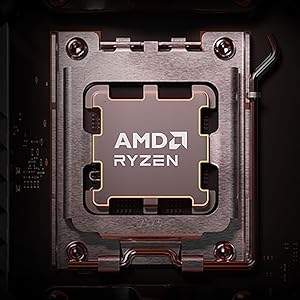
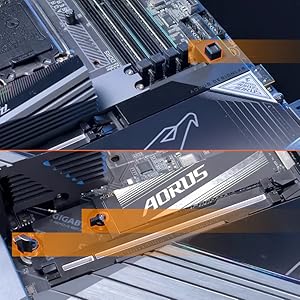
The GIGABYTE X870 Eagle WIFI7 motherboard is a premium ATX board designed for AMD AM5 Ryzen 7000-9000 series CPUs. Featuring DDR5 memory support up to 256GB, a 16-phase VRM power design, four PCIe 5.0 M.2 slots, dual USB4 ports, and cutting-edge WiFi 7 connectivity, it delivers exceptional performance and future-ready expandability. Its EZ-Latch system simplifies component installation, while advanced thermal guards and a 5-year warranty ensure durability and stability for demanding professional builds.





| ASIN | B0DGVMYTW6 |
| Best Sellers Rank | #10 in Computer Motherboards |
| Brand | GIGABYTE |
| CPU Model | Ryzen 7 |
| CPU Socket | Socket AM5 |
| Chipset Type | AMD X870 |
| Compatible Devices | Personal Computer |
| Compatible Processors | AMD Ryzen 7000 series , AMD Ryzen 8000 series, AMD Ryzen 9000 series |
| Customer Reviews | 4.3 out of 5 stars 1,900 Reviews |
| Graphics Card Interface | PCI Express |
| Item Height | 3.1 inches |
| Main Power Connector Type | 24-Pin |
| Manufacturer | GIGABYTE |
| Memory Clock Speed | 5600 MHz |
| Memory Slots Available | 4 |
| Memory Storage Capacity | 256 GB |
| Model Name | X870 EAGLE WIFI7 |
| Model Number | X870 EAGLE WIFI7 |
| Number of Ethernet Ports | 1 |
| Number of Ports | 12 |
| Platform | Windows 10, Windows 11 |
| Processor Socket | Socket AM5 |
| RAM Memory Technology | DDR5 |
| Ram Memory Maximum Size | 256 GB |
| Total Number of HDMI Ports | 1 |
| Total PCIe Ports | 3 |
| Total SATA Ports | 4 |
| Total Usb Ports | 8 |
| UPC | 889523045312 |
| USB 2.0 | 4 |
| Warranty Description | 5 Year Manufacturer |
N**E
Fantastic motherboard with a few important quirks
TLDR: Absolutely a 5 star product with just about everything you could want, but there are a few important things to keep in mind. First off, the board is gorgeous and built like a tank. The nearly full coverage metal front and back plates make it heavy enough I was actually a bit worried someone replaced it with a brick before I opened it! All the little features to help make putting everything together easier are quite nice, and the back connect aspect allows a level of cleanness to your build that flat out isn't possible with a front or side connect motherboard. A standard ATX form factor, support for WIFI 7, Bluetooth, usb 4, front usb c, argb, pcie gen 5, and frankly more m.2 slots than any reasonable person would use, coupled with the am5 platform that still has another few generations of CPUs ahead of it means any of your needs should be covered for the foreseeable future. My build includes a 9950x3d, 64gb of ram, and a gen 5 NVME SSD and I have had absolutely no problems to speak of. Now the little things to keep in mind: Be careful setting the board down. It may be built very well, but with the connectors on the back and many of them (fan headers, argb connectors, etc) effectively just being pins sticking straight up, it would be very easy to bend a pin while doing the classic test of connecting everything outside of the case with the motherboard on its box. You could almost certainly just bend a pin back into place, but a bit of care here will save you some trouble. As this is a back connect motherboard, do make certain that your case supports it. The standoffs are all in the same places, but if the case doesn't have cutouts that extend farther under the motherboard than usual, it will be 100% impossible to connect anything on the board. Cases with large back areas for cable management are also preferred, as many cables stick straight out the back, and are rigid enough to need some space to turn. There are two ways to update the bios on this board, which is a good thing, as one of them (quick flash inside the bios) refused to work for me. The other (flashing using the button on the motherboard) worked flawlessly on the first try. Not sure if I messed something up to cause the first issue, but at least there was another way that didn't really hinder progress. One other thing not specific to this board, but that I ran into my first time building on AM5: By default, memory training happens every time you boot, and takes around a minute. There is an option to change this in the bios, and then it will only take 10 seconds or so to boot, as it will remember the memory training. That's it! If all that seems reasonable to you (as it did to me: a bit of extra work selecting parts and testing in exchange for a nearly perfectly clean and long-lasting build) then this board is a very easy recommendation!
P**P
Solid Performance and Future-Proof
What stands out the most is its robust 16-phase VRM, which keeps temperatures under control even under heavy loads. The inclusion of dual 40Gbps USB4 and Gen5 NVMe SSD support makes this a great long-term investment. Additionally, the EZ-Latch system for both the GPU and M.2 drives is a high-quality touch that makes building so much easier. Rock-solid stability...
D**L
Clean White Beast of a Board
Really happy with the X870 AORUS ELITE WIFI7 ICE so far. The white design looks amazing in my build and the layout made the first setup surprisingly painless, with plenty of fan and RGB headers where they’re needed. Performance has been rock solid with my Ryzen chip and DDR5, and having Wi‑Fi 7 plus tons of USB and M.2 slots makes the system feel very ‘next‑gen’ and future‑proof. BIOS is easy to navigate, updates went smoothly, and features like Q‑Flash and the screwless M.2 slots are small touches that actually make building less stressful. Overall, it’s a great-looking, feature-packed board that’s been a pleasure to build and game on On top of that, the BIOS menu is absolutely stunning – super modern, clean, and way more polished than anything I’ve used before, to the point where it actually makes tweaking settings feel fun instead of intimidating.
C**R
Great Mobo
I really enjoyed using this motherboard. The setup and installation were very easy, and everything worked smoothly right out of the box. The BIOS/UI is clean and user-friendly, which made configuration straightforward. I also like the overall design of the board, and the overclocking features are well laid out and easy to use and great fit in my case.
R**N
Pleasure to build with
I purchased this board while fighting with ASUS for a faulty ROG strix b650e-f, that was sent back missing parts, with oily residue all over it when I saw this board was on sale for $56 off making only $5 more that the aorus B650 elite I jumped all over it and you know what!, I'm glad I did. This board was a dream to build with everything is just so logical, great design and its boots fast something my Asus board could not do. I will update later but I remain cautiously optimistic that this Aorus x670 will remain a solid board for AM5. 6/9/23 Unlike my previous ROG Strix b650, no blue screens, no freezes, no having to constantly troubleshoot. Still very happy with it. 7/26/24 I love the aesthetics of this board and after dealing with Asus and their terrible customer service it was a pleasure to have a board that just worked and it so so for almost a year until it didn't. it recently had issues with random shutdowns, and after checking every component in backup pc(always keep two of the same socket), and reinstalling windows I RMA'd it back to Gigabyte. I dont overclock as a matter of fact I run my 7900x at 65 watts, it had great airflow, bios was recent, so I was crushed having to pull my perfect system apart. I have heard horror stories about gigabyte support so helping for the best. Ironically a $120 asrock b650 that I purchased while waiting for Asus to stop screwing around with my rog strix b650-e-has now outlasted and outclassed two $300 dollar boards from the two biggest motherboard manufacturers 8/24/24 I RMA'd the board, for one issue, and that issue seems to be resolved BUT while they had it apparently they had an issue with the onboard video which I never had so they fixed it right? WRONG!, they sent it back to me and literally as soon it the onboard video is plugged it it shuts down so I had to take my precious time to pull out the mobo which was looking amazing in the case with awesome cable management and waiti a few more weeks. First Asus, now Gigabyte has dropped the ball with AM5 board meanwhile my $120 asrock board has outlasted both the 3 ROG B650E boards from Asus, and Now the X670 board from gigabyte. I hope they fix it correctly or have the decency to send me a new replacement but if not I will be looking at other options 10/11/24 So I purchased a Asus tuf x670 and despite my experiences with the rog strix b650 and so far so good meaning I never used the aorus x670 until yesterday and despite either getting a replacement motherboard or mine fixed, not sure because two different people said two different things and surprise, it still had the same issues that I sent it for initially and this time I'm tired. Tired of the rude and sassy customer service rep who is a total d-bag, tired of the excuses, tired of paying to have my board sent to them for their issue so I will take the loss and toss this p.o s board in the garbage. Never again gigabyte, you lost a loyal customet
B**M
Works great for small PC build
Pros: - Feature packed with plenty of USB ports - WiFi 7 - Well made - Support website has the usual details - Plenty of accessories - Seems fast and passes memtest86 with 128 GiB Cons: - No ECC support - Odd, proprietary WiFi antenna connector - Difficult to see where/if WiFi is a module and if it's an NGFF swappable one - Flashing process could be made step-by-step and clearer because the regular one didn't work, and I had to use the "recovery" method for ordinary flashing
M**R
A great motherboard at a great price.
It was time for an upgrade from my 2015 build. I went with this board because of all of the great features at a reasonable price. I've been running it now for a month or so and so far, so good. I love that it has a power switch on the motherboard. The only small complaint I have is that the USB plug is mounted sideways which can make it difficult to plug the cable into but that's a very small issue. Other than that, setup and configuration was a breeze. No complains whatsoever.
W**R
Beautiful motherboard that overclocks very well!
I wanted a rear-connection motherboard for my white PC build, and found this motherboard to be gorgeous. Beautiful white and chrome aesthetic, with a little touch of RGB for flair. Nearly all of the ugly bits of a standard motherboard are either hidden under a heatsink or on the back face, the only exceptions are a few capacitors around the POST LED Display. Looking at the specs of this X870 motherboard compared to some of the high end X870E motherboards, I was a little concerned that I would be making some compromises in terms of features and OC capability, but those fears were unfounded. You will not be left wanting with this motherboard. There are plenty of OC Enthusiast features , such as the aforementioned LED Display, WiFi 7, plenty of PCIE Gen 5 lanes, and a multitude of USB, aRGB, and fan headers. There are no features lacking for me! And I am very happily surprised at how well it overclocked my 9950x3D. I got a significant performance boost with some simple PBO and Curve Optimizer settings and a mild VCore undervolt. Rock stable and plenty of thermal and power headroom left for those who want to min-max tuning and push it more. No issues with VRMs or other overheating, even with a big RTX 5090 blowing warm air over the motherboard. And did I mention it's simply gorgeous?! This paired with my Lian-Li Hydroshift II C AOI cooler means the only unsightly cable or hose is the 12v power to the GPU. Everything else is neatly tucked away. I love the all white look, it really catches the light of the RGBs. You can't go wrong with this motherboard!
Trustpilot
2 months ago
2 weeks ago



