
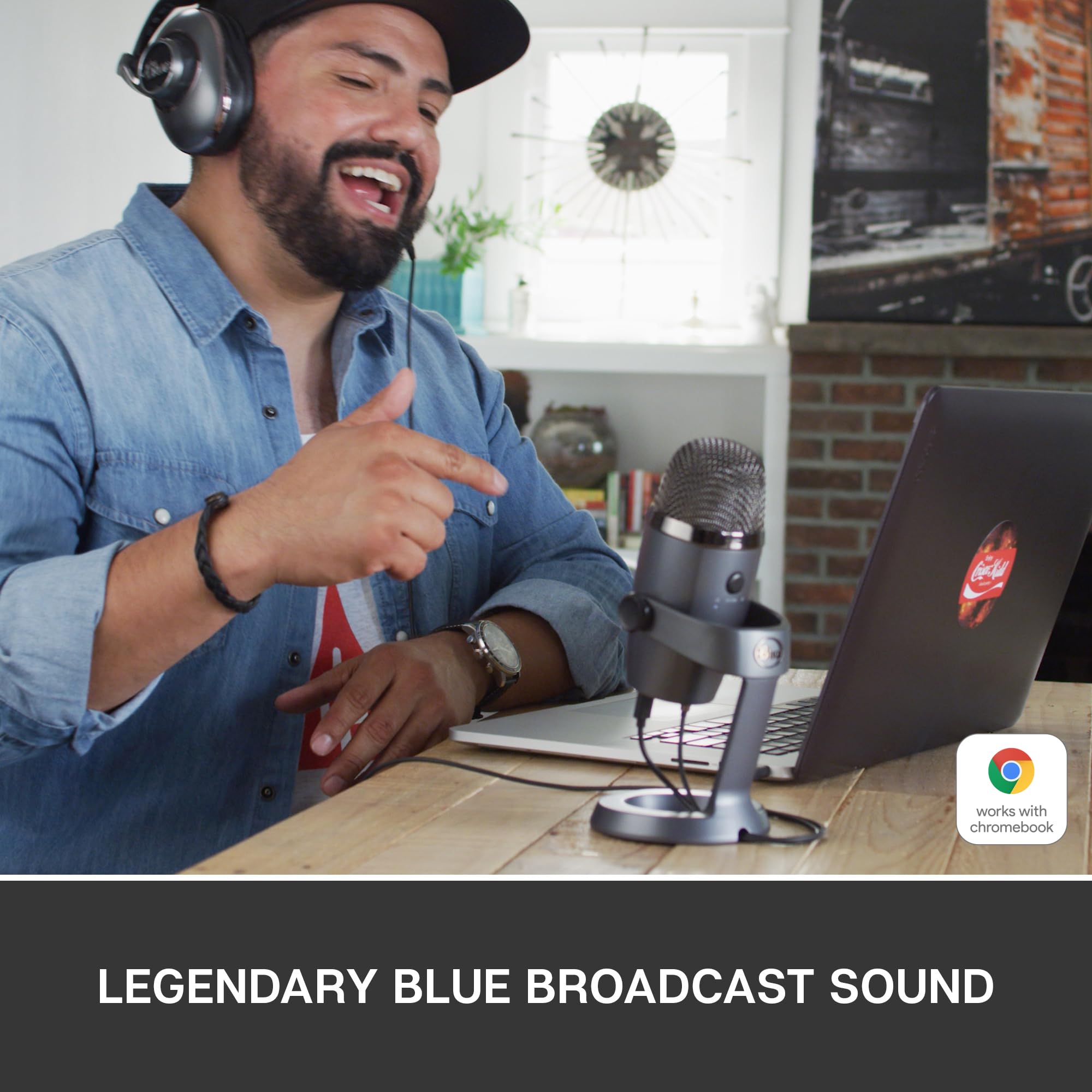


🎧 Own your sound, own the moment.
The Blue Yeti Nano Premium USB Mic is a compact, professional-grade condenser microphone designed for creators who demand superior audio quality. Featuring 120dB sensitivity, dual cardioid and omnidirectional polar patterns, and no-latency monitoring, it delivers crystal-clear sound for streaming, podcasting, gaming, and voiceovers. Enhanced by Blue VO!CE software, it offers customizable vocal effects and HD audio samples, all in a sleek, easy-to-use USB plug-and-play design.


| ASIN | B07DTTGZ7M |
| Antenna Location | Gaming, Streaming |
| Audible Noise | 44 Decibels |
| Audio Sensitivity | 120 Decibels |
| Best Sellers Rank | 2,945 in Musical Instruments & DJ ( See Top 100 in Musical Instruments & DJ ) 54 in Condenser Microphones |
| Box Contents | – Yeti Nano microphone including desktop stand – USB cable – 1/4-inch to 5/8-inch adapter – Quick-start guide – 2-year manufacturer’s guarantee |
| Brand | Logitech for Creators |
| Brand Name | Logitech for Creators |
| Colour | Grey |
| Compatible Devices | Personal Computer |
| Connectivity Technology | USB |
| Connectivity technology | USB |
| Connector Type | / |
| Connector type | / |
| Country of Origin | China |
| Customer Reviews | 4.4 out of 5 stars 6,495 Reviews |
| Enclosure Material | Plastic |
| External Testing Certification | Grau 1, Não aplicável |
| Frequency Range | 48 KHz |
| Frequency Response | 20 KHz |
| Global Trade Identification Number | 00836213000281, 05099206084025 |
| Hardware Platform | PC |
| Impedance | 16 Ohms |
| Item Dimensions | 10.9 x 9.6 x 21.1 centimetres |
| Item Type Name | Microphone |
| Item Weight | 630 g |
| Item height | 8.31 inches |
| Manufacturer | Logitech for Creators |
| Microphone Form Factor | Plug On |
| Model Name | Blue Yeti Nano USB Mic |
| Model Number | 988-000088 |
| Model name | Blue Yeti Nano USB Mic |
| Number of Batteries | 1 Lithium Ion batteries required. |
| Number of Channels | 2 |
| Polar Pattern | Cardioid or Omnidirectional |
| Power Source | USB |
| Recommended uses for product | Gaming, Streaming |
| Signal-to-Noise Ratio | 100 dB |
| Special Feature | Stand |
| Special feature | Stand |
| UPC | 836213000281 097855160577 |
| Unit Count | 1.0 Count |
M**5
Excellent Sound & Build Quality
I recently purchased this mic to use for recording voiceovers for videos I make, commentary during gameplay and also for recording instruments. I have to say this mic excels at all three! Firstly, I was impressed by the ease of installation. I run a windows system and as soon as I plugged in the mic, it was recognised, installed and was ready to go. I tested it with a variety of audio programs and was able to use it with no hassle in all of them. The Nano has less features than the original Yeti, but if you are solely looking for a mic for gaming/Youtube/podcasts etc, I highly recommend this mic. Sound-wise I have heard no difference between the two in test videos I researched and the two recording settings the Nano offers are more than suitable for most situations. The Nano is compact, a lot smaller than the original Yeti, and its build quality is very nice, even though it may look a little "plasticy". Once plugged in it is pretty much ready to go, though I would recommend playing with a few settings such as gain to find the sweet spot for you. I am still doing this myself, though the sound I got straight away from the mic was well above anything I have previously recorded with a headset. As for gaming, this mic will pick up your keyboard and mouse. How loud they will come across is dependant on your setup. I suggest a mic stand to avoid vibrations from using your kayboard. I also purchased a pop filter with mine and would put this down as a must to prevent yourself headaches when recording p's and other "pop" letters. Having the mic away from my desk and in front of the keyboard has made it significantly quieter. All in all I highly recommend the Nano, for the sound quality alone!
H**E
Bought for my video production voiceovers
I bought this because I do voiceovers on Youtube. I was using my Macbook Pro inbuilt 'studio quality' mic but have given it to my son and bought a Mac Mini so needed a microphone. I would recommend downloading the software that comes with this as importantly it gives various sound profiles- I like the broadcast 2 one I think it is called. The build quality is solid. Whilst I am sure it is not the best mic in the world, it is a good solid choice. The sound quality on my voiceovers is a definite big step up over Apple's supposedly studio microphone in the Macbook Pro. You do need to be quite close- about 6-10 inches to get the best sound for voiceovers but that is not a problem. Also gain needs to be up a bit. So the quality of the voiceover is now very high indeed on my Youtube videos. I have listened to some others, paying more attention on some quite big channels and they are using much inferior quality than this in some cases.
A**N
Great Microphone
This product was simply because I wanted a microphone to go with my new studio headphones for both gaming and business calls. The stand is amazing, almost entirely made of metal with a plastic clamp system to screw it onto the microphone. I removed mine from the stand and put it onto a boom arm using the supplied adaptor to the standard thread. The sound quality is perfect, maybe there could be more controls in the software however it is a USB microphone, if you need to have more control over the EQ and other effects, get an XLR with a mixer and that will be far more benefitial. Negatives are that the microphone has very little adjustment on the boom arm, there is no way to angle it exactly as you want unless mounted directly 90 degrees from your face. Also, it is a little unfortunate that the volume button on the microphone is for headphones as I have studio headphones that are wired into an amplifier instead so it is not used at all. Finally, the mute button is often hard to press resulting in the mic picking up noise and that being very loud for anyone on the other end. This microphone is not intended for studio use and is good for YouTube voice overs, gaming, streaming, Skype, discord and other social media however would struggle as a podcast mic or for recording vocals. Hope that helps.
V**T
A bit pricey, but the sound quality is amazing
Blue Yeti has a good reputation, which is well deserved. This Yeti Nano is smaller than the original Blue Yeti, but the quality is pretty much the same. As the Nano is smaller, it is actually much nicer on your desk and easier to transport if needed. I also like the fact that he has a more recent mini-USB plug on the microphone, instead of the old square USB on the original bigger Blue Yeti. The on/off volume button at the front has a quality feel and is super easy to operate. It is also so useful to mute/unmute yourself during video call, without anyone noticing (as you don't have to use the mute feature of the software like Zoom and so on). The stand provided is strong and heavy and for my usage is enough. I have the microphone on my desk and don't need an extra arm (even so I type on my keyboard during my videos call). It is definitely worth paying the extra money to have such a quality microphone, as the sound quality now on my professional calls is so so so good!
S**K
Easy to use and set up, very clear and crisp audio
Amazing mic, on par with ridiculously priced “high end” Condenser Microphones. Just treat it like you would a high end mic and you should have this for a long time. Make sure to mute before unplugging, be gentle with it, and try not to get to peak audio levels (in the top half of the red) with it, this will ensure you get the most out of it. Condenser mics are to be handled with great care, not like Dynamic microphones which are slightly more sturdy but give less audio range and audio crispness compared to Condenser Mics. That being said, I have literally dropped this thing down a flight of stairs and it still works just as well as it did before. But don’t go around doing that please. TLDR: Good mic, worth the money, crisp audio.
K**G
Quality Sound
Having owned a Blue Snowball ice for over 10 years, which has always been geat, I only decided to trade-up because the connection at the back of the mic had become so loose over the years it sometimes came loose all together when I moved the boom arm. I chose the Yeti Nano due to the incease from 1 condenser to 2, and the increase from the ice's 16-bit/44kHz to the Nano's 24-bit/48kHz. It's important for me to have a quality mic, as I broadcast a classical programme online a few times a week and stream at a high quality - 192kbps, so the mic has to match the quality of the music. The Yeti has not disappointed and is a noticeable improvement on the Snowball. The Nano is crystal clear. Unlike some who have said they may have received a returned or pre-used item, mine was definitely brand new with a box which had clearly never been opened. I am delighted with the Nano and it's quality and robust construction looks like it will last me another 10 years or more.
M**Y
Excellent for travel
I've always had the big Blue Yeti mics, but they're very heavy and I travel a lot. This was an excellent travel alternative. Very happy with the sound quality. It's still quite weighty, but nowhere near as heavy as the full mic. Feels good quality. Perfect for voicing over videos. Very happy.
S**6
Details matter at this price point
The mic is great - solid, nice piece of kit which sounds amazing. But And I know this is nitpicking but the supplied USB lead has one of those anti-noise thingys at the microphone end which (a) just looks horrible and (b) means that the lead doesn't easily fit between the mic and the nice channel in the base designed specifically for the lead. I know its a small thing, but it's going to annoy me every time I use the mic. Details really do matter! Not enough to make me send it back, but enough to annoy me and to think, maybe, the price was too high!
Trustpilot
3 weeks ago
1 month ago



